


 Casinos
 Bonuses


Copinho


Copinho Details

Software
Vibra Gaming
Release date
Sep 11, 2025
Game type
Step-Based Risk Games

Times Played
 No
No
3D animation
No
Technology
HTML5
Play Copinho Slot for Real Money




Load More Casinos (+10)
How to Play Copinho Slot: Mastering the Basics
1
CHOOSE A BET VALUE.
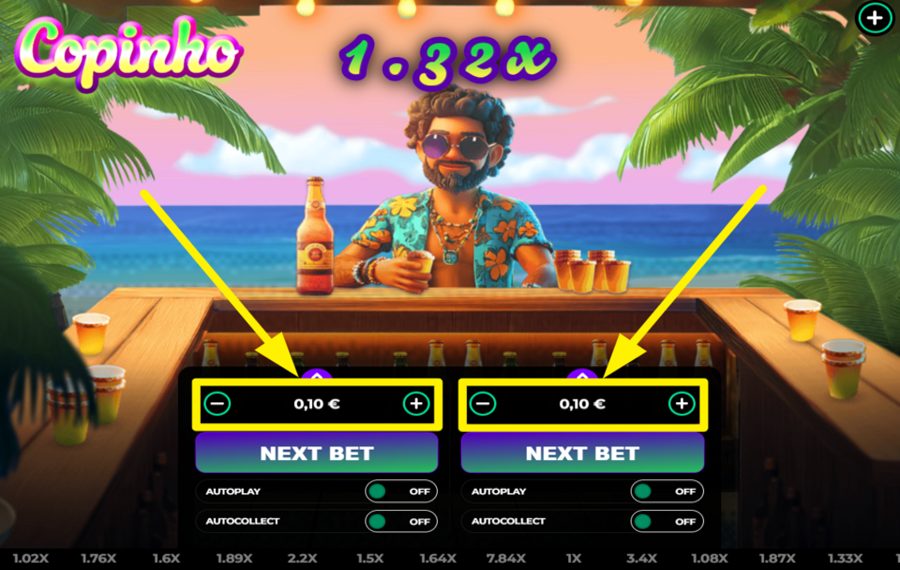
Copinho is a multiplayer game. To choose your "bet," use either of the two panels at the bottom center of the screen. On your chosen panel, press the "-" button on the left to decrease the amount, or the "+" button on the right to increase it. For quicker selection, click the small purple arrow above the panel to open the larger "bet" selection panel with preset values, then confirm your choice.
2
POUR IT IN!
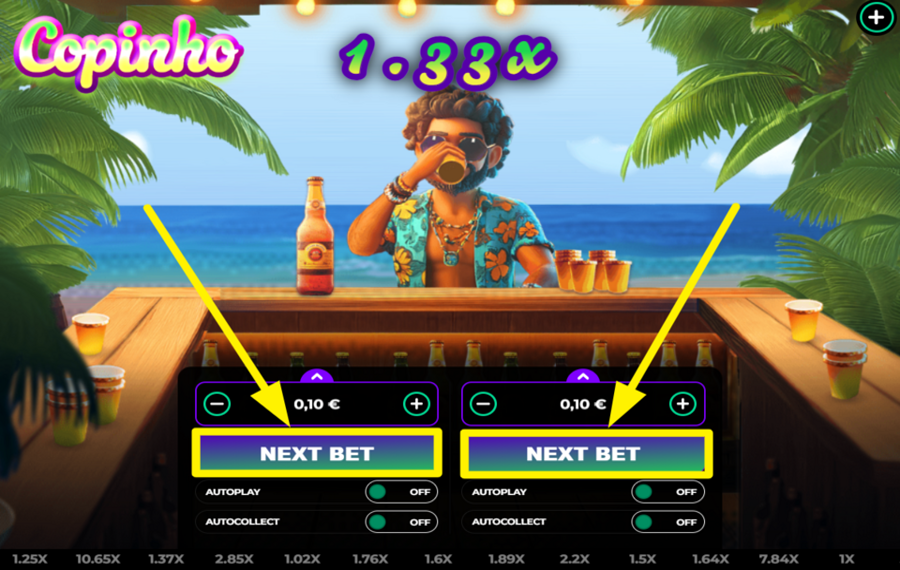
To enter the round, press the big "Next" button on your chosen panel to place your "bet." Your round starts as soon as you join, and you’ll see the multiplier begin at 1x and climb while the character keeps drinking.
3
WITHDRAW YOUR WINNINGS.
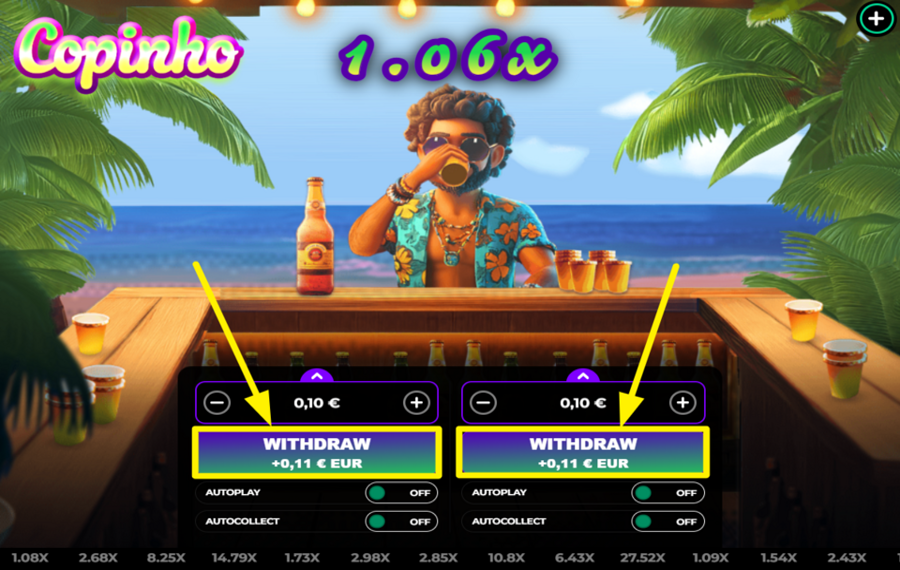
Once the round is live and the multiplier begins to increase, the "Next Bet" button on your active panel changes to "Withdraw." Press it anytime to cash out and secure your winnings at that moment’s multiplier. Waiting longer can increase your payout. If the multiplier crashes before you withdraw, the character suddenly stops drinking, and you lose that "bet.”
4
ENABLE AUTOPLAY.
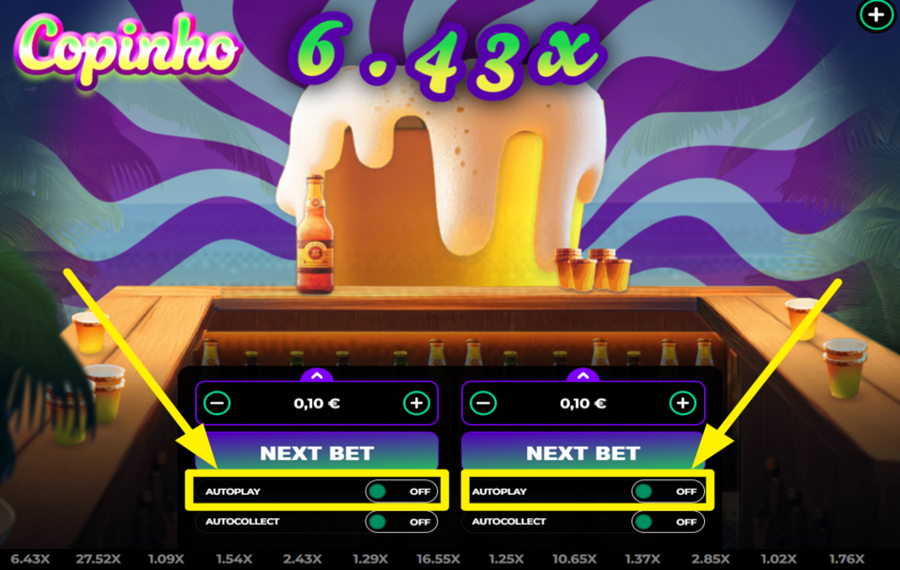
If you want the game to place "bets" automatically, tap the "Autoplay" switch under your chosen panel. This action opens the settings window, where you can choose how many rounds you want to run: infinite, 5, 10, 20, 50, and so on. Confirm the settings, and the game keeps placing your "bet" automatically.
5
SET A WITHDRAW CONDITION.
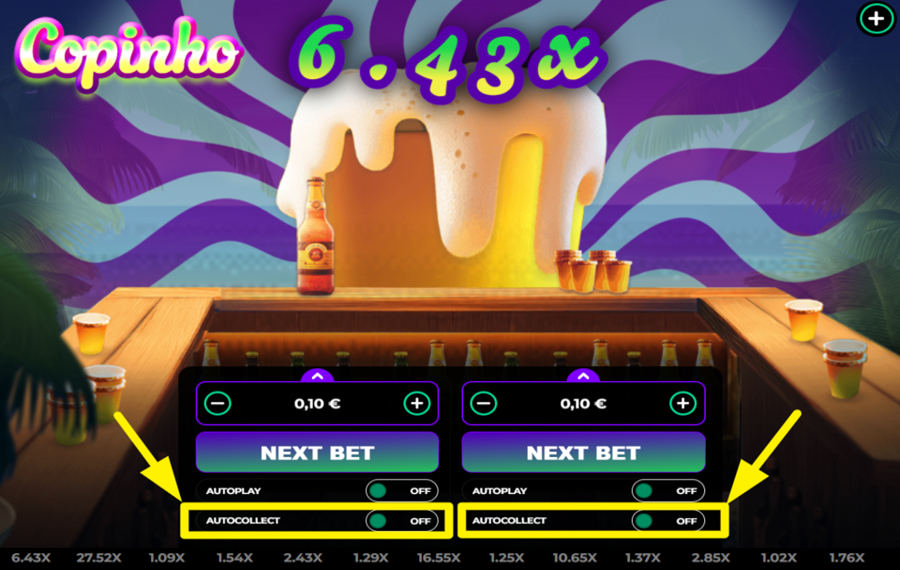
"Auto Cashout" works independently from "Autoplay," but you will be redirected to the same settings window if you click the corresponding button on your chosen panel. Switch it on to open the settings window, then set your preferred cashout multiplier using the "+" and "-" buttons (example: 2.00x). Confirm your selection, and the game automatically withdraws once your target multiplier is reached.
Copinho Ratings & Reviews
Our community rated Copinho as Very Good with a score of 4 out of 5 based on 1 vote.




jessrmackLevel 7Canada


Rate and Review Copinho
When writing a Game Review, remember to share your personal experience in detail - whether it's positive or negative. For more tips on writing game reviews, check out our dedicated Help Page.
How to Write a Game ReviewCopinho Q&As
Got questions about Copinho?
Ask a QuestionCompare Copinho to Other Games
+![Cargo Tower]()

Cargo Tower
RTP: 98%
+![Cheesy Road Classic]()

Cheesy Road Classic
RTP: 97%
+![Fish Road]()

Fish Road
RTP: 96%
+![Unhooked]()

Unhooked
RTP: 97%
RatingSoftwareYearRTP

Copinho
Vibra Gaming
2025
99%



Show more![arrow_down]()


Other Games by Vibra Gaming








Load More Vibra Gaming Games

Mihai Enculescu
Senior Game Expert
- Over 2 years of experience in the iGaming industry.
- Uploaded & maintained data for 3,000+ casino games.
- Strong grasp of casino game mechanics, especially slots.
- Reviewed and fact-checked over 3,500+ casino games.

