


 Casinos
 Bonuses


Pool Party


Pool Party Details

Software
Pixmove
Release date
Aug 12, 2025
Game type
Step-Based Risk Games

Times Played
 No
No
3D animation
No
Technology
HTML5
Play Pool Party Slot for Real Money





Load More Casinos (+2)
How to Play Pool Party Slot: Mastering the Basics
1
CHOOSE YOUR BET.
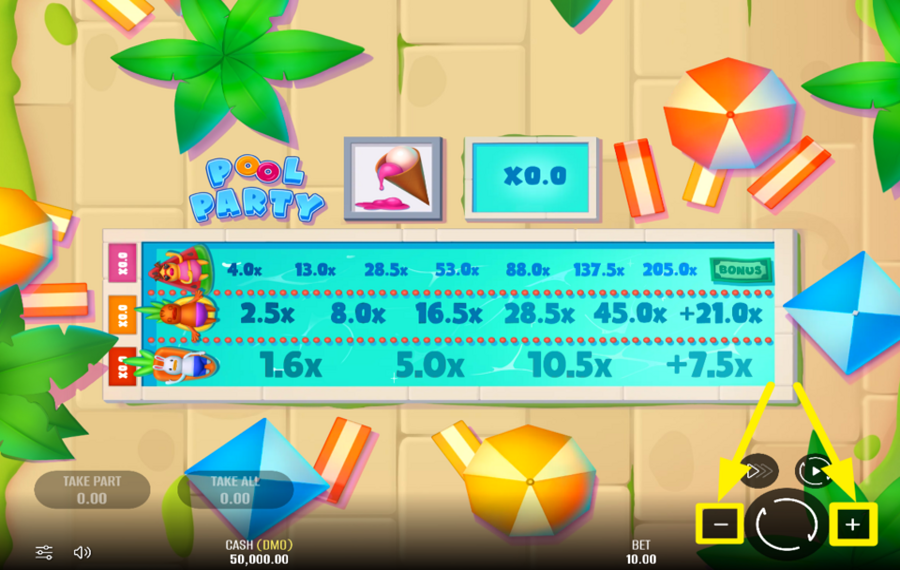
Adjust how much you want to wager per round by pressing the "+" and "-" buttons located at the bottom of the screen.
2
LET THE PARTY BEGIN!
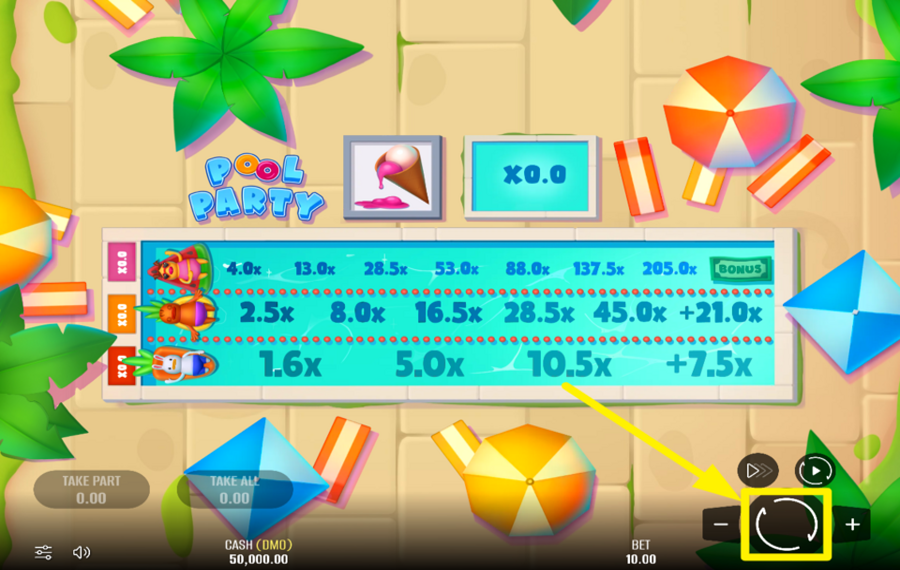
Press the large round "Play" button with two circular arrows in the bottom-right corner. The floaties, or characters, will begin drifting across the respective swim lanes toward the target zone. As they move forward across the lanes, your potential payout rises. But if a floatie pops too early, you lose your "bet."
3
SECURE YOUR WINNINGS.
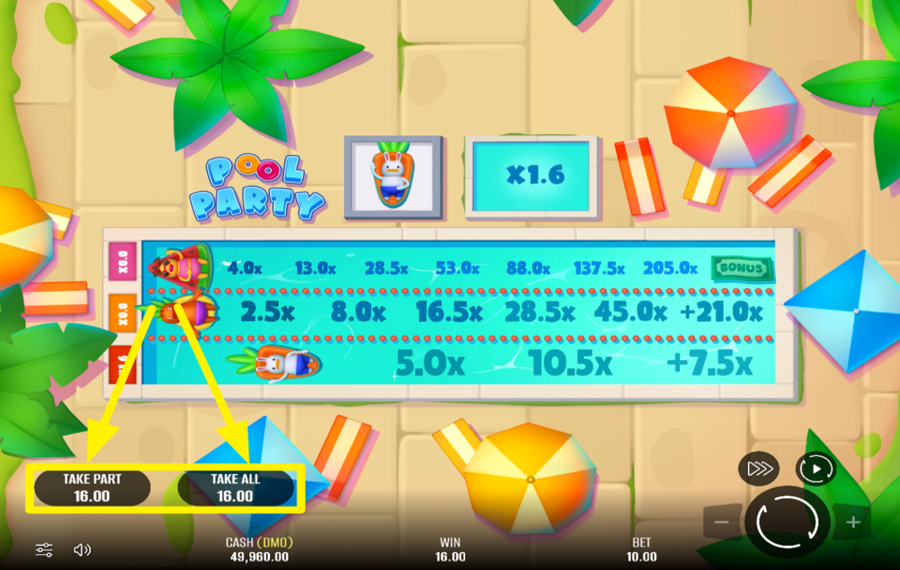
At any point during the round, you can exit the party with what you’ve earned so far. Tap the “Take All” button to cash out the full value based on the multiplier your advancing character has reached. If you’d rather grab just part of the winnings while keeping your position on the track, press “Take Part.” This action collects a smaller amount and keeps the character swimming forward in the next round.
4
TURN ON TURBO MODE.
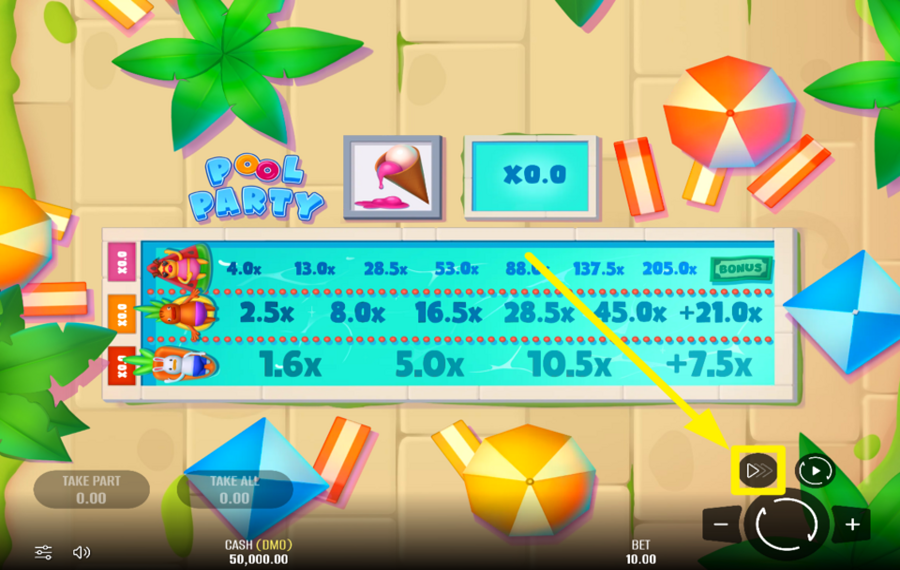
Want to speed up the action? Press the fast-forward button near the lower-right corner. The first tap activates "Turbo," the second enables "Super Turbo," and a third click returns you to normal speed.
5
USE THE AUTOPLAY FEATURE.
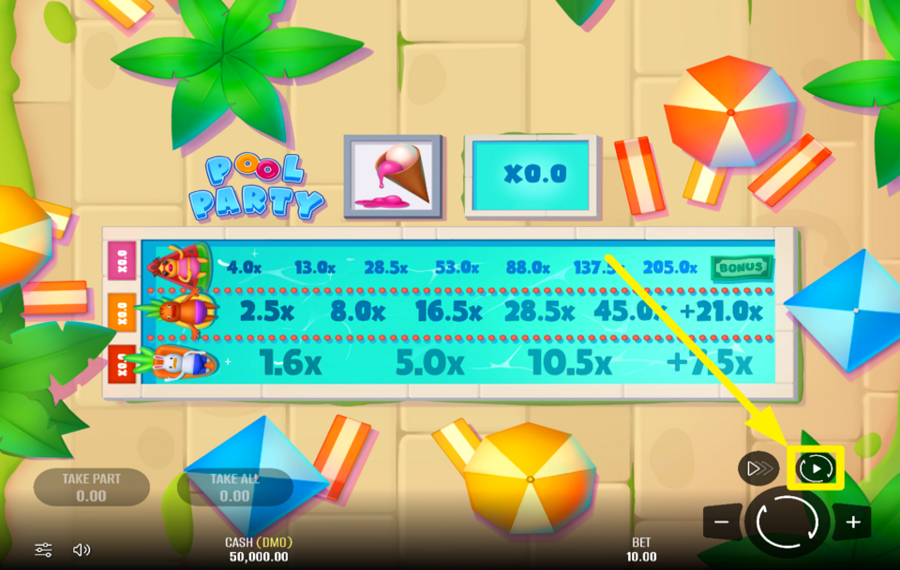
If you want to let the game run automatically, click the "Autoplay" button just above the main "Play" icon. Set the number of rounds you’d like to run hands-free, then sit back and enjoy the pool show. You can pause or stop the feature at any time.
Pool Party Ratings & Reviews
Our community rated Pool Party as Very Good with a score of 4 out of 5 based on 6 votes.




Ferji666Level 10


GoenndyrLevel 8Germany


REASONLevel 8
14.04Level 8
Sebus666Level 6Poland




pingvinasLevel 39
Rate and Review Pool Party
When writing a Game Review, remember to share your personal experience in detail - whether it's positive or negative. For more tips on writing game reviews, check out our dedicated Help Page.
How to Write a Game ReviewPool Party Q&As
Got questions about Pool Party?
Ask a QuestionCompare Pool Party to Other Games
Other Games by Pixmove







Load More Pixmove Games

Mihai Enculescu
Senior Game Expert
- Over 2 years of experience in the iGaming industry.
- Uploaded & maintained data for 3,000+ casino games.
- Strong grasp of casino game mechanics, especially slots.
- Reviewed and fact-checked over 3,500+ casino games.

