


 Casinos
 Bonuses


Frog Dash 10000

 coins
 Play with chipy coins
Play with Chipy Coins
Our Play for Coins games offer a unique gaming experience.
- Here’s why:
- Casino-like vibes
- No boring demo credits, play with your Chipy balance
- Watch your winnings add up in real time
- Use Chipy coins for Shop items or Raffles tickets
Don't miss out on all the fun!


Frog Dash 10000 Details


Times Played
 No

3D animation
No
Technology
HTML5
Play Frog Dash 10000 Slot for Real Money




Load More Casinos (+10)
How to Play Frog Dash 10000 Slot: Mastering the Basics
1
SET YOUR STAKE.
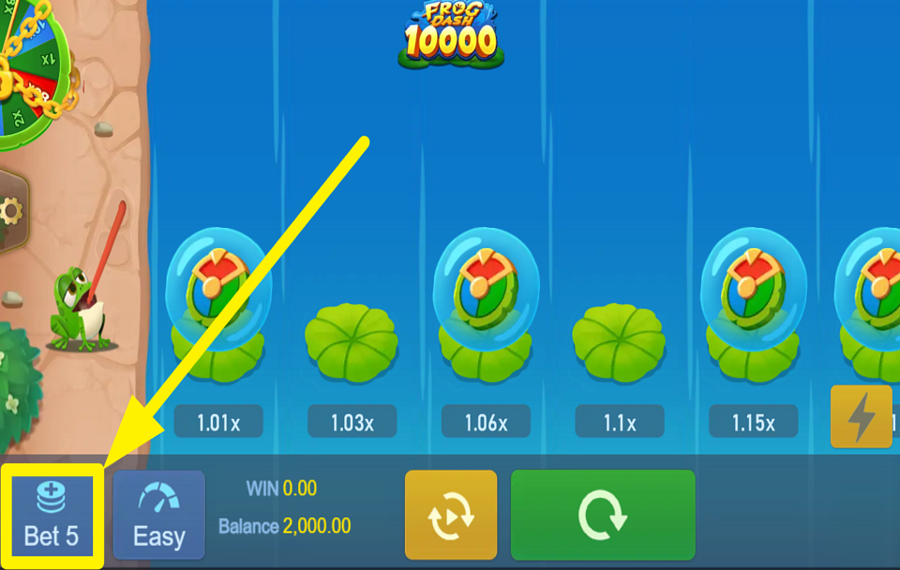
Tap the "Bet" button in the lower-left corner of the screen before the round begins. Select the amount you want to wager from the options you see.
2
PICK A DIFFICULTY LEVEL.
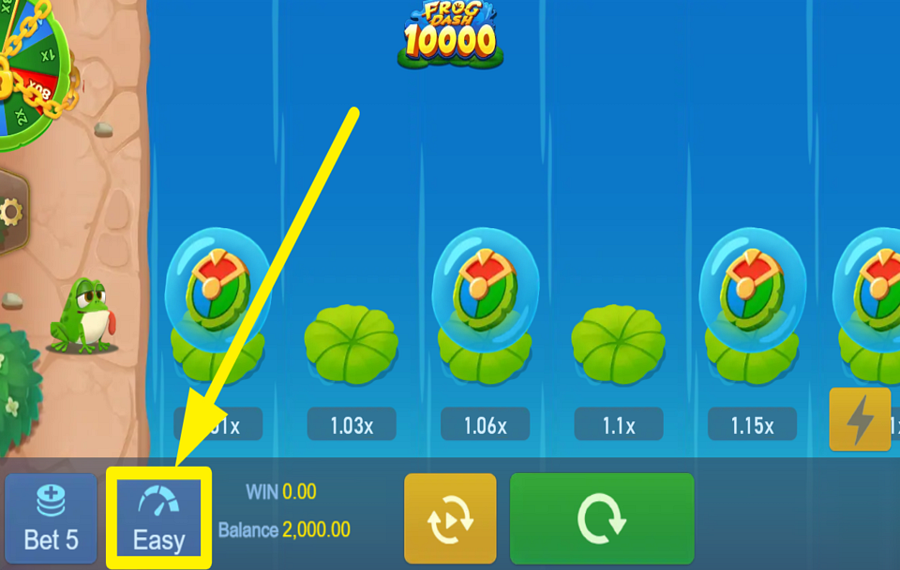
Press the "Difficulty" button next to the "Bet" control to choose between Easy, Normal, and Hard. Each setting changes the length of the path and the maximum multiplier available. Easier levels have more lily pads and lower top rewards, while harder settings shorten the journey but offer much higher potential multipliers.
3
LEAP ACROSS THE POND.
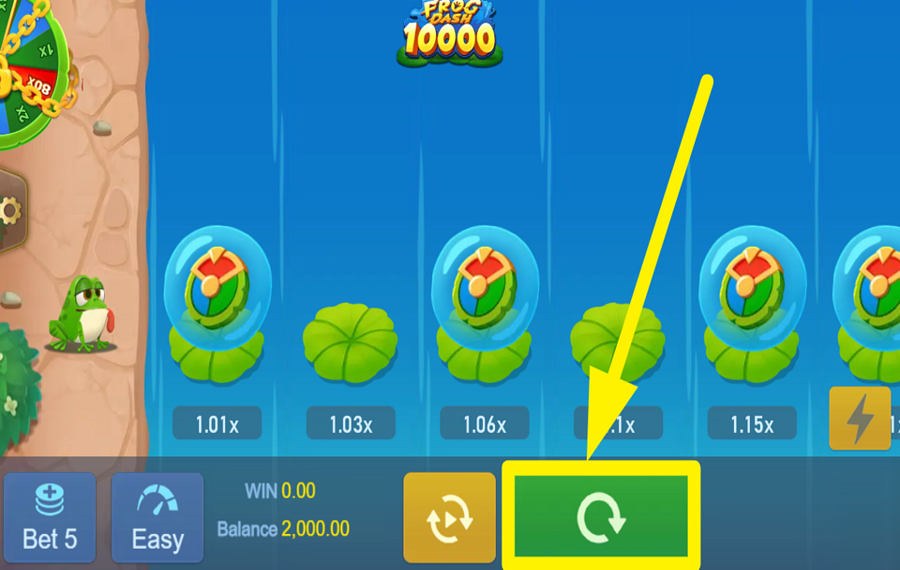
Click the large green "Play" button at the bottom of the screen to start the round. Once the game begins, press the nearby frog button whenever you want your frog to jump to the next lily pad. Every successful landing increases your current multiplier, but if the frog misses a landing before reaching the finish or cashing out, the round ends immediately and your "bet" is lost.
4
CASH OUT YOUR WINNINGS.
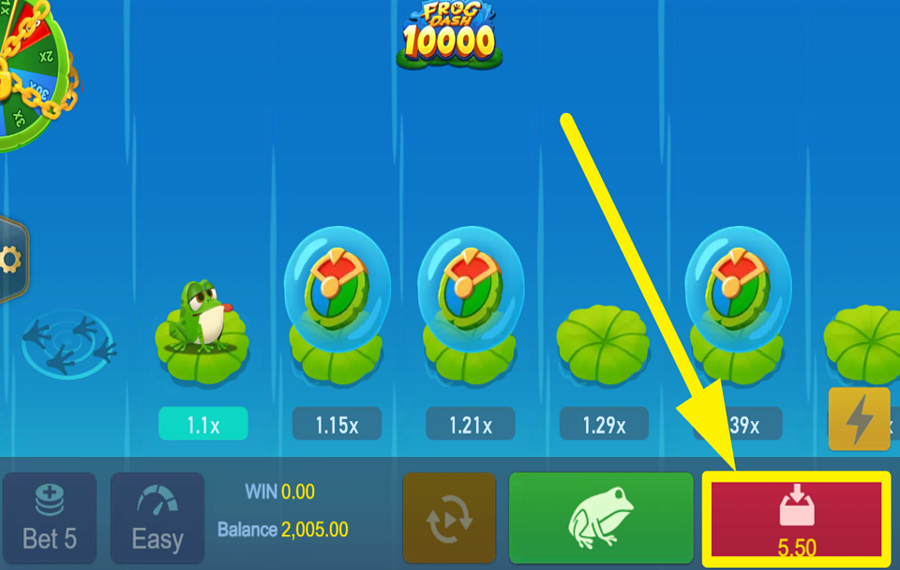
Hit the red "Cashout" button on the lower-right side of the interface whenever you decide to stop. Your payout is calculated using the multiplier shown on the lily pad where your frog currently stands, allowing you to secure your winnings before attempting another risky jump. If you reach the end of the course, the game settles your winnings automatically.
5
ACTIVATE THE FROG DASH BOOST.
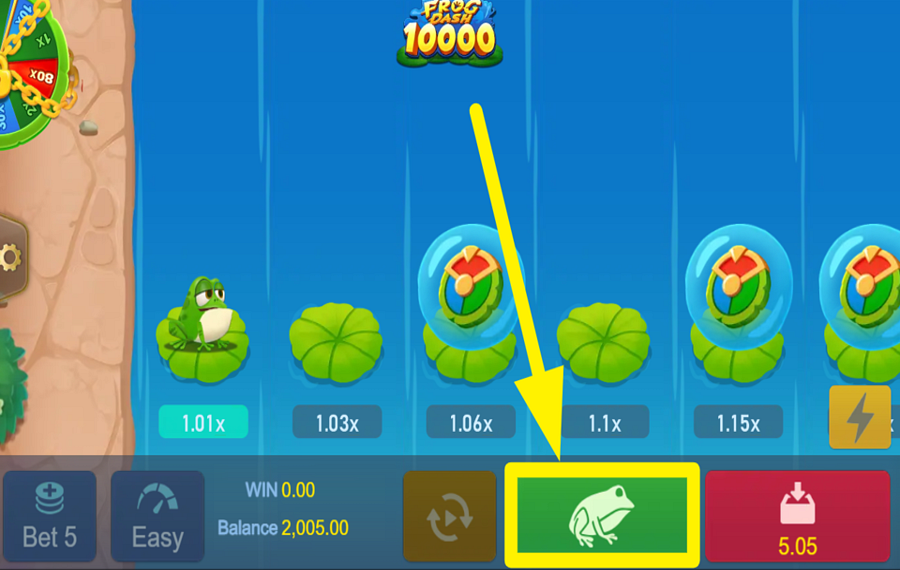
Press the green toad button during play for a chance to trigger the special "Frog Dash" feature. If it activates, the frog automatically advances 2, 3, or 5 lily pads at random without failing any of those jumps. You may also encounter a "Wheel" Bonus Game during the journey, where spinning the wheel awards a multiplier based on the selected difficulty, and bonus prizes are paid even if the main round later fails.
6
ENABLE AUTOPLAY.
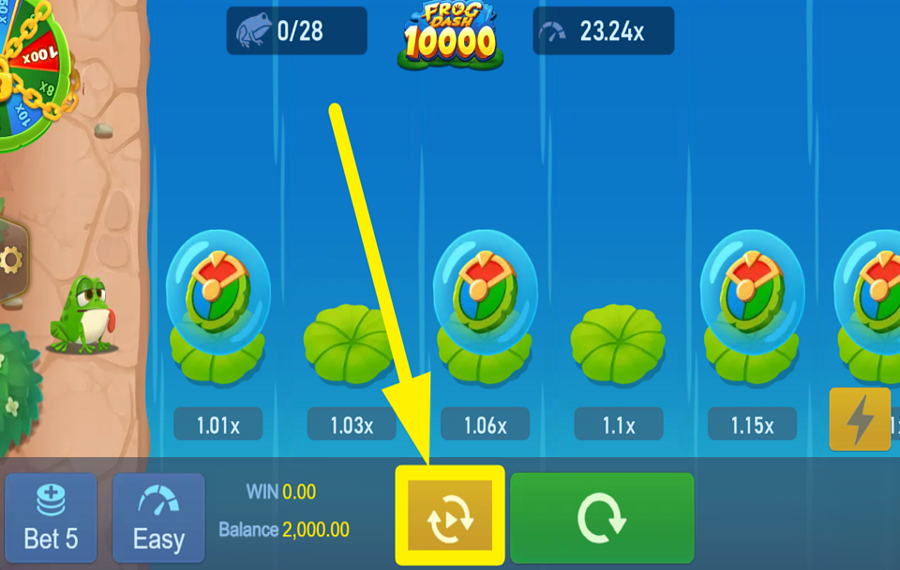
Tap the yellow "Autoplay" button at the bottom of the screen to open the automatic play menu. From here, you can choose the difficulty, set an automatic cashout target, select a preset number of rounds, and adjust the "bet" amount for the session. You can also enable stop conditions to end "Autoplay" if your balance falls below or rises above a specified value. Once your preferences are set, press "Start" to let the game play consecutive rounds automatically.
7
CHANGE THE SPEED.
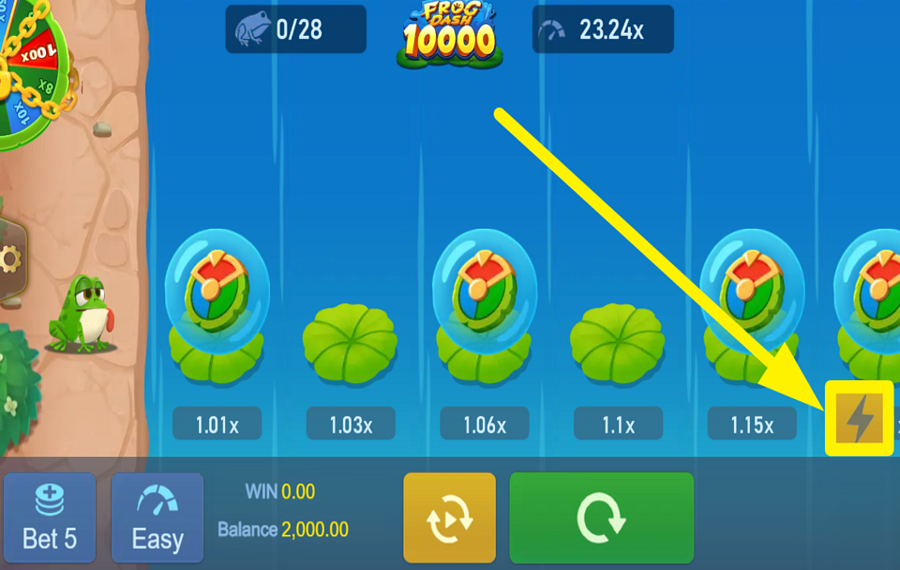
Press the lightning-bolt button on the right side of the game screen to switch on "Turbo" mode. This feature speeds up the frog's movements and other game animations.
Explore the Frog Dash Collection by TaDa Gaming
GameYearRTPFeatures
 Frog Dash 10000
 Frog Dash
 10000 Ratings & Reviews
Rate and Review Frog Dash 10000
When writing a Game Review, remember to share your personal experience in detail - whether it's positive or negative. For more tips on writing game reviews, check out our dedicated Help Page.
How to Write a Game ReviewFrog Dash 10000 Q&As
Got questions about Frog Dash 10000?
Ask a QuestionCompare Frog Dash 10000 to Other Games
+![Chicken Run]()

Chicken Run
RTP: 95%
+![Uncrossable Rush]()

Uncrossable Rush
RTP: 96%
+![Chick n Run]()

Chick n Run
RTP: 95%
+![Mancala Cheese Chase]()

Mancala Cheese Chase
RTP: 95%
+![Chicken Plus]()

Chicken Plus
RTP: 97.5%
+![Rooster Run 2]()

Rooster Run 2
RTP: 97%
+![Tile Master]()

Tile Master
RTP: 97.36%
+![Chicken Road 2 Bonus]()

Chicken Road 2 Bonus
RTP: 96.5%
+![Orbital Rush]()

Orbital Rush
RTP: 96%
+![Chicken Dash]()

Chicken Dash
RTP: 96.85%
RatingSoftwareYearRTP




Show more![arrow_down]()


Other Games by TaDa Gaming
All 265 TaDa Gaming Games









Rozi Vrinceanu
Casino Data Specialist
- Over 6 years of experience in the land-based casino industry;
- Deep understanding of player experience and casino operations;
- Updated and verified more than 300 online casino reviews;
- Known for precision, consistency, and a high standard of accuracy;
- Currently studying Economic Sciences at Titu Maiorescu University.

