 Level
Level 


 Casinos
 Bonuses


Frog Dash

 Refresh
 Full Screen
 Report
Frog Dash Details


Times Played
 No
No
3D animation
No
Technology
HTML5
Play Frog Dash Slot for Real Money





Load More Casinos (+10)
How to Play Frog Dash Slot: Mastering the Basics
1
SET YOUR BET.
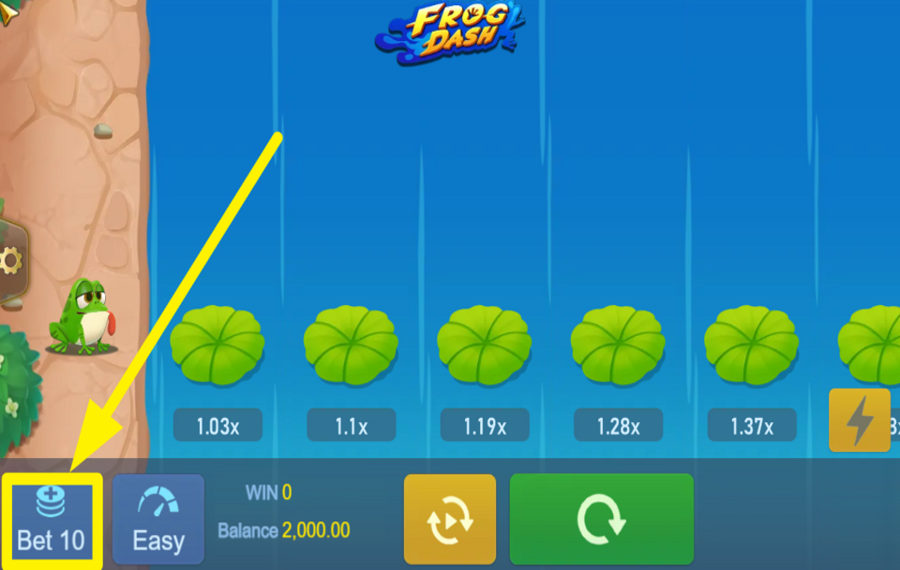
To lock in a wager amount, press the blue "Bet" button at the bottom-left corner of the screen. This action opens a grid where you can switch to a different stake instantly by clicking another value from the panel.
2
SELECT A DIFFICULTY LEVEL.
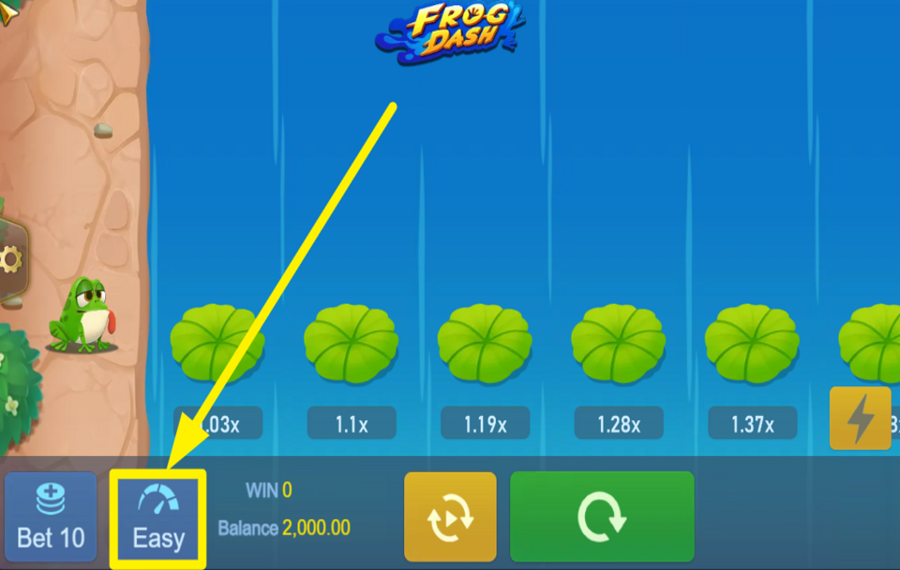
After locking your wager, decide how risky the round should be by using the "Difficulty" control beside the "bet" option. Press it to open a small dropdown where you can choose between "Easy," "Normal," and "Hard."
3
LET THE FUN BEGIN!
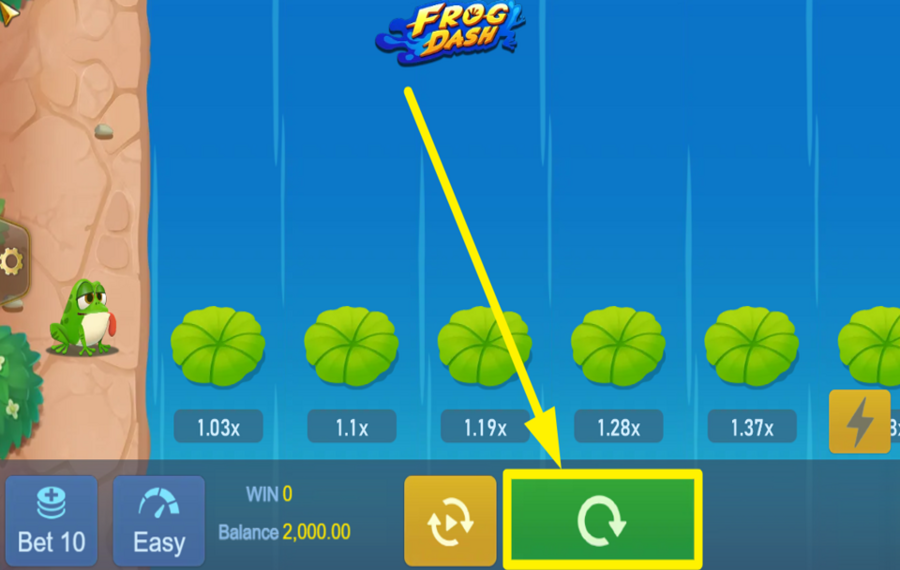
To start a round, press the large green action button on the lower-right side with the circular arrow icon. As you click it, the frog starts hopping forward while the payout multiplier increases across the lily pads. During the run, the main goal is simple: let the multiplier build, but don’t wait too long, because once the frog slips (the crash moment), the round ends immediately, and the active wager is lost.
4
CASH OUT OR KEEP HOPPING.
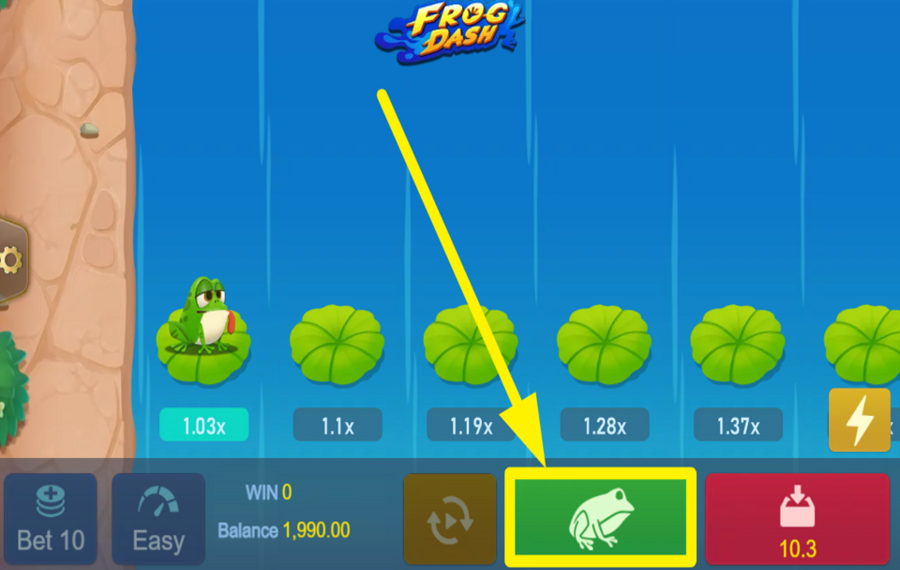
As the multiplier grows, you have a decision to make on every run. If you want to lock in your profit, use the green frog button when it appears during the active round. Cashing out ends the round early and secures the payout based on the multiplier at that moment. If you keep going instead, the multiplier can rise further, but you’re also giving the crash more time to hit. So the longer you stay in, the higher the reward potential and the higher the risk of losing the entire stake.
5
UTILIZE AUTOPLAY.
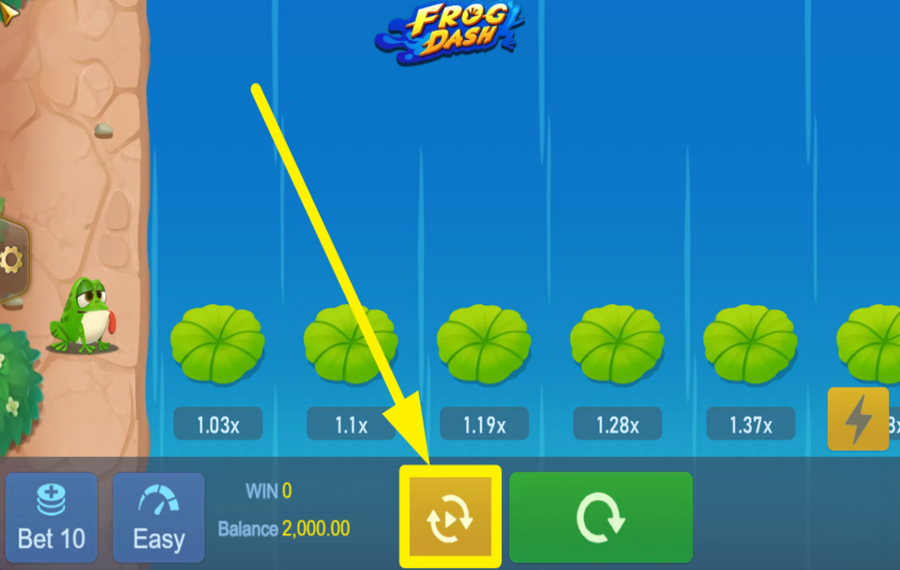
If you want the toad to keep hopping without constant manual input, open the "Automatic" menu. Inside this menu, you can set your preferred "Risk" level using the left/right arrows, choose when the system should cash out automatically using the target value controls, and select how many rounds you want to run by setting "Total Spins." When everything looks right, press the "Start" button to begin automated play.
6
UNLEASH TURBO CHARGE.
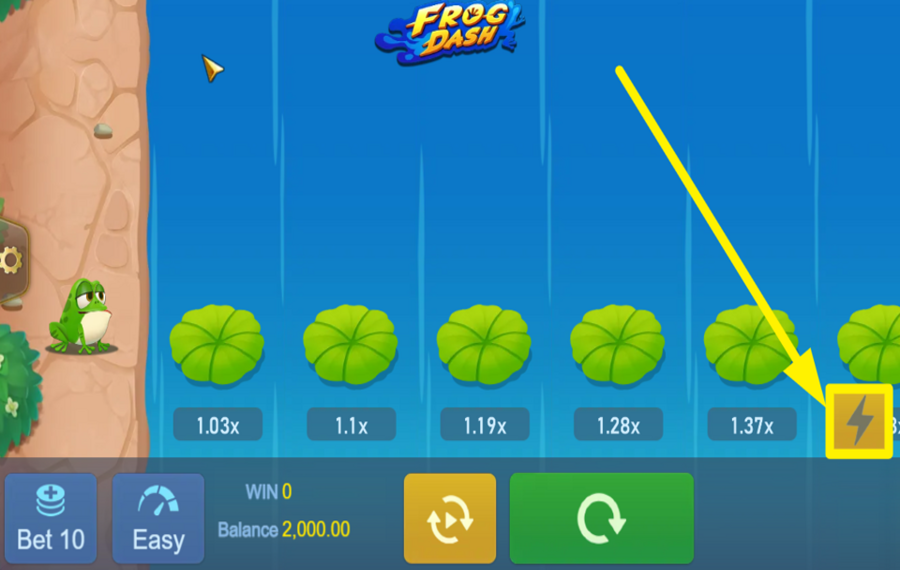
For faster gameplay, use the "Turbo" option, which appears as a yellow lightning-bolt button on the right side of the game screen. Pressing this speeds up the game animations.
Frog Dash Ratings & Reviews
Our community rated Frog Dash as Very Good with a score of 4 out of 5 based on 3 votes.




GoenndyrLevel 7Germany




REASONLevel 7



pingvinasLevel 38
Rate and Review Frog Dash
When writing a Game Review, remember to share your personal experience in detail - whether it's positive or negative. For more tips on writing game reviews, check out our dedicated Help Page.
How to Write a Game ReviewFrog Dash Q&As
Got questions about Frog Dash?
Ask a QuestionCompare Frog Dash to Other Games
+![Fortune Breakers Instant Win]()

Fortune Breakers Instant Win
RTP: 70%
+![Ethan Grand Mayan Diaries]()

Ethan Grand Mayan Diaries
RTP: 96%
+![Beerhalla]()

Beerhalla
RTP: 95%
+![Tile Master]()
Tile Master
RTP: 97.36%
+![Jogo da Zebra]()
Jogo da Zebra
RTP: 96.7%
+![Chicken Zap]()

Chicken Zap
RTP: 96.27%
+![Rabbit Road]()

Rabbit Road
RTP: 95.5%
+![Twist]()

Twist
RTP: 97%
+![Goblin Tower]()
Goblin Tower
RTP: 95%
+![Uncrossable Rush Xmas]()

Uncrossable Rush Xmas
RTP: 96%
RatingSoftwareYearRTP


Show more![arrow_down]()


Other Games by TaDa Gaming
All 188 TaDa Gaming Games









- Over 2 years of experience in the gambling industry.
- Researched and uploaded over 2.000 casino games to the website;
- Assessed the accuracy of more than 5.000 casino games;
- Coordinated and documented over 20,000 data updates across casino games, guides, and land-based casino information.
- Oversaw and maintained large-scale project tracking to ensure timely and accurate content delivery.
- Has a Bachelor's Degree in Psychology from Spiru Haret University.

