


 Casinos
 Bonuses


Navigator


Navigator Details

Software
Solidicon
Release date
Feb 01, 2023
Game type
Crash

Times Played
 No

3D animation
No
Technology
HTML5
How to Play Navigator Slot: Mastering the Basics
1
DETERMINE YOUR WAGER.
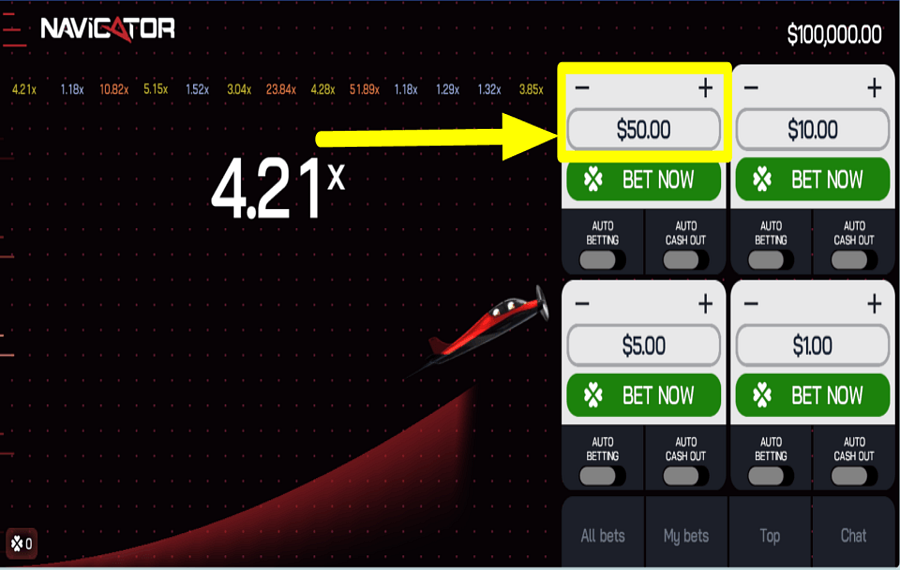
Use the “+” and “-” buttons on the right side of the screen to assign the amount you want to “Bet” on each round.
2
TIME TO GAMBLE.
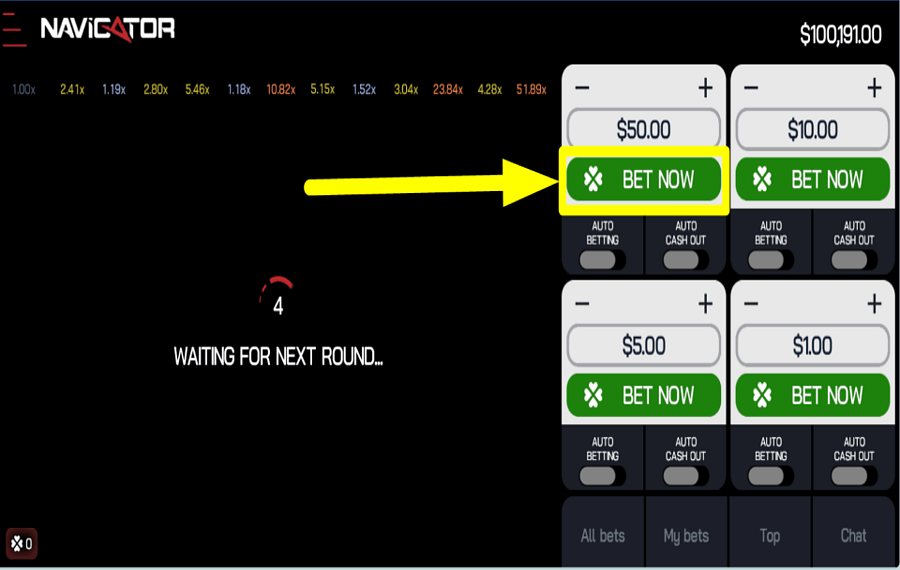
Press the “Bet Now” button to place up to 4 bets at the start of each round.
3
GRAB THE REWARD.
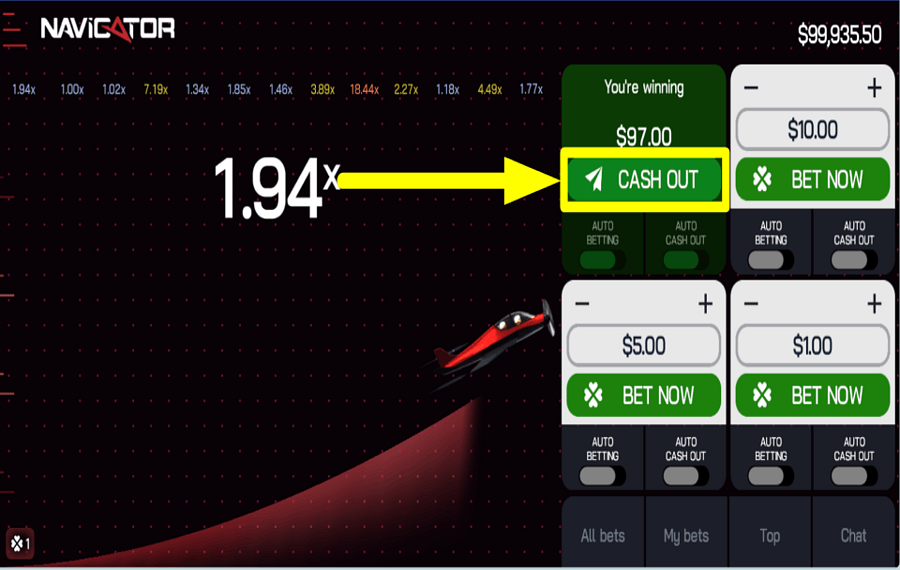
Click the “Cashout” button before the plane flies away to collect the winning amount listed on the screen.
4
RECALL YOUR WAGER.
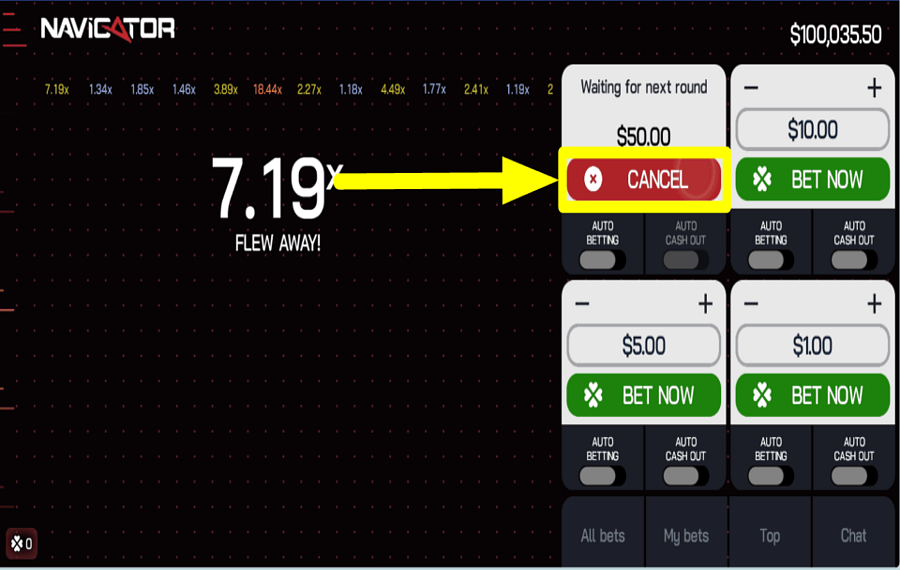
Hit the “Cancel” button before the timer starts to remove all the bet(s) you have placed.
5
ENABLE AUTOPLAY.
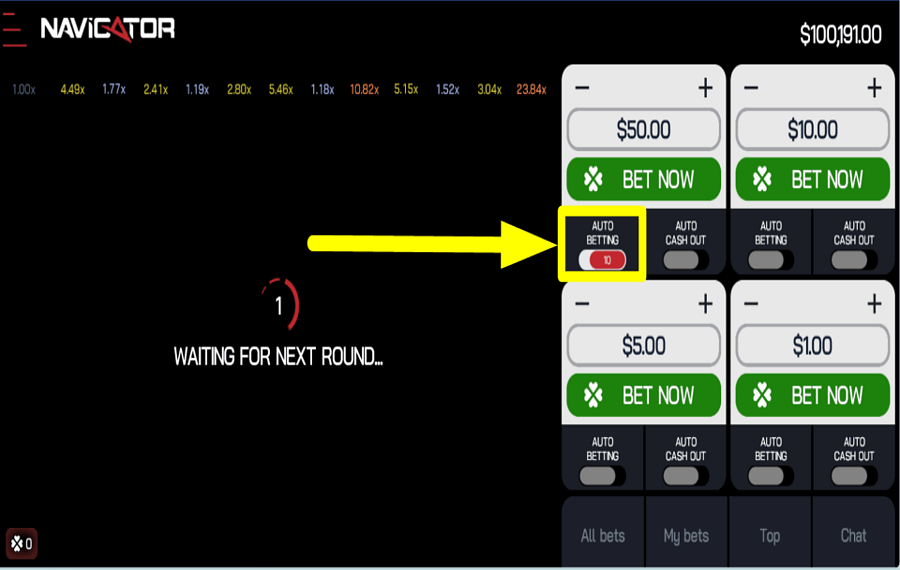
Set up the optional “Auto Betting” feature to bet on a fixed number of rounds automatically.
6
GAMBLE WITH STRATEGY.
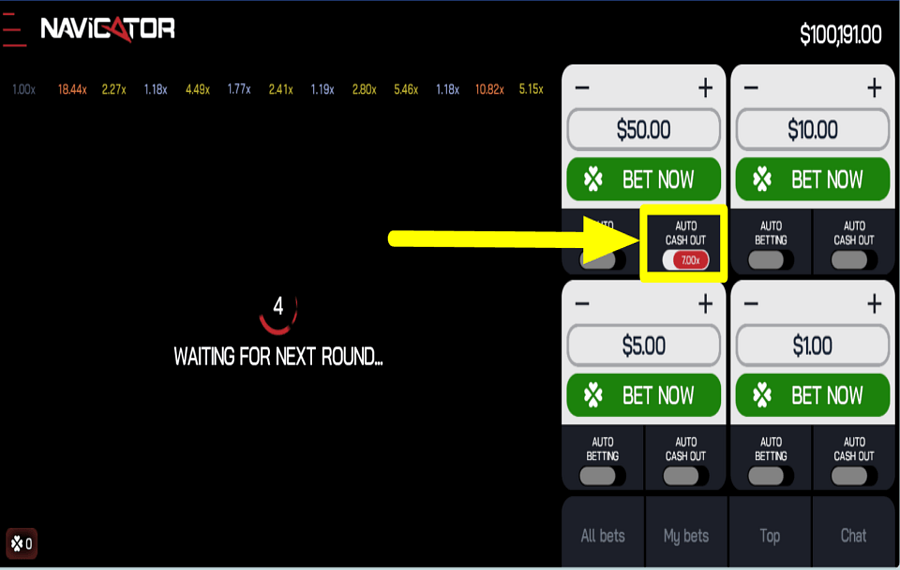
Use the optional “Auto Cashout” feature to automatically withdraw the reward once the plane reaches your assigned multiplier value.
Navigator Ratings & Reviews
Our community rated Navigator as Poor with a score of 2 out of 5 based on 2 votes.




LolopLevel 4Mexico


EbvsLevel 5Mexico
Rate and Review Navigator
When writing a Game Review, remember to share your personal experience in detail - whether it's positive or negative. For more tips on writing game reviews, check out our dedicated Help Page.
How to Write a Game ReviewNavigator Q&As
Got questions about Navigator?
Ask a QuestionCompare Navigator to Other Games
+![Overheat]()

Overheat
RTP: Undisclosed
+![Avia Fly]()

Avia Fly
RTP: 95%
+![Adrenaline Rush XCrash]()

Adrenaline Rush XCrash
RTP: 96%
+![Aero]()

Aero
RTP: 96%
+![Sugar Daddy]()

Sugar Daddy
RTP: 95%
+![Skyrocket]()

Skyrocket
RTP: Undisclosed
+![Jet X3]()

Jet X3
RTP: 97%
+![Avia Rush]()

Avia Rush
RTP: 96%
+![Pipa Crash]()

Pipa Crash
RTP: 97%
+![CrashoSaurus]()

CrashoSaurus
RTP: 96%
RatingSoftwareYearRTP

Navigator
Solidicon
2023
96.9%



Show more![arrow_down]()


Other Games by Solidicon








Load More Solidicon Games

Mihai Enculescu
Senior Game Expert
- Over 2 years of experience in the iGaming industry.
- Uploaded & maintained data for 3,000+ casino games.
- Strong grasp of casino game mechanics, especially slots.
- Reviewed and fact-checked over 3,500+ casino games.

