


 Casinos
 Bonuses


Dragon Dash


Dragon Dash Details

Software
Solidicon
Release date
Jul 01, 2026
Game type
Crash

Times Played
 No

3D animation
No
Technology
HTML5
How to Play Dragon Dash Slot: Mastering the Basics
1
ADJUST THE STAKE.
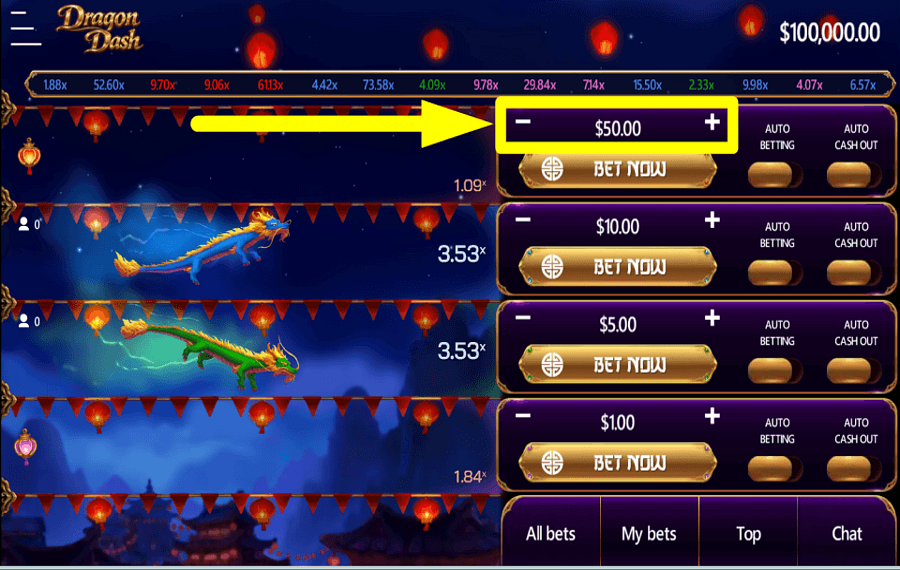
Tap the “+” and “-” buttons on the right side of the screen to determine your “Bet” value for each round.
2
ATTEMPT TO WIN.
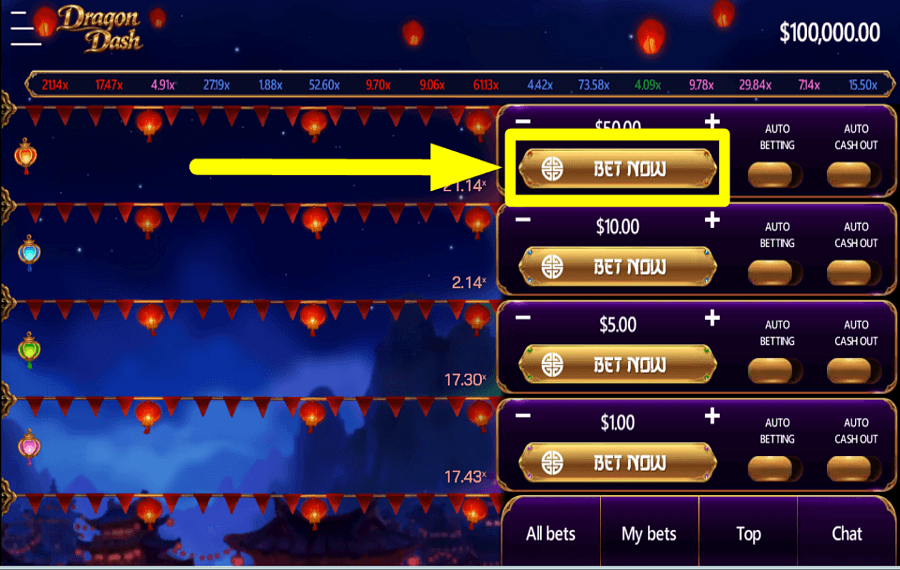
Hit the “Bet Now” button to play the game with the bet amount that you have assigned.
3
ACQUIRE THE PRIZE.
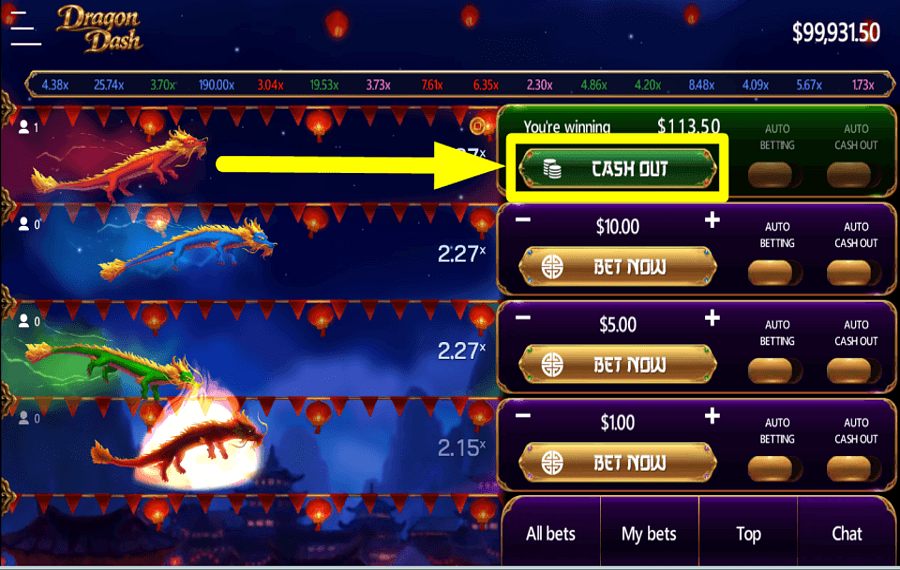
Click the “Cashout” button before the race ends to collect the winning amount listed on the screen.
4
ABORT YOUR STAKE.
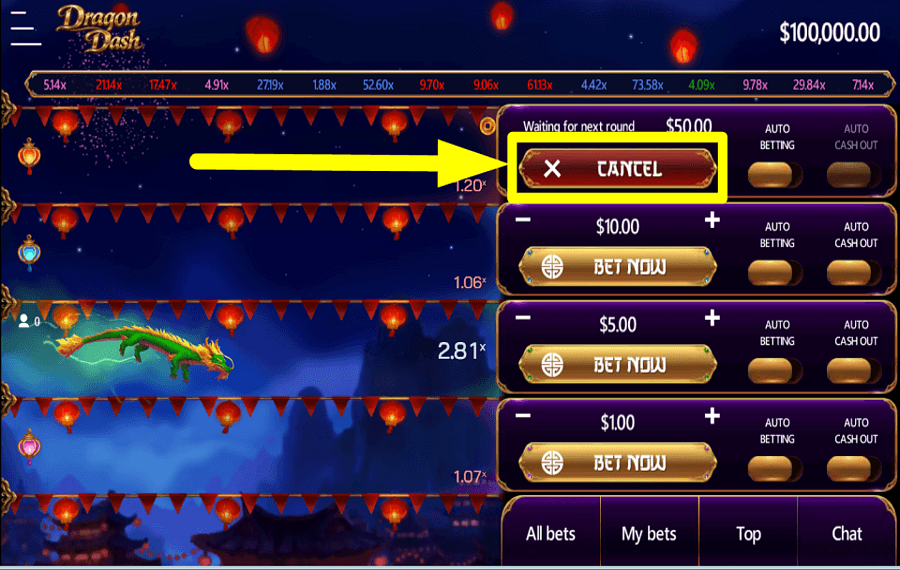
Press the “Cancel” button to remove all the bet(s) that you have placed during a round.
5
APPLY AUTOPLAY.
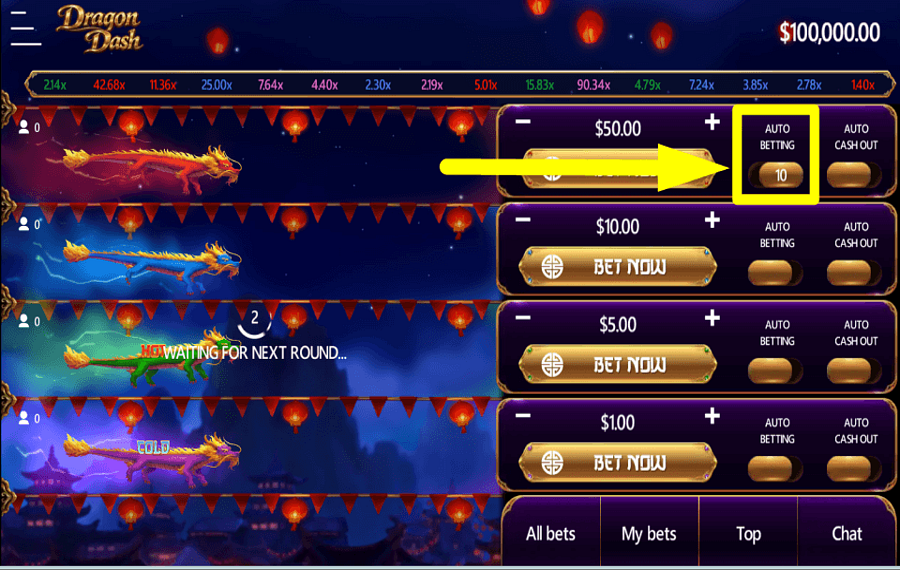
Utilize the optional “Auto Betting” feature to play a select number of turns automatically.
6
AUTOMATE COLLECTION.
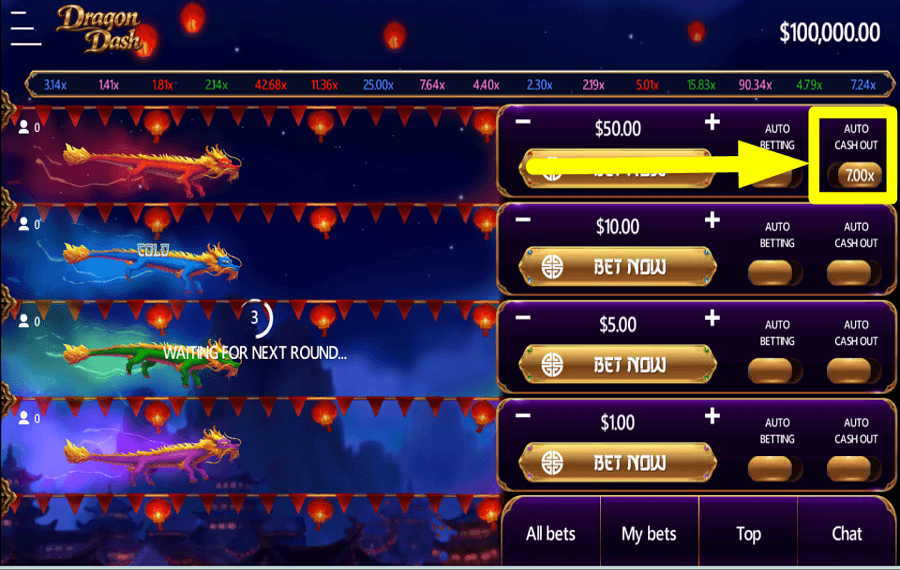
Turn on the optional “Auto Cashout” feature to automatically withdraw the reward once it reaches your set multiplier value.
Dragon Dash Ratings & Reviews
Rate and Review Dragon Dash
When writing a Game Review, remember to share your personal experience in detail - whether it's positive or negative. For more tips on writing game reviews, check out our dedicated Help Page.
How to Write a Game ReviewDragon Dash Q&As
Got questions about Dragon Dash?
Ask a QuestionCompare Dragon Dash to Other Games
+![Crash Fireworks]()

Crash Fireworks
RTP: Undisclosed
+![Kite Festival Crash Game]()

Kite Festival Crash Game
RTP: Undisclosed
+![Fortune Crash]()

Fortune Crash
RTP: 98%
+![Games Inc POP]()

Games Inc POP
RTP: 97%
+![Samurai Ikusa]()

Samurai Ikusa
RTP: 96%
+![Santas Sack]()

Santas Sack
RTP: 94%
+![Goblin Run]()

Goblin Run
RTP: 96.04%
+![Hercules Sports Legend]()

Hercules Sports Legend
RTP: 96%
+![Troll Crash]()

Troll Crash
RTP: 96.96%
+![Doodle Crash]()

Doodle Crash
RTP: 96.26%
RatingSoftwareYearRTP

Dragon Dash
Solidicon
2026
96.9%



Show more![arrow_down]()


Other Games by Solidicon






Load More Solidicon Games

Mihai Enculescu
Senior Game Expert
- Over 2 years of experience in the iGaming industry.
- Uploaded & maintained data for 3,000+ casino games.
- Strong grasp of casino game mechanics, especially slots.
- Reviewed and fact-checked over 3,500+ casino games.

