


 Casinos
 Bonuses


Quackinator


Quackinator Details

Software
Solidicon
Release date
Jan 01, 2026
Game type
Crash

Times Played
 No

3D animation
No
Technology
HTML5
How to Play Quackinator Slot: Mastering the Basics
1
DETERMINE YOUR STAKE.
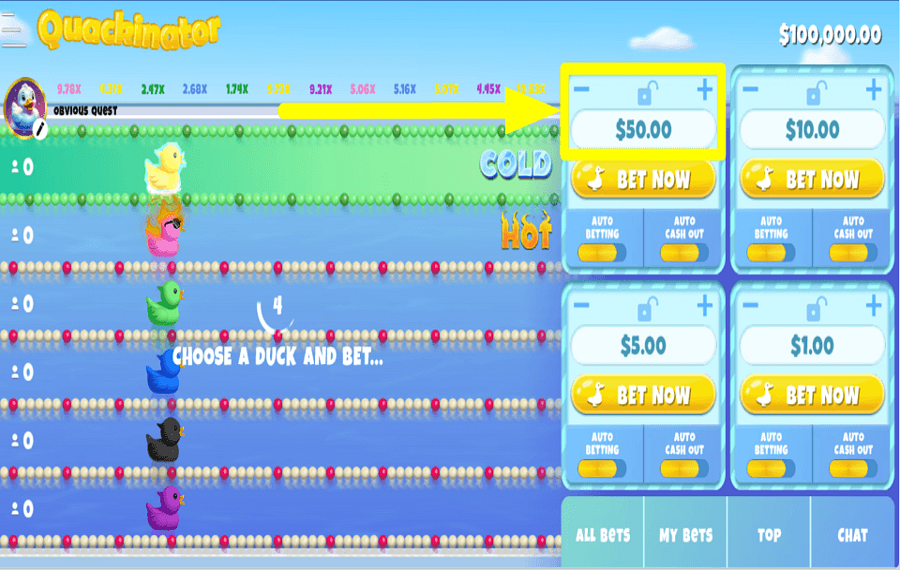
Tap the “-” and “+” buttons on the right side of the screen to adjust the “Bet” value(s) for each round.
2
TIME TO GAMBLE.
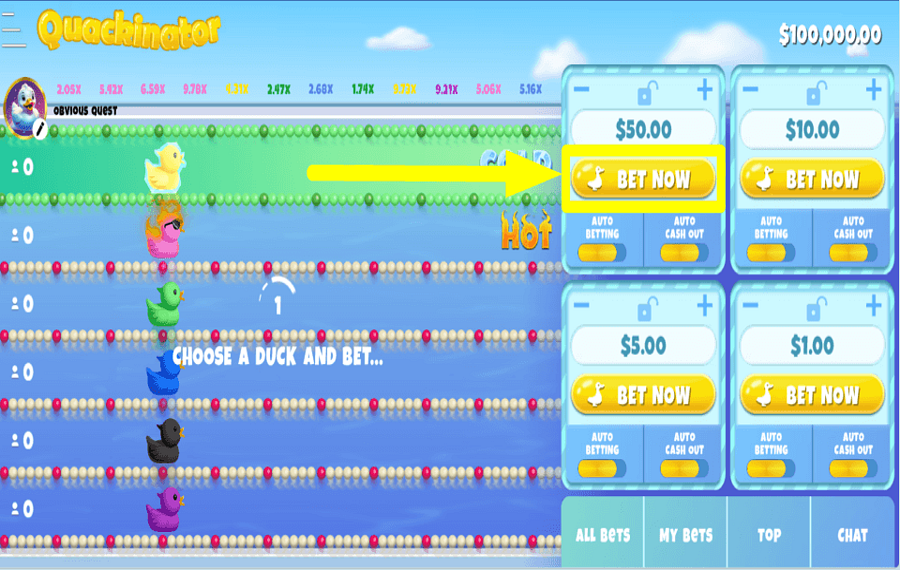
Hit the “Bet Now” buttons to place your wager(s) on any number of ducks that you wish.
3
CLAIM THE PRIZE.
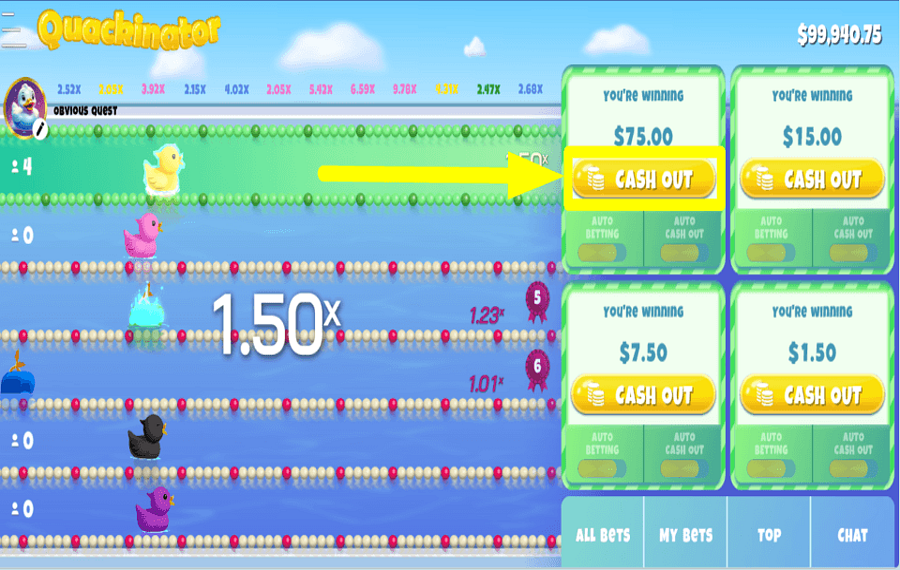
Click the “Cashout” button to collect the reward amount listed on the screen and end the race.
4
REMOVE YOUR STAKE.
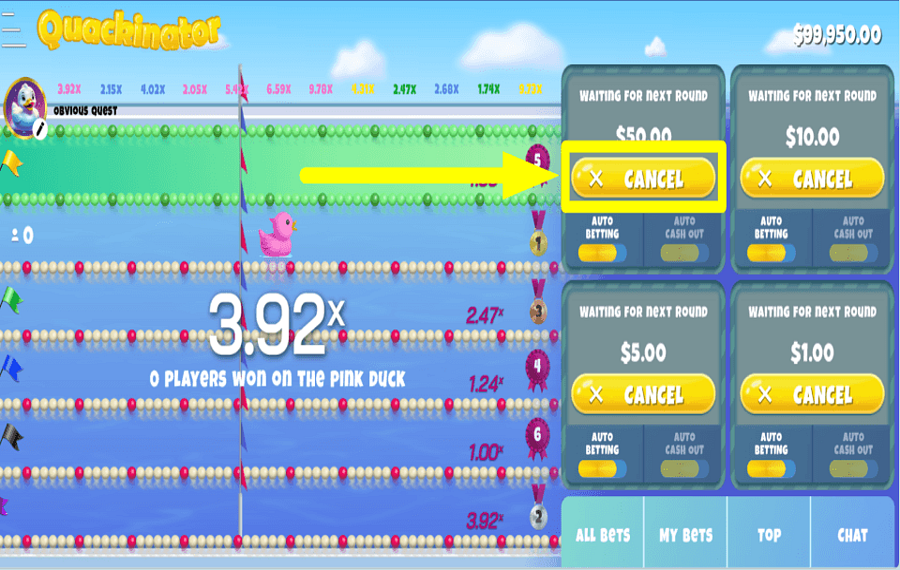
Press the “Cancel” button before a new round starts to withdraw the wager(s) that you have placed.
5
ENABLE AUTOPLAY.
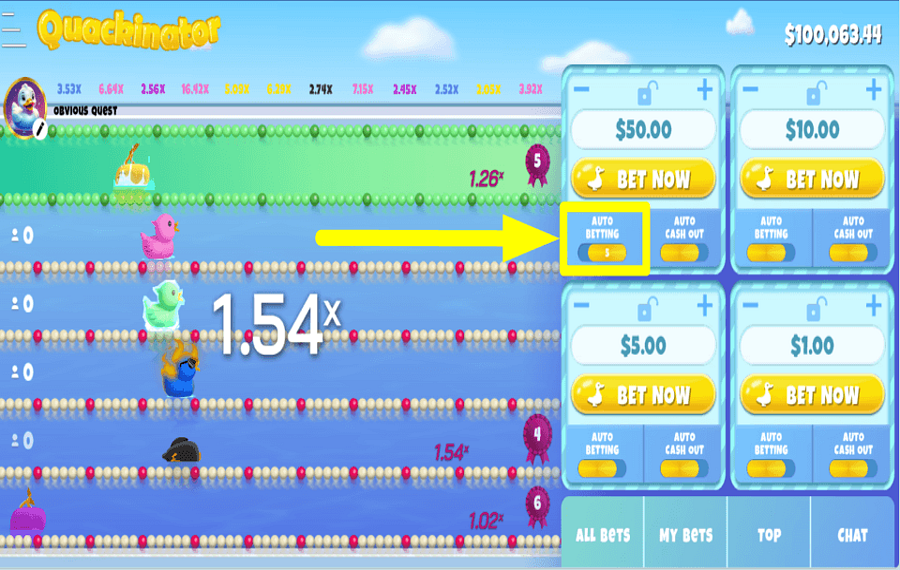
Turn on the optional “Auto Betting” feature to stake on a select number of turns automatically.
6
PLAN PRIZE COLLECTION.
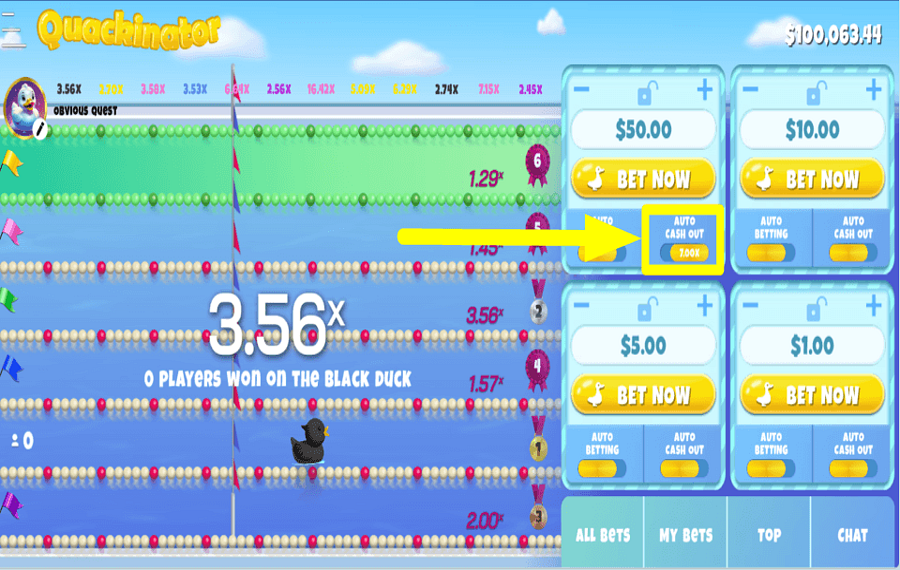
Use the optional “Auto Cashout” feature to automatically collect the reward amount once it reaches your set multiplier value.
Quackinator Ratings & Reviews
Rate and Review Quackinator
When writing a Game Review, remember to share your personal experience in detail - whether it's positive or negative. For more tips on writing game reviews, check out our dedicated Help Page.
How to Write a Game ReviewQuackinator Q&As
Got questions about Quackinator?
Ask a QuestionCompare Quackinator to Other Games
+![Aviachick]()

Aviachick
RTP: 96%
+![Overheat]()

Overheat
RTP: Undisclosed
+![Avia Fly]()

Avia Fly
RTP: 95%
+![Hyper Xplorer]()

Hyper Xplorer
RTP: 97%
+![Adrenaline Rush XCrash]()

Adrenaline Rush XCrash
RTP: 96%
+![Aero]()

Aero
RTP: 96%
+![Sugar Daddy]()

Sugar Daddy
RTP: 95%
+![Skyrocket]()

Skyrocket
RTP: Undisclosed
+![PingWin Fly]()

PingWin Fly
RTP: 96.16%
+![Avia Rush]()

Avia Rush
RTP: 96%
RatingSoftwareYearRTP

Quackinator
Solidicon
2025
96.9%



Show more![arrow_down]()


Other Games by Solidicon








Load More Solidicon Games

Mihai Enculescu
Senior Game Expert
- Over 2 years of experience in the iGaming industry.
- Uploaded & maintained data for 3,000+ casino games.
- Strong grasp of casino game mechanics, especially slots.
- Reviewed and fact-checked over 3,500+ casino games.

