


 Casinos
 Bonuses


Chicken Curry


Chicken Curry Details

Software
PoggiPlay
Release date
Dec 19, 2025
Game type
Step-Based Risk Games

Times Played
 No
No
3D animation
No
Technology
HTML5
Play Chicken Curry Slot for Real Money




Load More Casinos (+7)
How to Play Chicken Curry Slot: Mastering the Basics
1
CHOOSE A BET AMOUNT.
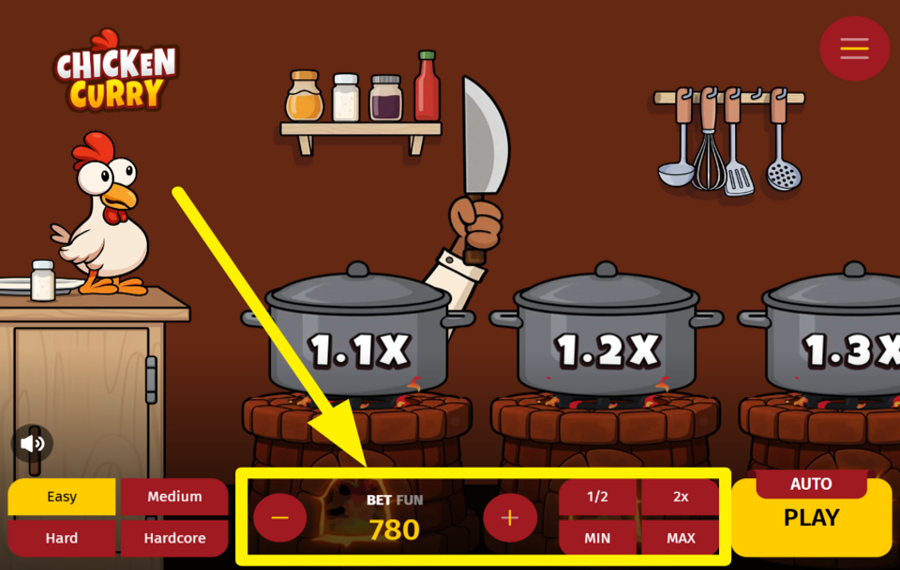
Start by deciding how much you want to risk for the round. At the bottom center of the screen, locate the “Bet” field. Use the “-” and “+” buttons on either side of this field to decrease or increase the wager. If you want to adjust the value faster, tap the quick controls to halve the amount, double it, or jump straight to the minimum or maximum permitted wager limits.
2
PICK A DIFFICULTY LEVEL.
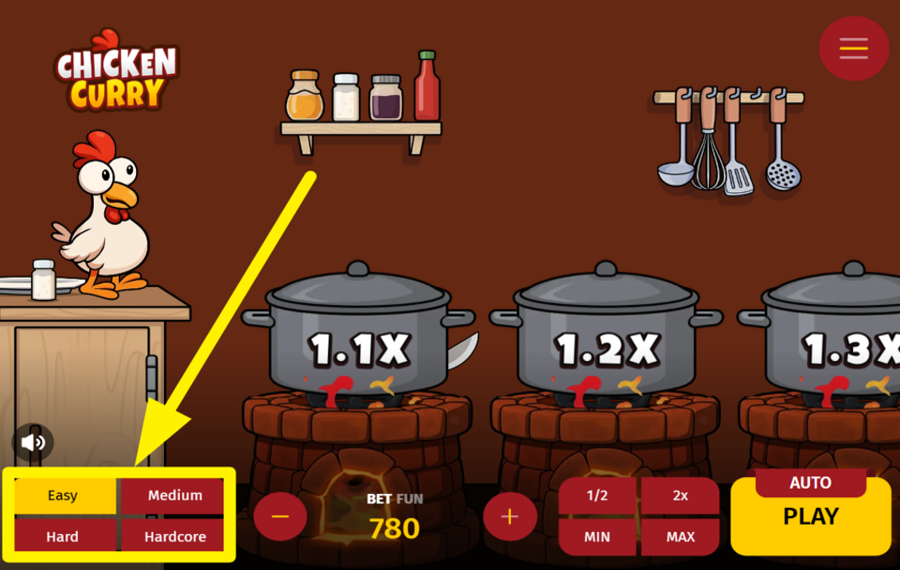
Before beginning the round, choose the level of danger in the kitchen. In the lower-left corner of the screen, you will find four ”Difficulty” buttons labeled Easy, Medium, Hard, and Hardcore. Each setting changes how risky the cooking challenge becomes. Higher levels usually introduce more cooking steps and larger multipliers, but they also increase the chance that the round ends prematurely. Select the level that matches your appetite for risk before starting the action.
3
LET THE FUN BEGIN!
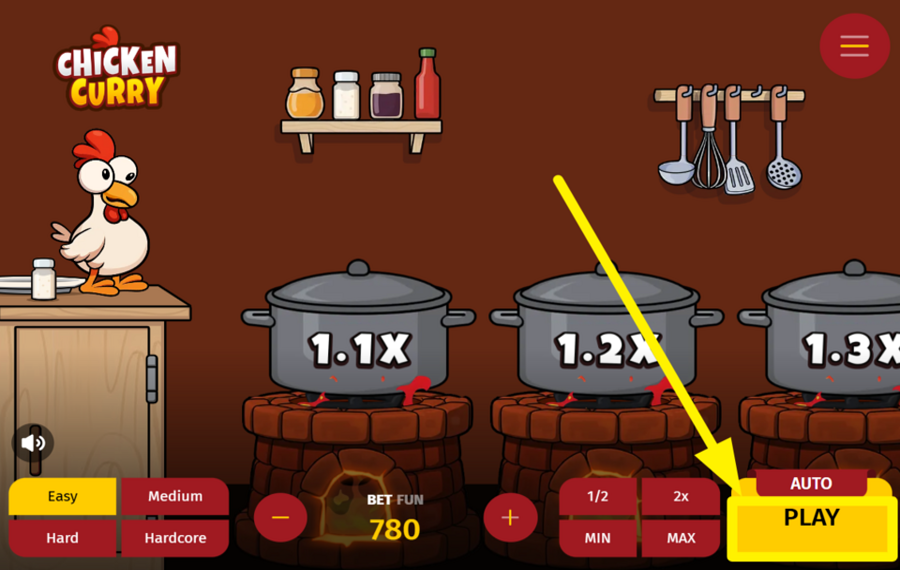
When everything is ready, press the yellow “Play” button located on the right side of the screen. This begins the round. The chicken jumps onto the first pot, which displays a starting multiplier. Each pot represents the next step in the cooking process and carries a higher multiplier than the previous one. Successfully moving forward increases the potential payout.
4
CASH OUT OR KEEP GOIN!
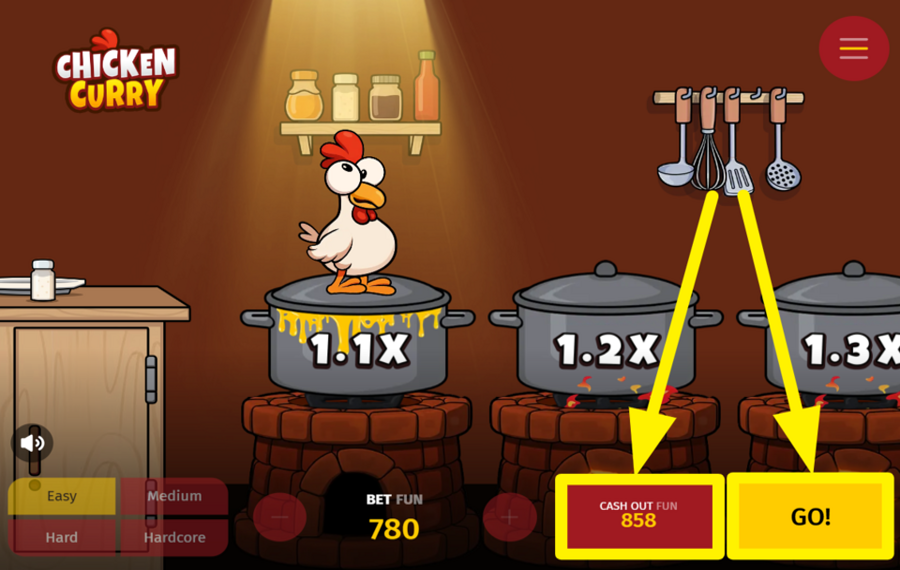
After landing safely on a pot, two options appear in the bottom-right area of the screen. Press “Cash Out” to immediately collect the winnings calculated from your current multiplier and bet amount. If you prefer to push your luck, press “Go!” instead. This sends the chicken to the next pot with a higher multiplier. However, if the step fails, the round ends instantly, and the wager is lost.
5
ENABLE AUTOPLAY.
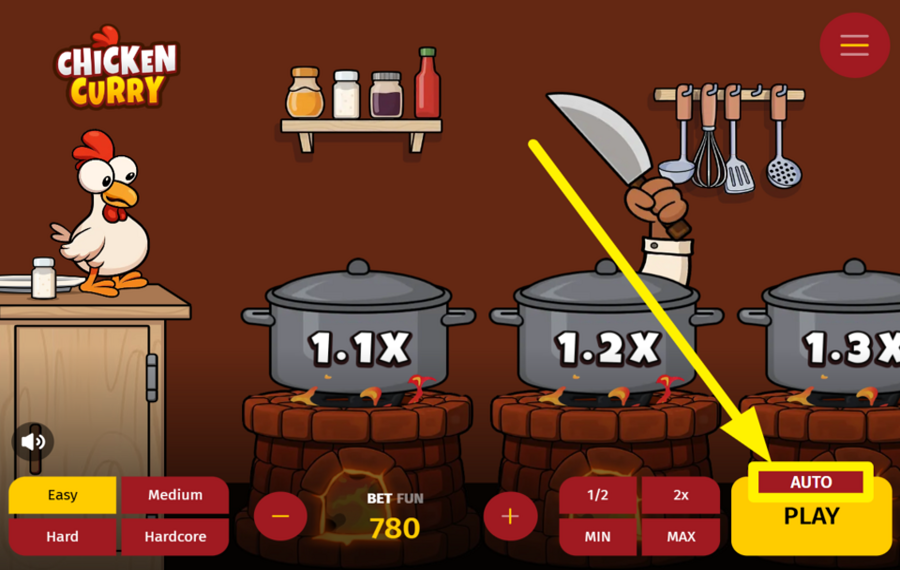
For automated gameplay, click the “Auto” button located just above the “Play” option. This opens the “Autoplay“ settings window, where you can configure how the automatic rounds should behave. In this panel, you can set the wager amount, adjust the number of rounds, and define optional controls such as “Cashout“ conditions. Once the settings are prepared, press the large circular yellow button on the right side of the panel to enable automated rounds.
Chicken Curry Ratings & Reviews
Our community rated Chicken Curry as Very Good with a score of 4 out of 5 based on 3 votes.




Sydneyslots98Level 7Australia


SYDRIFTLevel 6New Zealand




pingvinasLevel 39
Rate and Review Chicken Curry
When writing a Game Review, remember to share your personal experience in detail - whether it's positive or negative. For more tips on writing game reviews, check out our dedicated Help Page.
How to Write a Game ReviewChicken Curry Q&As
Got questions about Chicken Curry?
Ask a QuestionCompare Chicken Curry to Other Games
+![Uncrossable Rush]()

Uncrossable Rush
RTP: 96%
+![Chick n Run]()

Chick n Run
RTP: 95%
+![Chicken Plus]()

Chicken Plus
RTP: 97.5%
+![Mancala Cheese Chase]()

Mancala Cheese Chase
RTP: 95%
+![Chicken Road 2 Bonus]()

Chicken Road 2 Bonus
RTP: 96.5%
+![Orbital Rush]()

Orbital Rush
RTP: 96%
+![Chicken Dash]()

Chicken Dash
RTP: 96.85%
+![Uncrossable Rush Eggster]()

Uncrossable Rush Eggster
RTP: 96%
+![Ginja Run]()

Ginja Run
RTP: Undisclosed
+![Chicken GOAL]()

Chicken GOAL
RTP: 96%
RatingSoftwareYearRTP

Chicken Curry
PoggiPlay
2025
95%



Show more![arrow_down]()


Other Games by PoggiPlay








Load More PoggiPlay Games

Mihai Enculescu
Senior Game Expert
- Over 2 years of experience in the iGaming industry.
- Uploaded & maintained data for 3,000+ casino games.
- Strong grasp of casino game mechanics, especially slots.
- Reviewed and fact-checked over 3,500+ casino games.

