


 Casinos
 Bonuses


Triple Strike Poker


Triple Strike Poker Details

Software
Platipus Gaming
Release date
Apr 17, 2025
Game type
3 Card Poker

Times Played
 No
No
3D animation
No
Technology
HTML5
Play Triple Strike Poker Slot for Real Money




Load More Casinos (+10)
How to Play Triple Strike Poker Slot: Mastering the Basics
1
CHOOSE YOUR BET.
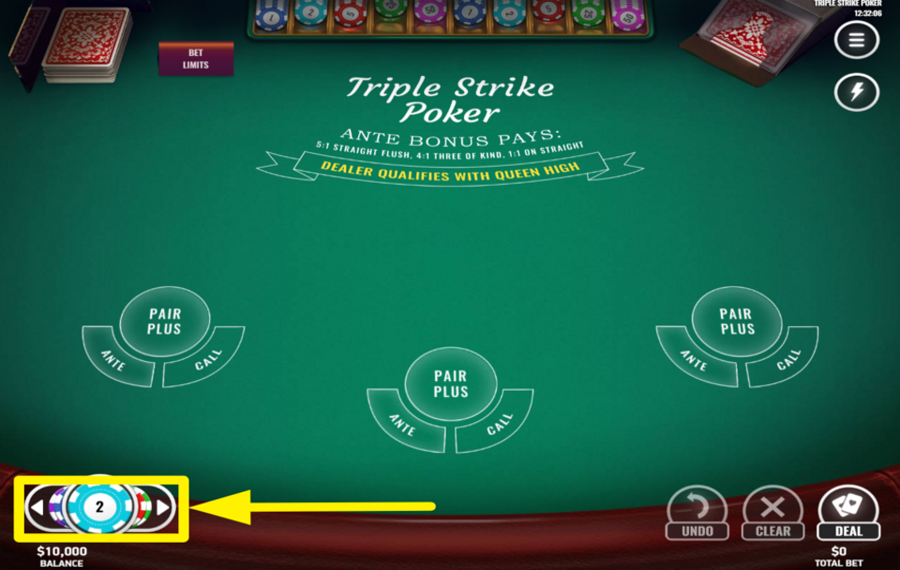
To place a wager, tap the arrows flanking the default chip value at the bottom left of the screen and pick your preferred denomination. Then, place the chips in the "Ante" areas for each hand you want to play. Optionally, add a chip in the "Pair Plus" spots to activate the bonus "side bet." You can keep adding chips of multiple values to raise the "bet" amount within table limits.
2
CLEAR THE SELECTION.
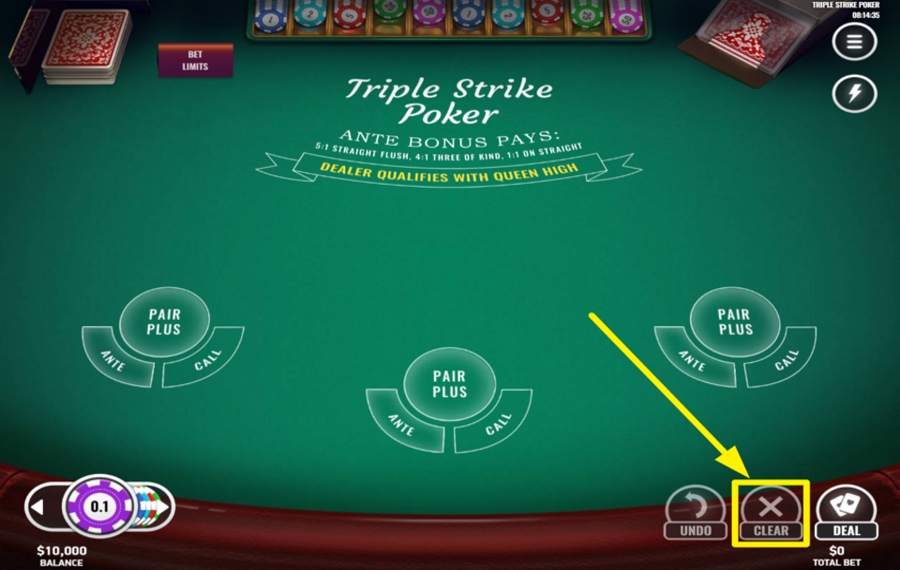
If you want to reset your bet placements before the cards are dealt, press the “Clear” button located in the bottom right corner of the screen. This removes all chips from the table, allowing you to reselect positions or adjust your wager afresh.
3
UNDO THE LATEST SELECTION.
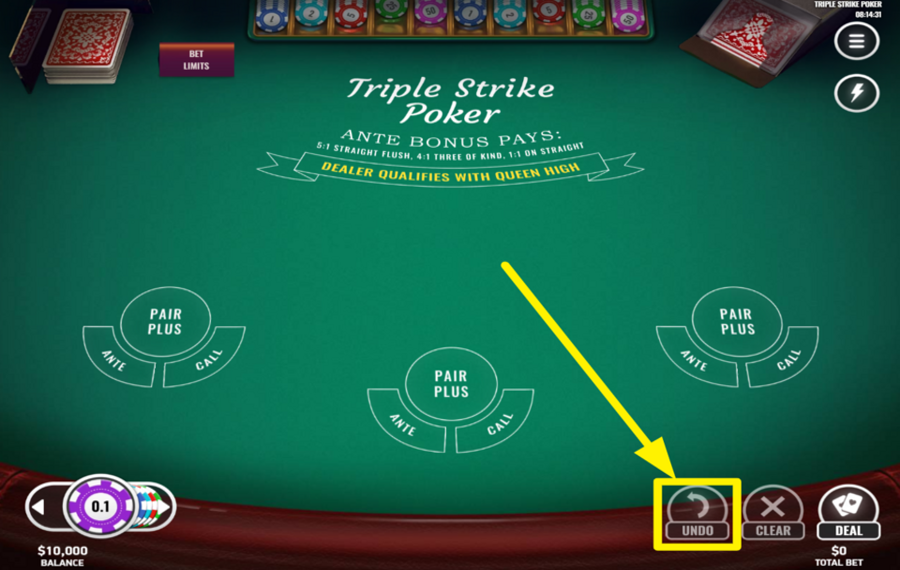
Instead of clearing the entire table, you can just cancel the last selected chip. Press the “Undo“ button at the bottom of the screen to remove one chip from the table at a time.
4
DEAL THE CARDS.
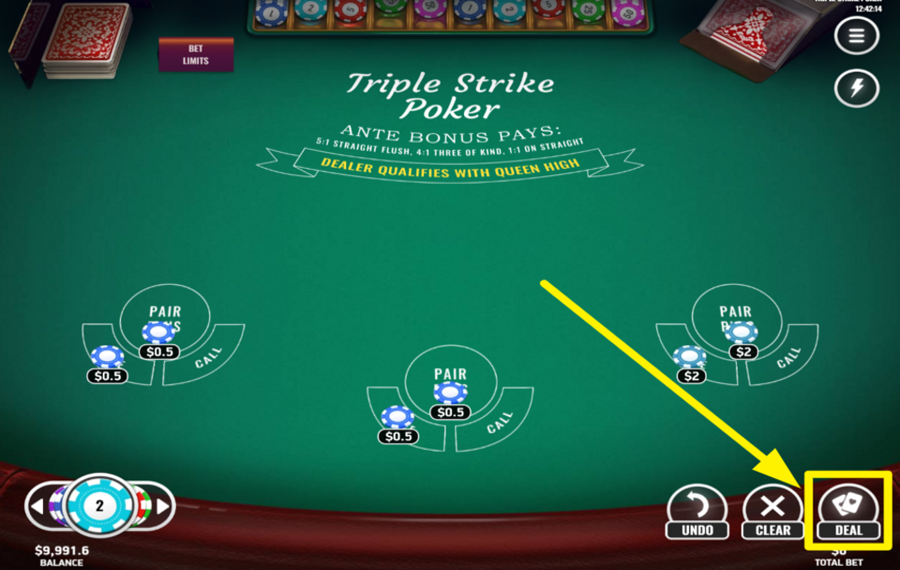
Once your ”bets” are in place, press the “Deal” button in the lower-right section of the interface. Three cards are dealt face-up to each of your active hands, while the dealer receives three face-down cards. You now have the opportunity to evaluate your hand strength and decide on your next move.
5
GIVE UP YOUR HAND.
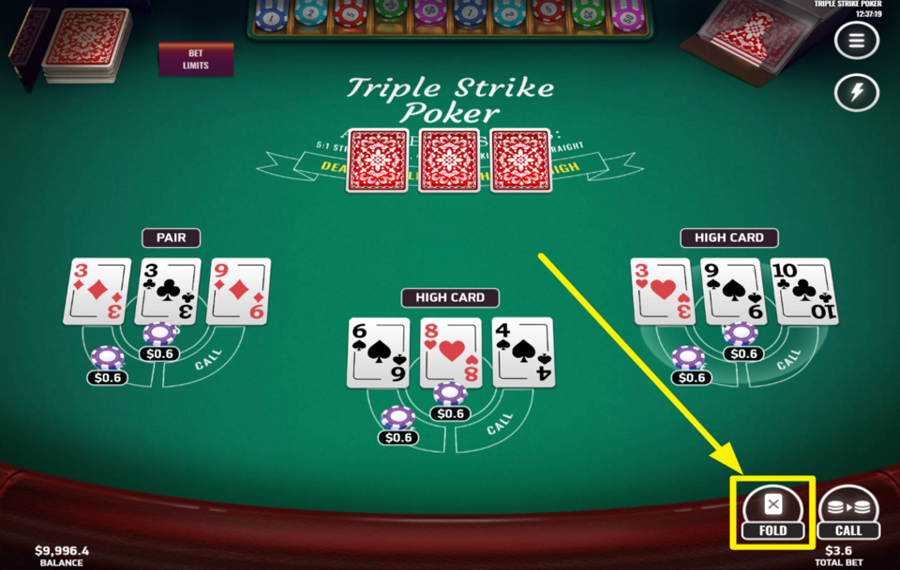
If you're not confident in a particular hand after the cards are revealed, tap the “Fold” button beside that hand. This forfeits your ”Ante Bet” for that position, but your ” Pair Plus Bet” (if placed) remains active and may still pay out depending on your cards.
6
MATCH THE CURRENT BET.
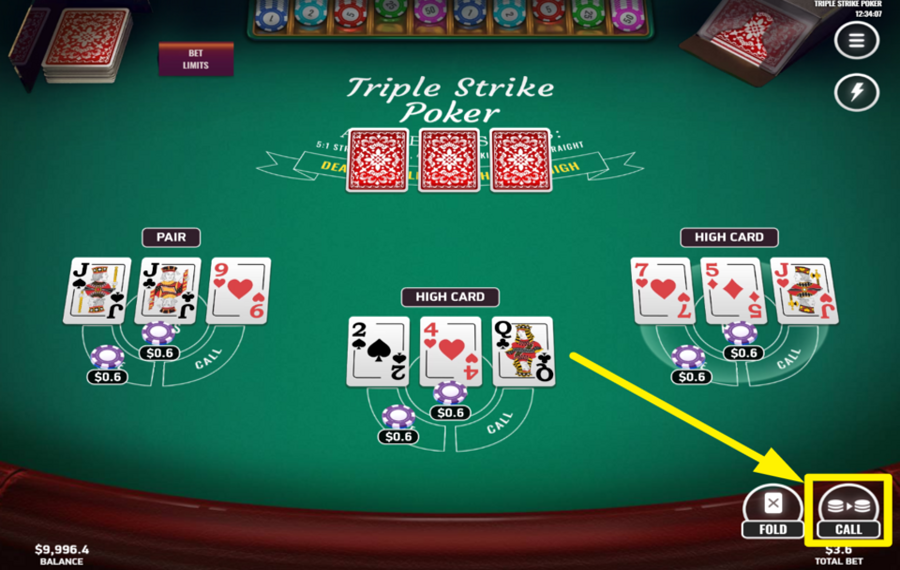
To stay in the game and challenge the dealer, hit the “Call” button beside the respective hand. This action places an additional ”bet” equal to your ”Ante” and moves the round forward to reveal the dealer's hand for comparison.
7
REPEAT YOUR LAST BET.
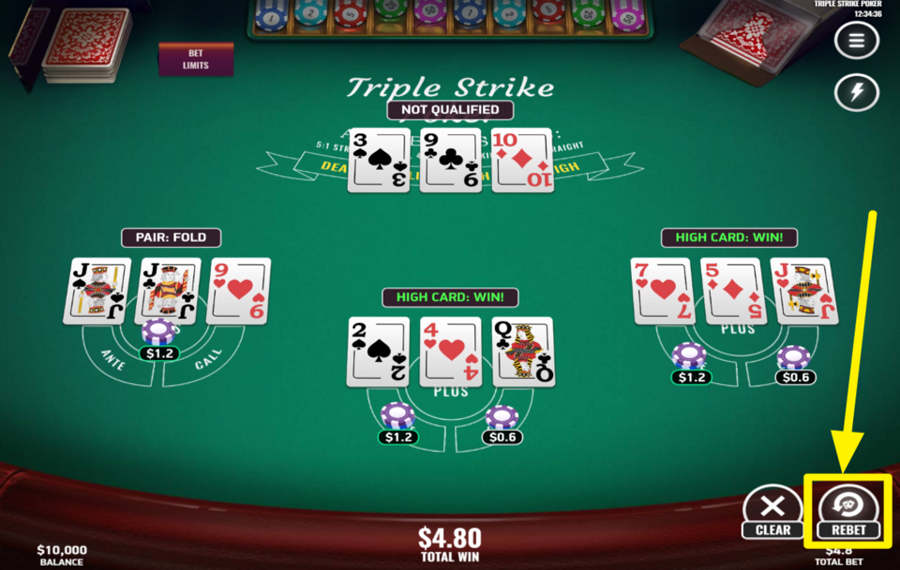
After a round concludes, use the “Rebet” button in the lower-right area to instantly repeat your previous wager.
8
CLEAR THE TABLE.
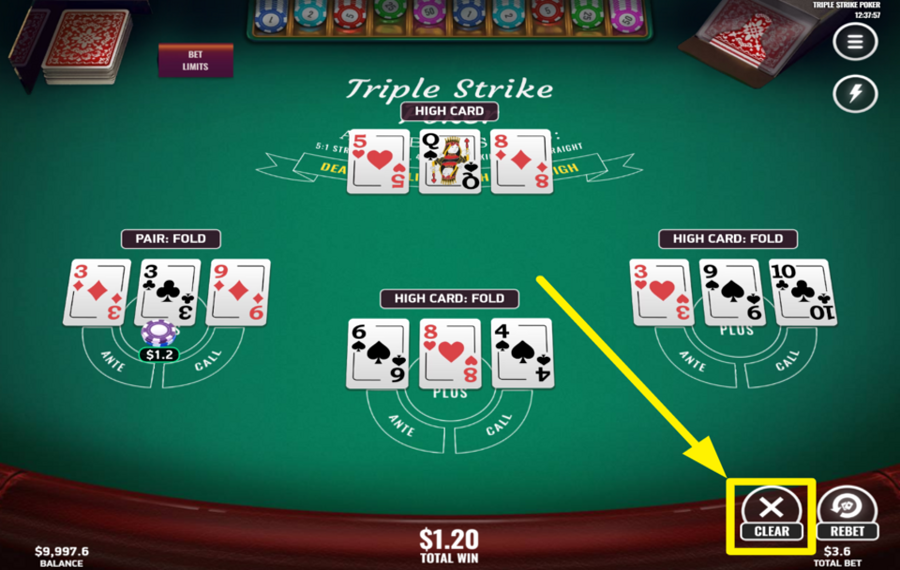
If you want to change your betting strategy after a round concludes and you want to remove all previously selected chip values, press the ”Clear” button that appears on the left of the ”Rebet” option.
9
QUICKEN THE GAME.
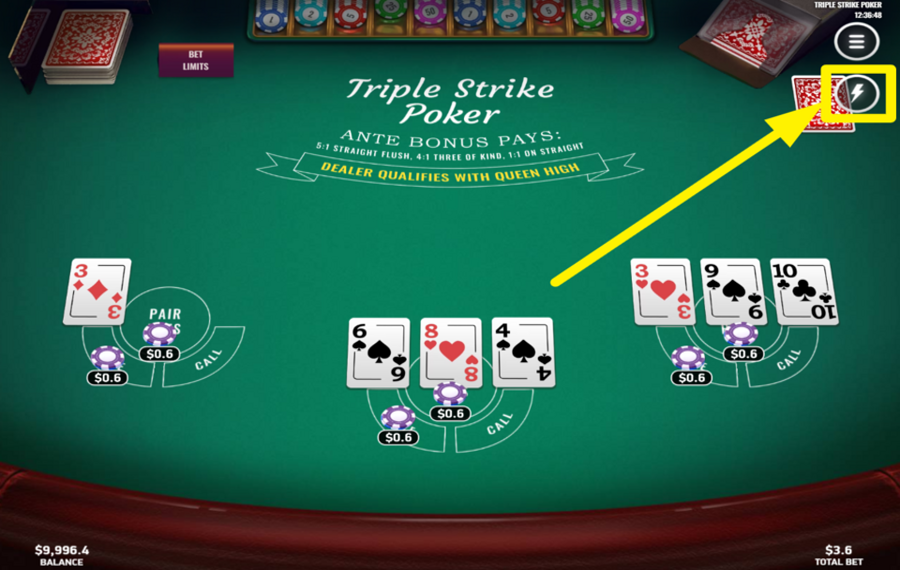
To enable faster card dealing and animations, tap the lightning bolt icon at the top-right corner of the screen.
Triple Strike Poker Ratings & Reviews
Our community rated Triple Strike Poker as Very Good with a score of 4 out of 5 based on 8 votes.




Wormtyler![account-cancel]() Suspended
Suspended
 Suspended


Televizorius![account-cancel]() Suspended
Suspended
Suspended


vitekdojel![account-cancel]() Suspended
Suspended
SuspendeddjanikiroLevel 7Serbia




Daffka4050![account-cancel]() Suspended
Suspended
SuspendedKosobrinLevel 6
SerpenyetiLevel 11Canada
Pavle29![account-cancel]() Suspended
Suspended
SuspendedRate and Review Triple Strike Poker
When writing a Game Review, remember to share your personal experience in detail - whether it's positive or negative. For more tips on writing game reviews, check out our dedicated Help Page.
How to Write a Game ReviewTriple Strike Poker Q&As
Got questions about Triple Strike Poker?
Ask a QuestionCompare Triple Strike Poker to Other Games
+![Teen Patti 20 20]()

Teen Patti 20 20
RTP: Undisclosed
+![Three Card Poker Deluxe]()
Three Card Poker Deluxe
RTP: 98.04%
+![Three Card Brag]()
Three Card Brag
RTP: 97.86%
+![Three Card Poker Dual]()
Three Card Poker Dual
RTP: 97.99%
+![Evolution Teen Patti]()

Evolution Teen Patti
RTP: 96.63%
+![Three Card Rummy]()

Three Card Rummy
RTP: 98.07%
+![Urgent Games Three Card Poker]()

Urgent Games Three Card Poker
RTP: 96.63%
+![7Mojos Live Teen Patti Face Off]()

7Mojos Live Teen Patti Face Off
RTP: Undisclosed
+![Win 3 Cards]()

Win 3 Cards
RTP: 96%
+![Habanero Three Card Poker]()
Habanero Three Card Poker
RTP: 97.99%
RatingSoftwareYearRTP

Triple Strike Poker
Platipus Gaming
2025
97.99%



Show more![arrow_down]()


Other Games by Platipus Gaming








Load More Platipus Gaming Games

Mihai Enculescu
Senior Game Expert
- Over 2 years of experience in the iGaming industry.
- Uploaded & maintained data for 3,000+ casino games.
- Strong grasp of casino game mechanics, especially slots.
- Reviewed and fact-checked over 3,500+ casino games.

