


 Casinos
 Bonuses


Aztec Tower


Aztec Tower Details

Software
Platipus Gaming
Release date
Jun 18, 2026
Game type
Step-Based Risk Games

Times Played
 No
No
3D animation
No
Technology
HTML5
Play Aztec Tower Slot for Real Money




Load More Casinos (+10)
How to Play Aztec Tower Slot: Mastering the Basics
1
CHOOSE YOUR STAKE.
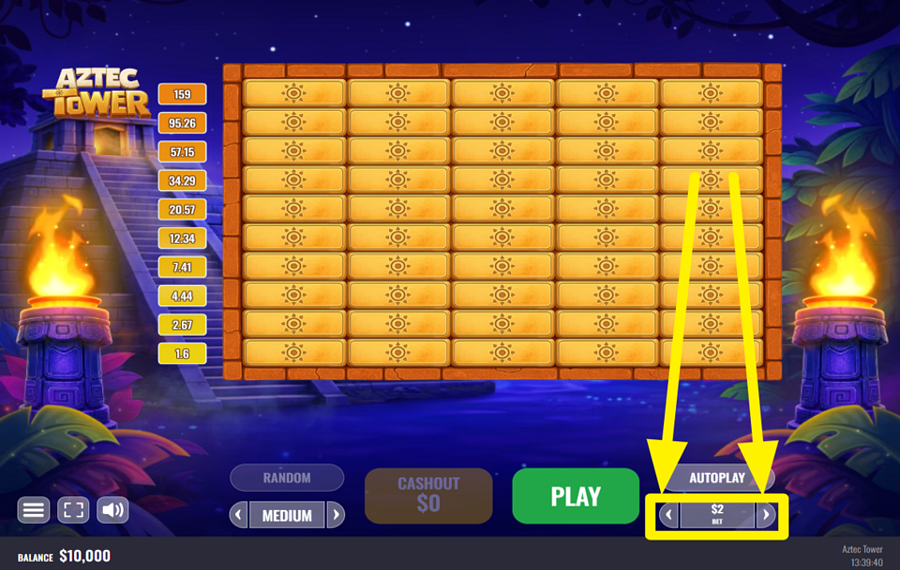
Choose your "bet" before entering the tower by using the left and right arrows around the "Bet" display in the lower-right corner.
2
PICK A DIFFICULTY LEVEL.
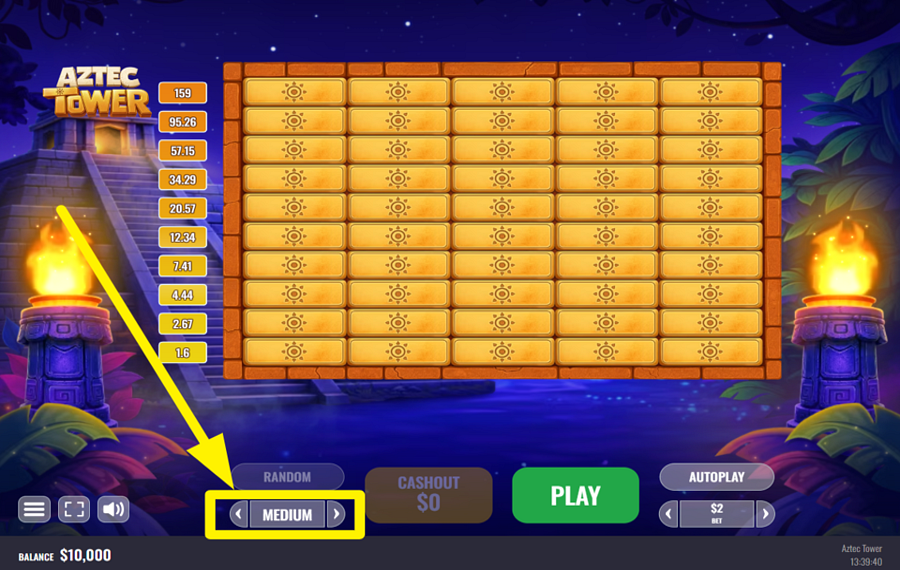
Pick Easy, Medium, or Hard with the arrow controls around the difficulty panel near the bottom-left corner of the game screen. Each setting has its own multiplier progression and volatility, changing the risk-and-reward profile as you work your way up the tower.
3
BEGIN CLIMBING THE TOWER.
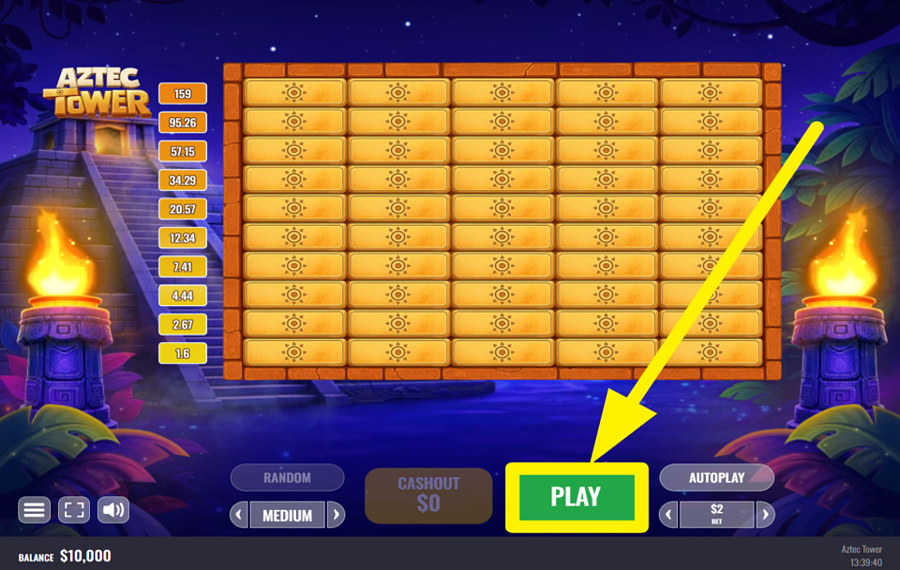
Press the green "Play" button at the bottom to begin a round, then choose one of the five covered tiles in the first row. A crystal lets you advance to the next row and increases your multiplier, after which you select another tile and continue upward. Reveal a bomb instead, and the climb ends immediately with your "bet" lost. Reaching the final multiplier completes the round automatically.
4
OPT FOR RANDOM TILE SELECTION.
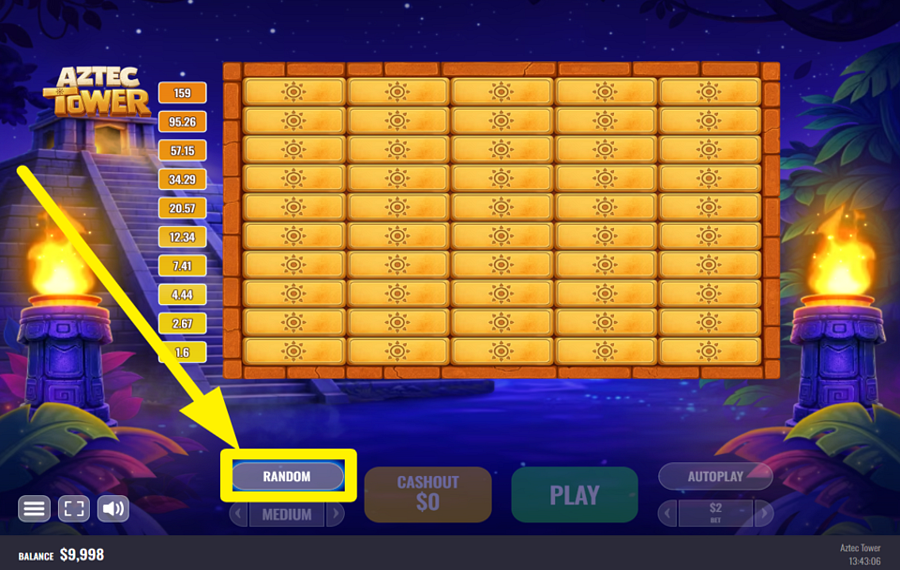
Hit the "Random" button to the right of the "bet" adjustment panel if you do not want to choose the next tile yourself. The game will make the selection for you, but the same rules apply. This implies that uncovering a crystal moves you higher, while finding a bomb ends the round.
5
ESCAPE WITH YOUR TREASURE.
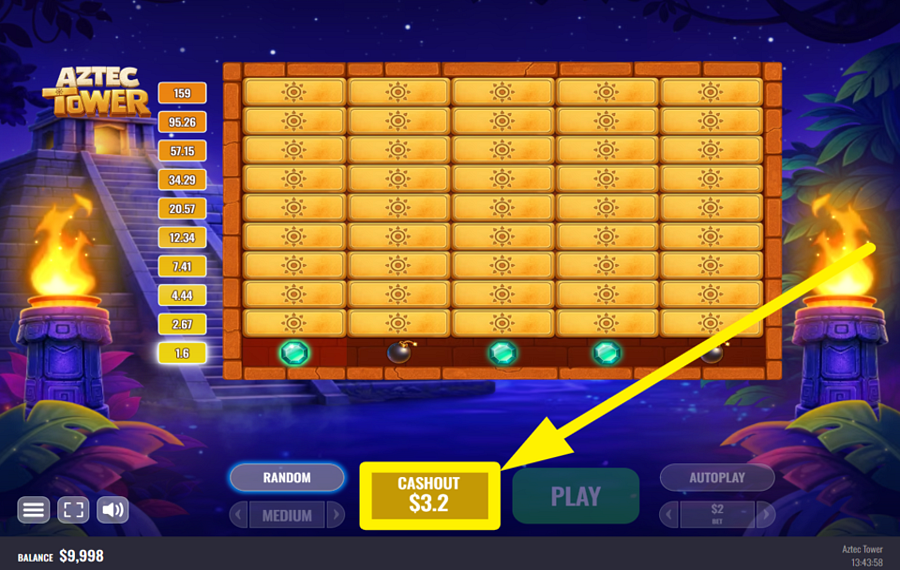
Click the "Cashout" button between "Random" and "Play" after a successful selection to stop climbing and collect the amount currently displayed. Each safe row raises the multiplier and therefore the potential payout, leaving you to decide whether to bank what you have or risk another tile for a larger return.
6
AUTOMATE YOUR TEMPLE CLIMB.
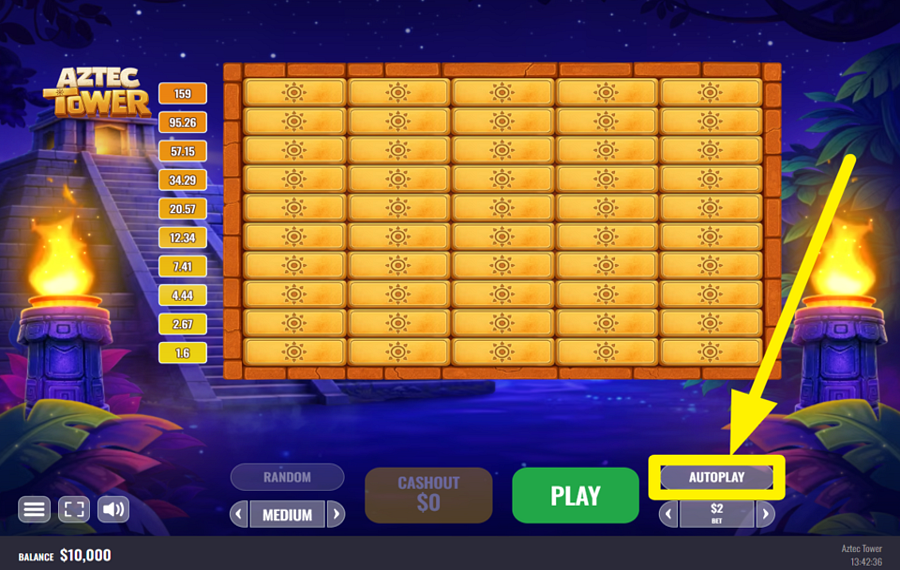
Press "Autoplay" above the "Bet" controls to configure an automatic session. Set the number of rounds, choose a difficulty level, and specify the multiplier at which the game should cash out automatically. The menu also lets you activate "Turbo" and set limits that stop "Autoplay" when a single win or accumulated loss exceeds your chosen amount. Once everything is configured, hit "Start" to begin.
Aztec Tower Ratings & Reviews
Rate and Review Aztec Tower
When writing a Game Review, remember to share your personal experience in detail - whether it's positive or negative. For more tips on writing game reviews, check out our dedicated Help Page.
How to Write a Game ReviewAztec Tower Q&As
Got questions about Aztec Tower?
Ask a QuestionCompare Aztec Tower to Other Games
+![Chicken Curry]()

Chicken Curry
RTP: 95%
+![Henferno]()

Henferno
RTP: 96%
+![Jumper]()

Jumper
RTP: 96%
+![Turbo Games Vortex]()

Turbo Games Vortex
RTP: 95%
+![Astriona Twist]()

Astriona Twist
RTP: 98%
+![CP Games Chicken Run]()

CP Games Chicken Run
RTP: 97.3%
RatingSoftwareYearRTP

Aztec Tower
Platipus Gaming
2026
96.14%



Show more![arrow_down]()


Other Games by Platipus Gaming








Load More Platipus Gaming Games

Rozi Vrinceanu
Casino Data Specialist
- Over 6 years of experience in the land-based casino industry;
- Deep understanding of player experience and casino operations;
- Updated and verified more than 300 online casino reviews;
- Known for precision, consistency, and a high standard of accuracy;
- Currently studying Economic Sciences at Titu Maiorescu University.

