


 Casinos
 Bonuses


Go Bingo


Go Bingo Details

Software
Pascal Gaming
Release date
Jul 13, 2026
Game type
Bingo

Times Played
 No
No
3D animation
No
Technology
HTML5
Play Go Bingo Slot for Real Money





Load More Casinos (+6)
How to Play Go Bingo Slot: Mastering the Basics
1
ADJUST YOUR BET.
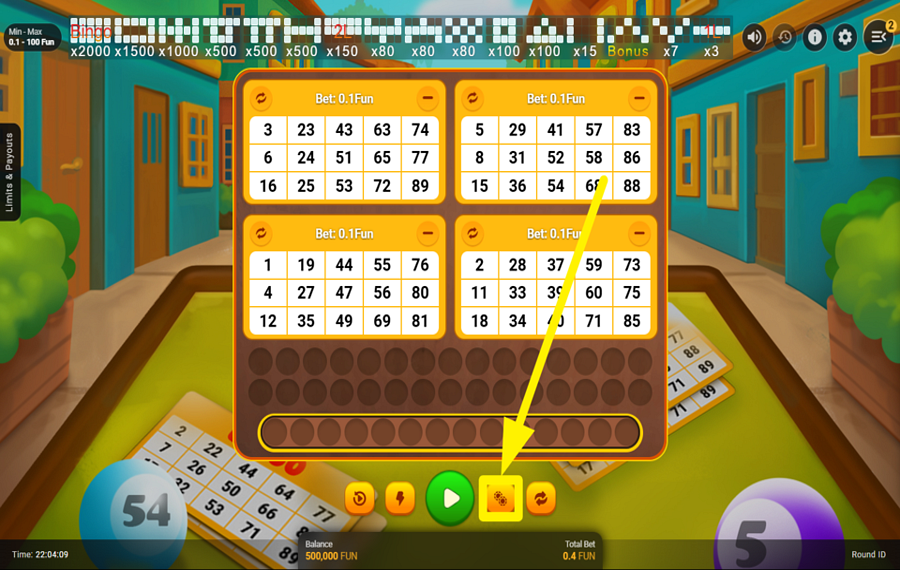
Press the orange dotted-circle button near the bottom of the screen, second to the right of the large green button. Select a “bet” amount from the panel that opens.
2
ADD OR REMOVE THE TICKETS.
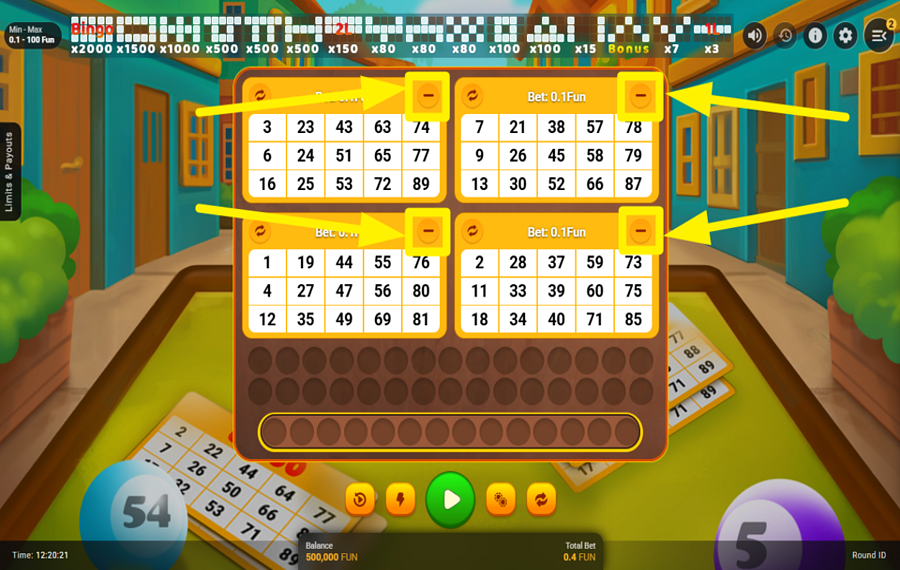
Press the “-” button in the upper-right corner of a ticket to remove it. To restore a ticket, press the “+” button inside the empty “Add Ticket” panel. You must play with at least one ticket and can use up to four. Since the selected “bet” applies to every active ticket, adding or removing tickets changes the “Total Bet”.
3
SHUFFLE YOUR TICKETS.
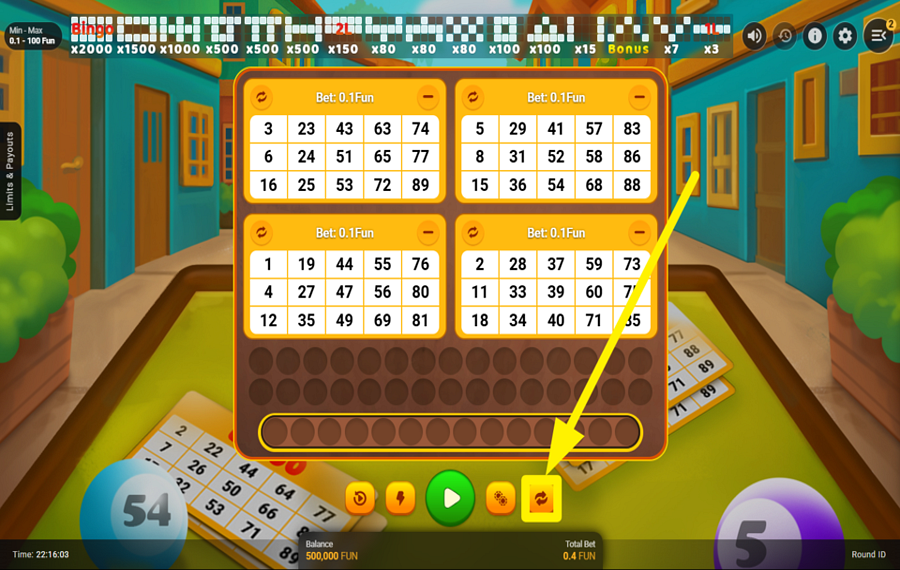
Press the orange button with two circular arrows at the far right of the bottom control row to replace the numbers on all active tickets. To shuffle an individual ticket, press the smaller circular-arrow icon in its upper-left corner. Make any desired changes before starting the round.
4
ENTER THE ACTION!
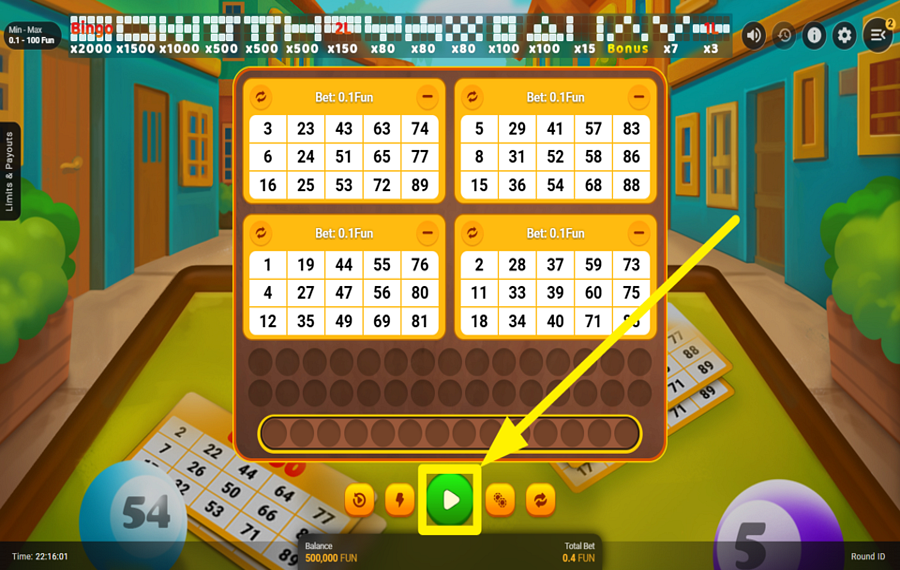
Press the large green button situated at the bottom center of the screen. The game draws 30 balls numbered from 1 to 90 and automatically marks any matches on your tickets. Complete one of the patterns displayed across the top of the screen to win the corresponding multiplier.
5
USE THE AUTOPLAY FEATURE.
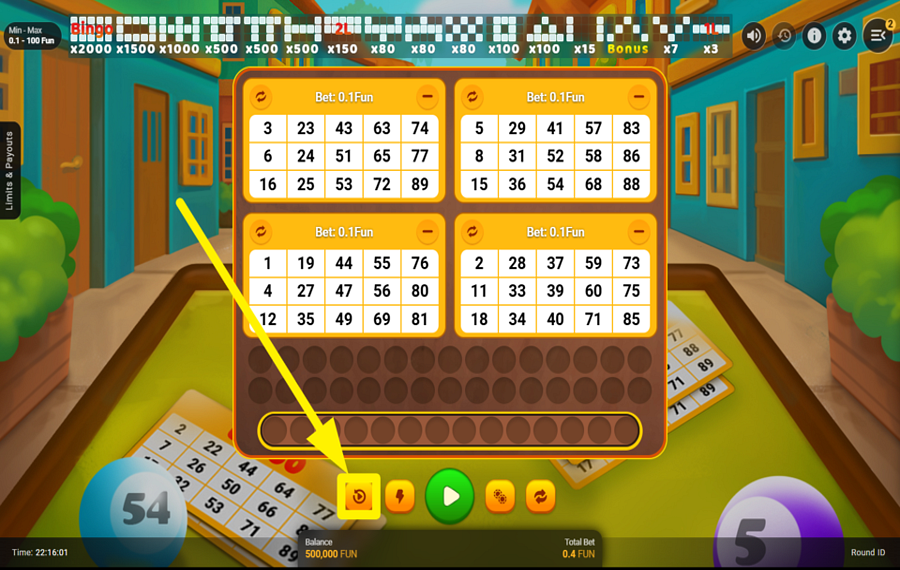
Press the leftmost orange button in the bottom control row, marked with a curved arrow, to open the “Autoplay” panel. Choose the number of tickets, select a “bet” amount, and set the number of rounds to 5, 15, 25, 50, or 100. You can also enable “Buy Extra Ball” and “Turbo Mode” or set a “Loss Limit.” Press the green “Play” button inside the panel to begin.
6
ACTIVATE TURBO MODE.
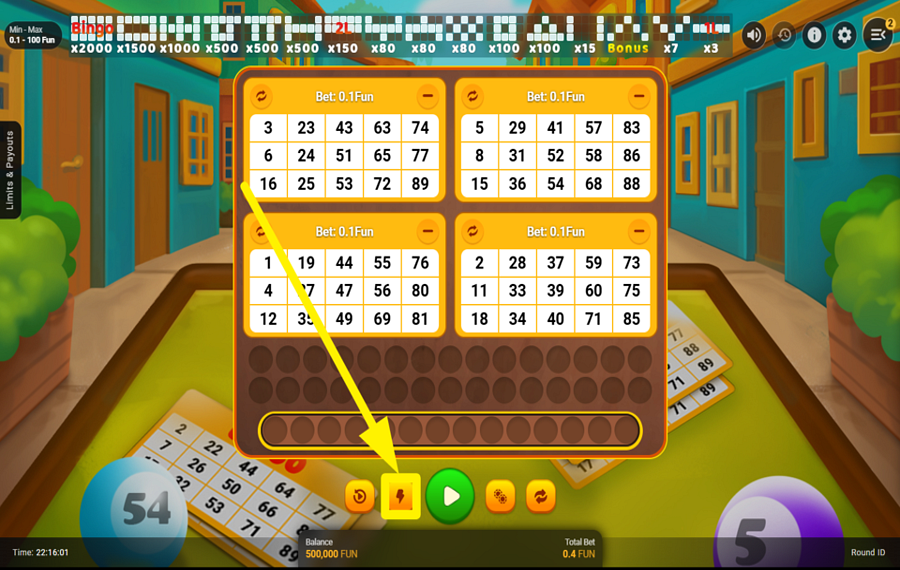
Press the orange lightning-bolt button immediately to the left of the ”Play” button at the bottom of the screen. This activates “Turbo Mode” and speeds up the ball-drawing sequence. Press the same button again to return to normal speed.
7
GAMBLE YOUR WIN.
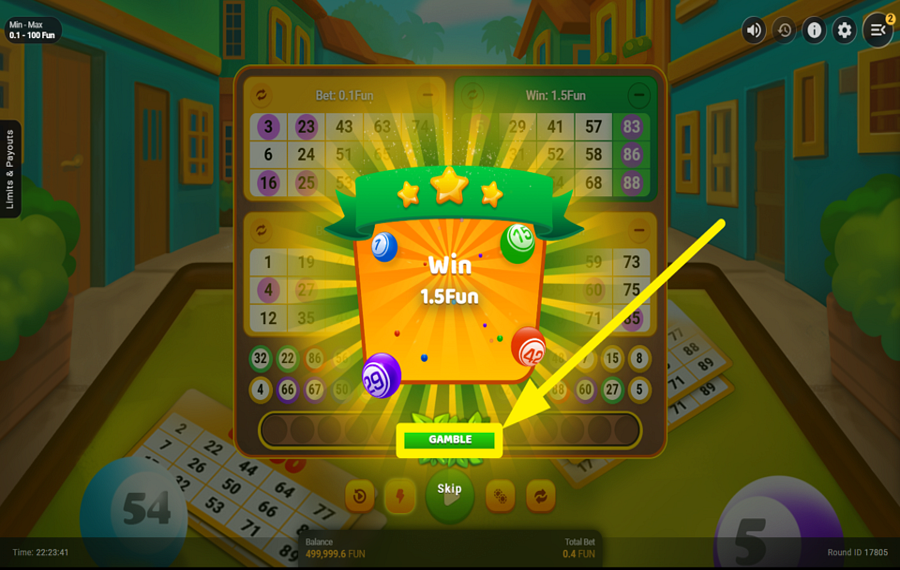
Press the green “Gamble” button beneath the displayed win amount after a winning round. Choose one of the three boxes to find the hidden animal. After an empty box opens, keep your original selection or switch to the other closed box. A correct choice multiplies your winnings by the applicable odds, while an incorrect choice reduces the round’s winnings to zero. Press “Skip” at the bottom center to keep the original win instead.
8
BUY AN EXTRA BALL.
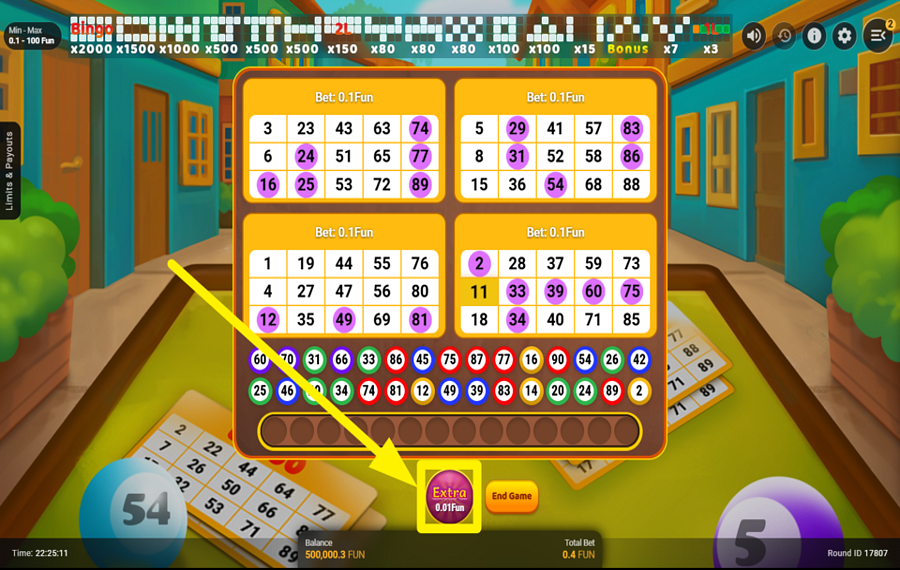
Press the purple “Extra” ball below the tickets when it appears after the main draw. This option is offered when you are one matching number short of a winning pattern. You may buy up to 14 extra balls per round or receive a “Free Ball” that continues the draw without an additional charge. A “Wild” ball lets you choose the number you need. Press the orange “End Game” button beside the “Extra” ball whenever you want to stop.
Go Bingo Ratings & Reviews
Our community rated Go Bingo as Poor with a score of 2 out of 5 based on 2 votes.




pingvinasLevel 39





gobillgoLevel 7Canada
Rate and Review Go Bingo
When writing a Game Review, remember to share your personal experience in detail - whether it's positive or negative. For more tips on writing game reviews, check out our dedicated Help Page.
How to Write a Game ReviewGo Bingo Q&As
Got questions about Go Bingo?
Ask a QuestionCompare Go Bingo to Other Games
+![Slingo Fluffy Favourites]()
Slingo Fluffy Favourites
RTP: 95.5%
+![Slingo Rakin Bacon]()

Slingo Rakin Bacon
RTP: 95.69%
+![Zen Tiger Bingo]()

Zen Tiger Bingo
RTP: 96.6%
+![Slingo Riches]()

Slingo Riches
RTP: 95%
+![Book of Slingo]()
Book of Slingo
RTP: 95%
+![Muertitos Video Bingo]()

Muertitos Video Bingo
RTP: 95.94%
+![Slingo Cascade]()

Slingo Cascade
RTP: 95%
+![Slingo Britains Got Talent]()

Slingo Britains Got Talent
RTP: 95%
+![The Golden Egg]()

The Golden Egg
RTP: 96.23%
+![Bonus Bingo]()

Bonus Bingo
RTP: 97%
RatingSoftwareYearRTP

Go Bingo
Pascal Gaming
2026
96%



Show more![arrow_down]()


Other Games by Pascal Gaming







Load More Pascal Gaming Games

Rozi Vrinceanu
Casino Data Specialist
- Over 6 years of experience in the land-based casino industry;
- Deep understanding of player experience and casino operations;
- Updated and verified more than 300 online casino reviews;
- Known for precision, consistency, and a high standard of accuracy;
- Currently studying Economic Sciences at Titu Maiorescu University.

