


 Casinos
 Bonuses


Fortune Bingo Tiger


Fortune Bingo Tiger Details

Software
Game Time Tec
Release date
Mar 26, 2025
Game type
Bingo

Times Played
 No
No
3D animation
No
Technology
HTML5
Play Fortune Bingo Tiger Slot for Real Money





Load More Casinos (+6)
How to Play Fortune Bingo Tiger Slot: Mastering the Basics
1
CHOOSE YOUR BET.
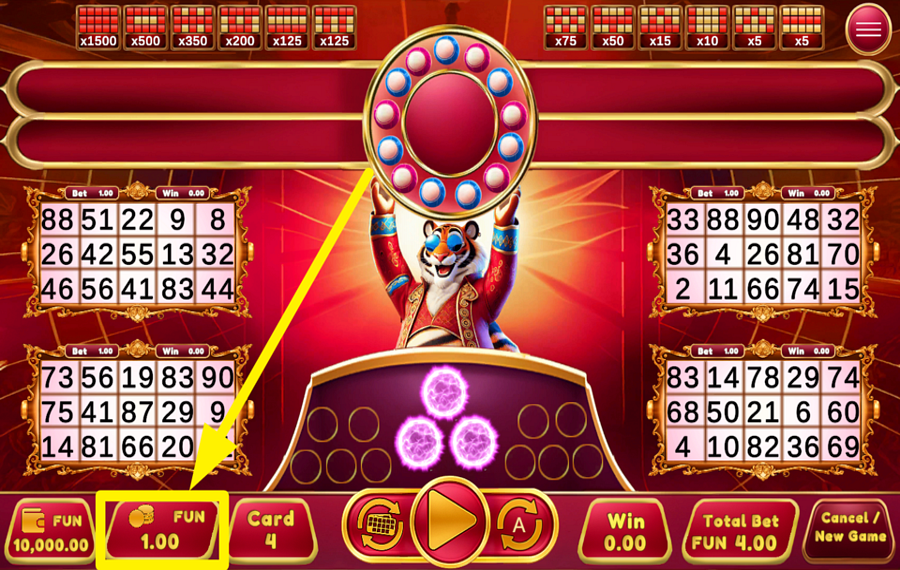
Tap the “Bet” box near the lower-left corner to open the wager selector. Pick one of the displayed values or use the “-” and “+” buttons for smaller adjustments, then press “Confirm.” The amount applies separately to every active bingo card, while the combined cost of the round appears under “Total Bet”.
2
SELECT THE NUMBER OF ACTIVE CARDS.
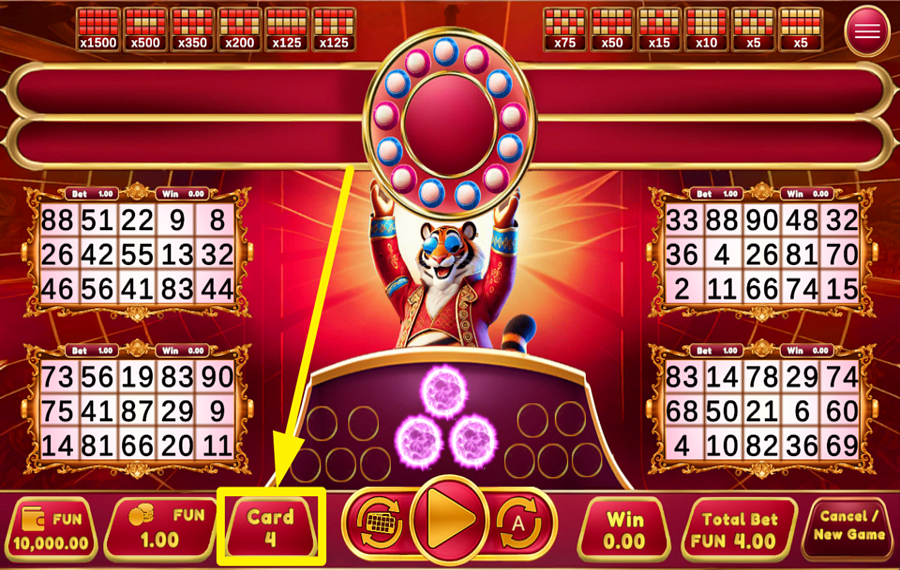
Press the “Card” box along the bottom panel to choose how many bingo cards you want to play. Select between one and eight cards from the numbered menu. Adding cards gives you more number grids and therefore more opportunities to complete a paying pattern, but it also increases the “Total Bet” for each round.
3
SHUFFLE THE CARD NUMBERS.
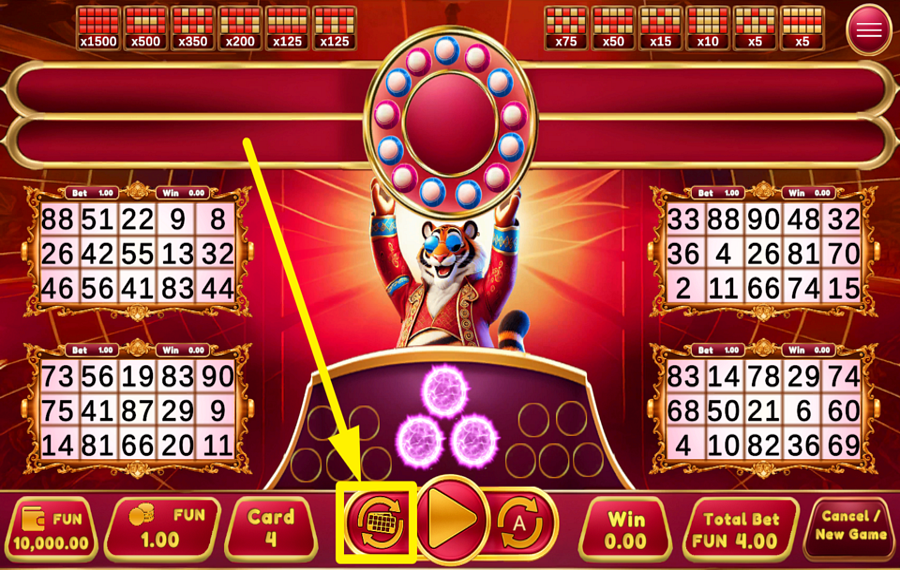
Click the small bingo-card icon immediately to the left of the large triangular “Play” button to replace the numbers on your active cards with randomly generated sets. Use this option before starting the round if you want a different card layout. The game handles the shuffle automatically, so you do not select the individual numbers yourself.
4
PARTICIPATE IN THE FUN!
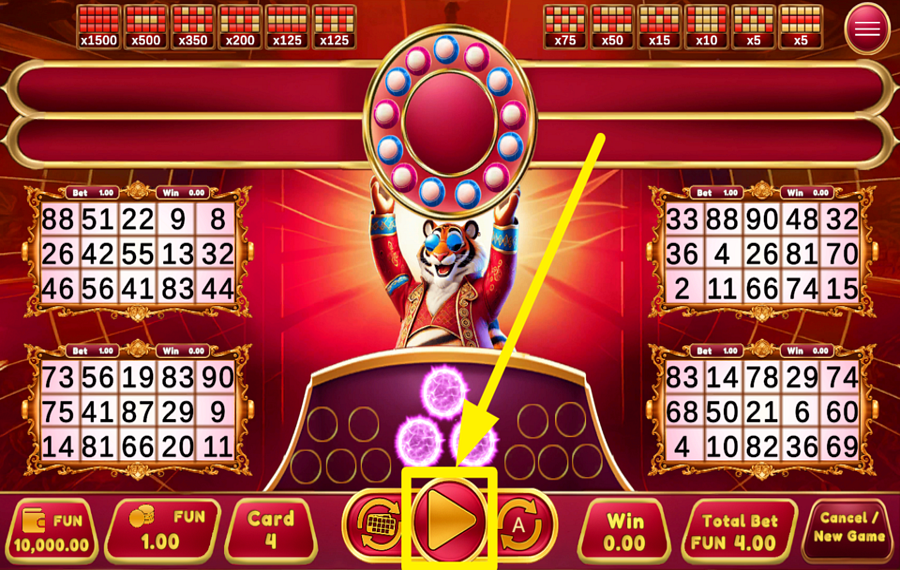
Press the large triangular “Play” button at the bottom center to begin. The game draws balls automatically and marks matching numbers across your active cards. Complete one of the payout patterns shown above the game area to win. If your numbers form more than one qualifying pattern, the game awards the payout with the highest applicable odds.
5
PURCHASE AN EXTRA BALL.
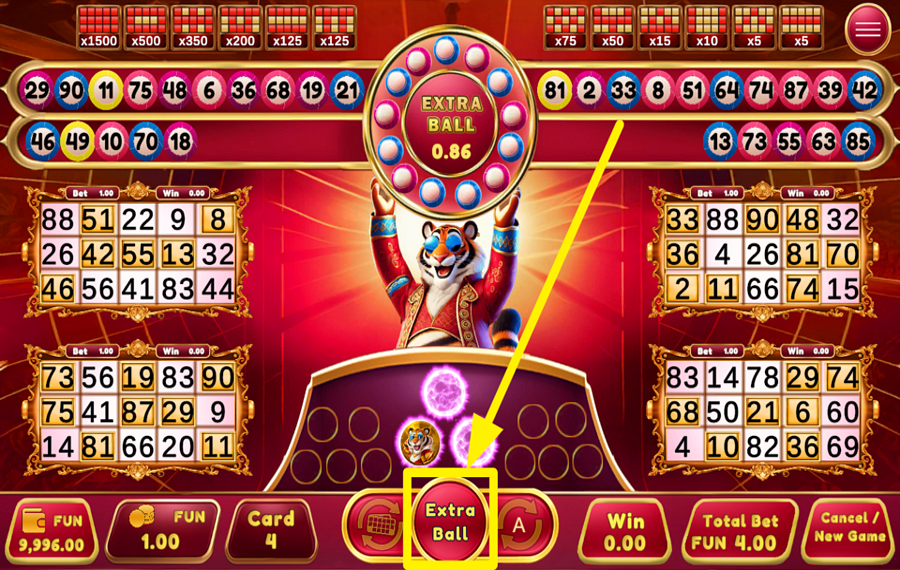
Press the “Extra Ball” button when it replaces the ”Play” feature after an eligible round. The required amount appears inside the ball display and depends on the value of your current winnings. You may purchase up to 10 additional balls when the number of completed ready hands reaches the required threshold. Each time, you have another chance to finish a winning pattern.
6
ENABLE AUTOPLAY.
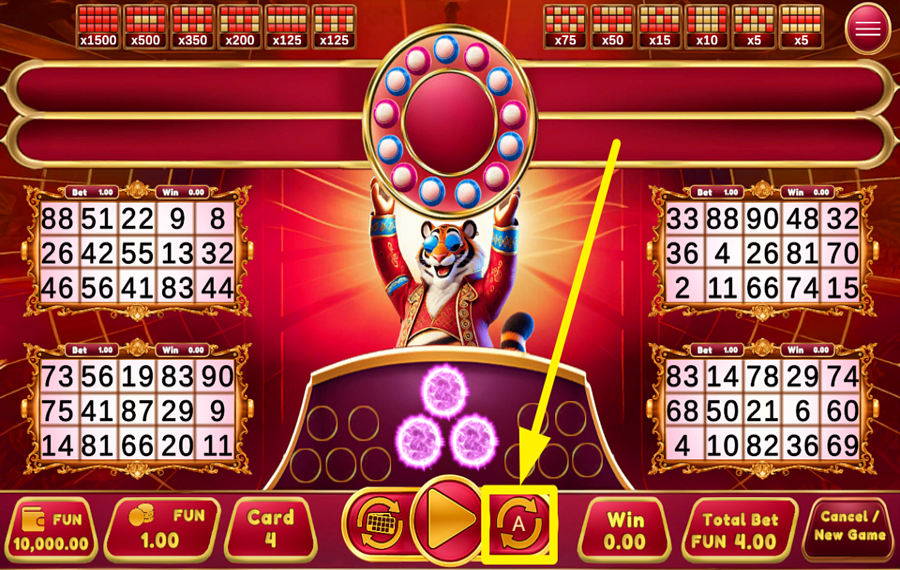
Tap the circular “A” button to the right of “Play” to open the “Autoplay” menu. Choose 10, 20, 30, or 50 automatic rounds, and the game will repeatedly use your current “bet” and number of active cards.
Fortune Bingo Tiger Ratings & Reviews
Our community rated Fortune Bingo Tiger as Very Good with a score of 4.8 out of 5 based on 9 votes.




PavelKlestil9![account-cancel]() Suspended
Suspended
 Suspended



Zouharhalllll![account-cancel]() Suspended
Suspended
Suspended


Nikol0606![account-cancel]() Suspended
Suspended
Suspended

Francisco09![account-cancel]() Suspended
Suspended
Suspended
Wormtyler![account-cancel]() Suspended
Suspended
SuspendedLudopatia![account-cancel]() Suspended
Suspended
Suspended
Perez79![account-cancel]() Suspended
Suspended
SuspendedTelevizorius![account-cancel]() Suspended
Suspended
SuspendedAdri2226![account-cancel]() Suspended
Suspended
SuspendedRate and Review Fortune Bingo Tiger
When writing a Game Review, remember to share your personal experience in detail - whether it's positive or negative. For more tips on writing game reviews, check out our dedicated Help Page.
How to Write a Game ReviewFortune Bingo Tiger Q&As
Got questions about Fortune Bingo Tiger?
Ask a QuestionCompare Fortune Bingo Tiger to Other Games
+![Slingo Fluffy Favourites]()
Slingo Fluffy Favourites
RTP: 95.5%
+![Zen Tiger Bingo]()

Zen Tiger Bingo
RTP: 96.6%
+![Book of Slingo]()
Book of Slingo
RTP: 95%
+![Super Pachinko]()

Super Pachinko
RTP: 94.73%
+![The Golden Egg]()

The Golden Egg
RTP: 96.23%
+![Pachinko 3D]()

Pachinko 3D
RTP: 93.59%
+![Pachinko 3]()

Pachinko 3
RTP: 91.57%
+![Wild Plains]()

Wild Plains
RTP: 90%
+![Games Global Pachinko]()

Games Global Pachinko
RTP: 95.82%
+![Lucky Cat Bingo]()

Lucky Cat Bingo
RTP: 91.51%
RatingSoftwareYearRTP

Fortune Bingo Tiger
Game Time Tec
2025
96.7%



Show more![arrow_down]()


Other Games by Game Time Tec








Load More Game Time Tec Games

Mihai Enculescu
Senior Game Expert
- Over 2 years of experience in the iGaming industry.
- Uploaded & maintained data for 3,000+ casino games.
- Strong grasp of casino game mechanics, especially slots.
- Reviewed and fact-checked over 3,500+ casino games.

