


 Casinos
 Bonuses


Lucky Mines


Lucky Mines Details


Times Played
 No
No
3D animation
No
Technology
HTML5
Play Lucky Mines Slot for Real Money




Load More Casinos (+10)
How to Play Lucky Mines Slot: Mastering the Basics
1
ADJUST YOUR BET.
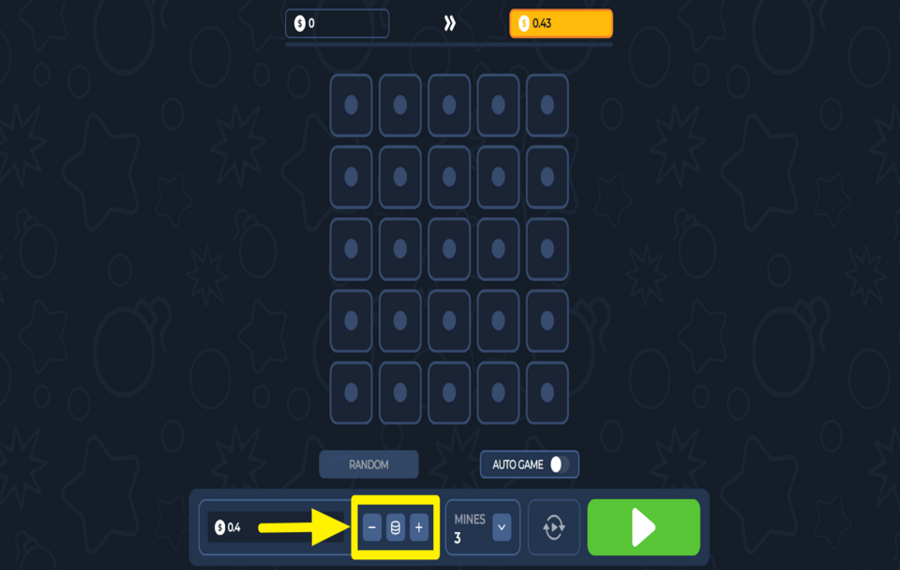
To set your wager before the round begins, click the “-” and “+” buttons at the bottom of the screen. You can also tap the coin stack icon in the middle to bring up preset amounts. Choose an amount from the options.
2
SET THE NUMBER OF MINES.
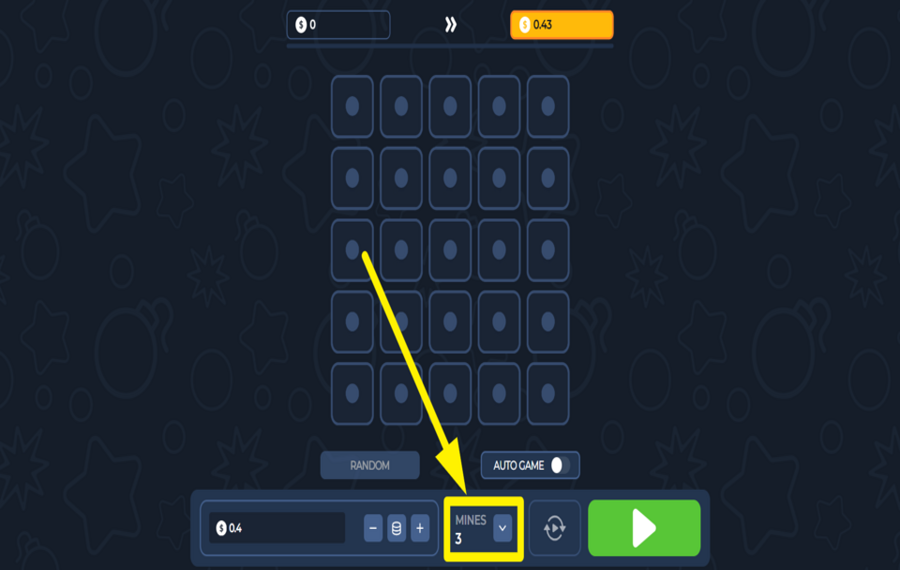
Next to the “bet“ section, there's a dropdown labeled “Mines.“ Click the small arrow to choose how many mines you want hidden on the grid for the current round. Fewer mines make it easier to find stars but pay less. More mines increase the risk and the reward.
3
PLAY THE GAME.
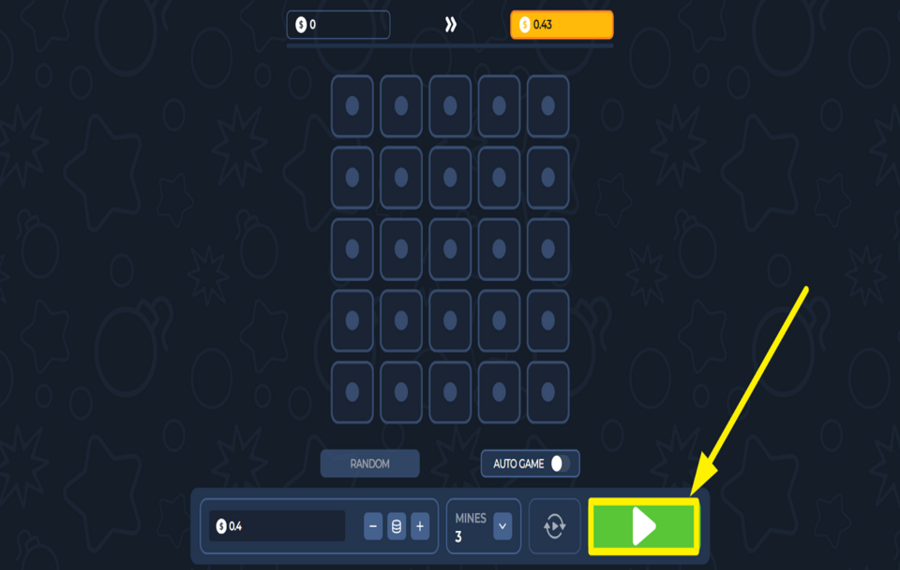
When your “bet“ and “mines“ count are set, press the large green “Play“ button in the bottom-right corner. This begins the round and reveals the 5×5 grid of hidden tiles. Start clicking tiles to uncover stars and build up your winnings. If you hit a mine, the round ends and your "bet" is lost, so pick carefully.
4
UNCOVER TILES RANDOMLY.
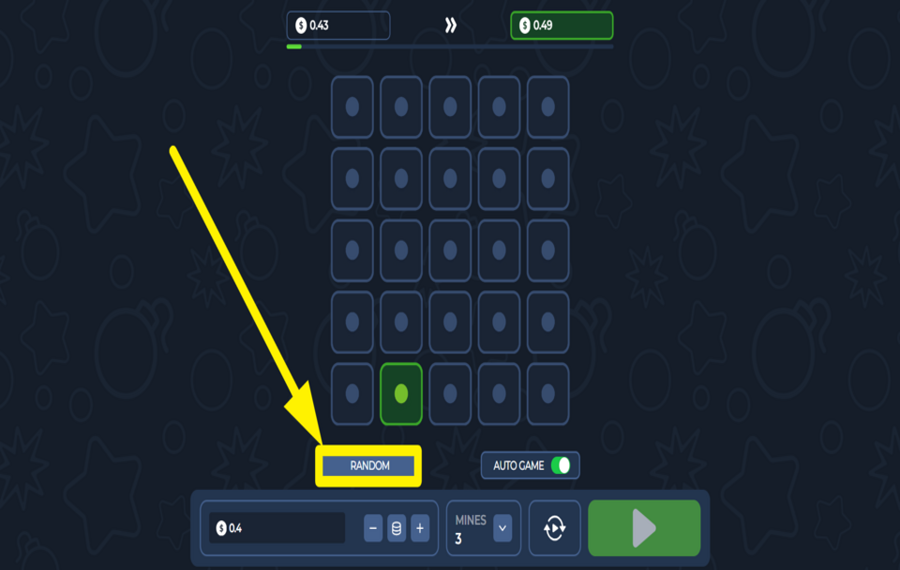
If you want the game to choose for you, tap the “Random“ button just above the “bet“ settings. This will automatically open a tile at random. It’s useful when you’re unsure where to click or just want to speed things up a little.
5
CASH OUT YOUR WINNINGS.
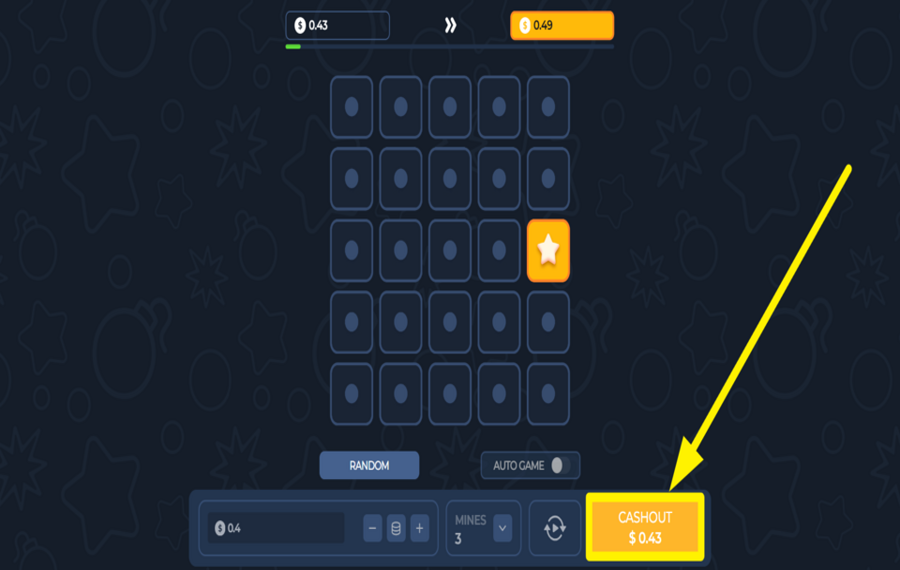
If you reveal at least one safe tile, the “Cash Out“ button will appear in the lower-right corner of the screen. Click this at any time to collect your current winnings and end the round. Timing your cashout is critical—waiting longer means bigger potential rewards, but you also risk hitting a mine and losing everything.
6
UTILIZE AUTOPLAY.
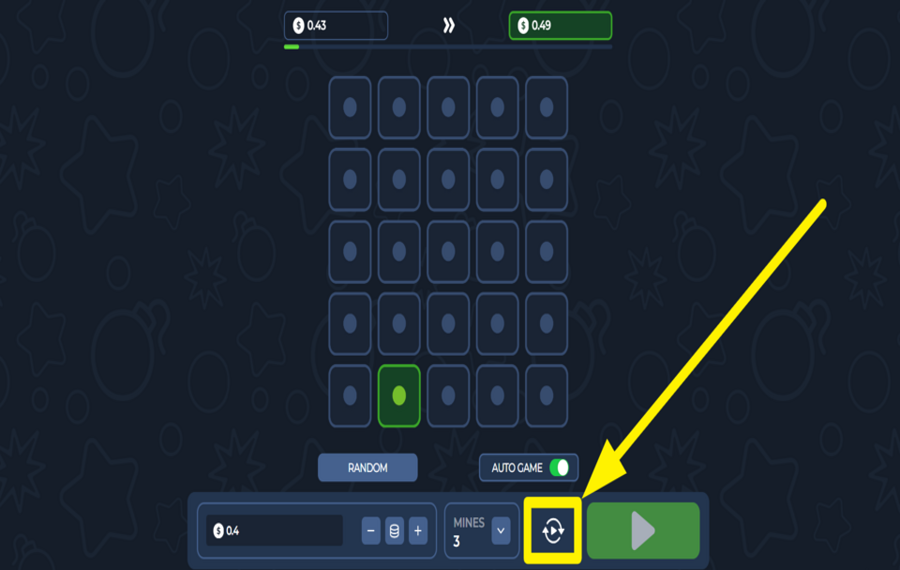
To enable automated rounds, first toggle on the “Auto Game“ switch below the grid. Then, click the rotating arrows icon to the left of the “Play“ button to access the “Autoplay Settings“ window. You’ll be able to select how many rounds to run and set conditions like stop-on-loss or stop-on-win limits. Before you can start automatic play, you must manually choose at least one tile or use the “Random“ button. Once ready, press “Start Auto“ to let the game run itself.
Lucky Mines Ratings & Reviews
Our community rated Lucky Mines as Average with a score of 3.7 out of 5 based on 3 votes.




Televizorius![account-cancel]() Suspended
Suspended
 Suspended

Radzik![account-cancel]() Suspended
Suspended
Suspended


Zouharhall![account-cancel]() Suspended
Suspended
SuspendedRate and Review Lucky Mines
When writing a Game Review, remember to share your personal experience in detail - whether it's positive or negative. For more tips on writing game reviews, check out our dedicated Help Page.
How to Write a Game ReviewLucky Mines Q&As
Got questions about Lucky Mines?
Ask a QuestionCompare Lucky Mines to Other Games
+![Mines X High RTP]()

Mines X High RTP
RTP: 98%
+![Nerves of Steal]()

Nerves of Steal
RTP: 92%
+![Mummys Mines]()

Mummys Mines
RTP: Undisclosed
+![Spin2Win Santas Fortune]()

Spin2Win Santas Fortune
RTP: 96.5%
+![Book of Mines]()

Book of Mines
RTP: 95%
+![Jungle Crossword]()

Jungle Crossword
RTP: Undisclosed
+![Mummys Treasure]()

Mummys Treasure
RTP: 96%
+![FA CHAI Gaming Mines]()

FA CHAI Gaming Mines
RTP: 97%
+![FA CHAI Gaming Tower]()

FA CHAI Gaming Tower
RTP: 97%
RatingSoftwareYearRTP




Show more![arrow_down]()


Other Games by InOut Games
All 67 InOut Games Games









Mihai Enculescu
Senior Game Expert
- Over 2 years of experience in the iGaming industry.
- Uploaded & maintained data for 3,000+ casino games.
- Strong grasp of casino game mechanics, especially slots.
- Reviewed and fact-checked over 3,500+ casino games.

