


 Casinos
 Bonuses


Zen Tiger Bingo


Zen Tiger Bingo Details


Times Played
 No
No
3D animation
No
Technology
HTML5
Play Zen Tiger Bingo Slot for Real Money




Load More Casinos (+10)
How to Play Zen Tiger Bingo Slot: Mastering the Basics
1
SPECIFY YOUR WAGER AND CARDS.
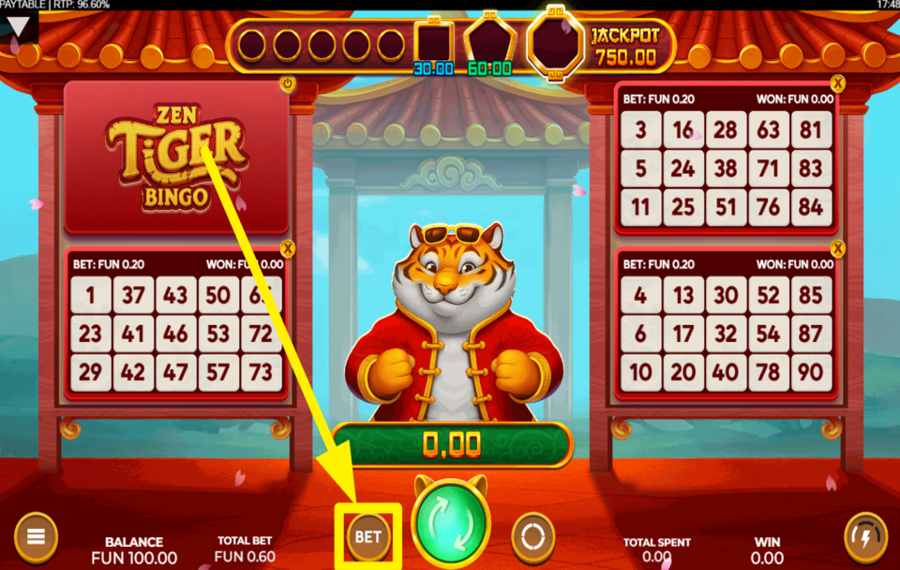
Tap the "bet" button at the bottom of the screen to open a selection window. Here, choose a preset wager amount and adjust the number of active cards. If you wish to adjust the number of bingo cards without opening the stake selection panel, you can do it easily by clicking the tiny "X" button in the top right corner of each of the four cards. Click the same button again if you want to bring the card back into the game.
2
LET THE FUN BEGIN!
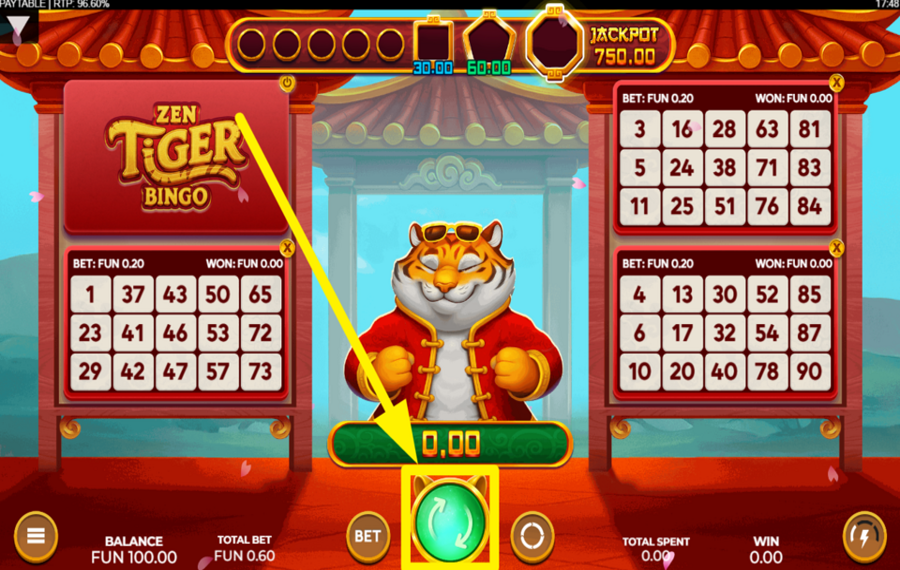
Kick off the "ball draw" by hitting the green "Play" button at the bottom middle. This action will draw the first 30 bingo balls. The matching numbers on your cards are automatically highlighted with red markers. Each card has 15 possible winning patterns, which are displayed along with the corresponding winnings above the drawn balls. Completed winning patterns are highlighted, showing the respective payline on the cards.
3
USE THE AUTOPLAY FEATURE.
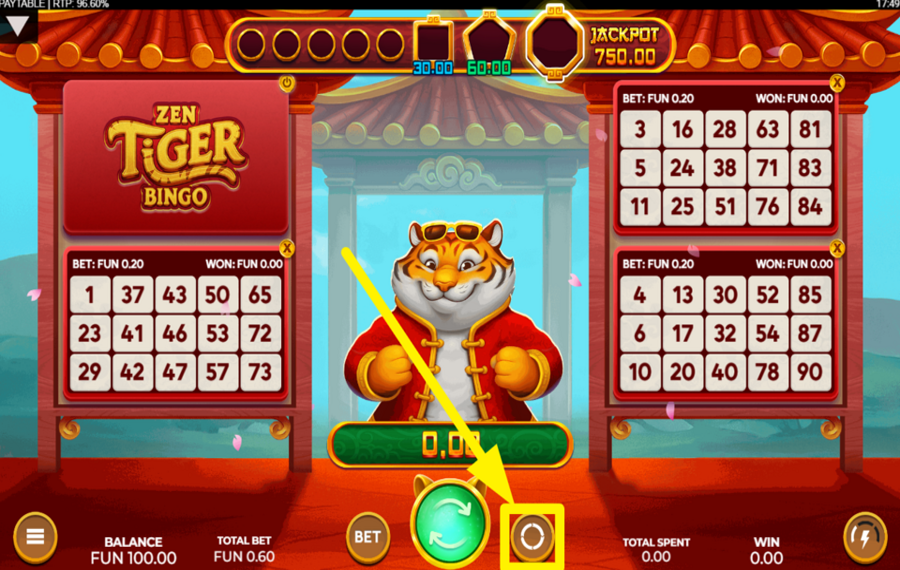
For uninterrupted gameplay, activate the "Autoplay" feature by clicking the circular icon on the right of the "Play" button. A new window will pop up, giving you options to choose the number of automatic rounds. Pick a number and set win/loss limits before hitting "Start Autoplay."
4
RAMP UP THE SPEED.
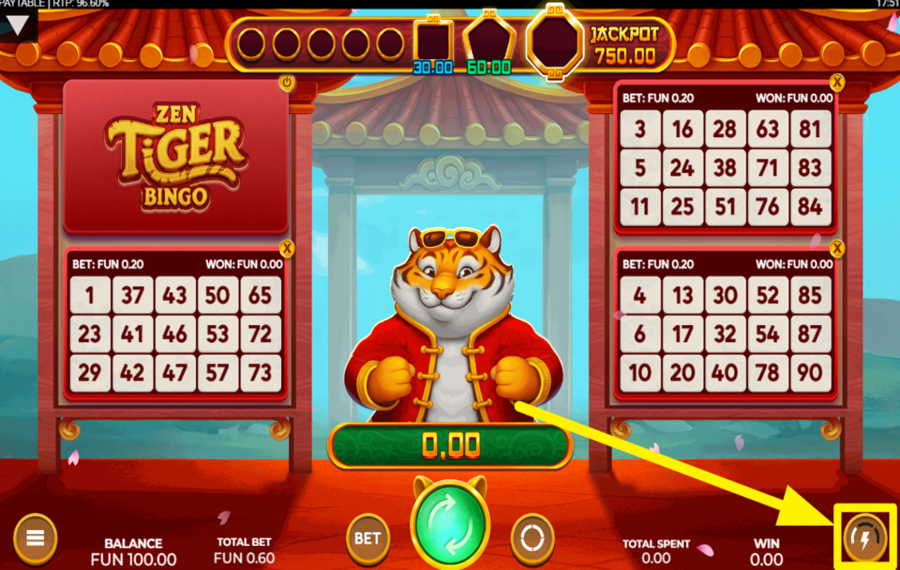
If you prefer faster gameplay, click the "Turbo" button at the bottom right corner of the screen. This will accelerate the pace of the "ball draw". To reach maximum speed, press the button again.
5
STRIVE FOR MORE!
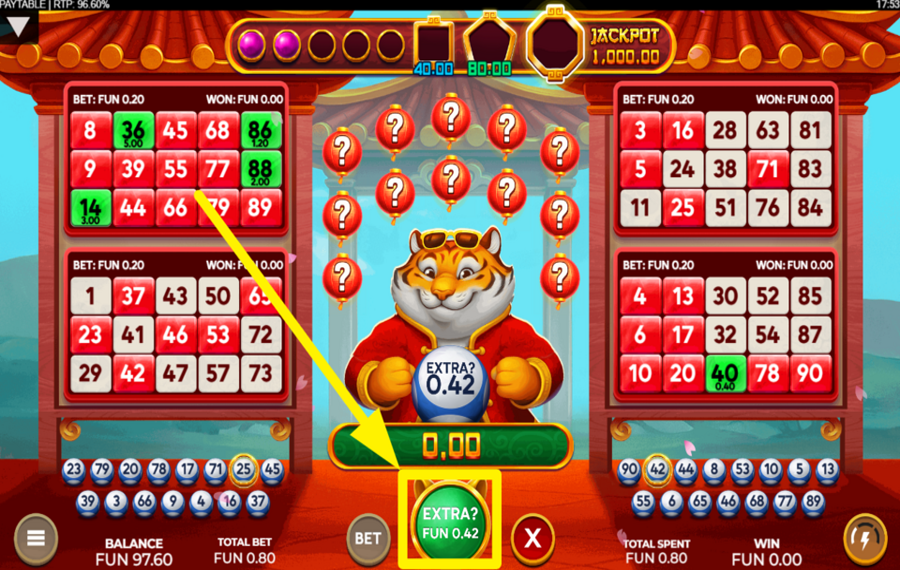
Once the regular ball draw concludes, you can buy additional balls. Click the green "Extra Ball" button at the bottom to confirm your purchase. The cost varies depending on your current odds of winning. If you do not wish to buy more balls, click the red cross to claim your winnings.
Zen Tiger Bingo Ratings & Reviews
Our community rated Zen Tiger Bingo as Very Good with a score of 4.3 out of 5 based on 4 votes.




RuudneLevel 7





uztrewertzu![account-cancel]() Suspended
Suspended
 Suspended
KazkoksLevel 14




pingvinasLevel 39
Rate and Review Zen Tiger Bingo
When writing a Game Review, remember to share your personal experience in detail - whether it's positive or negative. For more tips on writing game reviews, check out our dedicated Help Page.
How to Write a Game ReviewZen Tiger Bingo Q&As
Got questions about Zen Tiger Bingo?
Ask a QuestionCompare Zen Tiger Bingo to Other Games
+![Lucky Larrys Lobstermania Slingo]()

Lucky Larrys Lobstermania Slingo
RTP: 96%
+![Slingo Fluffy Favourites]()
Slingo Fluffy Favourites
RTP: 95.5%
+![Book of Slingo]()
Book of Slingo
RTP: 95%
+![Super Pachinko]()

Super Pachinko
RTP: 94.73%
+![The Golden Egg]()

The Golden Egg
RTP: 96.23%
+![Pachinko 3D]()

Pachinko 3D
RTP: 93.59%
+![Pachinko 3]()
Pachinko 3
RTP: 91.57%
+![Wild Plains]()

Wild Plains
RTP: 90%
+![Games Global Pachinko]()

Games Global Pachinko
RTP: 95.82%
+![Lucky Cat Bingo]()

Lucky Cat Bingo
RTP: 91.51%
RatingSoftwareYearRTP



Show more![arrow_down]()


Other Games by Caleta Gaming
All 146 Caleta Gaming Games








Mihai Enculescu
Senior Game Expert
- Over 2 years of experience in the iGaming industry.
- Uploaded & maintained data for 3,000+ casino games.
- Strong grasp of casino game mechanics, especially slots.
- Reviewed and fact-checked over 3,500+ casino games.

