


 Casinos
 Bonuses


Crazy Clover Bingo


Crazy Clover Bingo Details


Times Played
 No
No
3D animation
No
Technology
HTML5
Play Crazy Clover Bingo Slot for Real Money




Load More Casinos (+10)
How to Play Crazy Clover Bingo Slot: Mastering the Basics
1
SET YOUR STAKE.
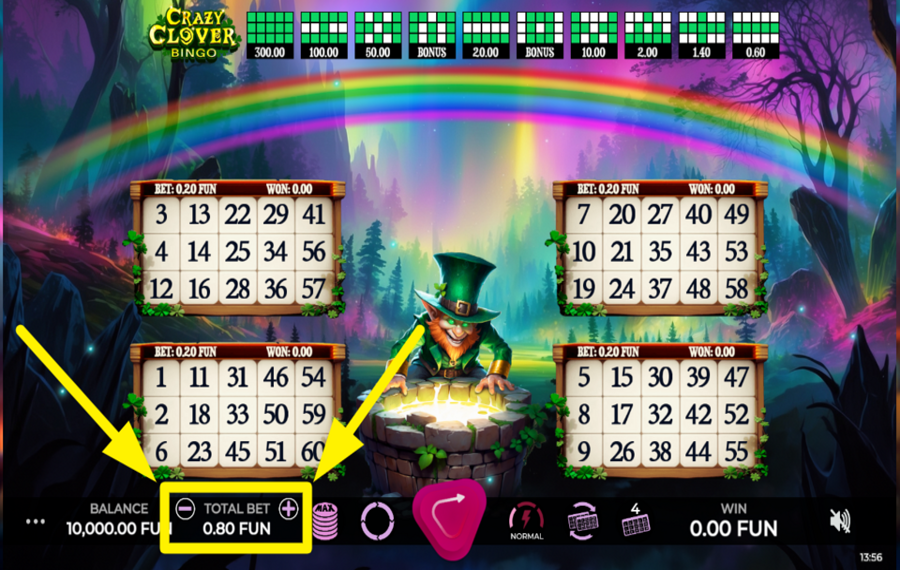
To adjust your "bet" amount, use the "+" and "-" buttons flanking the total wager amount displayed at the bottom of the screen.
2
ESTABLISH THE HIGHEST STAKE LIMIT.
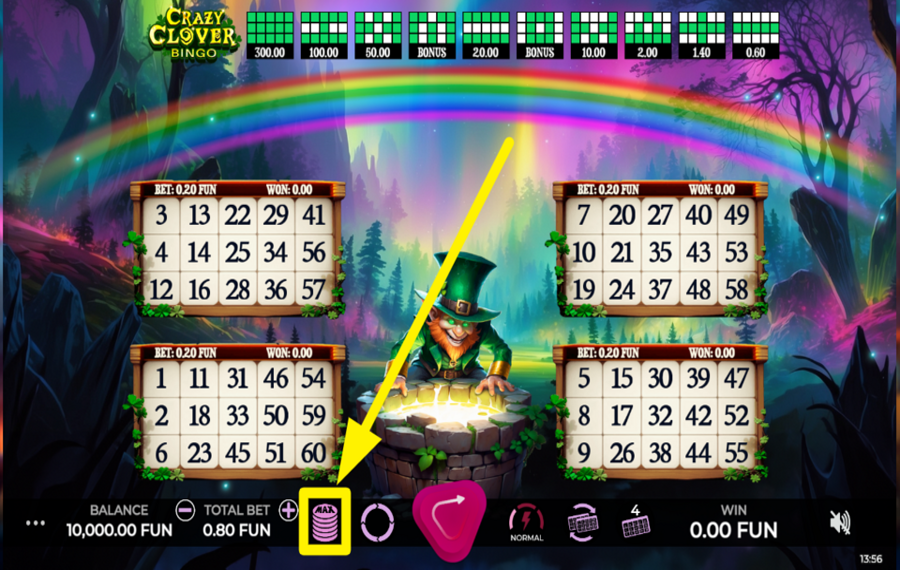
If you want to play with the maximum stake, locate the button that looks like a coin pile. This is the "Max Bet" button. Press it to automatically set your "bet" to the highest possible amount.
3
DETERMINE THE NUMBER OF ACTIVE CARDS.
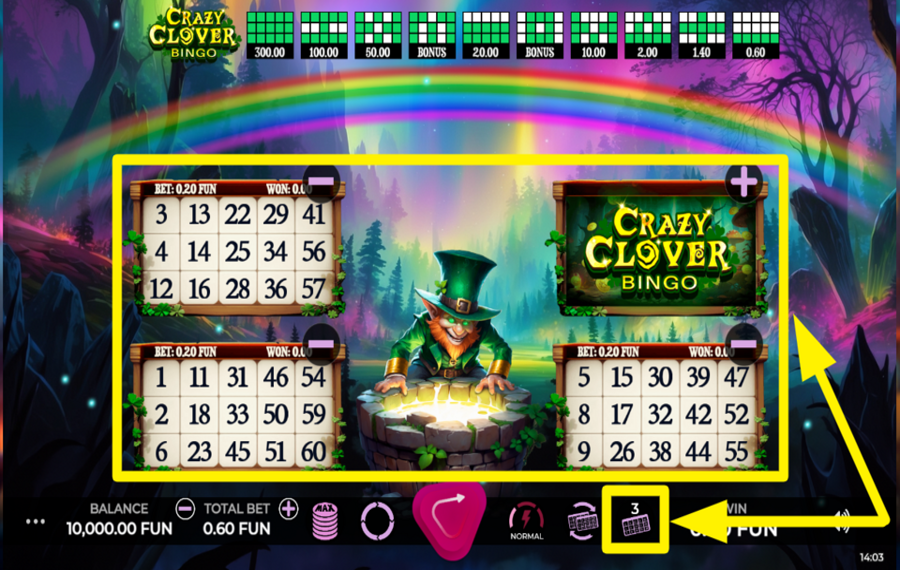
If you'd like to alter the number of bingo cards you're playing with, select the button at the far-right bottom. Then, choose how many cards you want to keep active by using the "+" and "-" buttons next to each active or inactive card. Increasing the number of cards raises your chances of winning.
4
RANDOMIZE CARD NUMBERS.
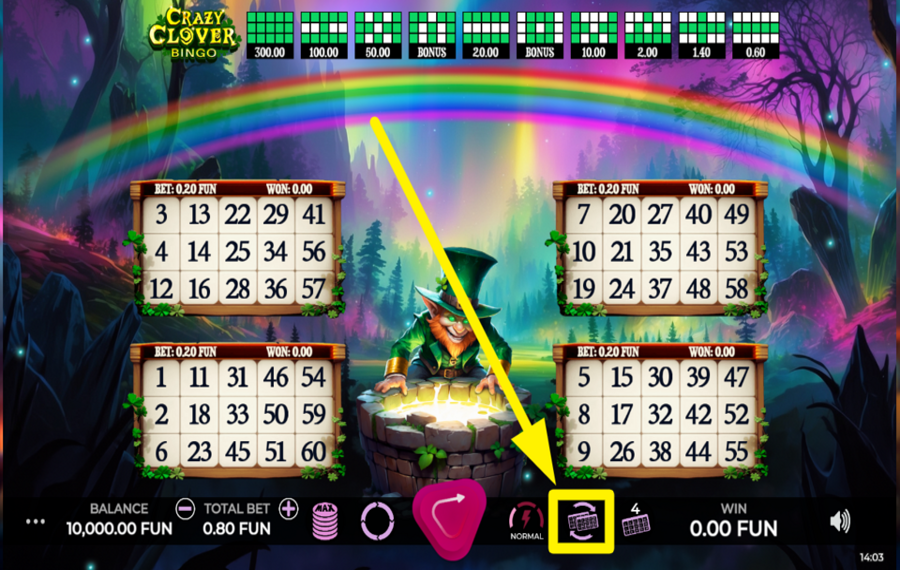
Between rounds, you have the option to refresh the numbers on your bingo cards. To do this, click the "Change Cards" button located at the bottom, which will randomize the numbers on all your active cards.
5
ENTER THE ACTION!
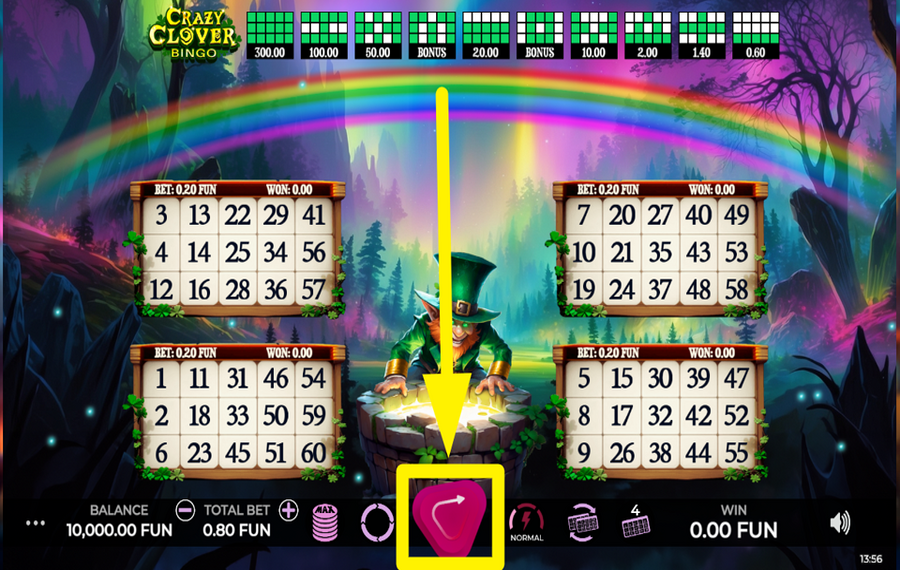
Begin the ball draw by clicking the triangular "Play" button. This button initiates the bingo game at a normal speed, drawing the initial 30 bingo balls. Your cards will automatically highlight matching numbers in blue.
6
ENABLE AUTOPLAY.
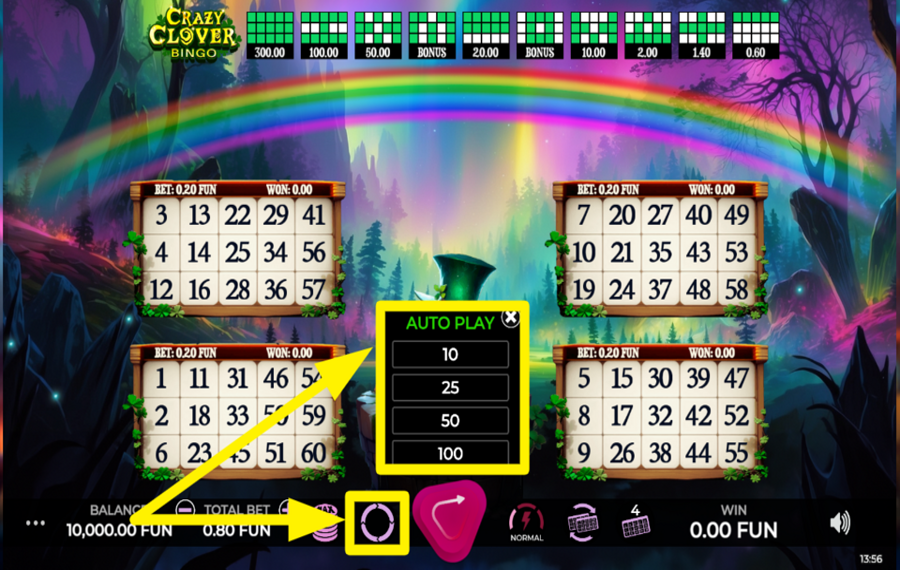
For continuous play, enable the "Autoplay" feature by clicking the round icon on the left of the "Play" button. A menu will appear, allowing you to select from 10, 25, 50, or 100 automatic games. Choose the number of automatic game rounds you prefer from here.
7
ACCELERATE THE GAMEPLAY.
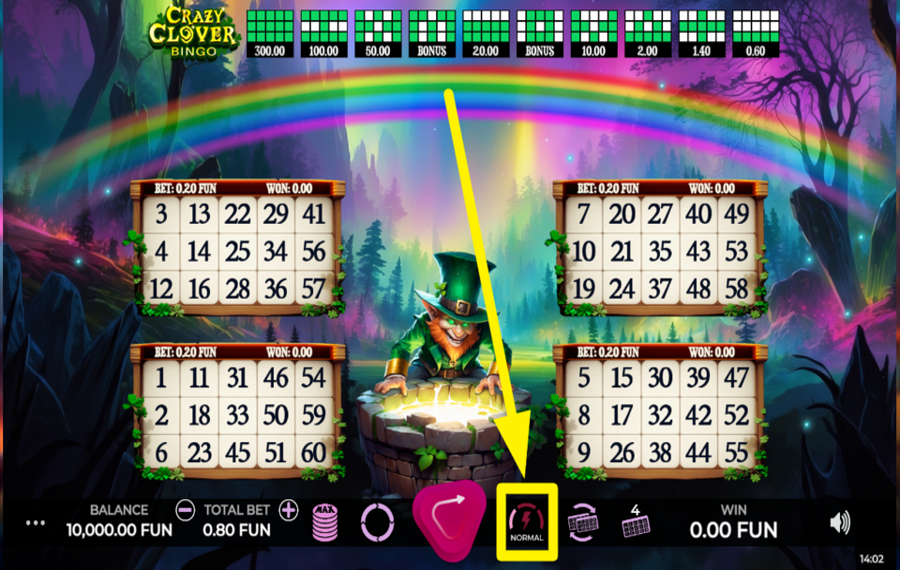
To speed up the game, click the "Turbo" button at the bottom. This triggers a faster "ball draw". To reach the highest speed, tap the same button again.
8
BUY EXTRA BALLS.
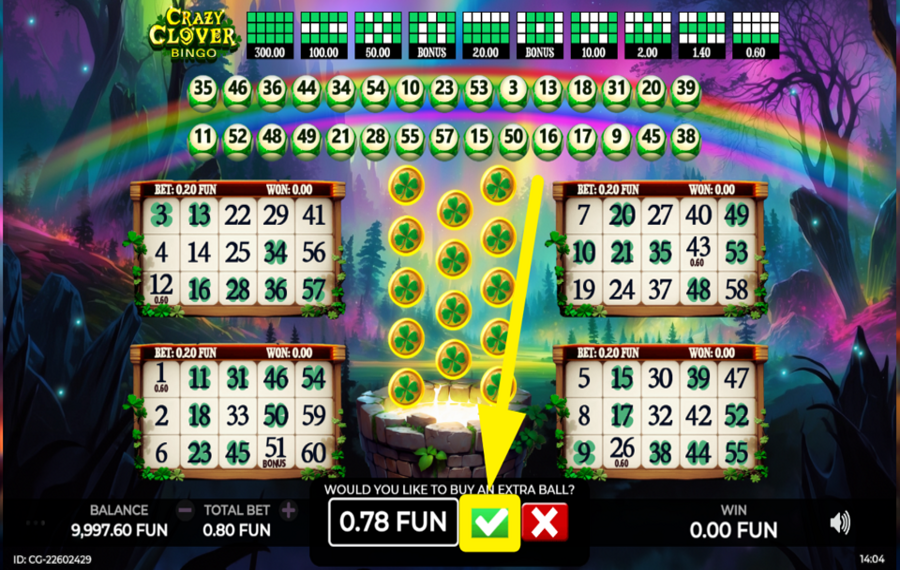
After the regular "ball draw", you have the option to purchase up to 12 "extra balls". Click the green checkmark in the purchase window to buy an extra bingo ball at the displayed cost. As your odds increase, the cost for the next ball also increases. If you do not wish to draw any more balls, click the red cross button to collect your winnings. During the "extra ball" phase, if you're close to winning a significant prize, you might be rewarded with a special "Mystery Ball". This "Mystery Ball" allows you to manually choose any unmarked number on the enabled bingo cards.
Crazy Clover Bingo Ratings & Reviews
Our community rated Crazy Clover Bingo as Very Good with a score of 4 out of 5 based on 8 votes.




PavelKlestil9![account-cancel]() Suspended
Suspended
 Suspended





JeroMLevel 6


muszkawaldek![account-cancel]() Suspended
Suspended
SuspendedKosobrinLevel 6



SvenjamLevel 41

JohnyMnebereLevel 6Czech Republic

AndrewT64Level 5




pingvinasLevel 39
Rate and Review Crazy Clover Bingo
When writing a Game Review, remember to share your personal experience in detail - whether it's positive or negative. For more tips on writing game reviews, check out our dedicated Help Page.
How to Write a Game ReviewCrazy Clover Bingo Q&As
Got questions about Crazy Clover Bingo?
Ask a QuestionCompare Crazy Clover Bingo to Other Games
+![Bingo Destiny]()

Bingo Destiny
RTP: 95%
+![Slingo Reel Riches]()

Slingo Reel Riches
RTP: 95.93%
+![Slingo Genie Gemstones]()

Slingo Genie Gemstones
RTP: 95.44%
+![Bingo Valhalla]()

Bingo Valhalla
RTP: 95.16%
+![Slingo Journey to Asgard]()

Slingo Journey to Asgard
RTP: 95.6%
+![Candyland Bingo]()

Candyland Bingo
RTP: Undisclosed
+![Lucky Shamrock Bingo]()
Lucky Shamrock Bingo
RTP: 96%
+![Calaca Bingo]()
Calaca Bingo
RTP: Undisclosed
+![Slingo Wild Adventure]()

Slingo Wild Adventure
RTP: 95%
+![Slingo Lucky Streak]()
Slingo Lucky Streak
RTP: 95%
RatingSoftwareYearRTP



Show more![arrow_down]()


Other Games by Caleta Gaming
All 146 Caleta Gaming Games








Mihai Enculescu
Senior Game Expert
- Over 2 years of experience in the iGaming industry.
- Uploaded & maintained data for 3,000+ casino games.
- Strong grasp of casino game mechanics, especially slots.
- Reviewed and fact-checked over 3,500+ casino games.

