


 Casinos
 Bonuses


Bingo Bingo


Bingo Bingo Details


Times Played
 No
No
3D animation
No
Technology
HTML5
Play Bingo Bingo Slot for Real Money




Load More Casinos (+10)
How to Play Bingo Bingo Slot: Mastering the Basics
1
ADJUST YOUR BET.
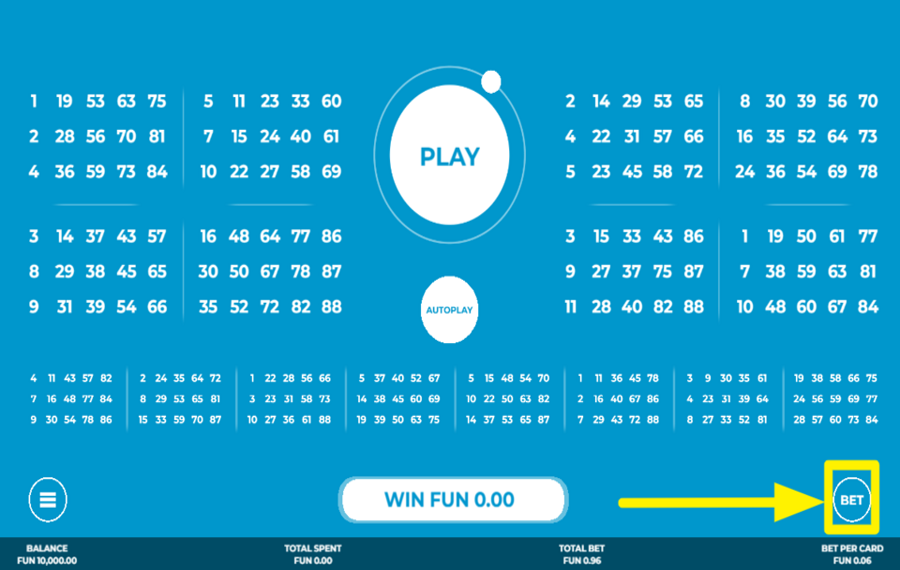
To adjust your "bet" amount, click the “Bet” button located at the bottom right corner of the screen. This opens a panel displaying multiple bet options. Select any coin value by tapping on it.
2
SET THE NUMBER OF BINGO CARDS.
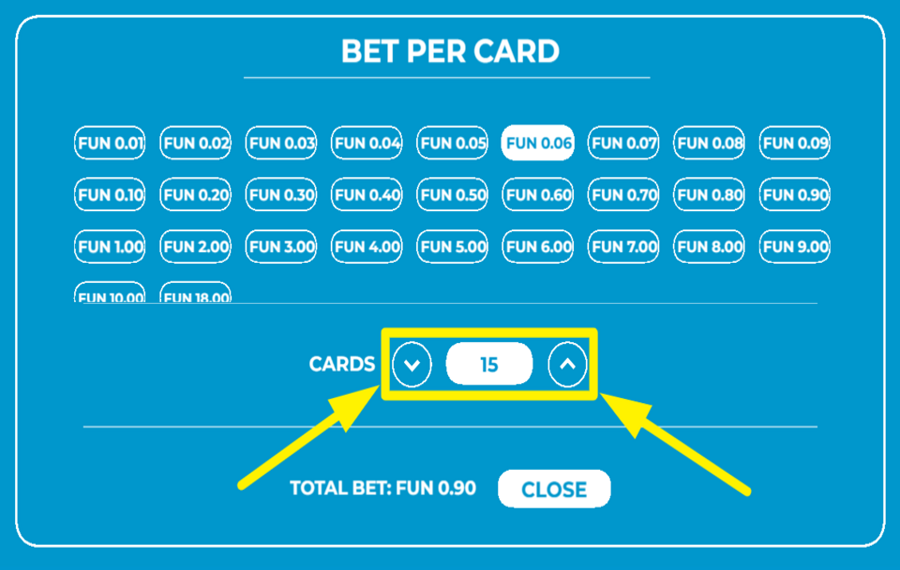
Inside the same “Bet” panel, use the up and down arrows to increase or decrease the number of active cards. The number of cards you're playing with will directly affect your total stake, which is displayed at the bottom of the panel. You can activate up to 16 cards per round.
3
LET THE FUN BEGIN!
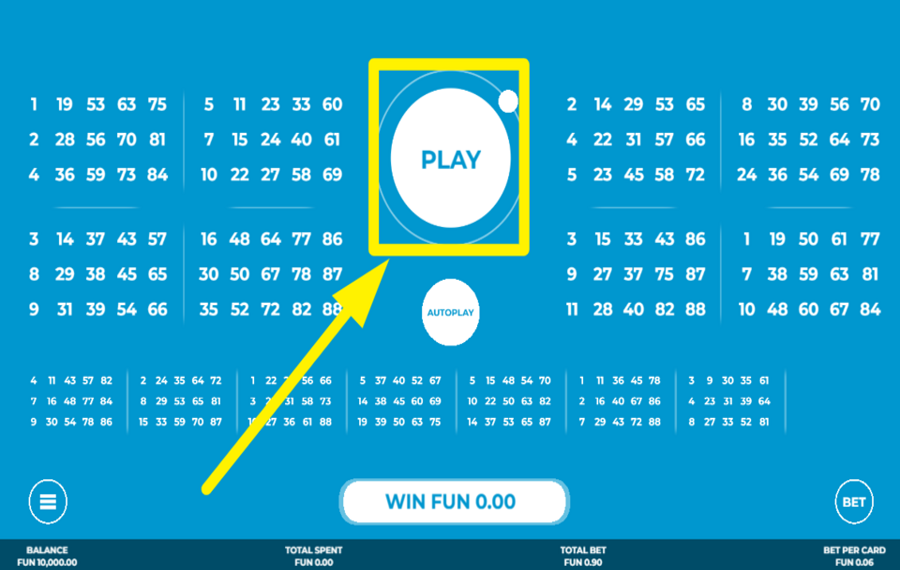
Kick off the "ball draw" by hitting the "Play" button in the upper middle area of the screen. This action will draw the first 30 bingo balls. Any numbers on your active cards that match the drawn numbers will be highlighted. Winning patterns are also shown, and payouts are displayed above the drawn balls.
4
USE THE AUTOPLAY FEATURE.
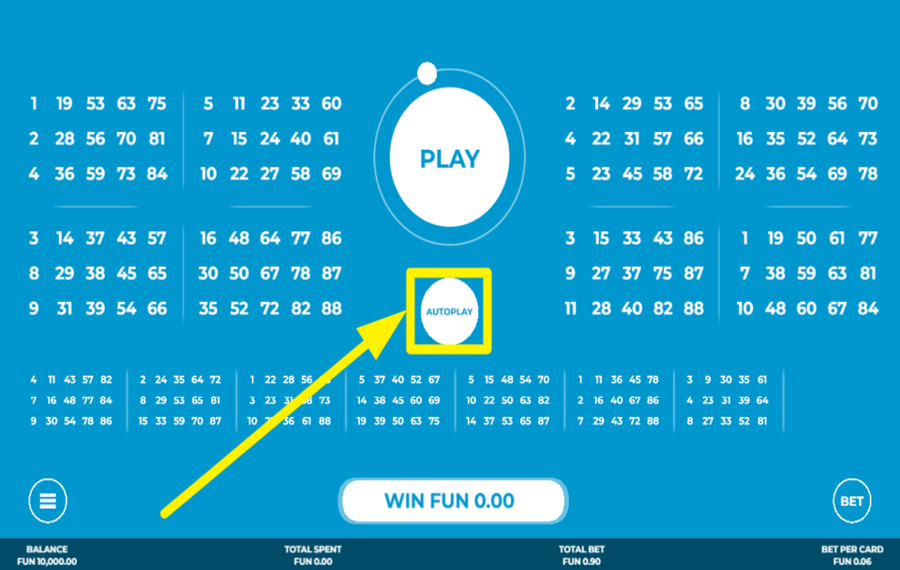
For uninterrupted gameplay, activate the "Autoplay" feature by clicking the button just below the "Play" button. This opens the Autoplay settings screen. Here, you can set how many rounds to play (from 10 up to 1000), choose whether to automatically buy extra balls, and define values like "Bet Per Card", "Cards", "Spend Per Round In Extraballs", "Total Loss Limit", and "Single Win Limit". Once your preferences are set, hit the “Start Autoplay” button to activate.
5
QUICKEN THE GAME.
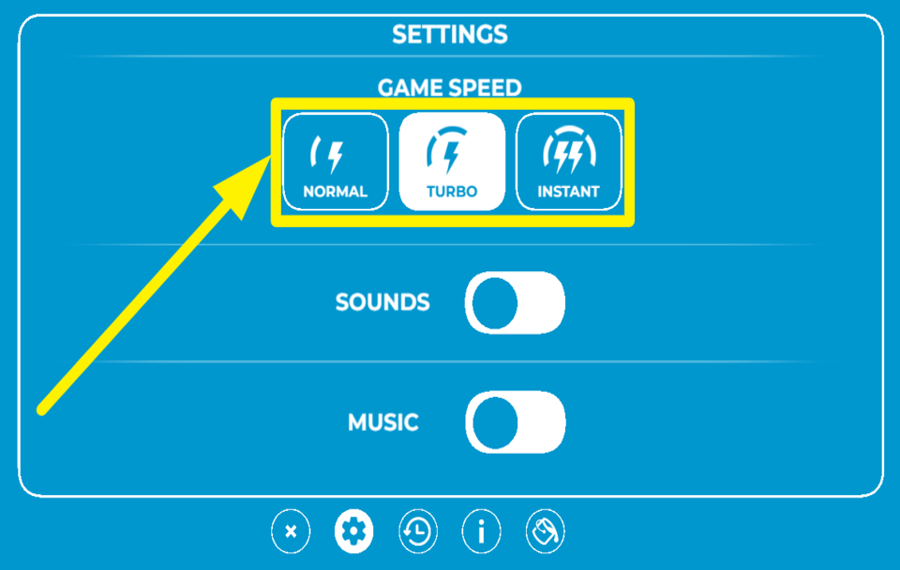
To change the speed of the game, open the Settings menu by clicking the gear icon. Under the “Game Speed” section, you can choose between three modes: “Normal”, “Turbo”, and “Instant”. Selecting a faster mode will make rounds play out more quickly.
6
PURCHASE EXTRA BALLS.
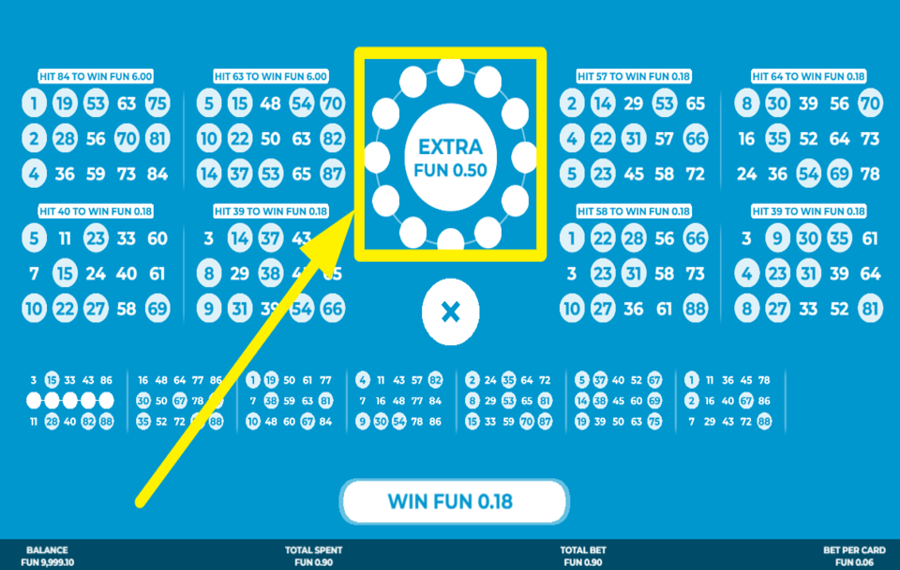
After the initial 30 balls are drawn, if you're close to forming a winning pattern, you’ll be offered up to 12 extra balls. These can be bought by pressing the “Extra” button that appears at the center of the screen. The cost of each extra ball varies depending on how likely it is to help you win. If you don’t want to buy more balls, tap the “X” button to end the round and collect your winnings.
Bingo Bingo Ratings & Reviews
Our community rated Bingo Bingo as Very Good with a score of 4.2 out of 5 based on 15 votes.




JeroMLevel 6





PavelKlestil9![account-cancel]() Suspended
Suspended
 Suspended

RuudneLevel 7
Nikol0606![account-cancel]() Suspended
Suspended
Suspended
Wormtyler![account-cancel]() Suspended
Suspended
Suspended
Perez79![account-cancel]() Suspended
Suspended
SuspendedTelevizorius![account-cancel]() Suspended
Suspended
Suspended14.04Level 8
raiko1999Level 2United States
Radovan1404.Level 3Czech Republic

vitekdojel![account-cancel]() Suspended
Suspended
Suspended



LuckyPol8Level 19Italy



pingvinasLevel 39

Bucko306Level 10Canada

Mokette3![account-cancel]() Suspended
Suspended
SuspendedRate and Review Bingo Bingo
When writing a Game Review, remember to share your personal experience in detail - whether it's positive or negative. For more tips on writing game reviews, check out our dedicated Help Page.
How to Write a Game ReviewBingo Bingo Q&As
Got questions about Bingo Bingo?
Ask a QuestionCompare Bingo Bingo to Other Games
+![Bingo Blast]()

Bingo Blast
RTP: Undisclosed
+![Bingo Destiny]()
Bingo Destiny
RTP: 95%
+![Slingo Press Your Luck]()
Slingo Press Your Luck
RTP: 95.14%
+![Slingo Rakin Bacon]()
Slingo Rakin Bacon
RTP: 95.69%
+![Rush Bingo]()
Rush Bingo
RTP: 93%
+![Slingo Riches]()

Slingo Riches
RTP: 95%
+![Bingo Mania]()
Bingo Mania
RTP: Undisclosed
+![747 Bingo]()

747 Bingo
RTP: 94%
+![Speedy Bingo]()

Speedy Bingo
RTP: 95.1%
+![Slingo XXXtreme]()

Slingo XXXtreme
RTP: 95%
RatingSoftwareYearRTP


Show more![arrow_down]()


Other Games by Caleta Gaming
All 146 Caleta Gaming Games







Mihai Enculescu
Senior Game Expert
- Over 2 years of experience in the iGaming industry.
- Uploaded & maintained data for 3,000+ casino games.
- Strong grasp of casino game mechanics, especially slots.
- Reviewed and fact-checked over 3,500+ casino games.

