


 Casinos
 Bonuses


Diamond Mines


Diamond Mines Details


Times Played
 No
No
3D animation
No
Technology
HTML5
Play Diamond Mines Slot for Real Money




Load More Casinos (+10)
How to Play Diamond Mines Slot: Mastering the Basics
1
CHOOSE YOUR BET.
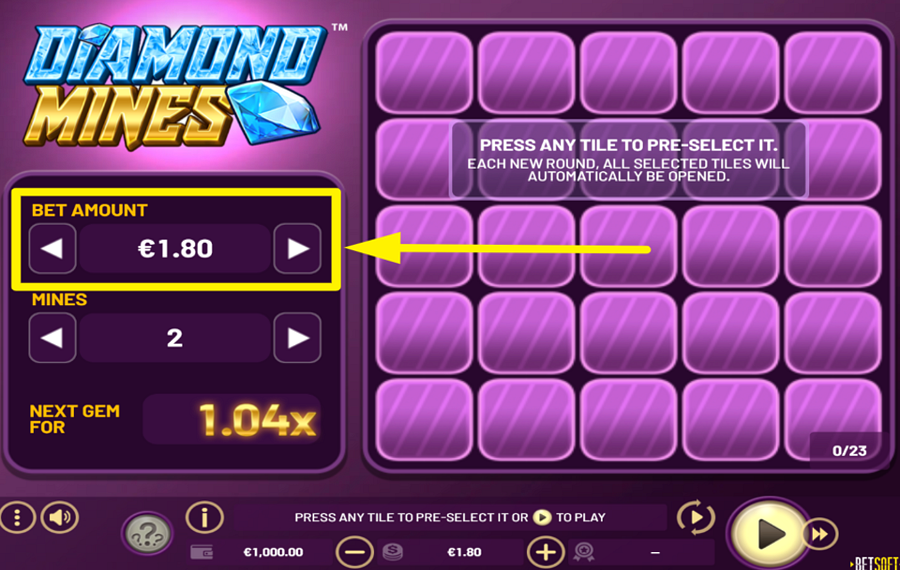
Set your bet amount using the "<" and ">" buttons on either side of the default "bet" amount on the left side of the screen.
2
ADJUST THE NUMBER OF MINES.
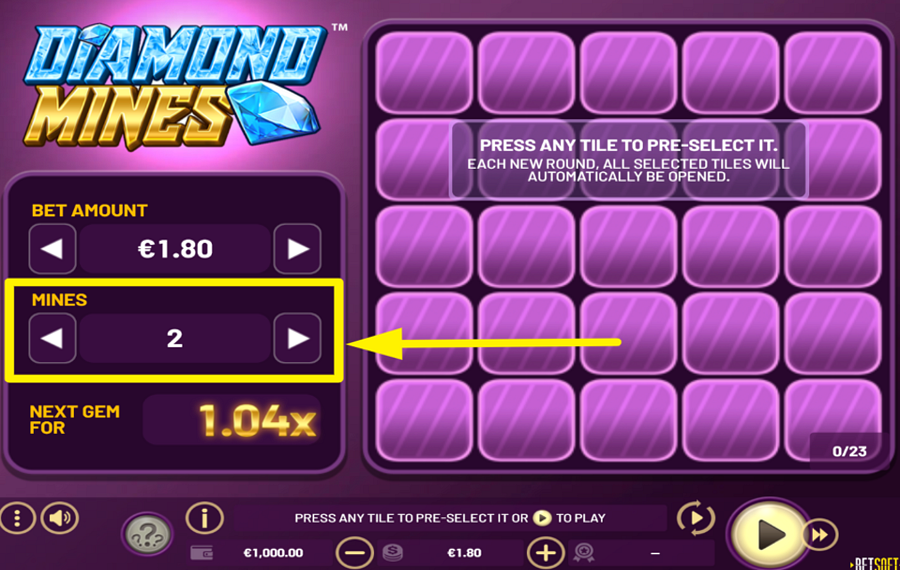
Below the "bet" adjustment section, you can see another set of arrows flanking the number of "mines." Choose how many mines you want hidden on the grid by tapping these arrows. You can select between 1 and 24 mines—fewer mines mean safer choices, while more mines offer higher rewards but greater risk.
3
BEGIN YOUR QUEST.
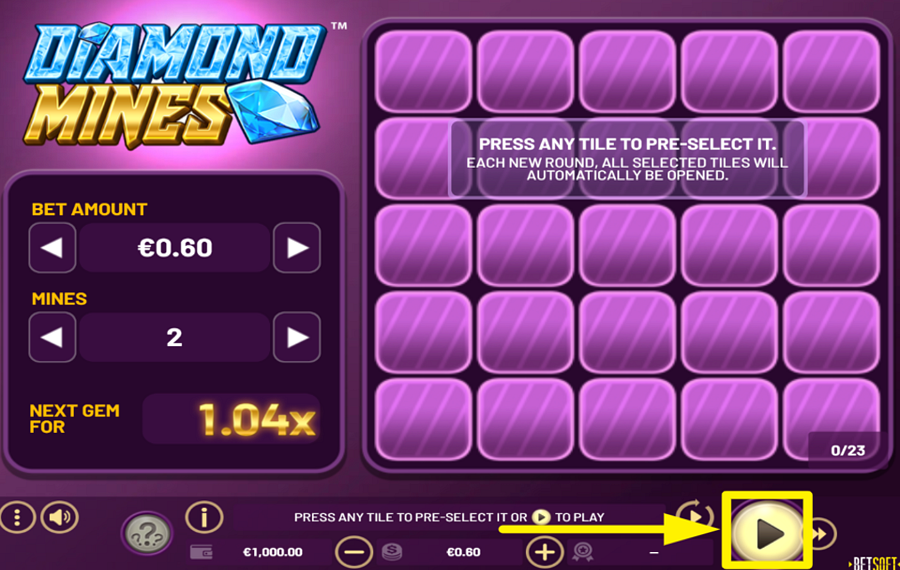
Once you're happy with your "bet" and "mine" settings, press the large "Play" button at the bottom right corner of the screen. This will activate the round and reveal a 5x5 grid of tiles. Each tile hides either a gem or a mine. Your mission is to click one tile at a time and try to uncover gems. Every gem boosts your win multiplier. But be careful—if you hit a mine, the round ends instantly and you lose your bet. The deeper you go, the bigger your potential reward! You can also pre-select one or more tiles. The selected tiles will automatically be opened after you press the Play button.
4
UNCOVER TILES RANDOMLY.
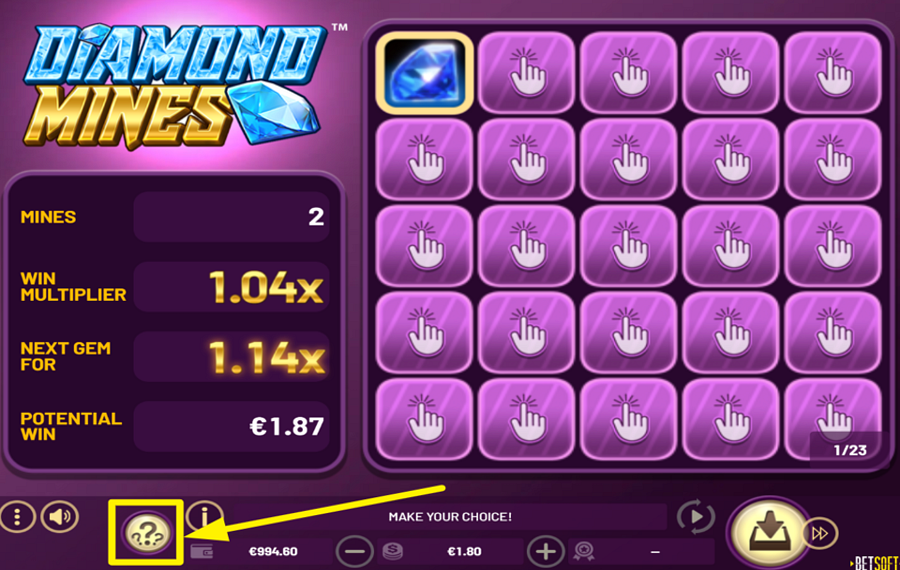
For quicker picks, press the "Random" button featuring three question marks to let the game auto-select grid tiles for you.
5
TAKE YOUR WIN.
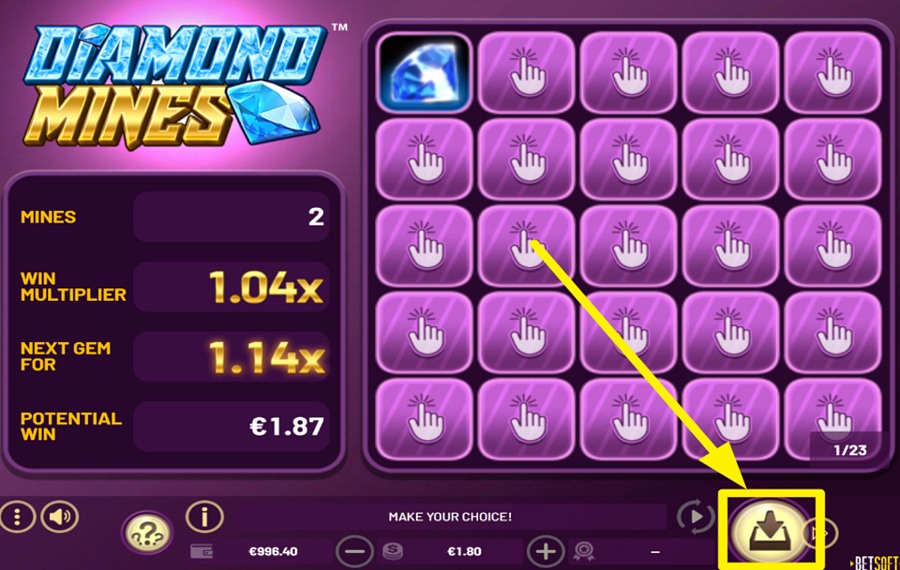
Every successful gem revealed boosts your win multiplier. You can choose to cash out your current winnings anytime by clicking the big round button at the bottom right, which replaces the "Play" button as soon as you uncover the first gem. Just make sure to do it before you hit a mine—or you lose everything earned that round.
6
ENABLE AUTOPLAY.
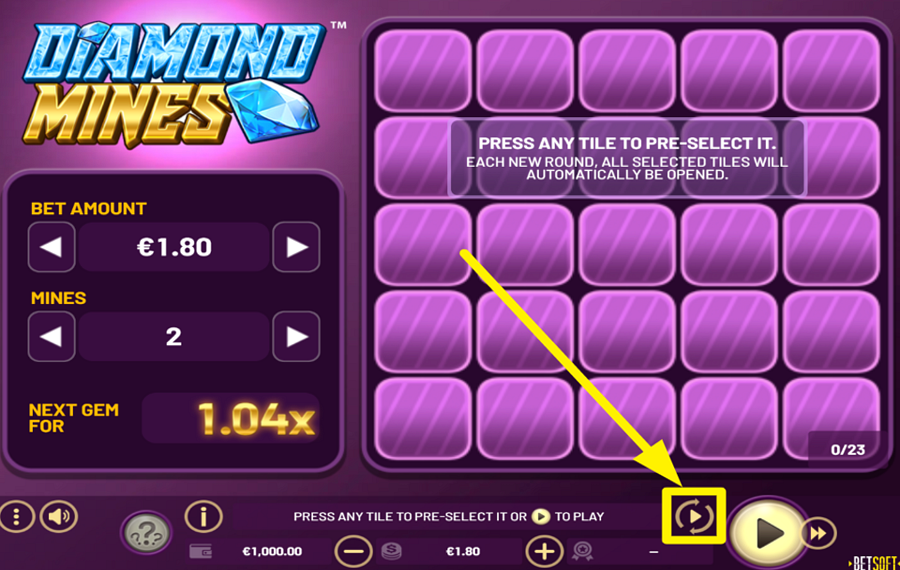
Click the "Autoplay" icon just above the "Play" button to open the settings panel. Here, you can configure the number of automatic rounds, your "bet" amount, how many mines to play with, and optional stop conditions for profit or loss. Once set, hit "Start Auto."
7
CHANGE THE SPEED.
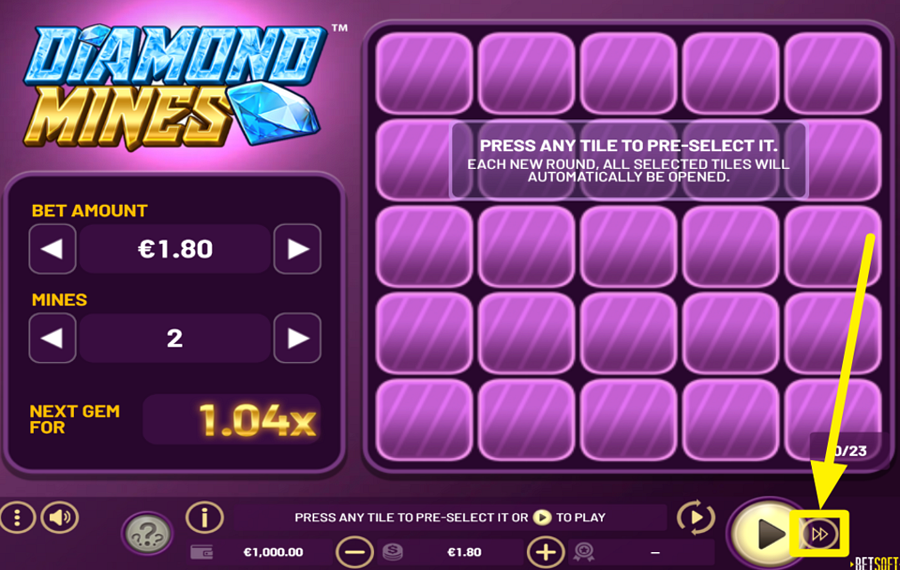
To speed up animations and reduce the waiting time between rounds, activate "Turbo" mode by tapping the fast-forward icon beside the "Play" button.
Diamond Mines Ratings & Reviews
Our community rated Diamond Mines as Very Good with a score of 4.1 out of 5 based on 14 votes.




Televizorius![account-cancel]() Suspended
Suspended
 Suspended

nadrazni0000![account-cancel]() Suspended
Suspended
Suspended


Bingo7408Level 9Bulgaria




Ajay1990![account-cancel]() Suspended
Suspended
SuspendedKosobrinLevel 6
JmorLevel 4
Pavle29![account-cancel]() Suspended
Suspended
SuspendedJDizzleBaby1![account-cancel]() Suspended
Suspended
SuspendedMarekosLevel 8

SeymanLevel 9




Romitll415![account-cancel]() Suspended
Suspended
Suspended



LuckyPol8Level 19Italy




Daria4050![account-cancel]() Suspended
Suspended
Suspended

pingvinasLevel 39
Rate and Review Diamond Mines
When writing a Game Review, remember to share your personal experience in detail - whether it's positive or negative. For more tips on writing game reviews, check out our dedicated Help Page.
How to Write a Game ReviewDiamond Mines Q&As
Got questions about Diamond Mines?
Ask a QuestionCompare Diamond Mines to Other Games
+![Diggin Deep Diamonds and Dynamite]()

Diggin Deep Diamonds and Dynamite
RTP: 97%
+![Indiana Mines]()

Indiana Mines
RTP: 98.4%
+![Diamond Quest]()

Diamond Quest
RTP: 96%
+![Mines BB]()

Mines BB
RTP: 97.92%
+![Mine Gems]()

Mine Gems
RTP: 98.4%
+![Mines Blast]()

Mines Blast
RTP: Undisclosed
+![Turbo Mines]()

Turbo Mines
RTP: 95%
+![Mines X High RTP]()

Mines X High RTP
RTP: 98%
+![Shiny Crystals]()

Shiny Crystals
RTP: 96%
+![Cleopatra Mines]()

Cleopatra Mines
RTP: Undisclosed
RatingSoftwareYearRTP




Show more![arrow_down]()


Other Games by BetSoft
All 256 BetSoft Games









Mihai Enculescu
Senior Game Expert
- Over 2 years of experience in the iGaming industry.
- Uploaded & maintained data for 3,000+ casino games.
- Strong grasp of casino game mechanics, especially slots.
- Reviewed and fact-checked over 3,500+ casino games.

