


 Casinos
 Bonuses


SkyrocketX


SkyrocketX Details

Software
Astriona
Release date
May 12, 2026
Game type
Crash

Times Played
 No
No
3D animation
No
Technology
HTML5
How to Play SkyrocketX Slot: Mastering the Basics
1
SPECIFY YOUR WAGER.
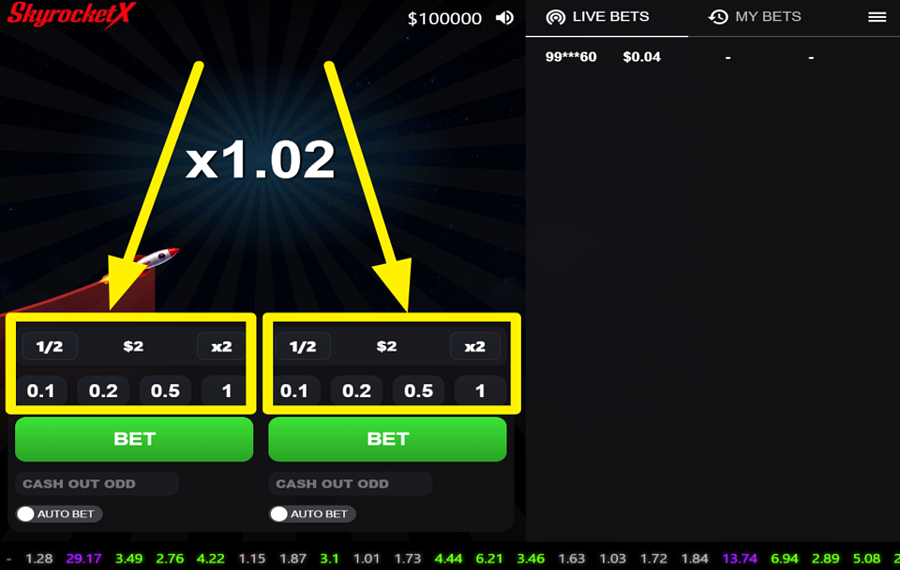
SkyrocketX is a multiplayer crash game, so the interface includes two identical betting panels. Choose the amount of your "bet" in either betting panel at the bottom of the screen before the next launch. Use the preset value buttons, or quickly adjust the displayed amount with the "1/2" and "x2" buttons to halve or double your current "bet."
2
LAUNCH YOUR ROCKET!
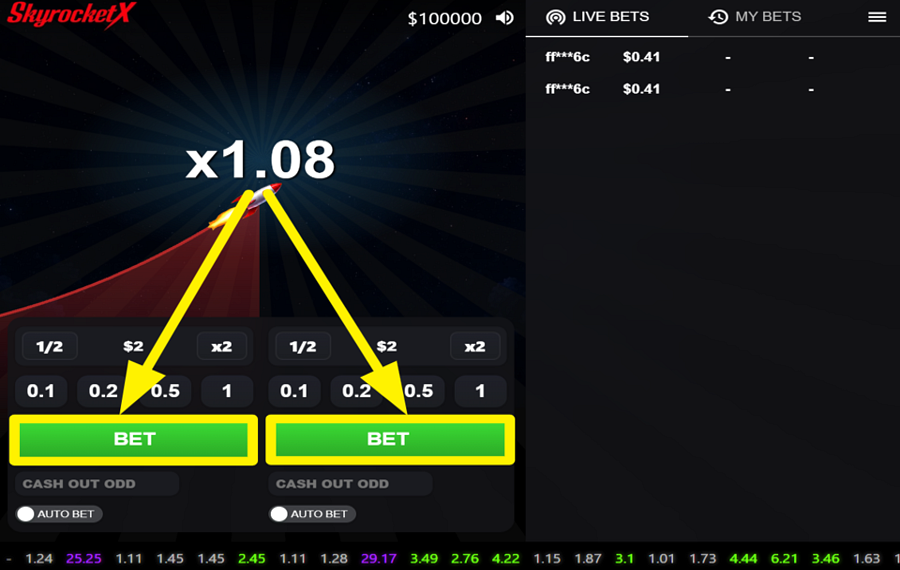
When betting is open, press the green "Bet" button beneath your chosen panel to enter the upcoming round. As soon as the rocket takes off, the multiplier begins climbing from 1.00x and continues increasing until the flight ends unexpectedly. The longer the rocket stays airborne, the greater your potential return becomes, but every round ends at a random point, so there is no guaranteed safe multiplier.
3
SECURE YOUR WINNINGS MID-FLIGHT.
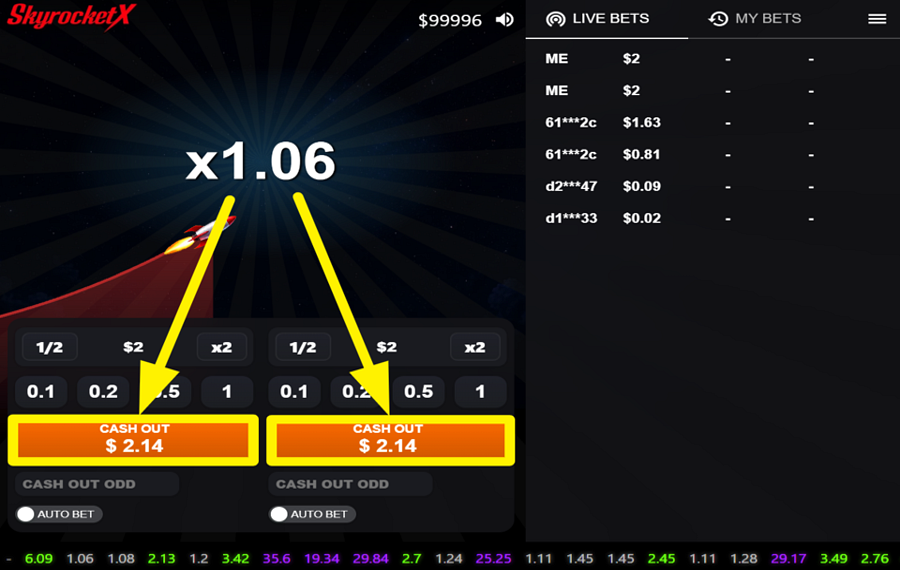
After your "bet" has been accepted, the green "Bet" button changes into an orange "Cash Out" button. Press it at any time before the rocket disappears to lock in your winnings. Your payout equals your original "bet" multiplied by the live multiplier displayed on the screen at the exact moment you cash out. If the rocket flies away before you react, the entire "bet" is lost.
4
USE THE AUTO BET FEATURE.
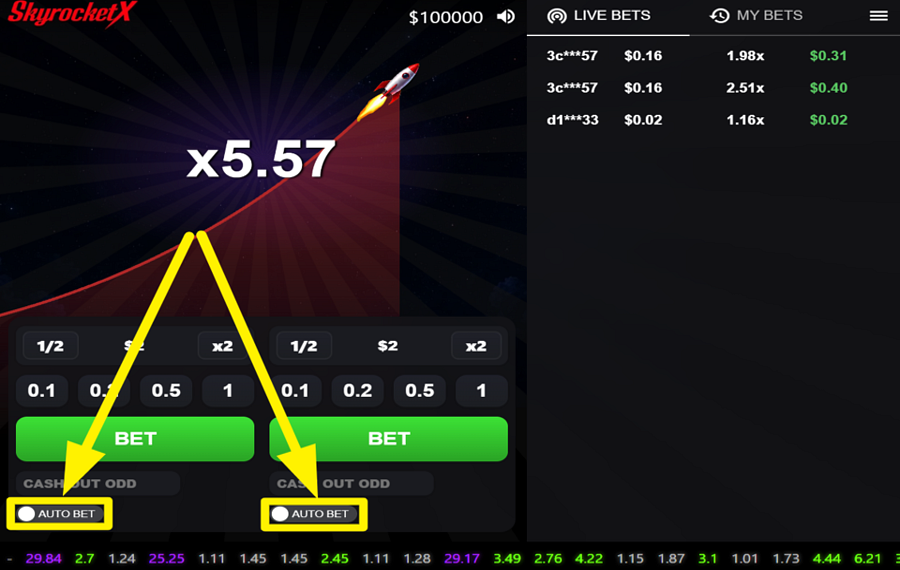
Switch on the "Auto Bet" option beneath the appropriate betting panel before the next round begins. Once enabled, the selected panel automatically places your configured "bet" in each new round.
5
TARGET A MULTIPLIER FOR AUTO CASHOUT.
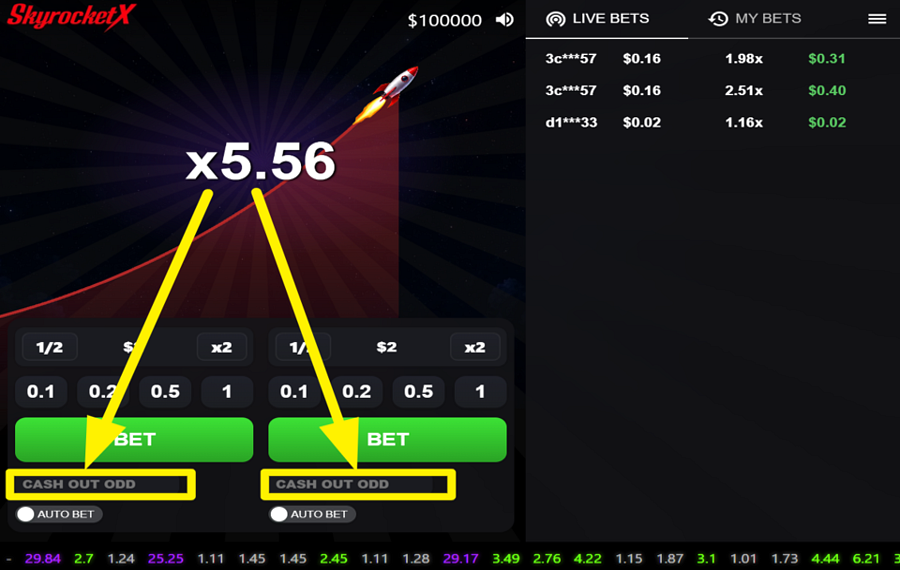
Before placing your "bet," you may enter your preferred multiplier in the "Cash Out Odd" field located below each betting panel. This value acts as your automatic cashout target. If the rocket reaches the selected multiplier, the game instantly cashes out your "bet" without requiring any manual input.
SkyrocketX Ratings & Reviews
Rate and Review SkyrocketX
When writing a Game Review, remember to share your personal experience in detail - whether it's positive or negative. For more tips on writing game reviews, check out our dedicated Help Page.
How to Write a Game ReviewSkyrocketX Q&As
Got questions about SkyrocketX?
Ask a QuestionCompare SkyrocketX to Other Games
+![Wheel Out]()

Wheel Out
RTP: 96.5%
+![Aviachick]()

Aviachick
RTP: 96%
+![Avia Fly]()

Avia Fly
RTP: 95%
+![Crash Crash]()

Crash Crash
RTP: 97%
+![Hyper Xplorer]()

Hyper Xplorer
RTP: 97%
+![Adrenaline Rush XCrash]()

Adrenaline Rush XCrash
RTP: 96%
+![Aero]()

Aero
RTP: 96%
+![Sugar Daddy]()

Sugar Daddy
RTP: 95%
+![Skyrocket]()

Skyrocket
RTP: Undisclosed
+![Avia Rush]()

Avia Rush
RTP: 96%
RatingSoftwareYearRTP

SkyrocketX
Astriona
2026
96%



Show more![arrow_down]()


Other Games by Astriona







Load More Astriona Games

Rozi Vrinceanu
Casino Data Specialist
- Over 6 years of experience in the land-based casino industry;
- Deep understanding of player experience and casino operations;
- Updated and verified more than 300 online casino reviews;
- Known for precision, consistency, and a high standard of accuracy;
- Currently studying Economic Sciences at Titu Maiorescu University.

