


 Casinos
 Bonuses


Card Switch


Card Switch Details

Software
Arrows Edge
Release date
Oct 24, 2025
Game type
Video Poker

Times Played
 No
No
3D animation
No
Technology
HTML5
Play Card Switch Slot for Real Money





Load More Casinos (+10)
How to Play Card Switch Slot: Mastering the Basics
1
SET YOUR HAND.
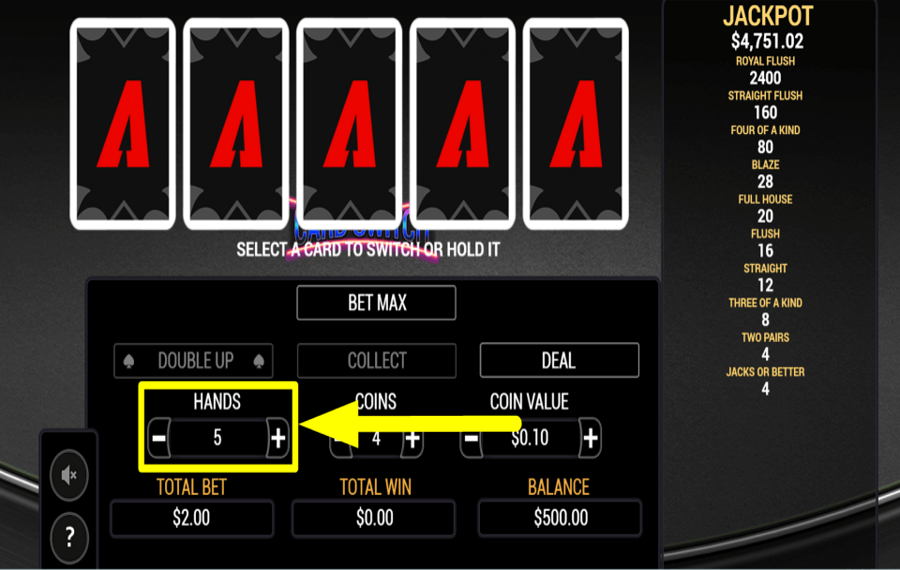
Use the “-” and “+” buttons on the left side of the screen to choose the number of “Hands” for each round.
2
PLACE YOUR COINS.
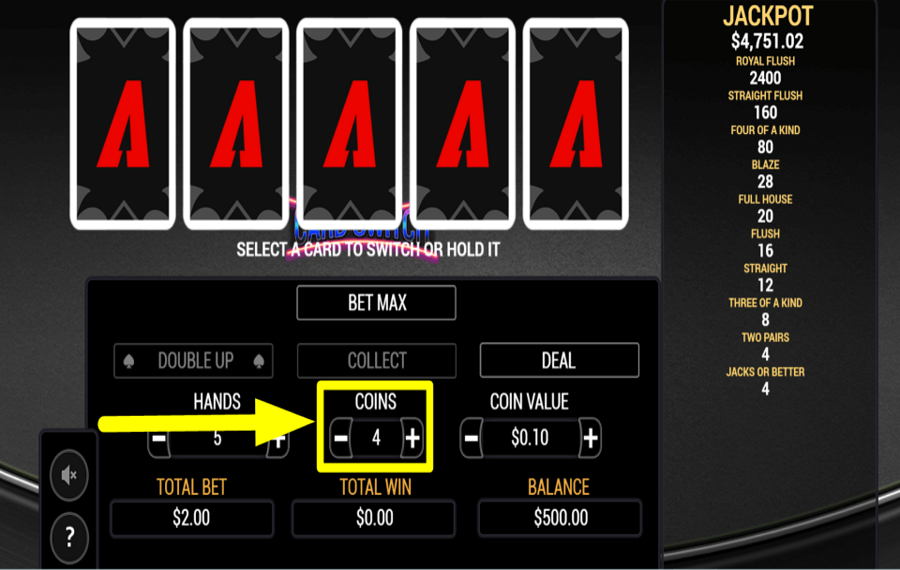
Select the number of “Coins” you want to bet by using the respective “+” and “-” buttons.
3
ASSIGN COIN VALUE.
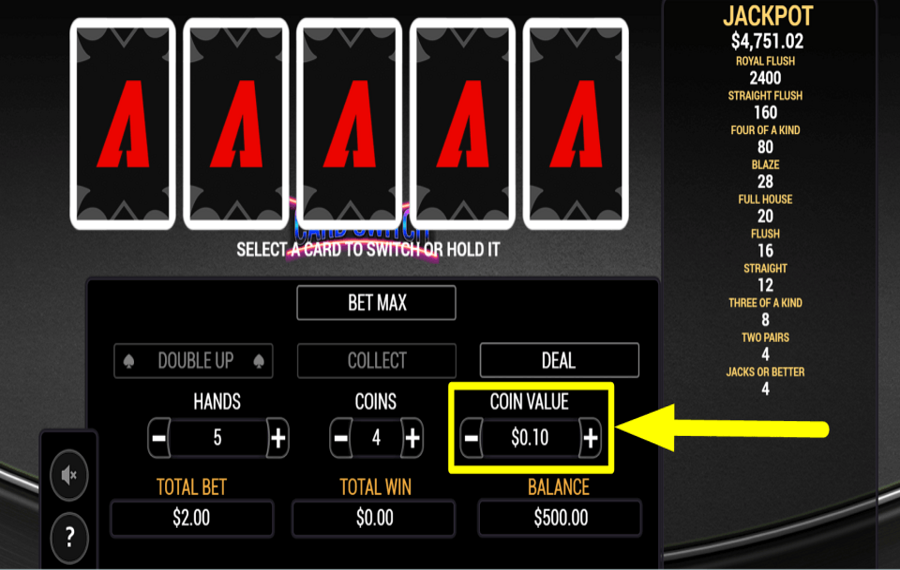
Set your “Total Bet” by adjusting the “Coin Value” with the “-” and “+” buttons next to the parameter.
4
RAISE THE STAKES.
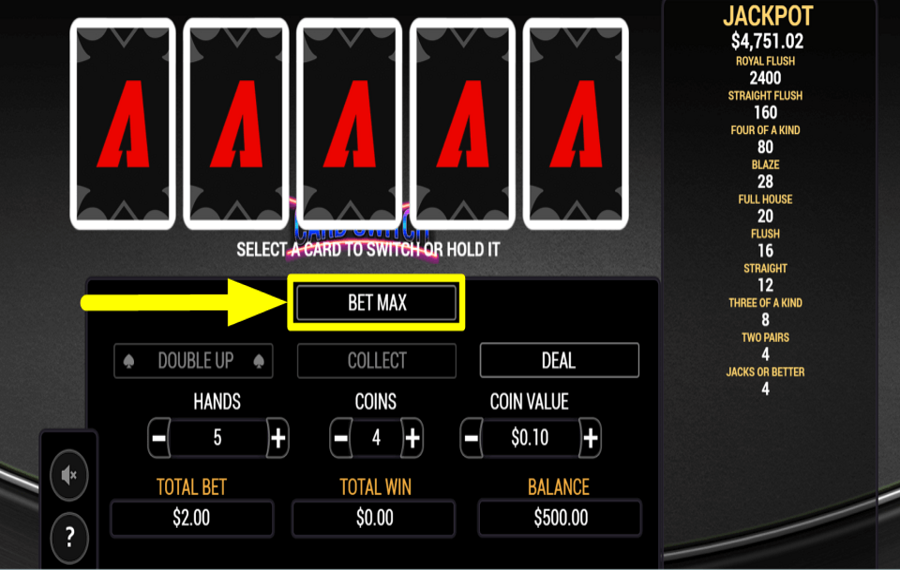
Tap the “Bet Max” button to wager all the “Coins” in the game. You may further increase your wager by changing the “Coin Value”.
5
BEGIN THE GAME.
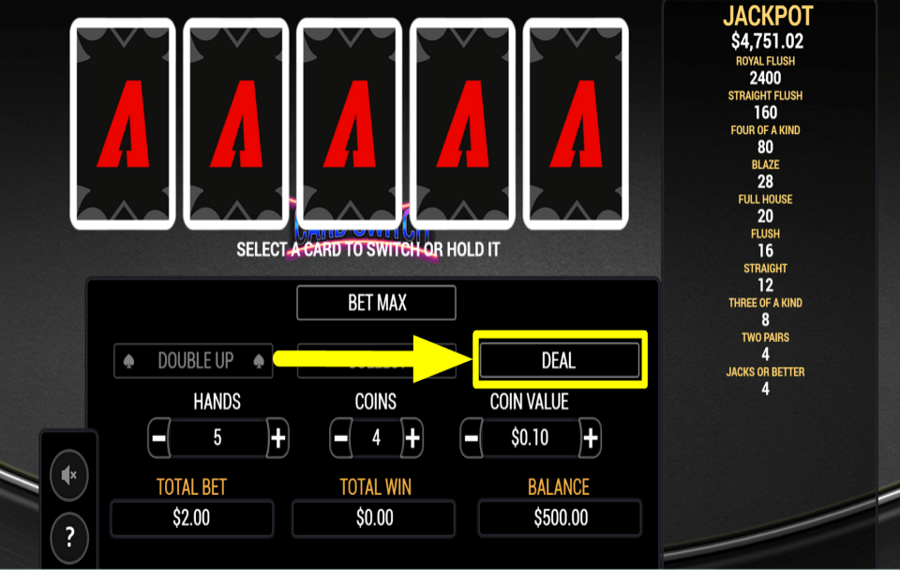
Hit the “Deal” button after confirming your wager to draw the first five cards for each hand.
6
SAVE GOOD CARDS.
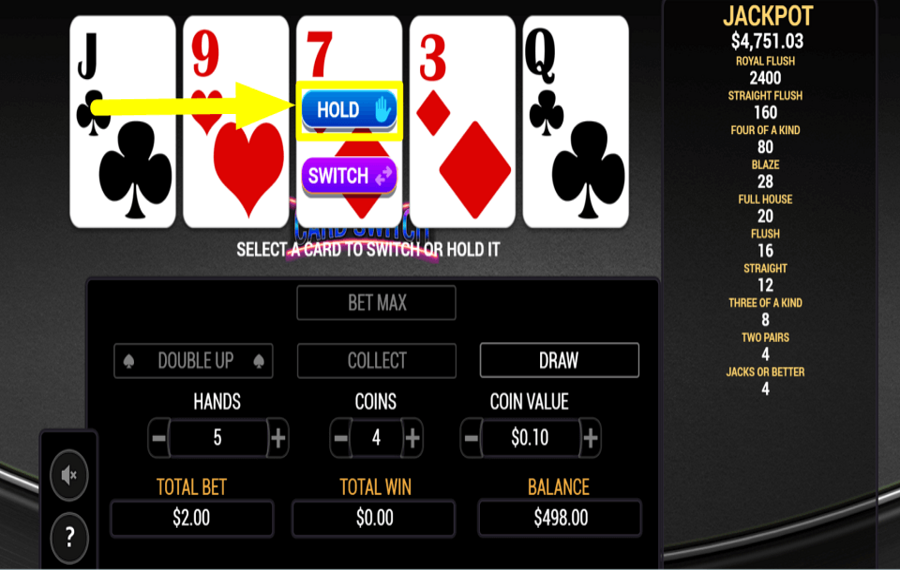
Hover over the cards on screen and tap the “Hold” button if you want to keep any particular card in your hand.
7
CHANGE FOR GOOD.
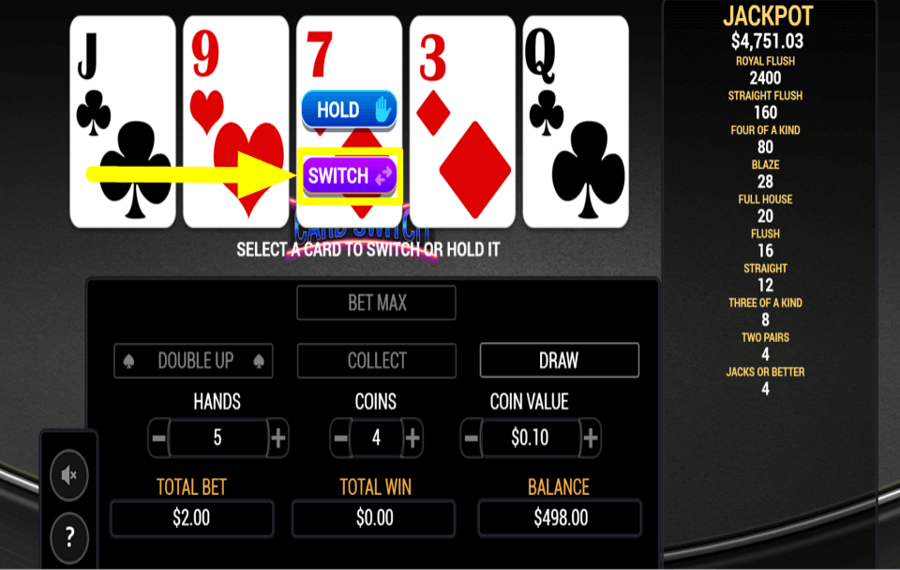
Click the “Switch” button to exchange a card for a random one from the pack. The same card will be switched across all hands in multi-hand mode.
8
CONTINUE PLAYING.
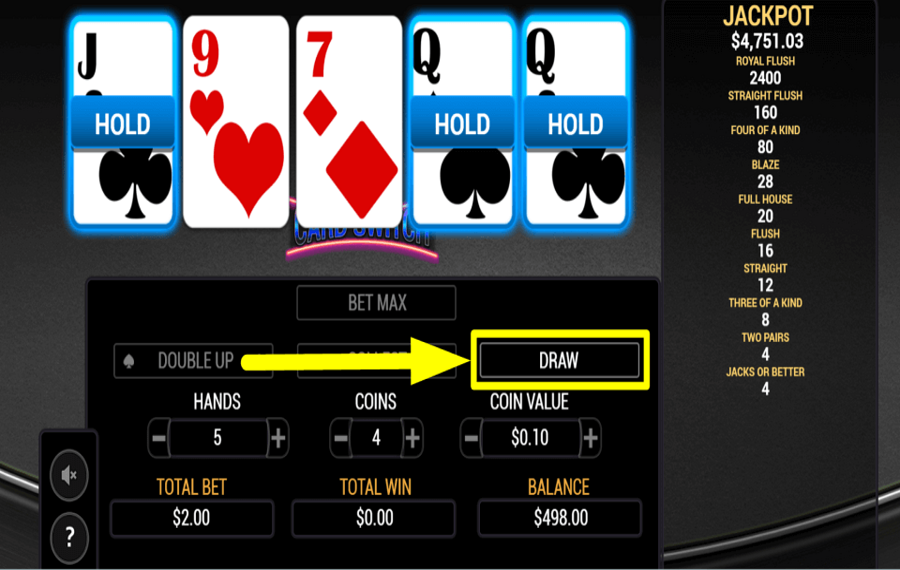
Press the “Draw” button to replace the remaining cards that are not held for a winning hand.
9
TIME TO GAMBLE.
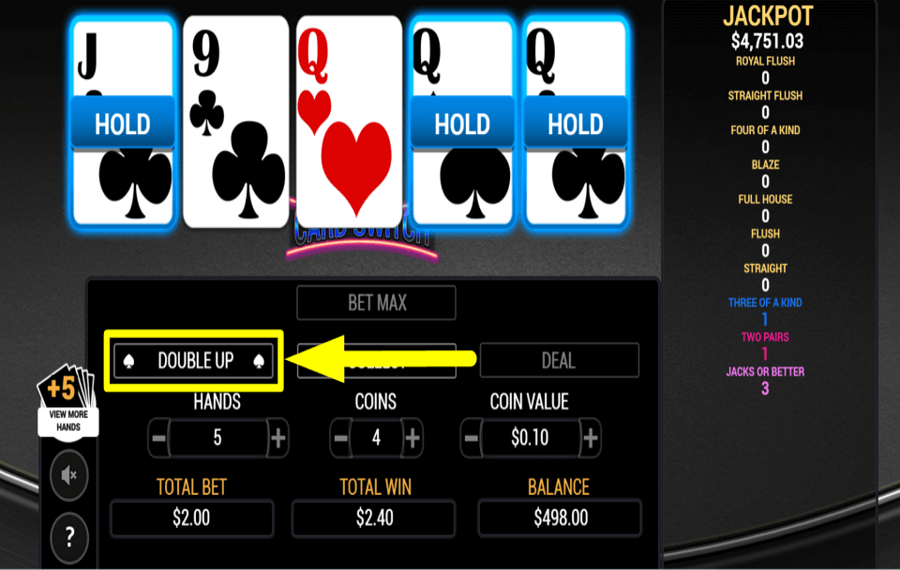
Take advantage of the optional “Double Up” feature to “Gamble” for a chance to increase your rewards.
10
GRAB THE PRIZE.
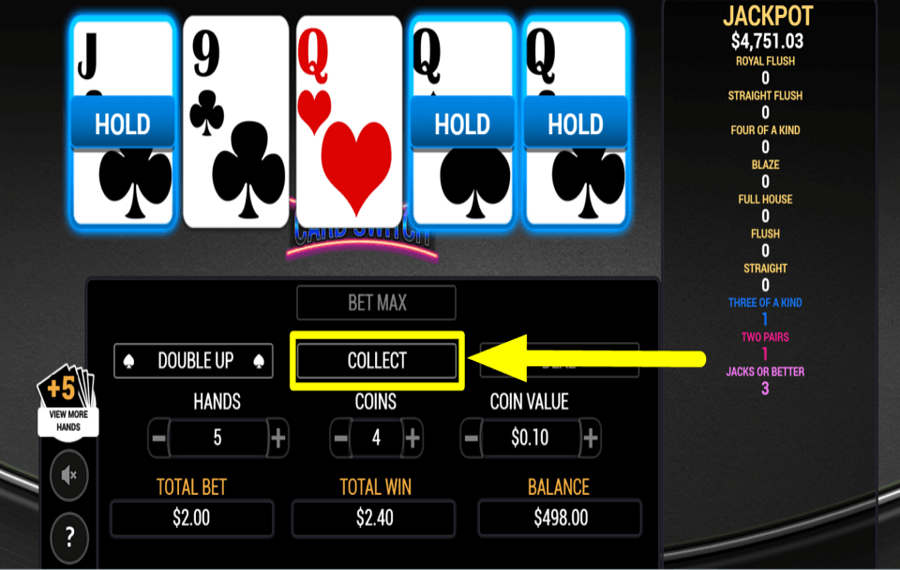
Click the “Collect” button after a round to add the winning amount to your game balance.
11
CHANGE THE VIEW.
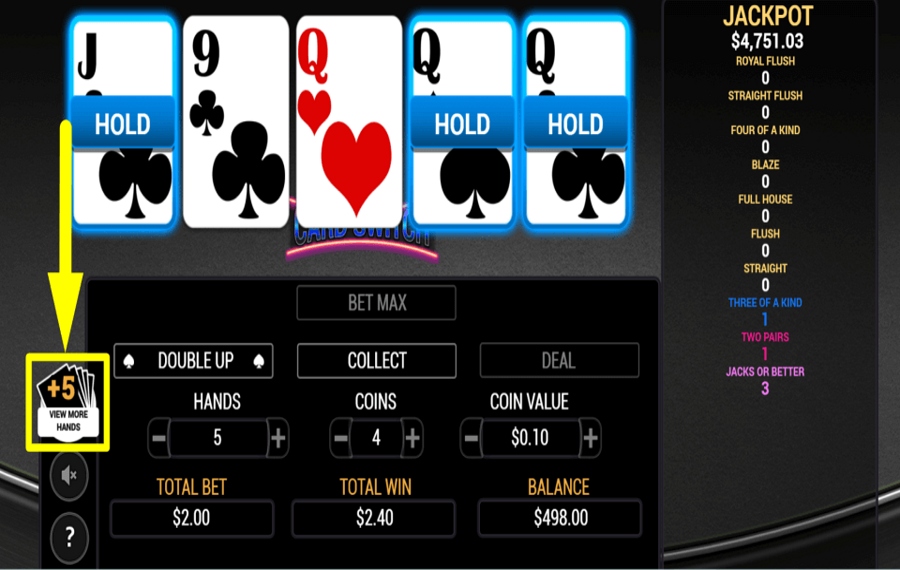
Use the “View More Hands” button to see the other hands in multi-hand mode. The game displays the best hand by default.
12
REVERT TO ORIGINAL.
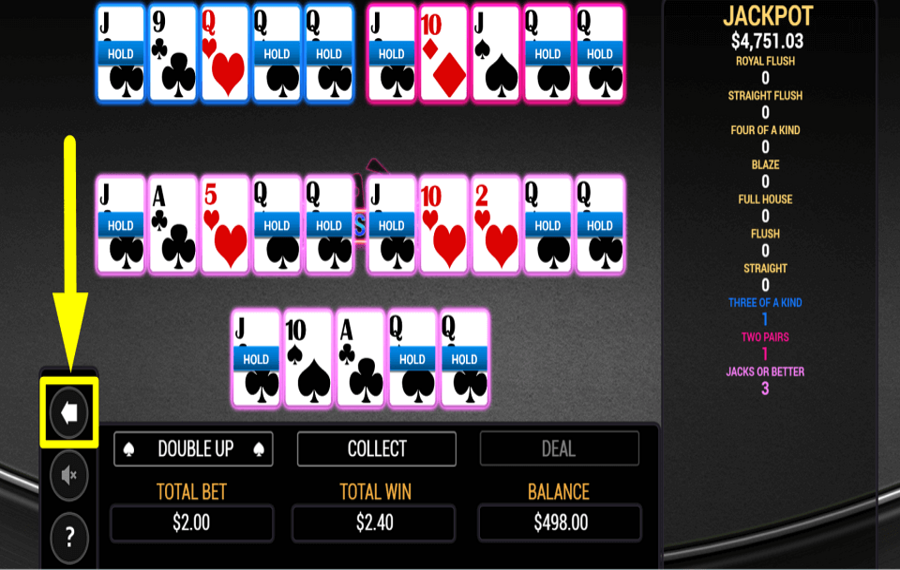
Tap the “Back” arrow button to return to the default single-hand view.
Card Switch Ratings & Reviews
Our community rated Card Switch as Very Good with a score of 4 out of 5 based on 12 votes.




1996KlestilLevel 1Czech Republic


Patwes9![account-cancel]() Suspended
Suspended
 Suspended


KPAULS960311Level 1


Zouharhalllll![account-cancel]() Suspended
Suspended
Suspendeduztrewert![account-cancel]() Suspended
Suspended
Suspended
Wormtyler![account-cancel]() Suspended
Suspended
SuspendedJmorLevel 4
Jmjmjm![account-cancel]() Suspended
Suspended
Suspended



LuckyPol8Level 19Italy



pingvinasLevel 39
Pavle29![account-cancel]() Suspended
Suspended
SuspendedTelevizorius![account-cancel]() Suspended
Suspended
SuspendedRate and Review Card Switch
When writing a Game Review, remember to share your personal experience in detail - whether it's positive or negative. For more tips on writing game reviews, check out our dedicated Help Page.
How to Write a Game ReviewCard Switch Q&As
Got questions about Card Switch?
Ask a QuestionCompare Card Switch to Other Games
+![Video Poker 3 in 1]()

Video Poker 3 in 1
RTP: Undisclosed
+![Double Double Bonus Power Poker]()

Double Double Bonus Power Poker
RTP: 98.98%
+![Multihand Titan Poker]()
Multihand Titan Poker
RTP: 97.97%
+![Lets Poker]()

Lets Poker
RTP: 94.36%
+![Joker Poker]()

Joker Poker
RTP: 96.07%
+![Fancy Poker 5]()

Fancy Poker 5
RTP: Undisclosed
+![BetConstruct Russian Poker]()

BetConstruct Russian Poker
RTP: Undisclosed
+![Sigma Flush Attack]()

Sigma Flush Attack
RTP: 96.05%
+![Stake Games Video Poker]()

Stake Games Video Poker
RTP: Undisclosed
+![DragonGaming Video Poker Jacks or Better]()

DragonGaming Video Poker Jacks or Better
RTP: 99.54%
RatingSoftwareYearRTP

Card Switch
Arrows Edge
2025
95.61%



Show more![arrow_down]()


Other Games by Arrows Edge







Load More Arrows Edge Games

Mihai Enculescu
Senior Game Expert
- Over 2 years of experience in the iGaming industry.
- Uploaded & maintained data for 3,000+ casino games.
- Strong grasp of casino game mechanics, especially slots.
- Reviewed and fact-checked over 3,500+ casino games.

