 Level
Level 


 Casinos
 Bonuses


Arrows Edge Perfect Pairs Blackjack


Arrows Edge Perfect Pairs Blackjack Details

Software
Arrows Edge
Release date
Jan 22, 2026
Game type
Blackjack

Times Played
 No
No
3D animation
No
Technology
HTML5
Play Arrows Edge Perfect Pairs Blackjack Slot for Real Money





Load More Casinos (+10)
How to Play Arrows Edge Perfect Pairs Blackjack Slot: Mastering the Basics
1
CHOOSE YOUR BET.
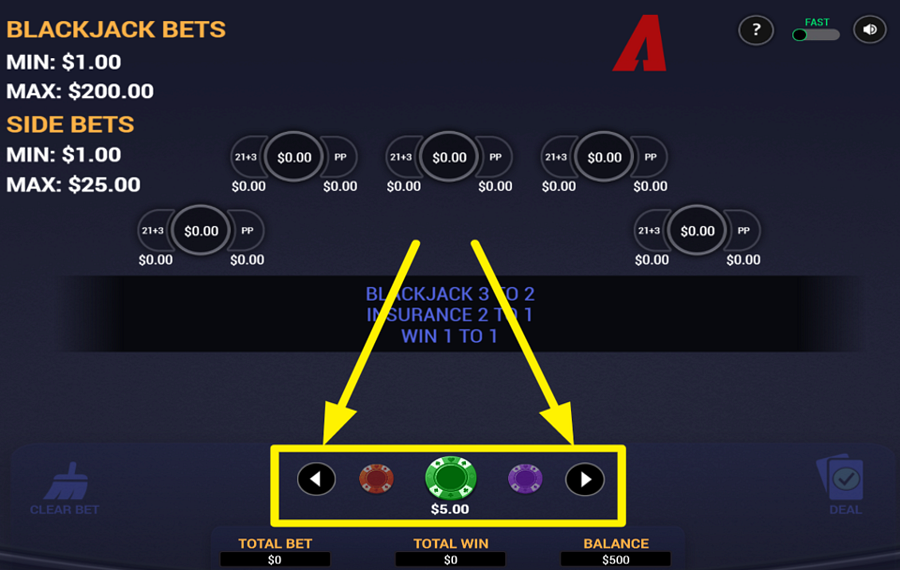
To set your “bet” amount, use the chip selector located at the bottom center of the screen. Tap the left and right arrow buttons to scroll through available chip values, and stop when your desired amount appears in the middle. After selecting a wager amount, click on any empty betting spot on the table to place your chips. You can also place optional side wagers like “Perfect Pairs” or “21+3” in their designated areas before the round begins.
2
CLEAR YOUR WAGER.
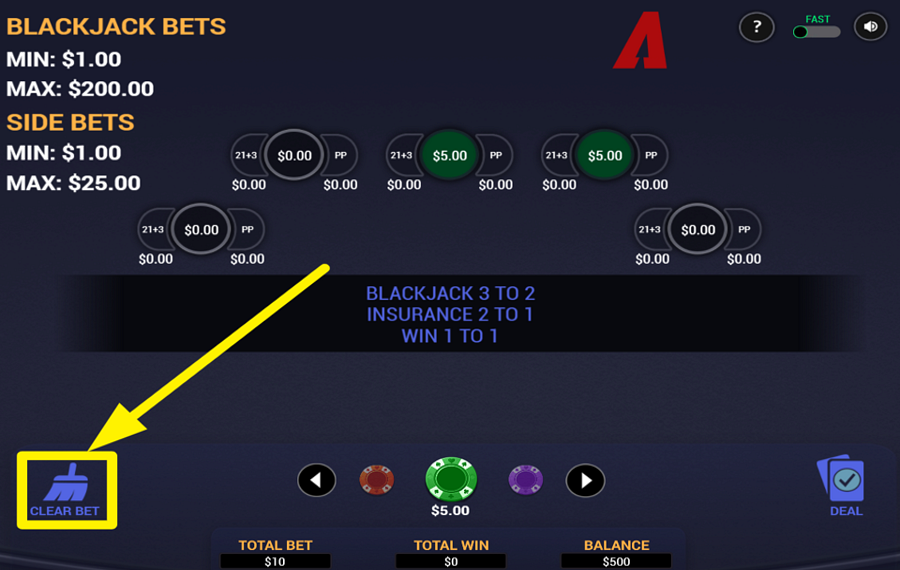
If you want to reset your setup, press the “Clear Bet” button at the bottom-left of the interface. This instantly removes all chips from the table, so you can start fresh and place your chips differently.
3
DEAL THE CARDS.
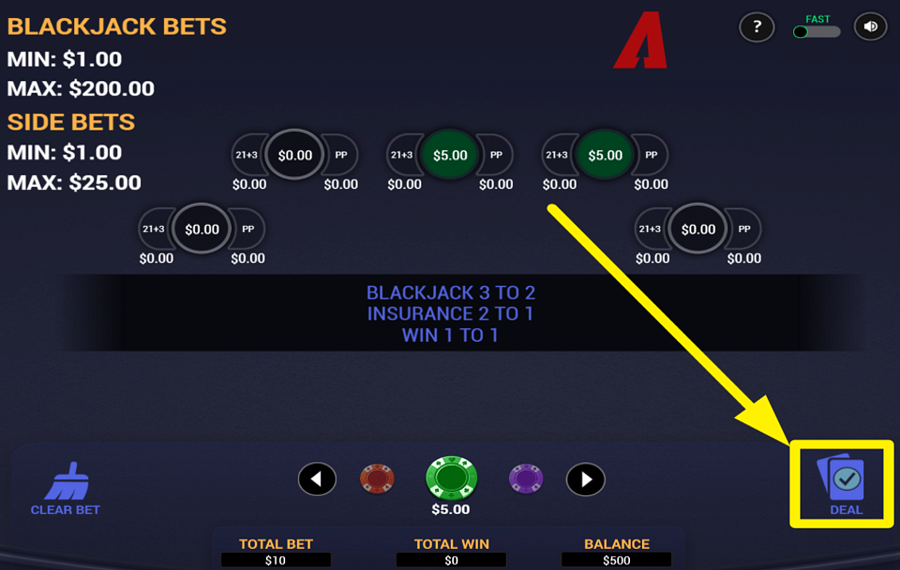
After placing your “bets,“ press the “Deal” button on the right side of the screen to begin the round. The dealer distributes cards to each active hand and one card to themselves. Your goal is to build a hand closer to 21 than the dealer without going over, while any “side bets“ are evaluated based on the initial cards dealt.
4
MAKE YOUR MOVE.
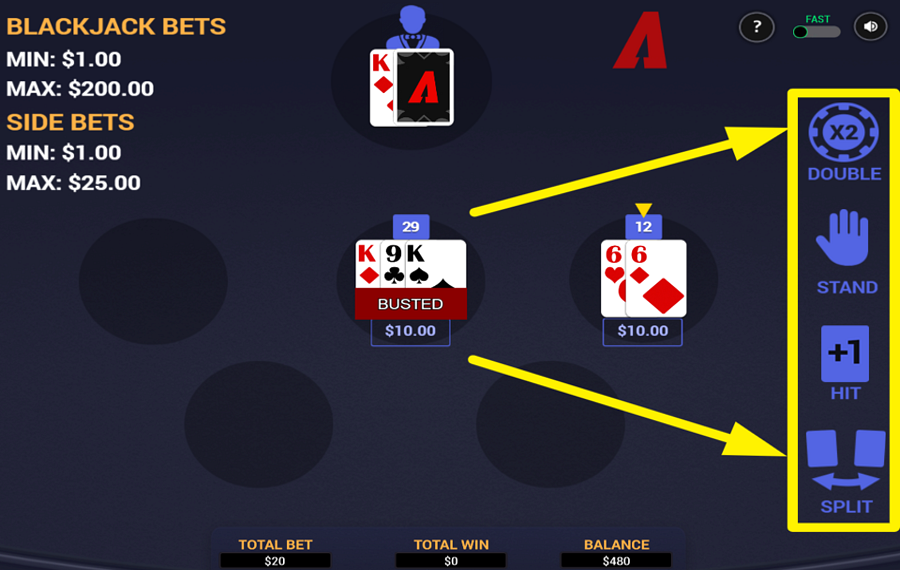
Once your cards are in play, use the buttons inside the panel on the right side to control your hand. Choose “Hit” to draw another card if you want to improve your total, or press “Stand” to hold your current hand. Select “Double” to double your “bet” and receive exactly one more card. If you are dealt two cards of the same value, you can use “Split” to divide them into two separate hands, place an additional wager on the second hand, and play them one at a time.
5
REPEAT TOUR LAST BET.
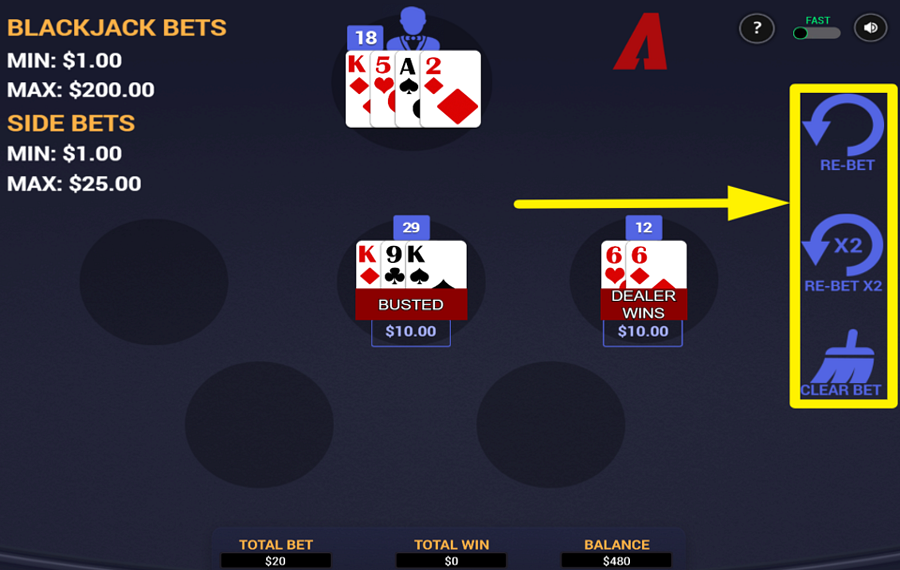
When the round ends, press “Rebet” to place the same wager again, or choose “Rebet x2” to double your previous “bet” instantly. If you prefer to change your strategy, select “Clear Bet” to remove everything and start over with a new setup.
6
CHANGE THE SPEED.
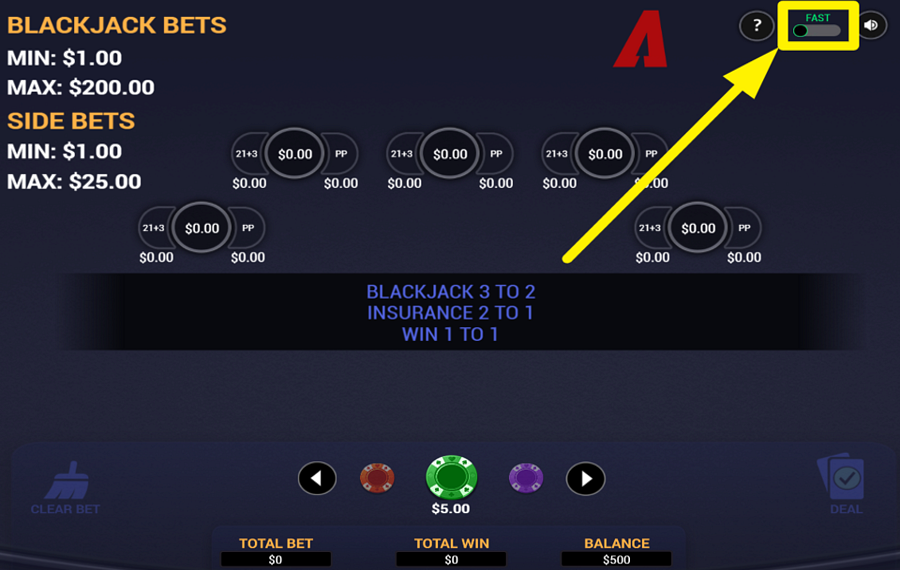
Want to accelerate the game animations? Tap the toggle switch in the top right corner to speed up the action.
Arrows Edge Perfect Pairs Blackjack Ratings & Reviews
Our community rated Arrows Edge Perfect Pairs Blackjack as Very Good with a score of 4.7 out of 5 based on 3 votes.




navarro777Level 0Italy


uztrewertzuLevel 8



pingvinas![account-cancel]() Suspended
Suspended
 Suspended
Rate and Review Arrows Edge Perfect Pairs Blackjack
When writing a Game Review, remember to share your personal experience in detail - whether it's positive or negative. For more tips on writing game reviews, check out our dedicated Help Page.
How to Write a Game ReviewArrows Edge Perfect Pairs Blackjack Q&As
Got questions about Arrows Edge Perfect Pairs Blackjack?
Ask a QuestionCompare Arrows Edge Perfect Pairs Blackjack to Other Games
+![Salon Prive Blackjack]()
Salon Prive Blackjack
RTP: 99.29%
+![Blackjack Party]()

Blackjack Party
RTP: 99.28%
+![BetConstruct Blackjack D]()

BetConstruct Blackjack D
RTP: 96.3%
+![Premier Blackjack with Lucky Lucky]()

Premier Blackjack with Lucky Lucky
RTP: 99.57%
+![Premier Blackjack with Side Bets]()

Premier Blackjack with Side Bets
RTP: 99.57%
+![Classic Blackjack with Sweetheart 16]()

Classic Blackjack with Sweetheart 16
RTP: 99.44%
+![Classic Blackjack with Noble Diamonds]()

Classic Blackjack with Noble Diamonds
RTP: 99.44%
+![Multi Hand Classic Blackjack 6 Deck]()

Multi Hand Classic Blackjack 6 Deck
RTP: 99.44%
+![Multihand Blackjack VIP]()

Multihand Blackjack VIP
RTP: 99.51%
+![Multihand Blackjack]()
Multihand Blackjack
RTP: 99.33%
RatingSoftwareYearRTP
Arrows Edge Perfect Pairs Blackjack
Arrows Edge
2026
99.33%



Show more![arrow_down]()


Other Games by Arrows Edge







Mihai Enculescu
Senior Game Expert
- Over 2 years of experience in the iGaming industry.
- Uploaded & maintained data for 3,000+ casino games.
- Strong grasp of casino game mechanics, especially slots.
- Reviewed and fact-checked over 3,500+ casino games.

