Back to Help Center

How to Edit or Delete Your Payment Details

Claudiu R
Written byClaudiu R
body

Claudiu R

Community Expert
  • Email icon
  • Over 3 years of experience in customer support;
  • Bachelor's Degree in Journalism from the Spiru Haret University;
  • A strong understanding of gaming mechanics and tactics.
Vlad Mihalache
Edited byVlad Mihalache
body

Vlad Mihalache

Online Gambling and Crypto Casinos Specialist
  • Linkedin icon
  • Facebook icon
  • Email icon
  • Accomplished content strategist and editor with over 8 years of experience in the iGaming industry;
  • Certified Cryptocurrency Expert (CCE);
  • Specializes in blackjack strategies, slots, crypto casinos, and gambling addiction;
  • Bitcoin casino expert with extensive knowledge of crypto trading and blockchain gaming;
  • Online gambling expert with 7,000+ articles written and reviewed;
  • Strong advocate for responsible gambling with complex knowledge of the latest trends;
icon-calendarUpdated on Oct 10, 2025

How to edit or delete your payment details

You can edit or delete your payment details in the “Payment Details” section, on the “Settings” page.

help center how to edit your payment details

  • Use the “Editoption if you want to update your email address for that particular payment method; after you edit a payment method, you need to verify the changes via email for security reasons;

  • If you want to delete a payment method from your list click on the trash icon; the payment method will be removed from  your list

If you want to use more than one payment method, make sure you mark your favorite one. By default, the first payment method you add is marked as favorite. You can change your preferred payment method at any point.

help center set as preferred payment method

How to verify the payment details via email 

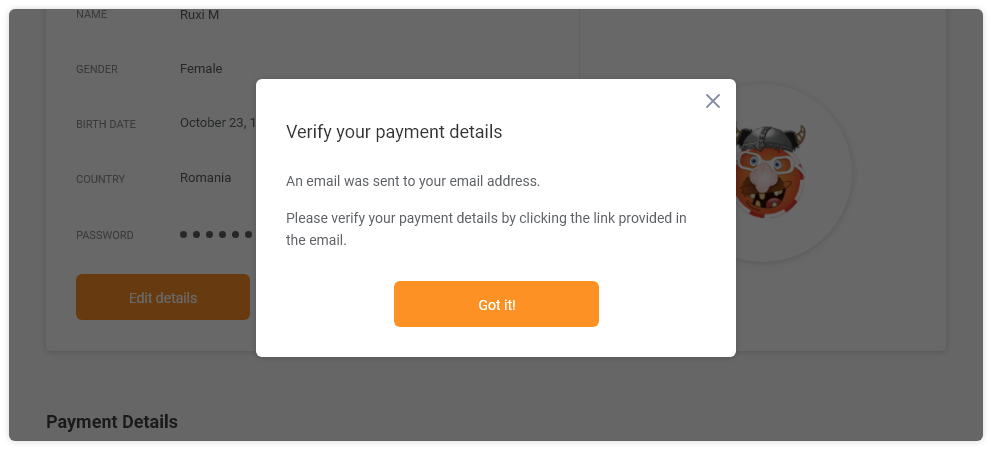
After you edit your payment details you need to verify the changes via email for security purposes.

verify your payment details popup chipy

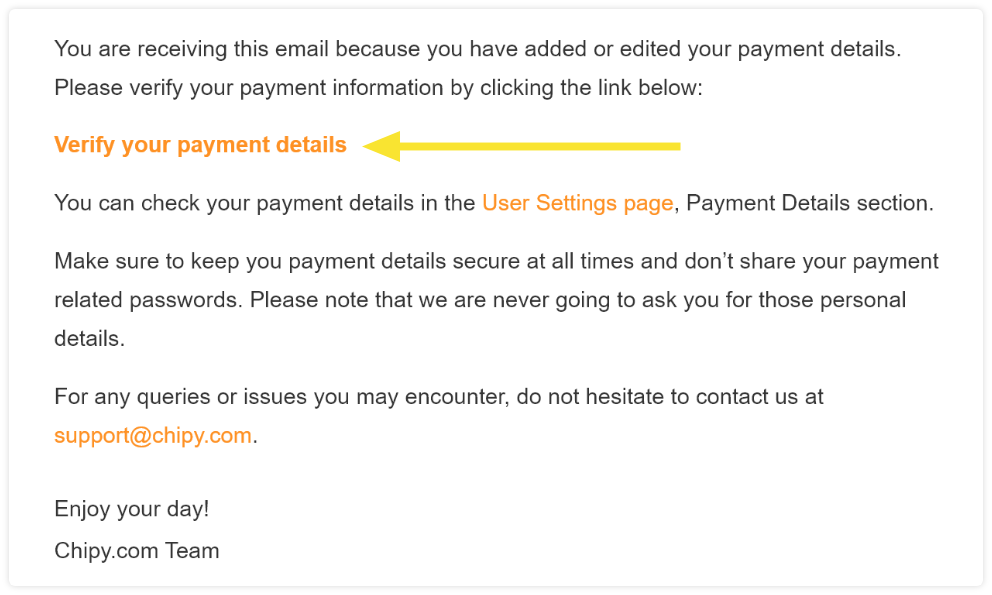
Check your inbox for the verification email (make sure you also check your Spam folder). Verify you payment details by clicking on the link displayed in the email.

email from chipy to verify payment

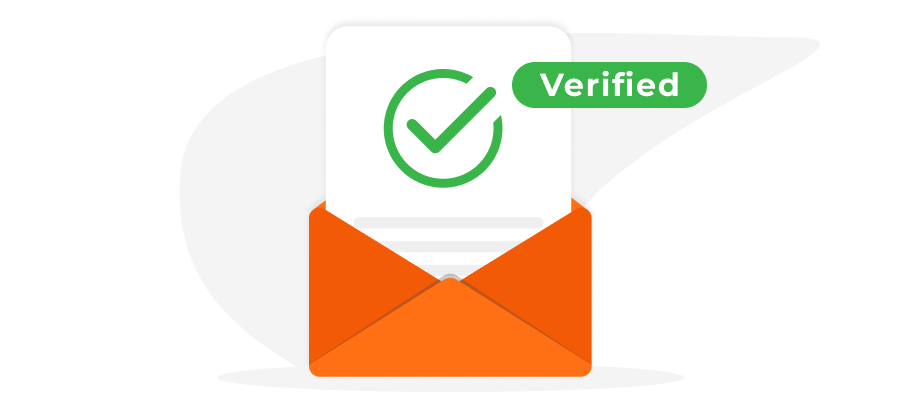
The verification process is now completed. In your User Settings page, the status of your payment method will change from “Not verified” to “Verified”:

Verified status payment method

What to do if you haven’t received the verification email?

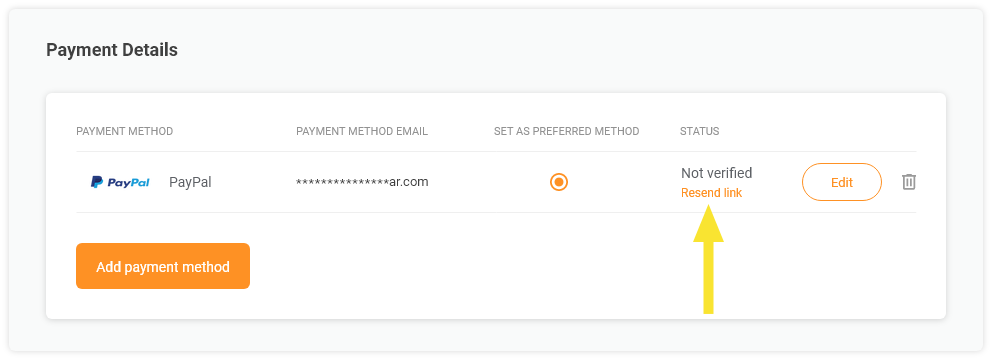
If you did not receive the email you can request to be sent another verification email by clicking on the  “Resend link”. A new verification email will be sent to your inbox. Make sure you also check your Spam folder.

resend verification link for payment chipy

Chipy.com will never require you to disclose your e-wallets passwords, in any circumstance.  We strongly recommend you keep your passwords private and secure at all times.

Still need help?

If you have any questions or concerns, please feel free to contact us at support@chipy.com. We will be happy to help.

Additional resources

How to Set Up Your Payment Details

Was this article helpful?

90% found this helpful
icon-check-greenThank you for voting
You have already voted
Claudiu R

Claudiu R

Community Expert

  • Email icon

About Claudiu R

  • Over 3 years of experience in customer support;
  • Bachelor's Degree in Journalism from the Spiru Haret University;
  • A strong understanding of gaming mechanics and tactics.
Read Full Bio
Vlad Mihalache

Vlad Mihalache

Online Gambling and Crypto Casinos Specialist

  • Linkedin icon
  • Facebook icon
  • Email icon

About Vlad Mihalache

  • Accomplished content strategist and editor with over 8 years of experience in the iGaming industry;
  • Certified Cryptocurrency Expert (CCE);
  • Specializes in blackjack strategies, slots, crypto casinos, and gambling addiction;
  • Bitcoin casino expert with extensive knowledge of crypto trading and blockchain gaming;
  • Online gambling expert with 7,000+ articles written and reviewed;
  • Strong advocate for responsible gambling with complex knowledge of the latest trends;
Read Full Bio

Report a problem

Couldn't find what you were looking for?

Contact our Support Team at support@chipy.com. We would be happy to help you.

Contact Us
icon-arrow-up