


 Casinos
 Bonuses


 Thank you for voting
Couldn't find what you were looking for?
Contact our Support Team at support@chipy.com. We would be happy to help you.


 Updated on Oct 10, 2025
As a member of Chipy.com, you can receive on-site and email notifications for various reasons, including:
User notifications - community engagement, Shop purchase approvals
Site notifications - new games, casinos, or bonuses added to the site
By default, both e-mail and on-site notifications are turned on for all the available options.
Still, there may be situations in which you would like to completely turn off certain notifications, or limit them to only one channel.
Here is how you can change your notifications settings on Chipy.com, step-by-step:
Since notifications are a member-only feature, you will need to log in before you can edit their settings.
To do so, simply press the "Log in" button located on the top right corner of the screen.
This will open up a log in pop-up where you will need to fill in your Chipy account details to sign in.
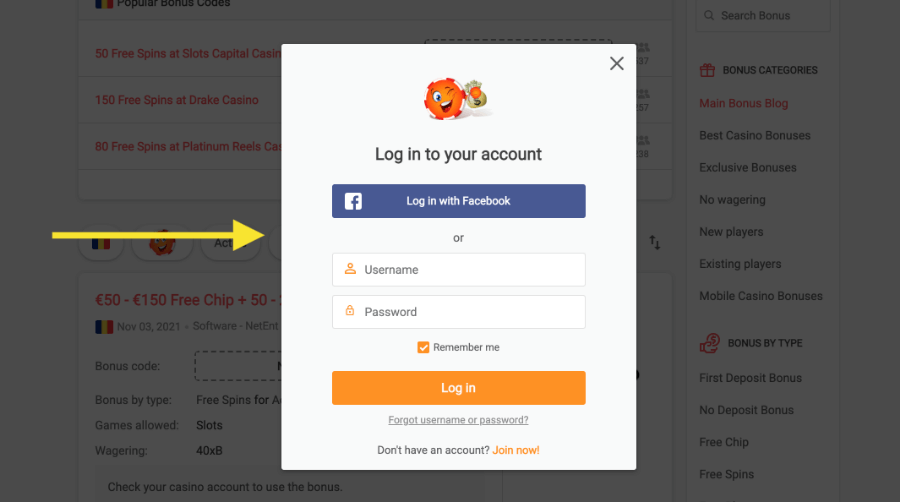
If your username and Chipy avatar appear in the top-right corner, you have successfully logged in.
Now, hover over your username and select “Settings” from the dropdown menu.
This will redirect you to the general settings page, where you can change various features of your Chipy account.
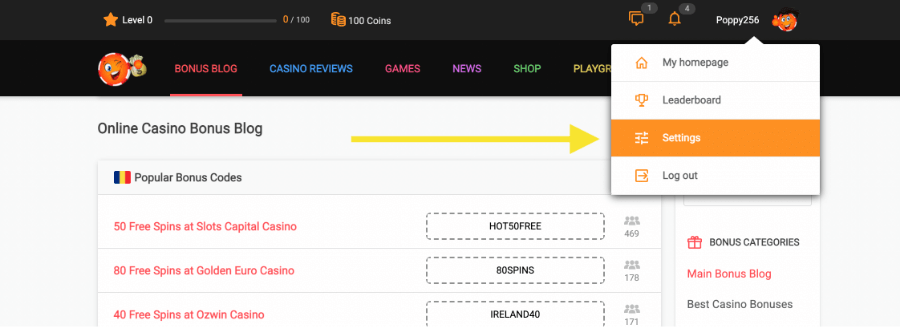
Please note: On mobile devices, you will have to press the Chipy avatar icon from the top-right corner of the screen to access the account menu.
Once you’re on the Settings page, you will simply need to scroll down to the “Notifications” section, located at the bottom of the page.
Now you can change the notifications settings by ticking or unticking the checkboxes.
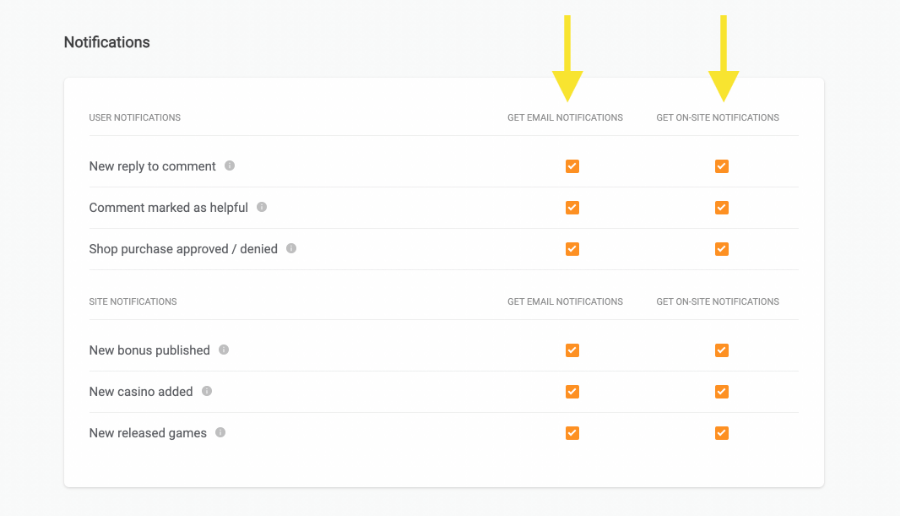
For example: if you tick both boxes for ‘New bonus published”, you will receive on-site and email notifications every time a new promotion is added to our database.
If you want to learn more about a notification type, tap the Info icon next to the notification’s name.
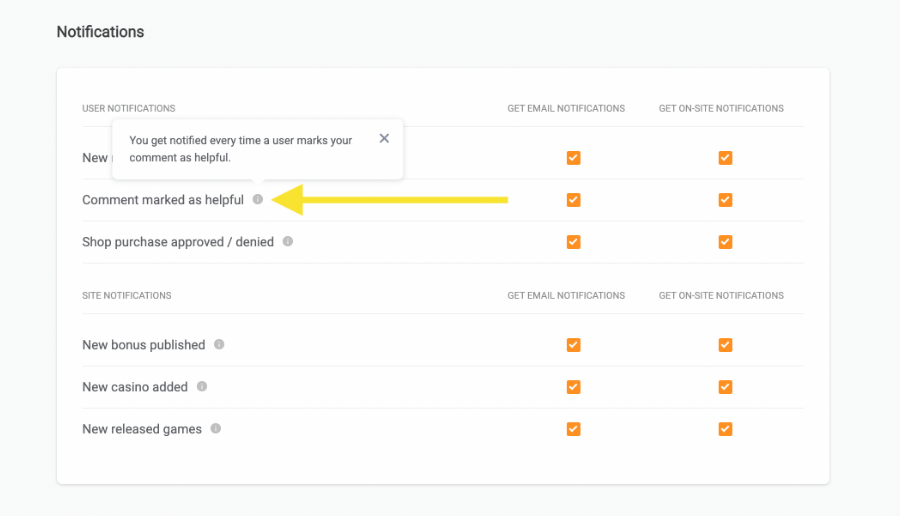
That’s how you can configure your Chipy notifications.
Make sure you set them in a way that allows you to get the most out of our platform and stay up-to-date with the latest releases from the iGaming industry.
Couldn't find what you were looking for?
Contact our Support Team at support@chipy.com. We would be happy to help you.
