


 Casinos
 Bonuses


 Thank you for voting
Couldn't find what you were looking for?
Contact our Support Team at support@chipy.com. We would be happy to help you.


 Updated on Mar 02, 2026
On Chipy.com, you have a player avatar that appears next to your username whenever you post a review, leave a comment or win a sweepstake competition.
The Chipy avatars are a great way to personalize your profile and add some uniqueness to your experience with our website.
Here’s how you can change the features of your avatar, step-by-step:
Before you can change the elements of your avatar, you need to log into your account.
To do so, simply click on the “Log in” button located on the top-right corner of your screen. This will take you to the log in pop-up.
Fill in your Chipy username and password in the log in pop-up and press the orange “Log in” button to access your account.

Please note: If you don’t have an account yet, make sure you read our guide on how to create an account on Chipy.com.
If you’ve logged in successfully, you should see your username and avatar in the top right corner on the screen.
Now, hover over your username and select “Settings” from the dropdown menu.

This will take you to the Chipy user settings page where you can edit your details, avatar, payment information and other settings related to your account.
Important: On mobile, you can access the Settings page by tapping on the Chipy avatar located in the top right corner of the screen.
Once you’re in the settings, click on the Chipy avatar located on the right side of the “Profile” section to begin editing it.

This will open the Chipy avatar customization menu.
You can edit your avatar from the customization menu by selecting the element you want to add to it.
There are four Avatar features that you can modify:
Body
Hair
Eyes
Mouth
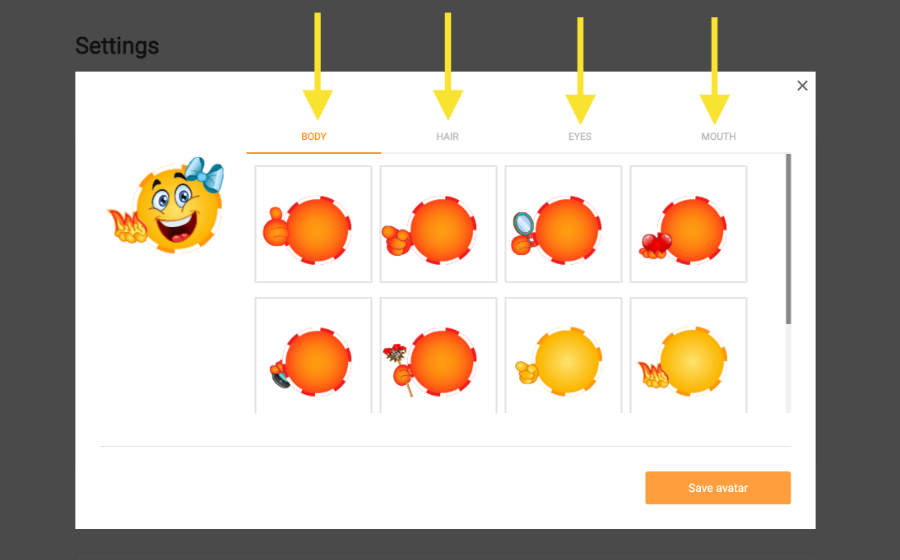
By default, you get 6 items for each Avatar feature, but you can always use your Chipy coins to purchase new ones from the Shop to make your character truly unique.
Play around with different combinations until you find one that suits you.
Finally, apply your modifications by clicking the orange “Save avatar” button located in the bottom-right corner of the customization menu.
This will update your avatar and you will see the changes everywhere your avatar appears throughout the site.
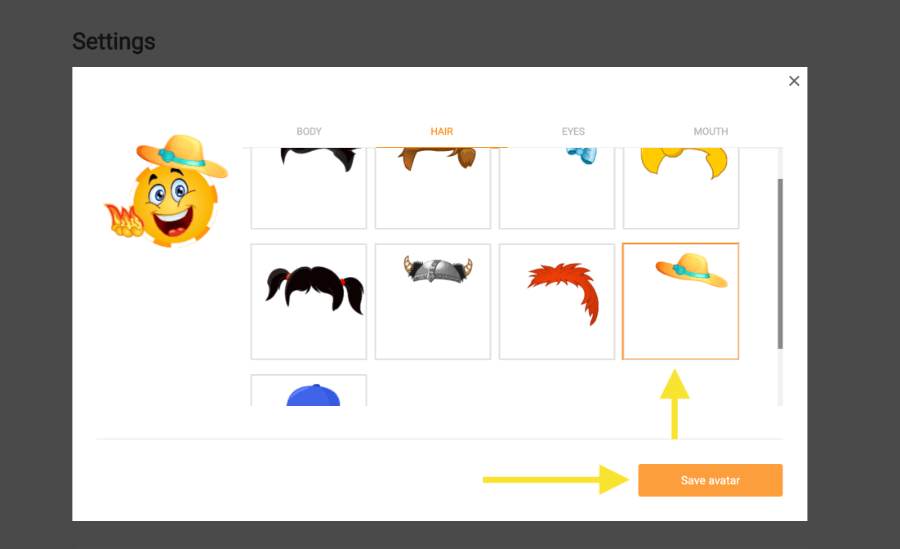
And you’re done!
It’s that simple to edit your Chipy avatar.
Now you can show off your unique avatar to the Chipy.com community and stand out from the crowd with the special items that you purchase with coins from the store.
Couldn't find what you were looking for?
Contact our Support Team at support@chipy.com. We would be happy to help you.
