


 Casinos
 Bonuses


SimplePlay Shark Rush


SimplePlay Shark Rush Details

Software
SimplePlay Gaming
Release date
Aug 12, 2025
Game type
Crash

Times Played
 No
No
3D animation
No
Technology
HTML5
Play SimplePlay Shark Rush Slot for Real Money




Load More Casinos (+10)
How to Play SimplePlay Shark Rush Slot: Mastering the Basics
1
CHOOSE YOUR BET.
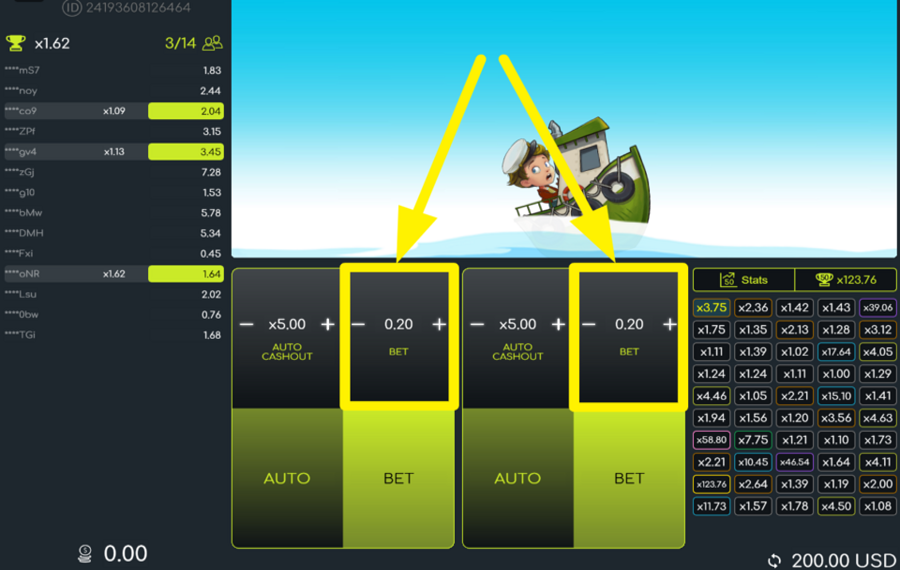
To adjust how much you want to wager, locate the “-” and “+” symbols flanking the “bet” value. These are situated in the black rectangular box at the center of the screen. Since it is a multiplayer game, you can only adjust the amount in one of the two panels.
2
READY FOR THE SHARK CHASE?
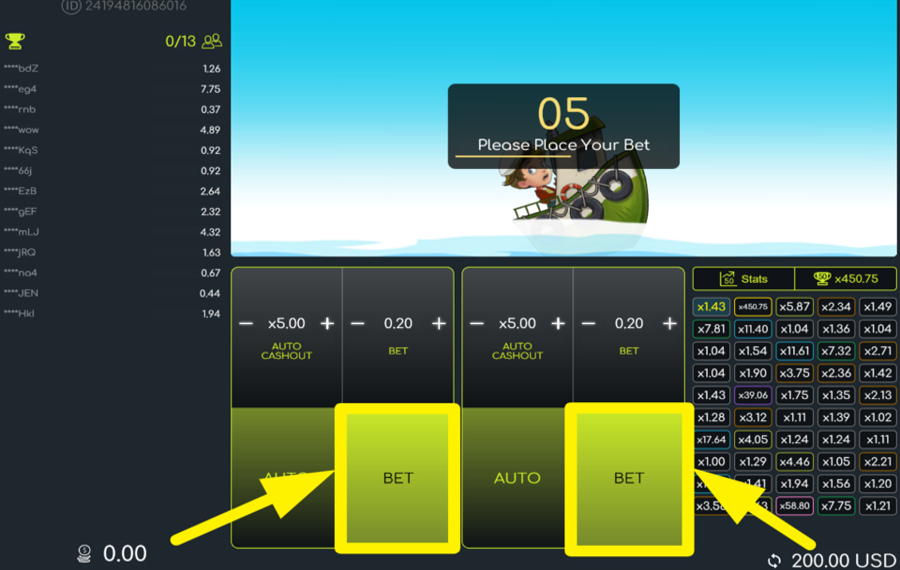
Tap the green “Bet” button beneath your wager selection box to lock in your selection before the timer hits zero. Once the countdown ends, the round begins, and the shark starts chasing the diver through the waves. Your goal is to cash out before the shark catches up and the multiplier crashes.
3
ESCAPE IN TIME!
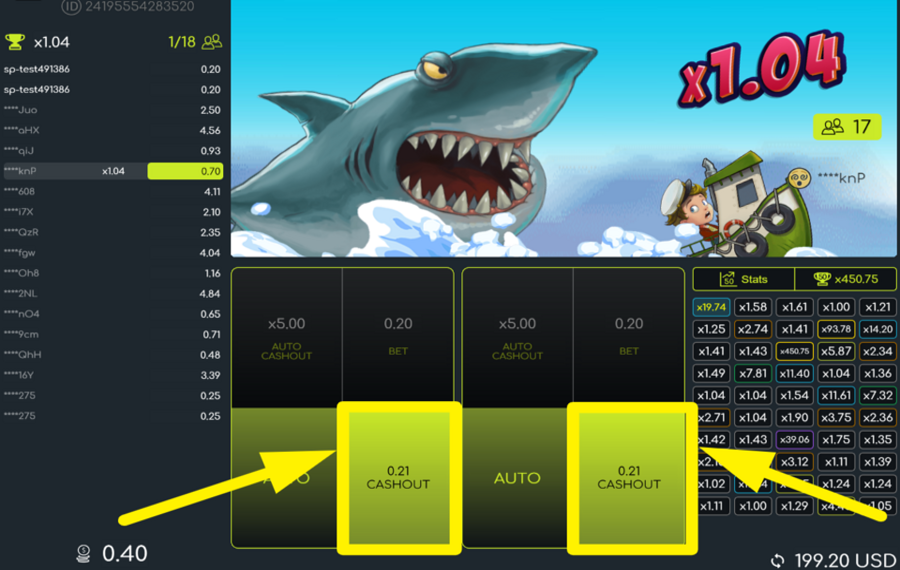
During the chase, keep a close eye on the rising multiplier above the shark. Tap the green “Cashout” button under your ”bet” panel whenever you want to secure your winnings. The earlier you cash out, the lower the multiplier; wait too long, and if the shark catches the boat, your entire “bet” is forfeited.
4
ENABLE AUTOPLAY.
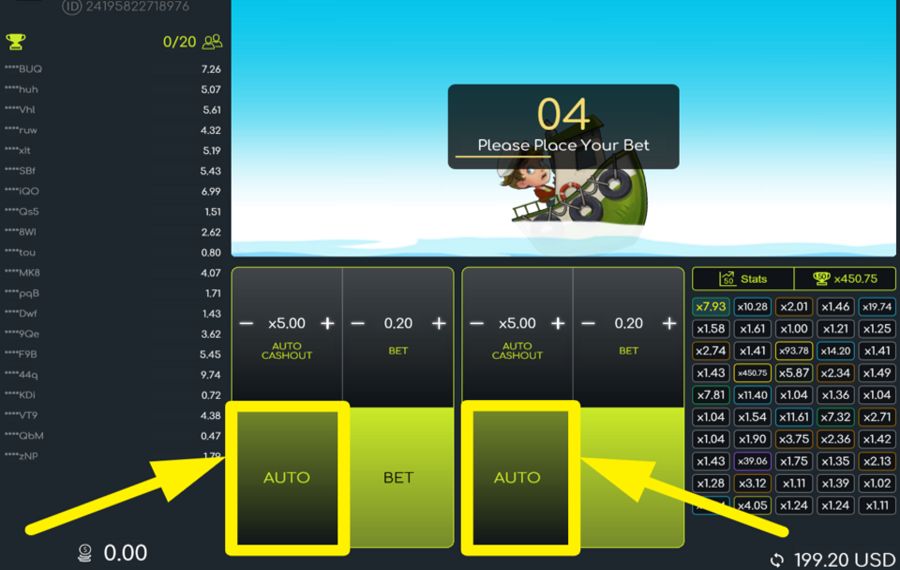
To keep your hands free while the shark chases the on-screen character, tap the “Auto” button beneath either “bet“ panel. A menu will appear where you can select the number of automatic bets. Options include 50, 100, 200, 400, and more. Use the slider or tap a preset value, then press “Start” to begin automatic play.
5
TAKE ADVANTAGE OF THE AUTO CASHOUT FEATURE.
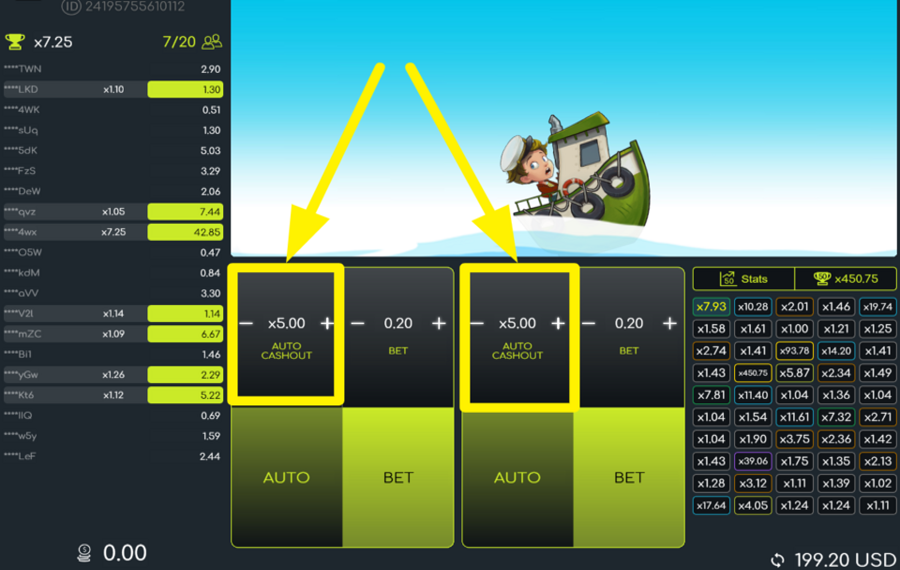
To preset when your winnings are collected, adjust the auto cashout multiplier by using the “+” and “-” buttons next to the value marked “Auto Cashout” in the top black box. For example, if you enter 5.00, the game will automatically trigger a cashout when the multiplier hits x5 your chosen ”bet” amount.
SimplePlay Shark Rush Ratings & Reviews
Our community rated SimplePlay Shark Rush as Very Good with a score of 4.3 out of 5 based on 4 votes.




MarekosLevel 8


nITROUSLevel 8
14.04Level 8
Televizorius![account-cancel]() Suspended
Suspended
 Suspended
Rate and Review SimplePlay Shark Rush
When writing a Game Review, remember to share your personal experience in detail - whether it's positive or negative. For more tips on writing game reviews, check out our dedicated Help Page.
How to Write a Game ReviewSimplePlay Shark Rush Q&As
Got questions about SimplePlay Shark Rush?
Ask a QuestionCompare SimplePlay Shark Rush to Other Games
+![Wheel Out]()

Wheel Out
RTP: 96.5%
+![Aviachick]()

Aviachick
RTP: 96%
+![Avia Fly]()

Avia Fly
RTP: 95%
+![Hyper Xplorer]()

Hyper Xplorer
RTP: 97%
+![Adrenaline Rush XCrash]()
Adrenaline Rush XCrash
RTP: 96%
+![Aero]()

Aero
RTP: 96%
+![Sugar Daddy]()

Sugar Daddy
RTP: 95%
+![Skyrocket]()

Skyrocket
RTP: Undisclosed
+![Avia Rush]()

Avia Rush
RTP: 96%
+![Pipa Crash]()

Pipa Crash
RTP: 97%
RatingSoftwareYearRTP

SimplePlay Shark Rush
SimplePlay Gaming
2025
97%



Show more![arrow_down]()


Other Games by SimplePlay Gaming








Load More SimplePlay Gaming Games

Mihai Enculescu
Senior Game Expert
- Over 2 years of experience in the iGaming industry.
- Uploaded & maintained data for 3,000+ casino games.
- Strong grasp of casino game mechanics, especially slots.
- Reviewed and fact-checked over 3,500+ casino games.

