


 Casinos
 Bonuses


Rise of Olympus Bingo


Rise of Olympus Bingo Details


Times Played
 No
No
3D animation
No
Technology
HTML5
Play Rise of Olympus Bingo Slot for Real Money




Load More Casinos (+10)
Winning on Rise of Olympus Bingo Slot: Paytable & Paylines
Rise of Olympus Bingo Paylines





How to Play Rise of Olympus Bingo Slot: Mastering the Basics
1
ADJUST THE COIN VALUE.
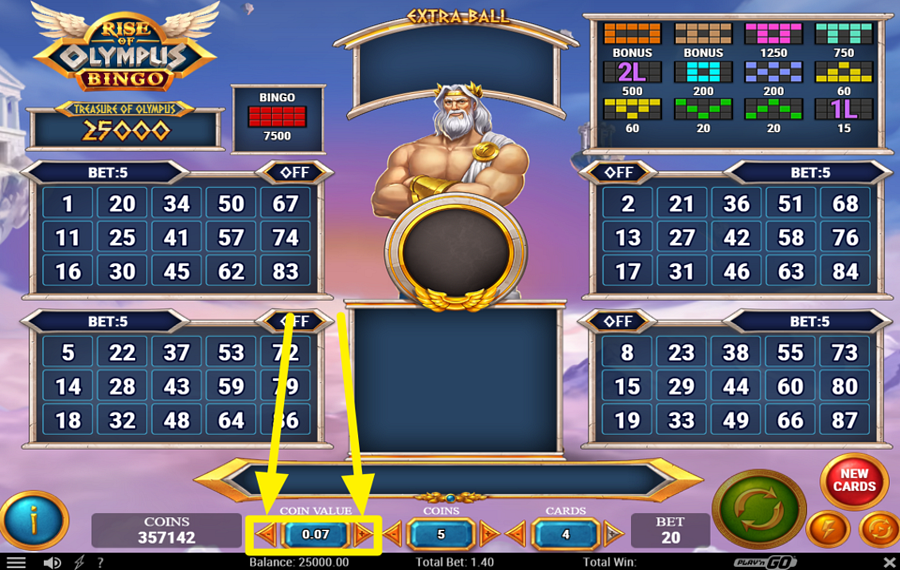
Click the left and right arrow buttons beside the “Coin Value” field at the bottom of the screen to adjust it.
2
CHOOSE THE NUMBER OF COINS.
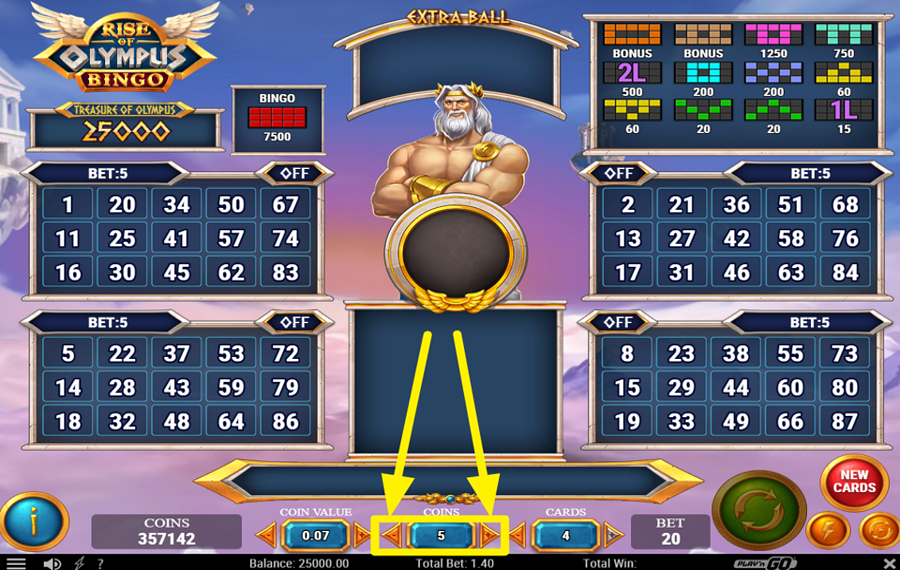
Tap the arrows located on either side of the “Coins” field at the bottom center of the interface to adjust how many coins are played on each active card.
3
SELECT YOUR BINGO CARDS.
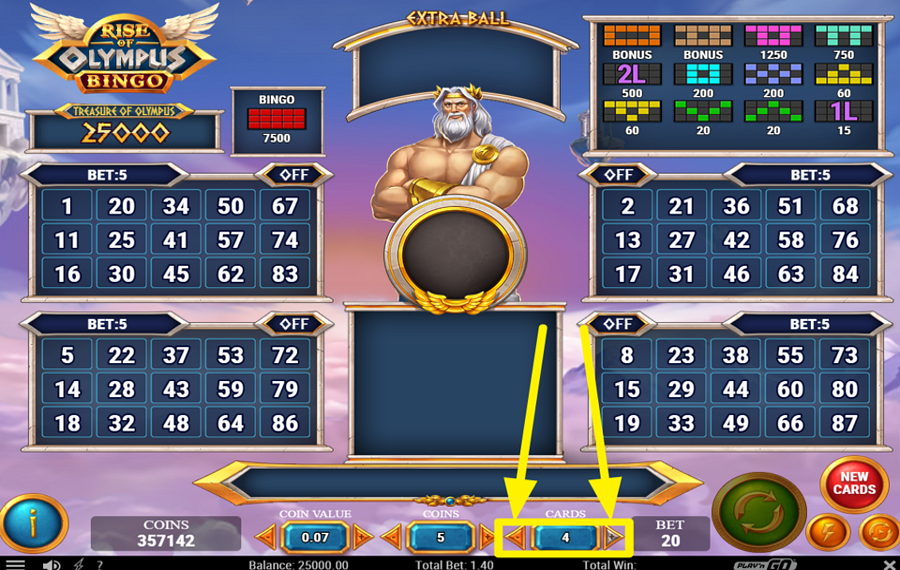
Navigate to the “Cards” counter at the bottom of the screen and use the arrow buttons on both sides to choose how many bingo cards participate in the draw. More cards allow you to cover additional numbers during a round. You can also activate or deactivate individual cards by pressing the “On/Off” switch displayed above each bingo card.
4
GET A NEW SET OF CARDS.
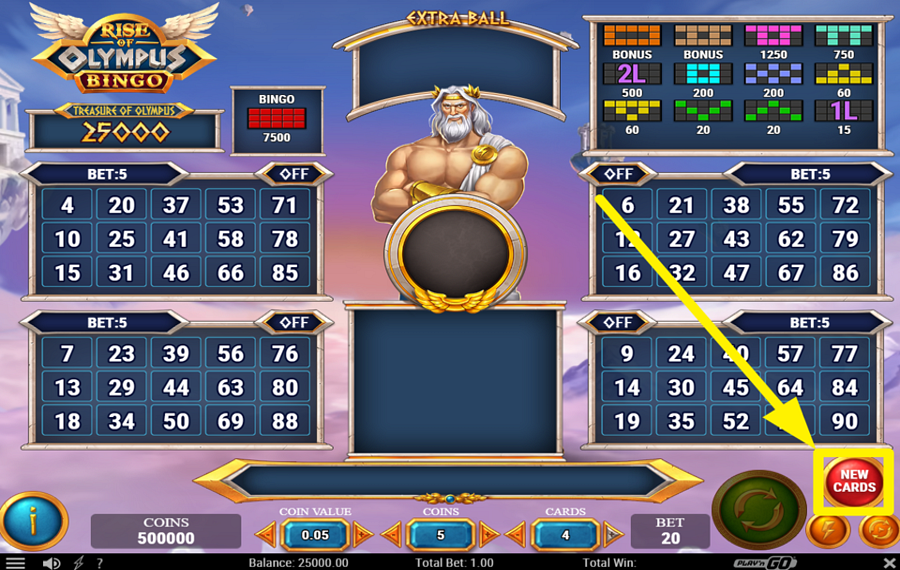
Press the red “New Cards” button on the right side of the interface whenever you want a fresh collection of bingo numbers. This action instantly replaces the numbers on all active cards before the next round begins.
5
START THE DRAW.
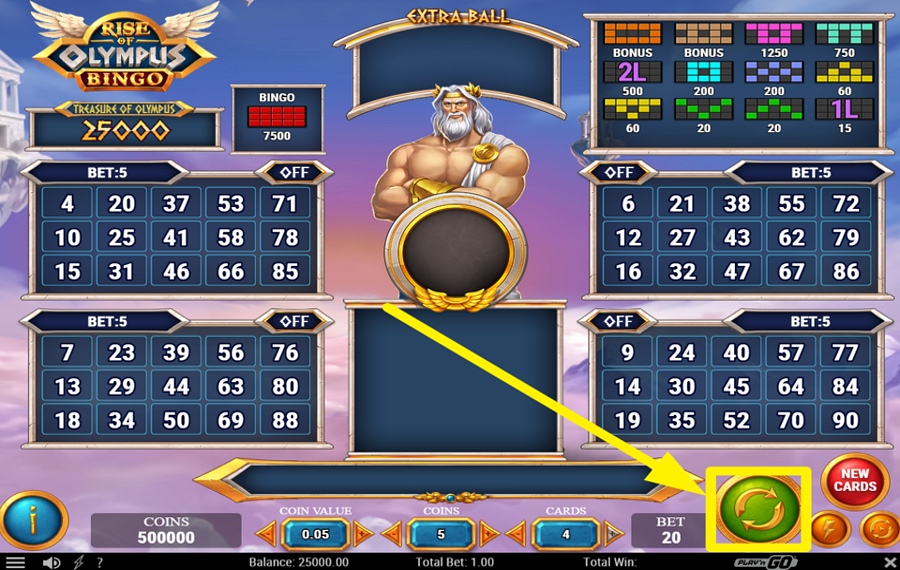
Press the large green circular button in the lower-right corner to begin the round. As you click it, 30 balls are drawn from a pool of 90 numbers and displayed in the central area. Matching drawn numbers are automatically marked on your active cards. Prize combinations are created when marked numbers complete one of the game's winning patterns, and the highest completed pattern on a card determines the prize awarded for that card.
6
PURCHASE AN EXTRA BALL.
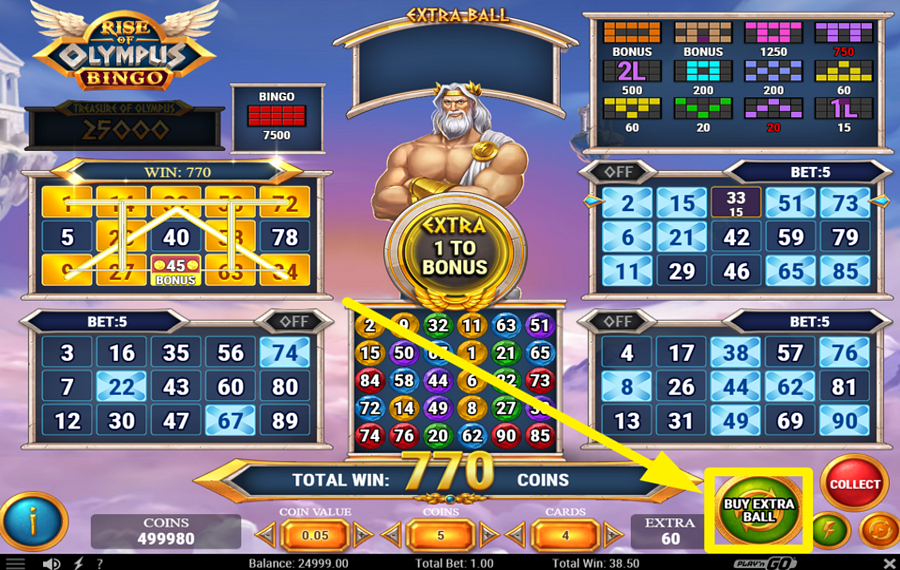
After all 30 balls have been released, the “Buy Extra Ball” button will appear beside the collection controls if you are only one number away from completing a qualifying prize pattern. Tap it to purchase an additional ball and get another chance to complete the required combination.
7
ENABLE AUTOPLAY.
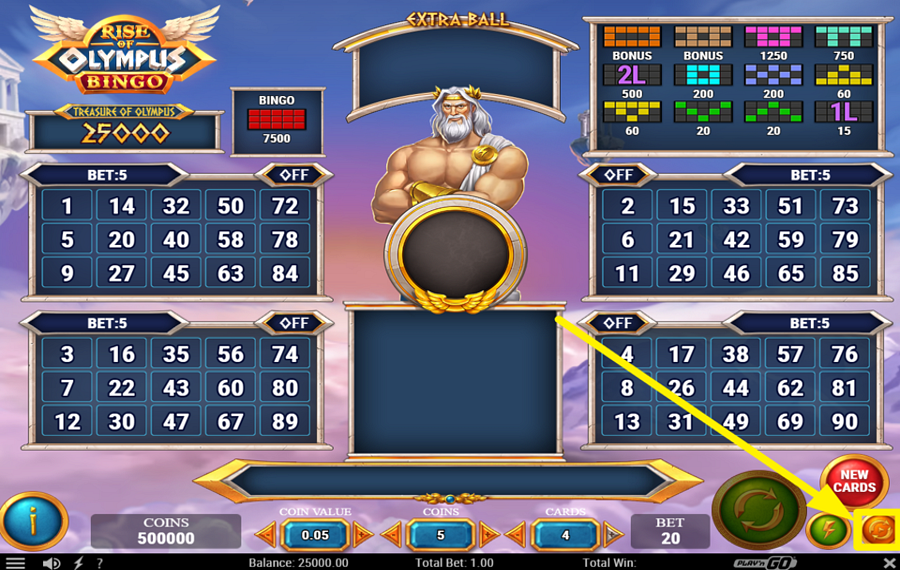
Press the lightning-bolt button located in the bottom right corner of the screen to open the “Auto Play” menu. Inside this window, select a preset number of automatic rounds, such as 10, 20, 50, 75, or 100. You can also configure stop conditions, including ending autoplay after a bonus game, after an extra ball purchase, when a single win exceeds a chosen amount, or when the balance rises or falls by a specified value. Confirm your settings with the “OK” button.
8
ACTIVATE TURBO MODE.
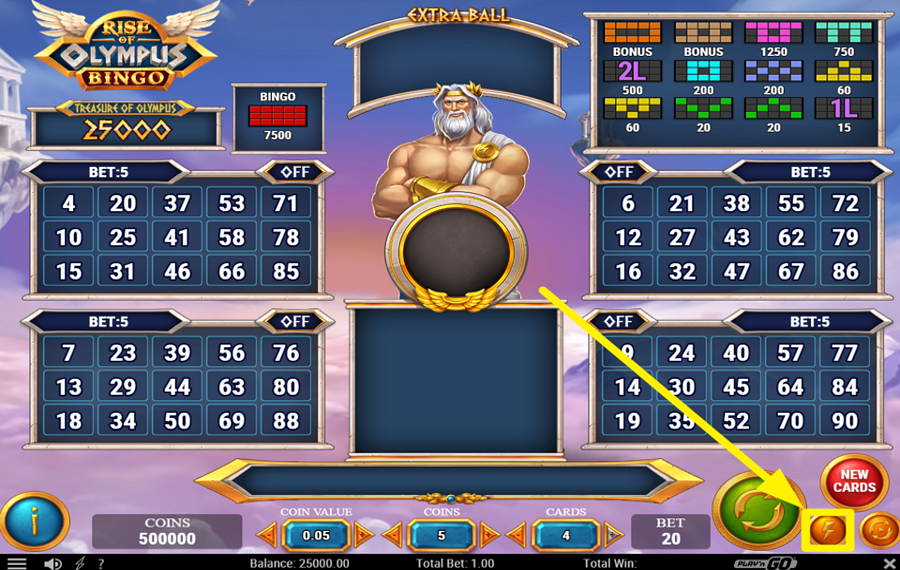
Tap the circular arrow button in the lower-right section of the screen to toggle ”Turbo” mode. This mode quickens the game animations.
Explore the Rise of Olympus Collection by Play n GO
GameYearRTPFeatures
 Rise of Olympus 1000
 Rise of Olympus Bingo
 Rise of Olympus Extreme
 Rise of Olympus Origins
 Rise of Olympus 100
 Rise Of Olympus
Rise of Olympus Bingo Ratings & Reviews
Rate and Review Rise of Olympus Bingo
When writing a Game Review, remember to share your personal experience in detail - whether it's positive or negative. For more tips on writing game reviews, check out our dedicated Help Page.
How to Write a Game ReviewRise of Olympus Bingo Q&As
Got questions about Rise of Olympus Bingo?
Ask a QuestionCompare Rise of Olympus Bingo to Other Games
+![Slingo Genie Gemstones]()

Slingo Genie Gemstones
RTP: 95.44%
+![FashionTV Aqua Boutique Bingo]()

FashionTV Aqua Boutique Bingo
RTP: 91.56%
+![Bingo Valhalla]()

Bingo Valhalla
RTP: 95.16%
+![Slingo Rakin Bacon]()

Slingo Rakin Bacon
RTP: 95.69%
+![Slingo Journey to Asgard]()

Slingo Journey to Asgard
RTP: 95.6%
+![Slingo Riches]()

Slingo Riches
RTP: 95%
+![Candyland Bingo]()

Candyland Bingo
RTP: Undisclosed
+![Muertitos Video Bingo]()

Muertitos Video Bingo
RTP: 95.94%
+![Slingo Cascade]()
Slingo Cascade
RTP: 95%
+![Slingo Wild Adventure]()

Slingo Wild Adventure
RTP: 95%
RatingSoftwareYearRTP




Show more![arrow_down]()


Other Games by Play n GO
All 525 Play n GO Games








Rozi Vrinceanu
Casino Data Specialist
- Over 6 years of experience in the land-based casino industry;
- Deep understanding of player experience and casino operations;
- Updated and verified more than 300 online casino reviews;
- Known for precision, consistency, and a high standard of accuracy;
- Currently studying Economic Sciences at Titu Maiorescu University.

