


 Casinos
 Bonuses


Tactical Flush


Tactical Flush Details


Times Played
 No
No
3D animation
No
Technology
HTML5
Play Tactical Flush Slot for Real Money




Load More Casinos (+10)
How to Play Tactical Flush Slot: Mastering the Basics
1
PICK A ROOM.
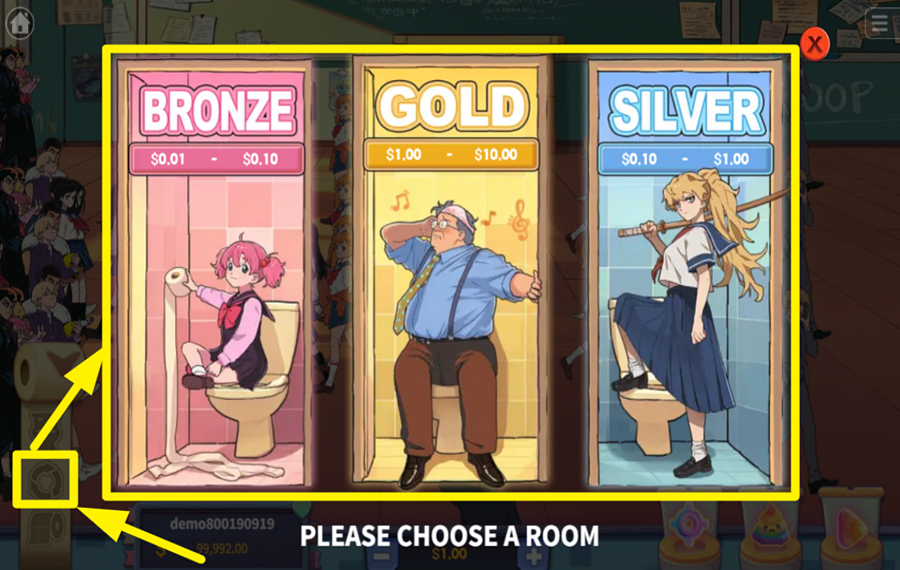
Before starting a new round or between rounds, you can adjust the risk level. Tap the toilet paper roll icon in the bottom-left corner of the screen. This expands the game menu. Click the middle button in this menu to open the room selection panel. Here, select a room that suits your budget and playing strategy. Choose from "Bronze", "Silver", and "Gold" rooms, each with different betting ranges. Pick the one that aligns with your risk appetite.
2
ADJUST THE BET AMOUNT.
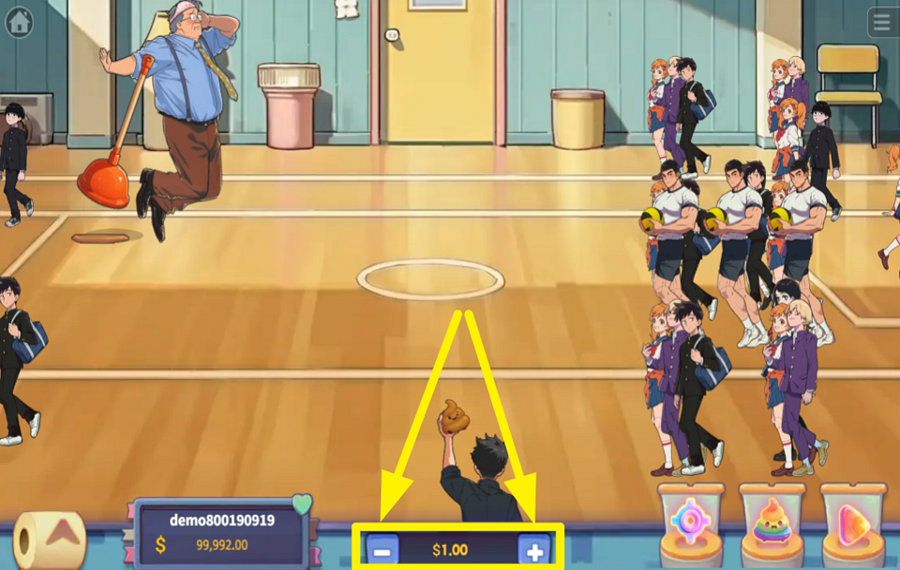
The default “bet“ amount sits at the bottom center of the screen, right between a set of “-“ and “+“ buttons. Click these buttons to adjust the amount.
3
ENTER THE ACTION!
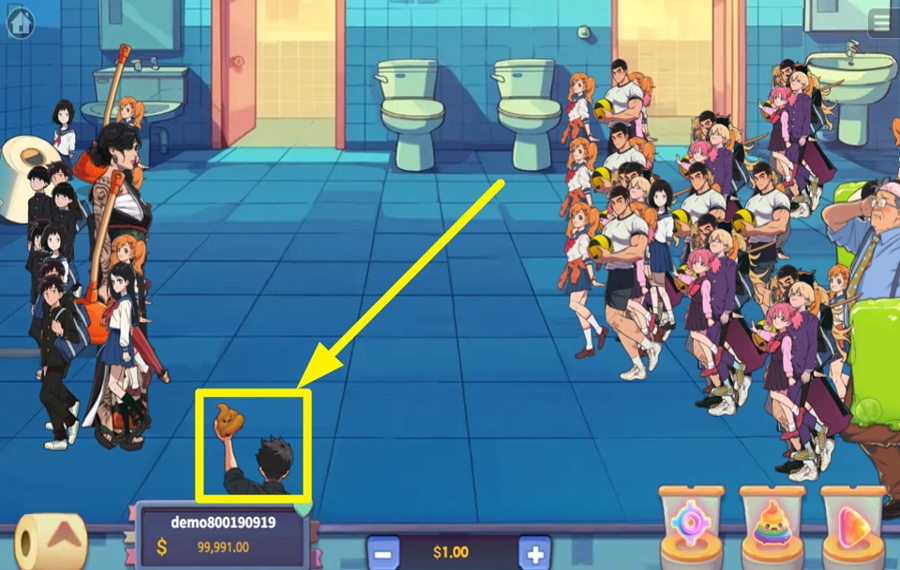
Move your character left or right by sliding your cursor across the bottom of the screen. Your goal is to fire at the hidden troublemakers mixed into the crowd. These are the actual targets the game wants you to eliminate. When you tap the screen, your character throws a shot toward the lane you are aiming at, and any concealed enemy caught in that line is revealed and hit. Click on the screen to try to eliminate sneaky foes hiding among the students and teachers.
4
LOCK ONTO A TARGET.
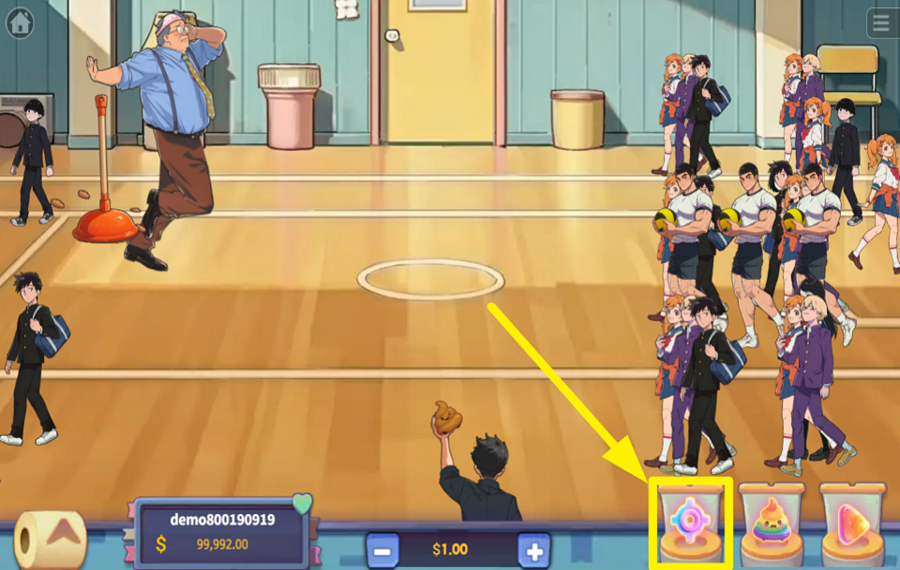
When the crowd gets messy, and you want your character to focus on a single target, hit the “Lock Target“ button located in the lower-right section of the interface. With this active, your shots automatically stick to the nearest chosen enemy cluster.
5
TAKE ADVANTAGE OF THE POWER WEAPON.
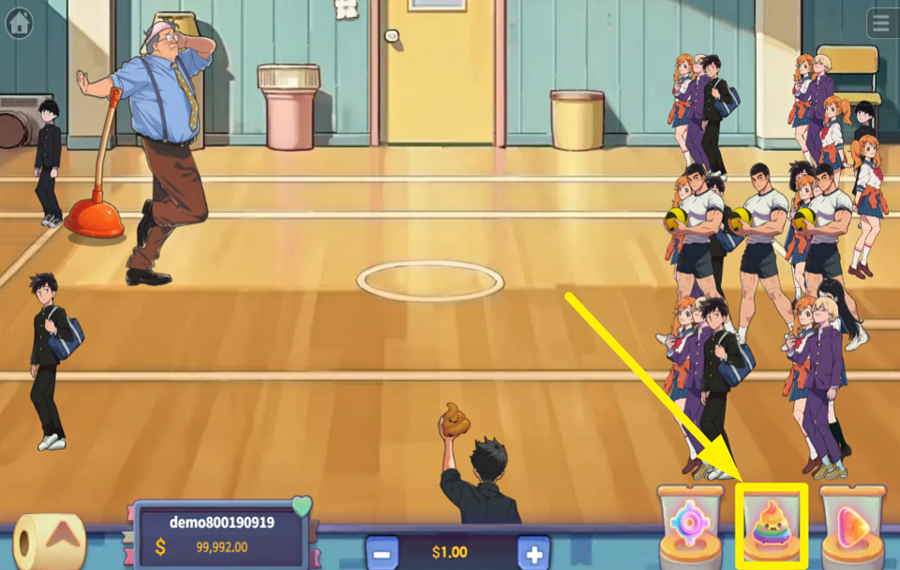
If the regular toss isn’t cutting it, press the “Power Weapon“ button next to the “Lock“ control. This swaps your standard shot for a heavy-duty flush strike that clears stubborn enemies faster. Each powerful blast costs 6 times your “bet,“ so trigger it when you need to thin out a dense wave.
6
ENABLE AUTOPLAY.
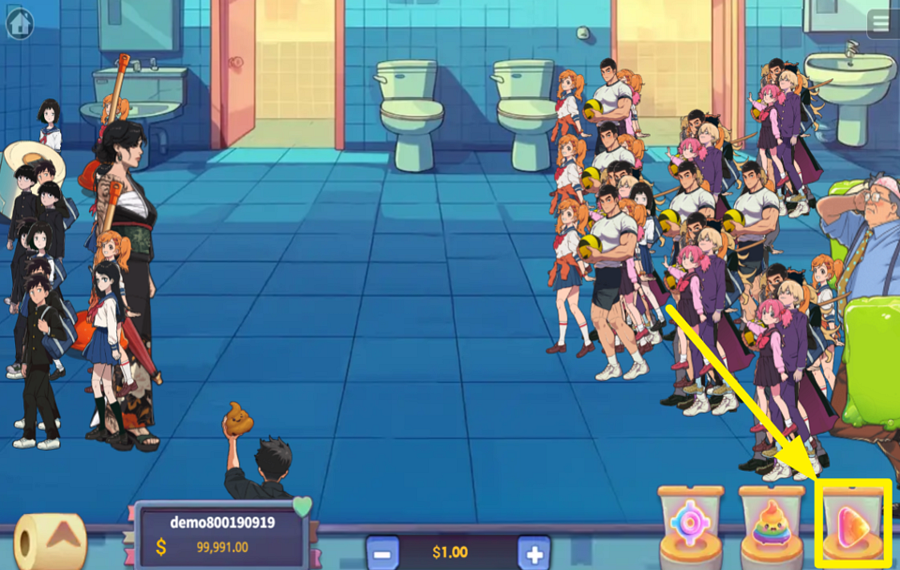
For a hands-free bathroom showdown, toggle the “Auto Fire“ switch on the far right of the screen. When it’s on, your character keeps firing on their own while you choose when to move, lock, or boost.
Tactical Flush Ratings & Reviews
Rate and Review Tactical Flush
When writing a Game Review, remember to share your personal experience in detail - whether it's positive or negative. For more tips on writing game reviews, check out our dedicated Help Page.
How to Write a Game ReviewTactical Flush Q&As
Got questions about Tactical Flush?
Ask a QuestionCompare Tactical Flush to Other Games
+![Paradise 2]()

Paradise 2
RTP: 96%
+![Catch the Win]()

Catch the Win
RTP: 95%
+![Mythical Adventure]()

Mythical Adventure
RTP: Undisclosed
+![Deepsea Luminous]()

Deepsea Luminous
RTP: 96%
+![Fish and Deeps]()

Fish and Deeps
RTP: 94.8%
+![Jackpot Fishing]()

Jackpot Fishing
RTP: 97%
+![Big Catch Game]()

Big Catch Game
RTP: 94%
+![Dragon Palace Adventure]()

Dragon Palace Adventure
RTP: Undisclosed
+![Penalty Series]()

Penalty Series
RTP: 96%
+![Air Combat 1942]()

Air Combat 1942
RTP: Undisclosed
RatingSoftwareYearRTP




Show more![arrow_down]()


Other Games by KA Gaming
All 551 KA Gaming Games









Mihai Enculescu
Senior Game Expert
- Over 2 years of experience in the iGaming industry.
- Uploaded & maintained data for 3,000+ casino games.
- Strong grasp of casino game mechanics, especially slots.
- Reviewed and fact-checked over 3,500+ casino games.

