


 Casinos
 Bonuses


Lost Kingdom


Lost Kingdom Details


Times Played
 No
No
3D animation
No
Technology
HTML5
Play Lost Kingdom Slot for Real Money




Load More Casinos (+10)
How to Play Lost Kingdom Slot: Mastering the Basics
1
PICK A GAME ROOM.
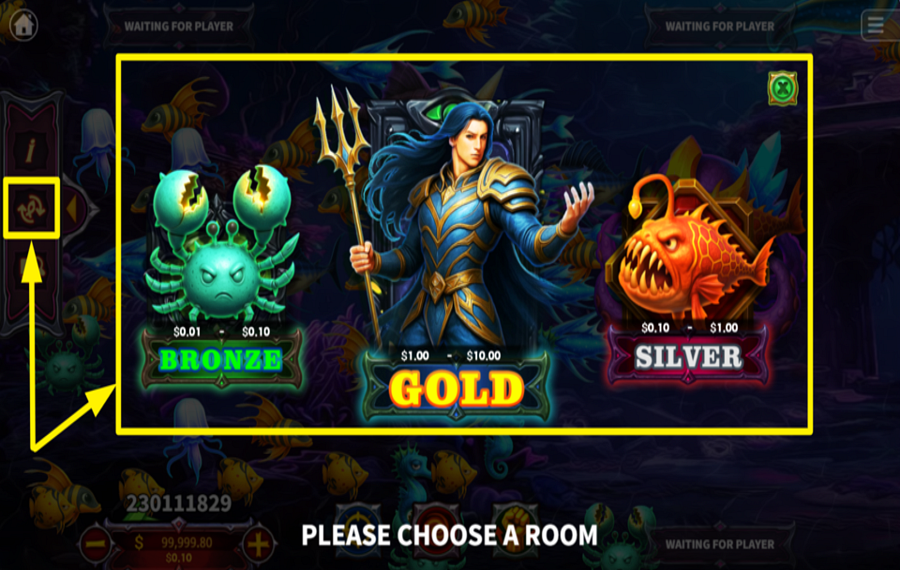
Begin your multiplayer adventure by selecting a game room that matches your budget and strategy. Open the "Options Menu" by clicking the arrow on the left side of the screen. From there, tap the central button to explore three room categories: "Bronze," "Silver," and "Gold," each offering distinct betting ranges. Select the one that best aligns with your playing style and risk appetite.
2
MODIFY YOUR WAGER.
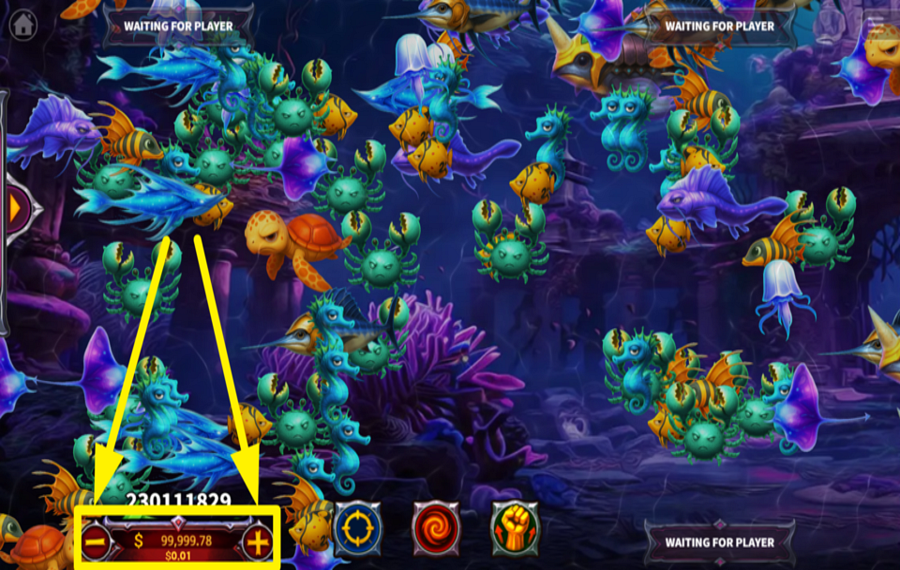
Determine your betting amount by clicking the "+" and "-" buttons found below the cannon in the lower left corner of the screen.
3
AIM AND FIRE.
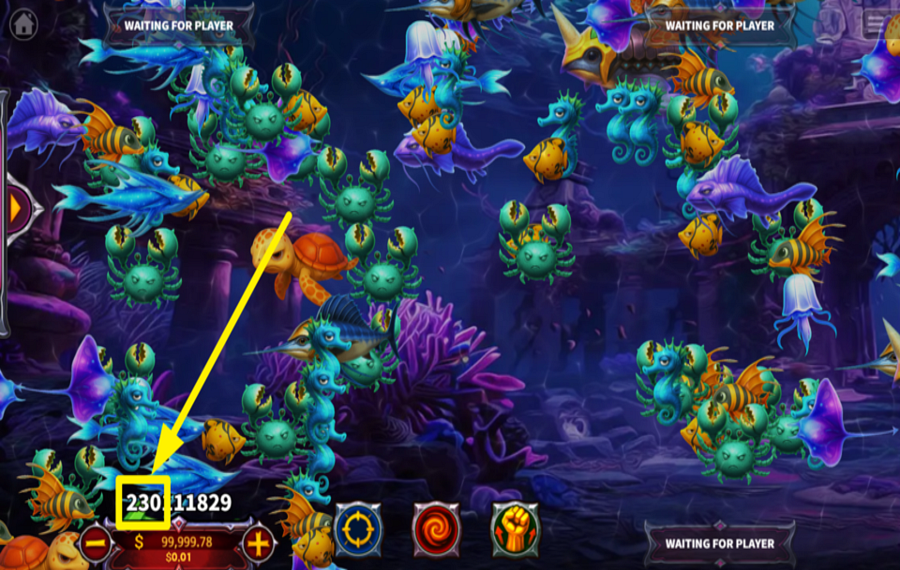
Click on the marine creature you'd like to target, and the cannon will automatically adjust its aim and fire. For greater precision, you can manually control the cannon’s direction by clicking on it to guide your shots.
4
UNLEASH POWER SHOTS.
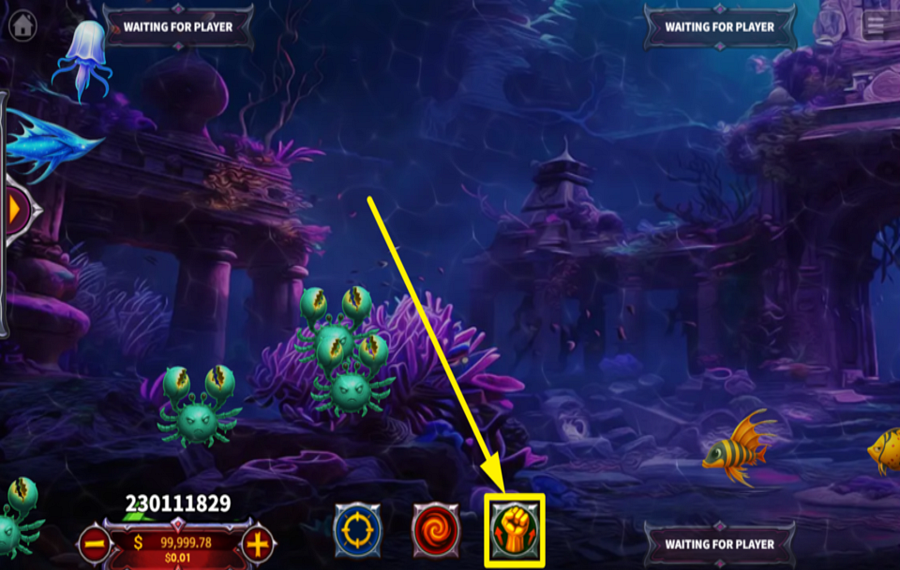
Boost your chances of capturing difficult targets by firing a "Powerful Shot". Tap the fist-shaped button at the bottom of the screen to activate these specialized bullets, which cost six times your regular "bet" but significantly increase your capture potential.
5
ENABLE AUTOPLAY.
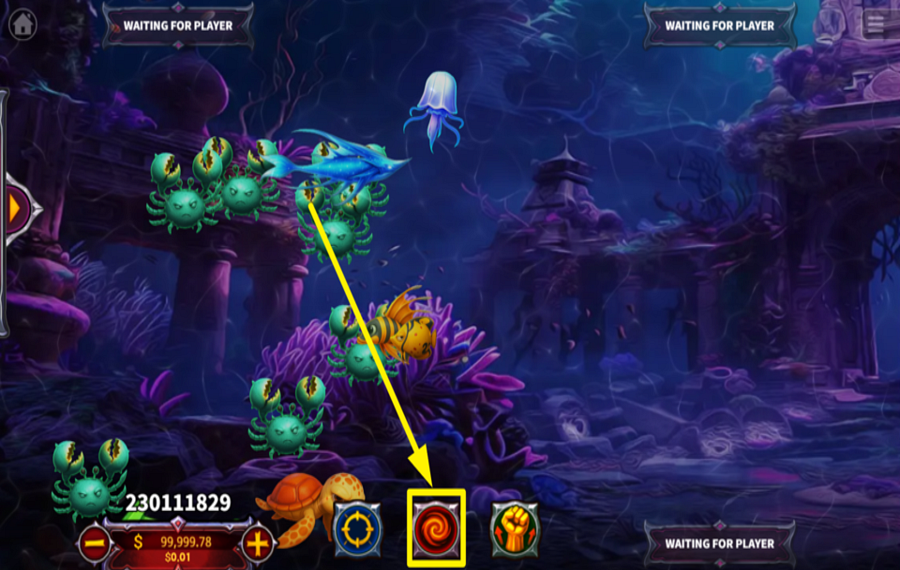
If you prefer a hands-free experience, activate the automatic shooting mode. Simply click the "Auto" button at the bottom center of the screen, and your cannon will continuously fire at nearby marine creatures.
6
FOCUS ON A SPECIFIC CREATURE.
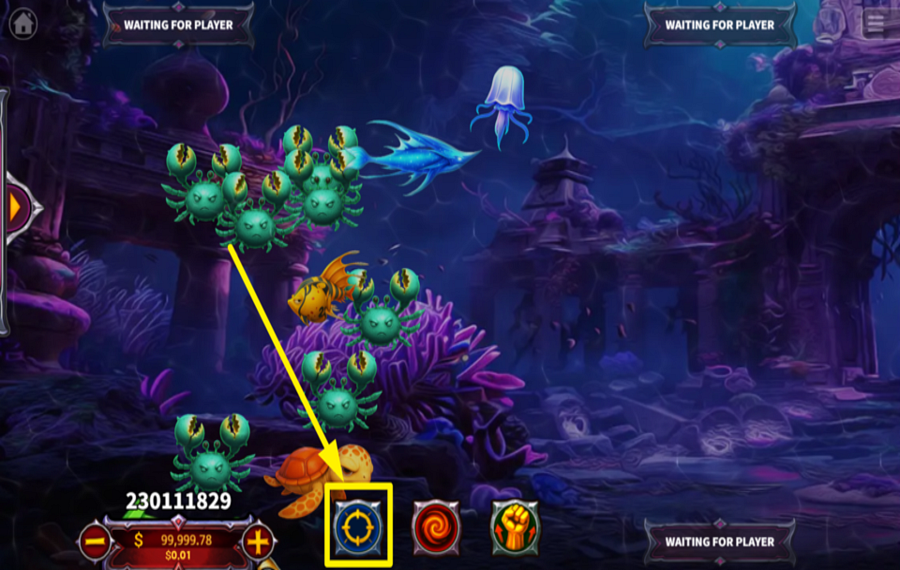
Lock onto a specific creature to maintain steady fire until it’s captured. Activate the "Lock" feature by clicking the telescope button at the bottom of the screen.
Lost Kingdom Ratings & Reviews
Rate and Review Lost Kingdom
When writing a Game Review, remember to share your personal experience in detail - whether it's positive or negative. For more tips on writing game reviews, check out our dedicated Help Page.
How to Write a Game ReviewLost Kingdom Q&As
Got questions about Lost Kingdom?
Ask a QuestionCompare Lost Kingdom to Other Games
+![Circus Jackpot]()

Circus Jackpot
RTP: 97%
+![Penalty Duel]()

Penalty Duel
RTP: 96.14%
+![Fortune Zombie Lightning Shoot and Win]()

Fortune Zombie Lightning Shoot and Win
RTP: 97%
+![Mutant Abyss]()

Mutant Abyss
RTP: 96%
+![Paradise 2]()

Paradise 2
RTP: 96%
+![Ocean King Jackpot]()

Ocean King Jackpot
RTP: Undisclosed
+![Catch the Win]()

Catch the Win
RTP: 95%
+![Mythical Adventure]()

Mythical Adventure
RTP: Undisclosed
+![Crazy Party]()

Crazy Party
RTP: 96%
+![Deepsea Luminous]()

Deepsea Luminous
RTP: 96%
RatingSoftwareYearRTP




Show more![arrow_down]()


Other Games by KA Gaming
All 551 KA Gaming Games








Mihai Enculescu
Senior Game Expert
- Over 2 years of experience in the iGaming industry.
- Uploaded & maintained data for 3,000+ casino games.
- Strong grasp of casino game mechanics, especially slots.
- Reviewed and fact-checked over 3,500+ casino games.

