 Level
Level 


 Casinos
 Bonuses


Ice Dragon King

 Refresh
 Full Screen
 Report
Ice Dragon King Details


Times Played
 No
No
3D animation
No
Technology
HTML5
Play Ice Dragon King Slot for Real Money





Load More Casinos (+10)
How to Play Ice Dragon King Slot: Mastering the Basics
1
ENTER A GAME ROOM.
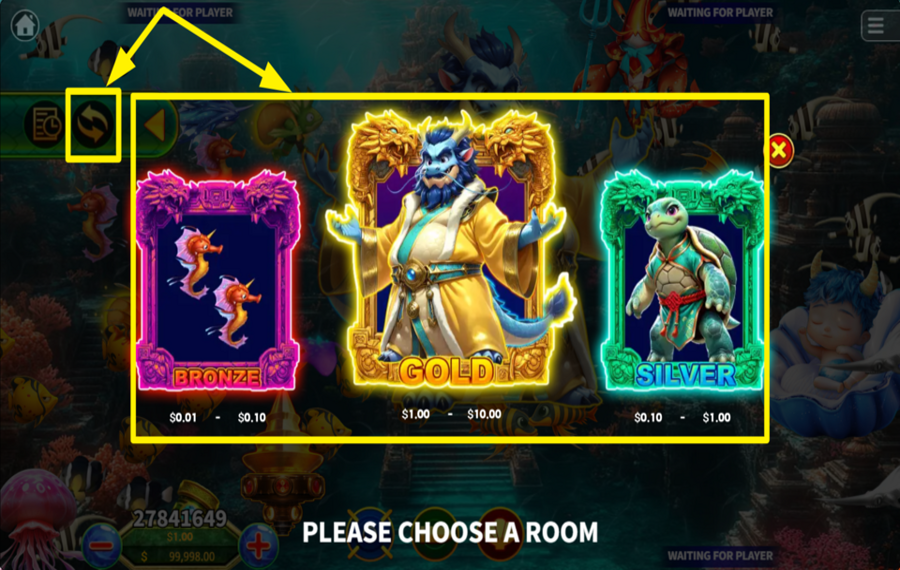
Begin your multiplayer adventure by selecting a game room that matches your budget and strategy. Open the "Options Menu" by clicking the arrow on the left side of the screen. From there, tap the central button to explore three room categories: "Bronze," "Silver," and "Gold," each offering distinct betting ranges. Select the one that best aligns with your playing style and risk appetite.
2
DETERMINE YOUR WAGER.
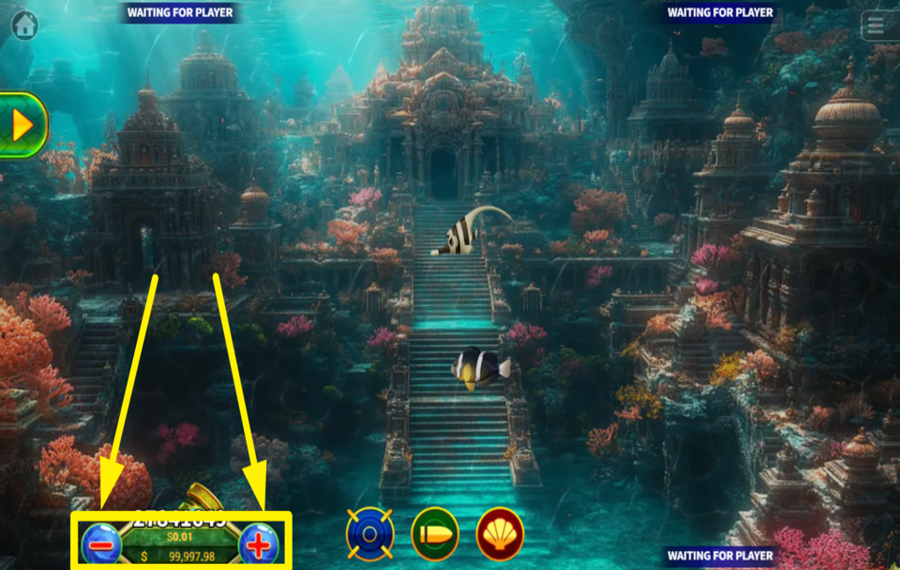
Determine your betting amount by clicking the "+" and "-" buttons found below the cannon in the lower left corner of the screen.
3
CRANK THE CANNON!
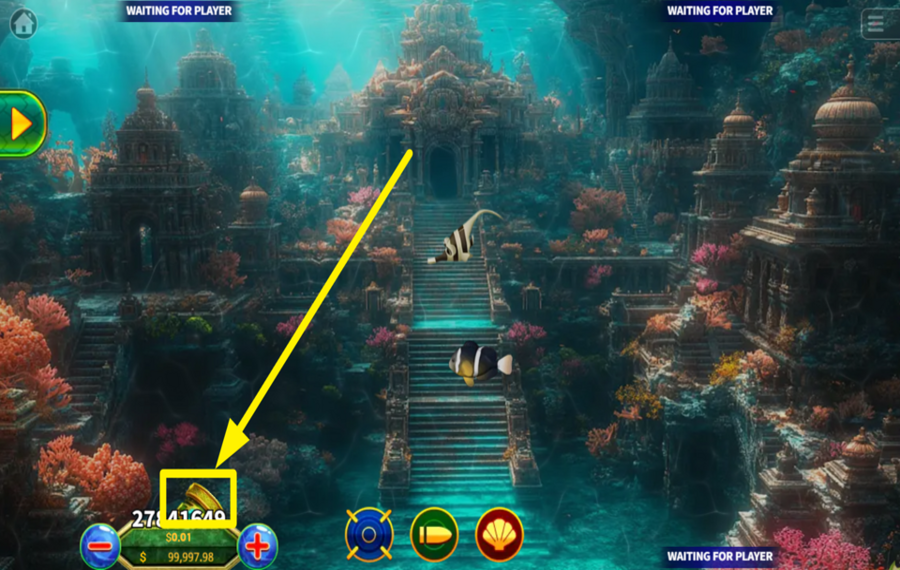
Click on the marine creature you'd like to target, and the cannon will automatically adjust its aim and fire. For greater precision, you can manually control the cannon’s direction by clicking on it to guide your shots.
4
ENABLE AUTOPLAY.
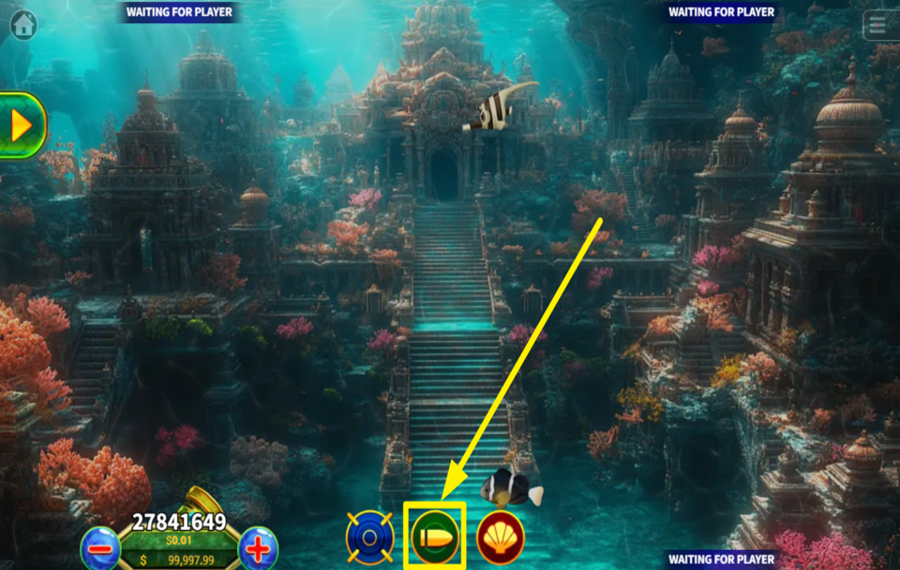
If you prefer a hands-free experience, activate the automatic shooting mode. Simply click the green "Auto" button at the bottom center of the screen, and your cannon will continuously fire at nearby marine creatures.
5
TAKE ADVANTAGE OF LOCKED SHOOTING.
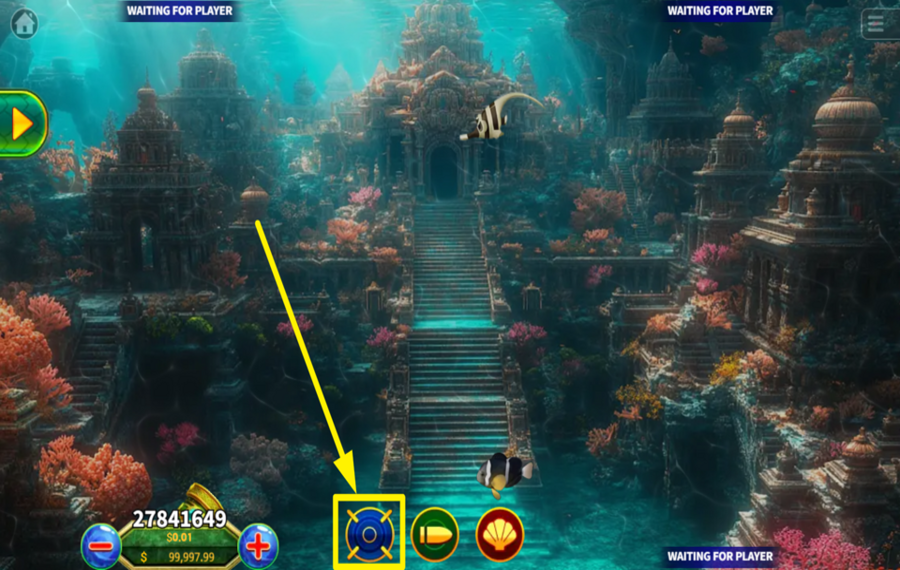
Lock onto a specific creature to maintain steady fire until it’s captured. Activate the "Lock" feature by clicking the telescope button at the bottom of the screen.
Ice Dragon King Ratings & Reviews
Rate and Review Ice Dragon King
When writing a Game Review, remember to share your personal experience in detail - whether it's positive or negative. For more tips on writing game reviews, check out our dedicated Help Page.
How to Write a Game ReviewIce Dragon King Q&As
Got questions about Ice Dragon King?
Ask a QuestionCompare Ice Dragon King to Other Games
+![Hook Up Fishing Wars]()

Hook Up Fishing Wars
RTP: 0%
+![Octopus Legend]()

Octopus Legend
RTP: 90%
+![Deep Overlord]()

Deep Overlord
RTP: 90%
+![NetGame Lucky Fishing]()

NetGame Lucky Fishing
RTP: 96.23%
+![Jackpot Fishing]()

Jackpot Fishing
RTP: 97%
+![Lucky Fish]()

Lucky Fish
RTP: 96%
+![Mutant Abyss]()

Mutant Abyss
RTP: 96%
+![Deepsea Luminous]()

Deepsea Luminous
RTP: 96%
+![Fish and Deeps]()

Fish and Deeps
RTP: 94.8%
+![Battle of Luck]()

Battle of Luck
RTP: 96%
RatingSoftwareYearRTP




Show more![show more arrow down]()


Other Games by KA Gaming
All 470 KA Gaming Games









- Over 2 years of experience in the iGaming industry.
- Uploaded & maintained data for 3,000+ casino games.
- Strong grasp of casino game mechanics, especially slots.
- Reviewed and fact-checked over 3,500+ casino games.

