


 Casinos
 Bonuses


InOut Rock Paper Scissors


InOut Rock Paper Scissors Details


Times Played
 No
No
3D animation
No
Technology
HTML5
Play InOut Rock Paper Scissors Slot for Real Money




Load More Casinos (+10)
How to Play InOut Rock Paper Scissors Slot: Mastering the Basics
1
ADJUST YOUR BET.
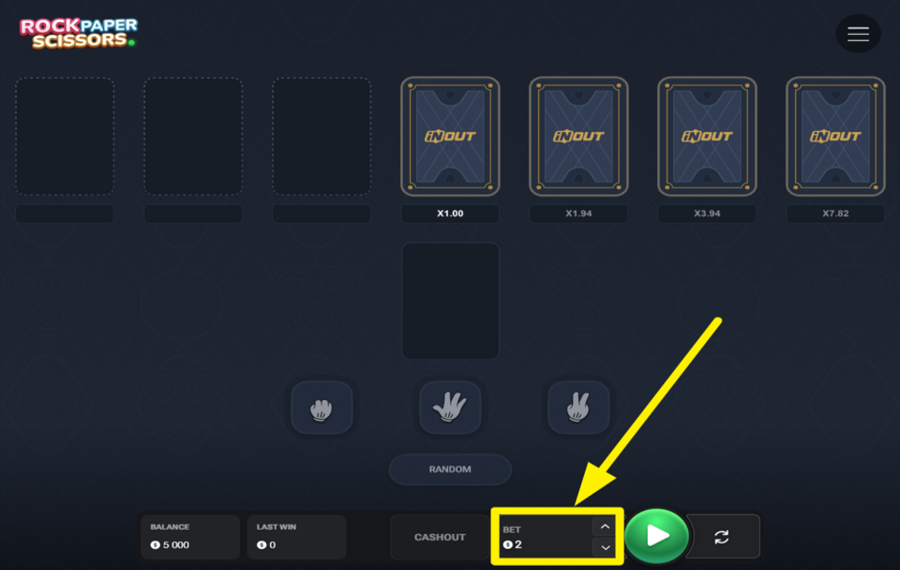
Set your wager by clicking the up and down arrows beside the amount displayed at the bottom of the screen.
2
BEGIN A ROUND.
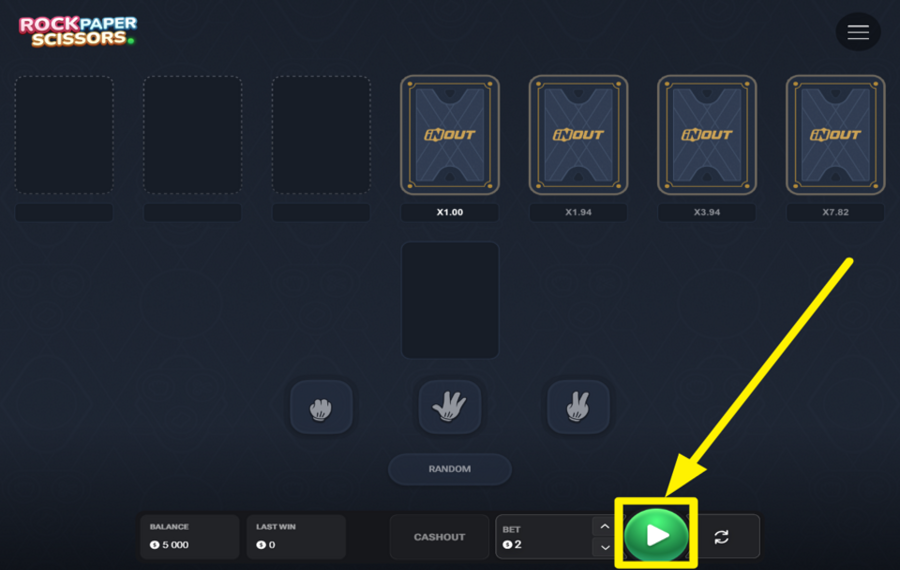
After adjusting your "bet," hit the green "Play" button to begin the round. You’ll be prompted to make your move.
3
CHOOSE ROCK, PAPER, OR SCISSORS.

Now it’s time to make your move. Click on Rock (represented by a fist), Paper (represented by an open hand), or Scissors (represented by a two-finger gesture). Each option has its own advantage: Rock crushes Scissors, Scissors cuts Paper, and Paper covers Rock. Your goal is to choose the gesture that beats your opponent’s. If you both pick the same gesture, it results in a draw. But if your choice beats theirs, you’ll win the round, and your payout multiplier will increase.
4
USE THE RANDOM OPTION.
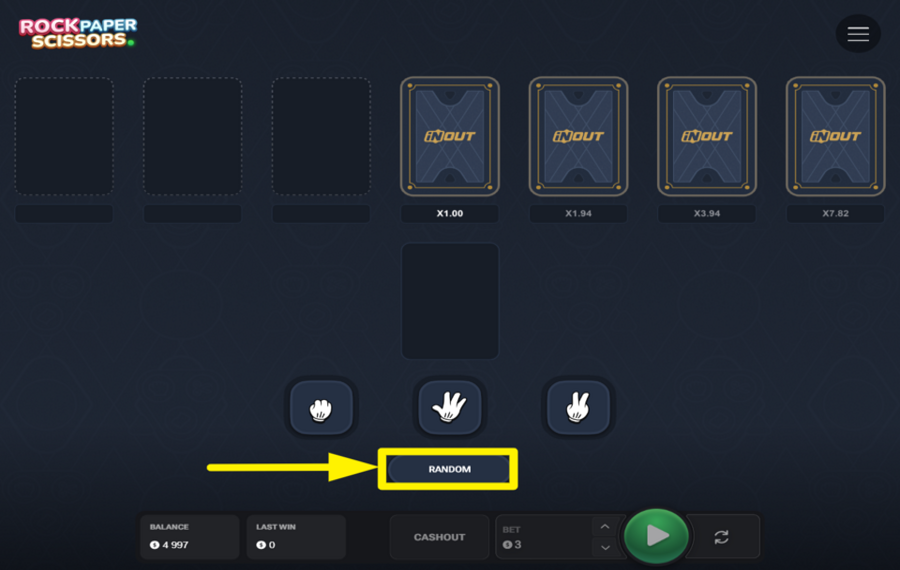
If you can’t decide between Rock, Paper, or Scissors, click the "Random" button. This will let the system choose your move for you. It’s a quick and easy way to play if you’d rather leave your decision to chance.
5
CASH OUT YOUR WINNINGS.
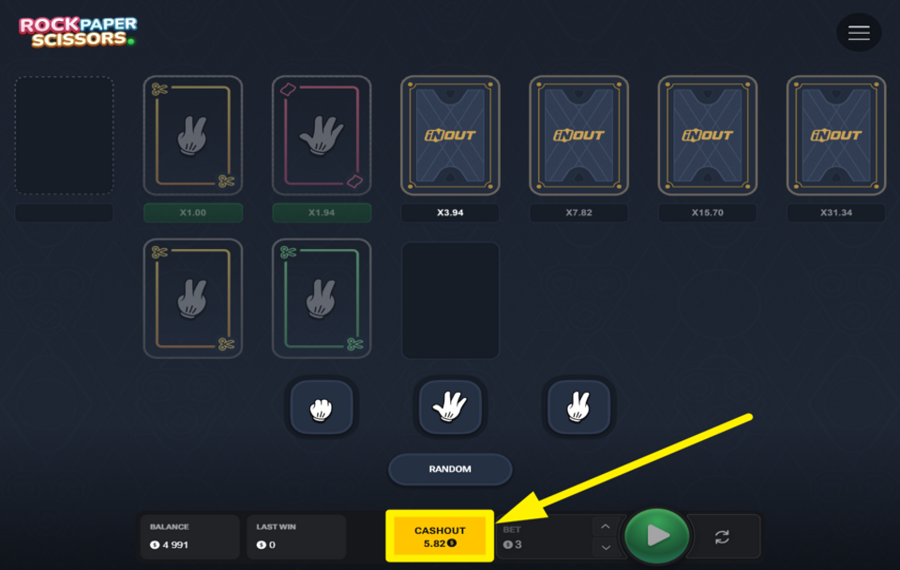
After the round concludes, check the result. If you win, your payout multiplier will increase, and you’ll have the option to cash out. To do so, click the "Cashout" button at the bottom of the screen.
6
UTILIZE AUTOPLAY.
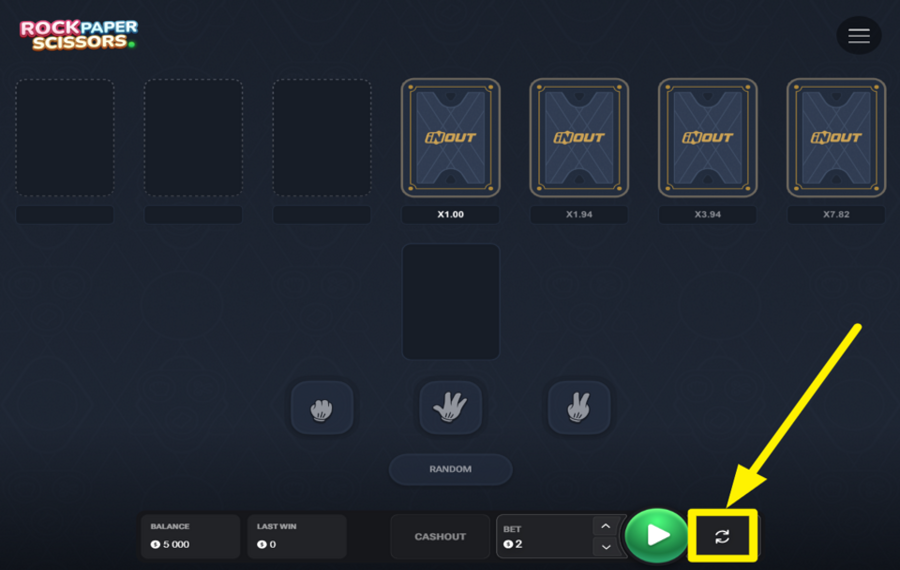
To let the game run on its own, you can use "Autoplay." Click on the button on the right side of the "Play" button and choose the number of rounds you'd like to play automatically. You can also set limits, such as stopping if your balance decreases by a certain amount or if the payout multiplier exceeds a target. Once you're ready, click "Start".
InOut Rock Paper Scissors Ratings & Reviews
Our community rated InOut Rock Paper Scissors as Very Good with a score of 4.6 out of 5 based on 10 votes.




roulie07Level 7France


Alex_cheLevel 8



Jmoneycool1Level 8Canada
uztrewertzu![account-cancel]() Suspended
Suspended
 Suspended

GoenndyrLevel 8Germany


KPAULS960311Level 1
Anjelic14Level 12New Zealand
14.04Level 8
Televizorius![account-cancel]() Suspended
Suspended
SuspendedJvannuLevel 4
Rate and Review InOut Rock Paper Scissors
When writing a Game Review, remember to share your personal experience in detail - whether it's positive or negative. For more tips on writing game reviews, check out our dedicated Help Page.
How to Write a Game ReviewInOut Rock Paper Scissors Q&As
Got questions about InOut Rock Paper Scissors?
Ask a QuestionCompare InOut Rock Paper Scissors to Other Games
+![Chicken Dash]()

Chicken Dash
RTP: 96.85%
+![Cash Stack]()

Cash Stack
RTP: 97%
+![Goblin Tower]()

Goblin Tower
RTP: 95%
+![Chicken Road Gold]()

Chicken Road Gold
RTP: 95.5%
+![Chicken Dash 10000]()

Chicken Dash 10000
RTP: 97%
+![Caramelo Dog Lucky Run]()

Caramelo Dog Lucky Run
RTP: 96%
+![Cash Balloon]()

Cash Balloon
RTP: 97%
+![TrueLab Monkey Money]()

TrueLab Monkey Money
RTP: 99%
+![Labu Run]()

Labu Run
RTP: 95%
+![Fox Job]()

Fox Job
RTP: 95%
RatingSoftwareYearRTP




Show more![arrow_down]()


Other Games by InOut Games
All 67 InOut Games Games









Mihai Enculescu
Senior Game Expert
- Over 2 years of experience in the iGaming industry.
- Uploaded & maintained data for 3,000+ casino games.
- Strong grasp of casino game mechanics, especially slots.
- Reviewed and fact-checked over 3,500+ casino games.

