


 Casinos
 Bonuses


InOut Joker Poker


InOut Joker Poker Details


Times Played
 No
No
3D animation
No
Technology
HTML5
Play InOut Joker Poker Slot for Real Money




Load More Casinos (+10)
How to Play InOut Joker Poker Slot: Mastering the Basics
1
ASSIGN A BET VALUE.
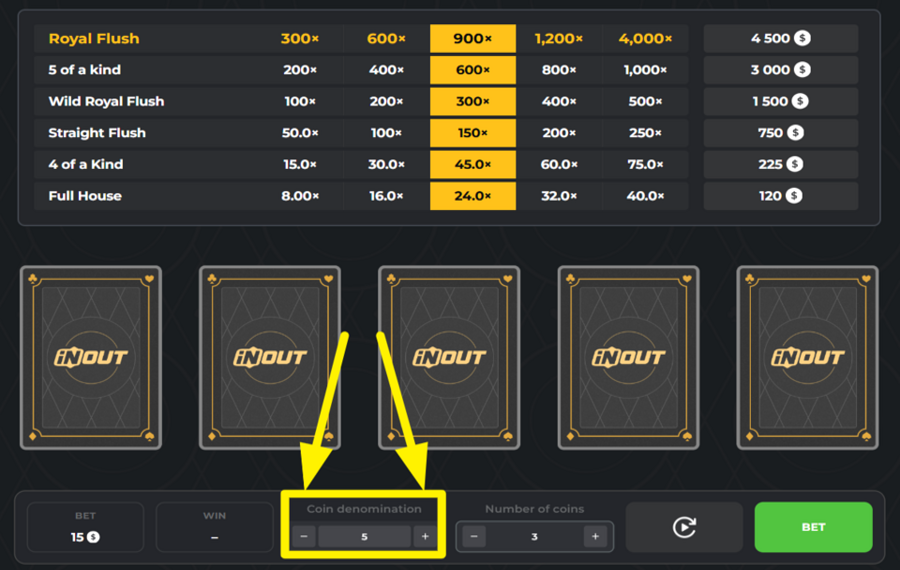
Use the “Coin Denomination” box located below the cards to set the value of each coin. Press the “+” or “-” buttons to increase or decrease the denomination until you reach the amount you want to play with. This value directly affects the total size of your “bet.”
2
ADJUST THE NUMBER OF COINS.
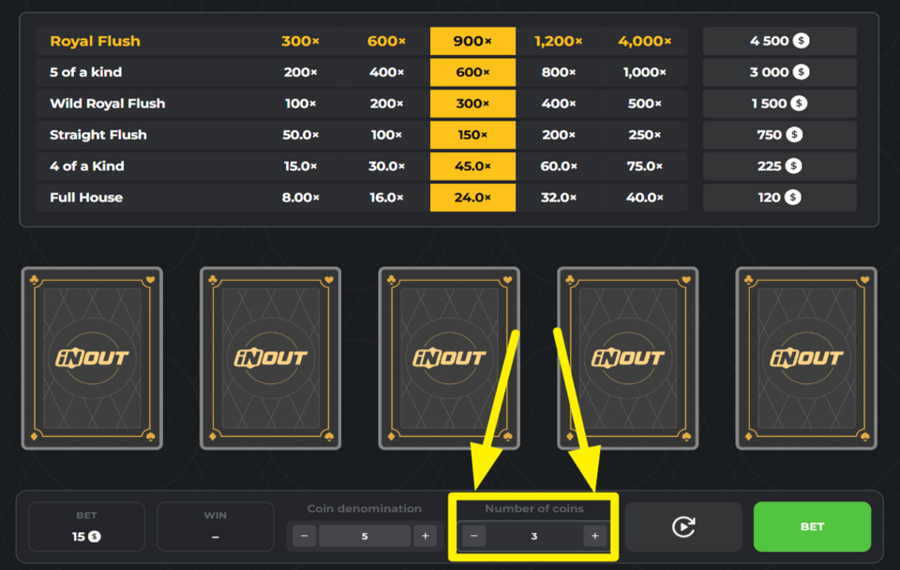
Right next to the denomination box, you will find the “Number of Coins” box. Click the “+” or “-” buttons to decide how many coins you want to play per round. The total wager is calculated by multiplying your chosen denomination by the number of coins.
3
LET THE FUN BEGIN!
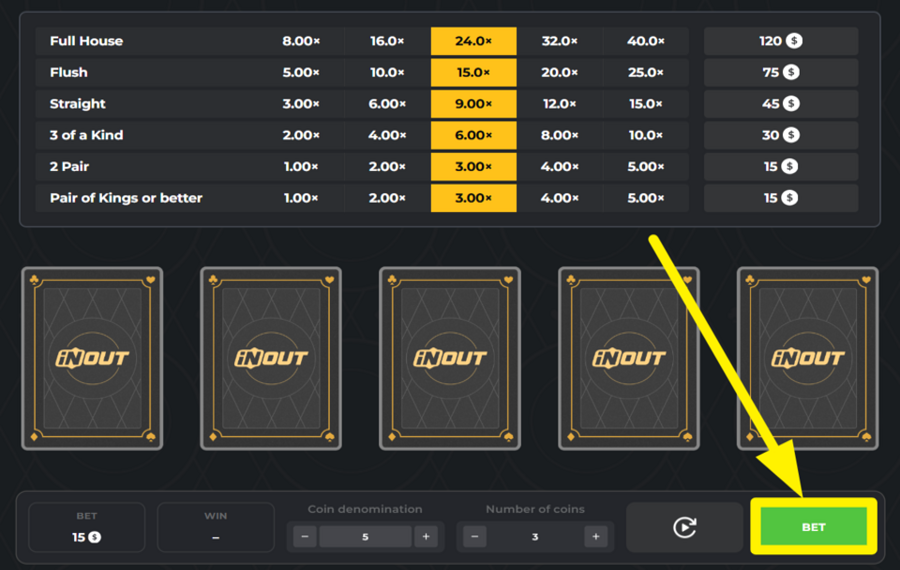
Press the large green “Bet” button at the bottom right to start the round. Once you do this, five cards will be dealt face-up on the screen. The paytable above shows how much each winning combination pays, and payouts depend on the size of your “bet.”
4
HOLD THE CARDS.
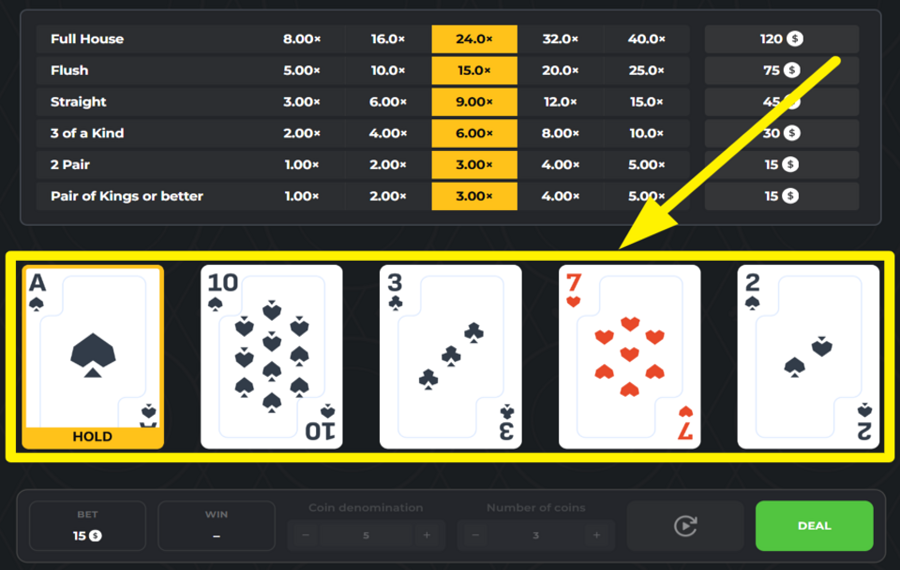
Decide which cards you want to keep by clicking them. They’ll be marked as “Hold.” Unheld cards will be swapped out when you press “Deal.” For example, if you’re dealt two Queens, you may hold them since a pair already gives you a payout and could improve to Three of a Kind, Full House, or even Four of a Kind with the new draw.
5
DOUBLE OR CASH OUT YOUR WINNINGS.
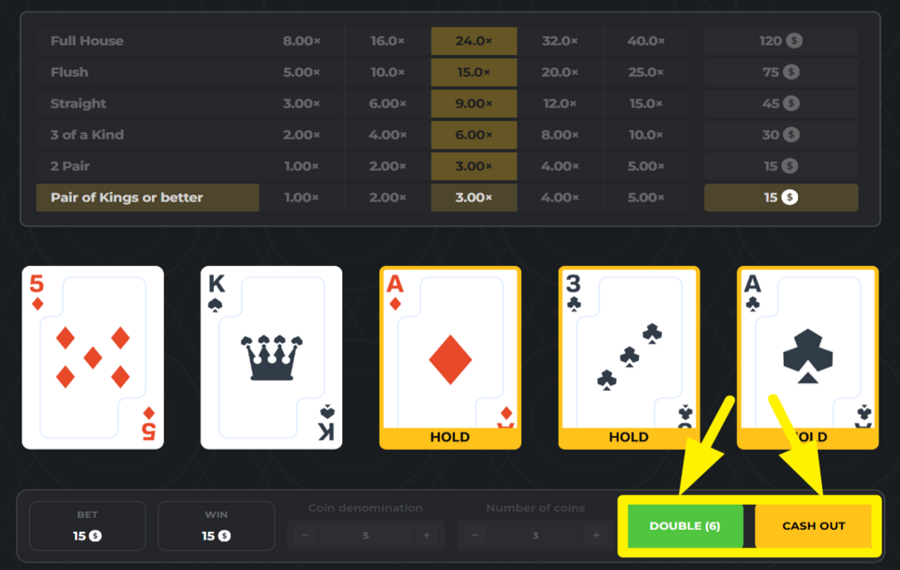
If your hand forms a winning combination, you’ll see two options. Press the yellow “Cash Out” button to secure your prize, or choose the green “Double” button to risk it. If you pressed “Double,“ you must pick a card higher than the dealer’s. Succeed, and your winnings double. You can keep going up several times.
6
REPEAT YOUR LAST BET.
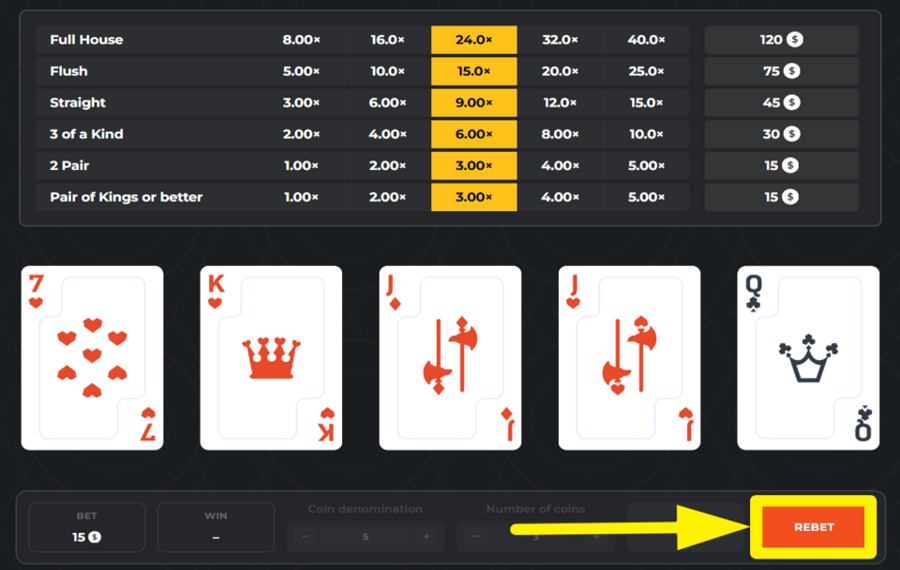
When a round ends, you can quickly repeat the same wager by pressing the red “Rebet” button at the bottom right. This way, you don’t have to reset denomination or coin numbers each time.
7
ENABLE AUTOPLAY.
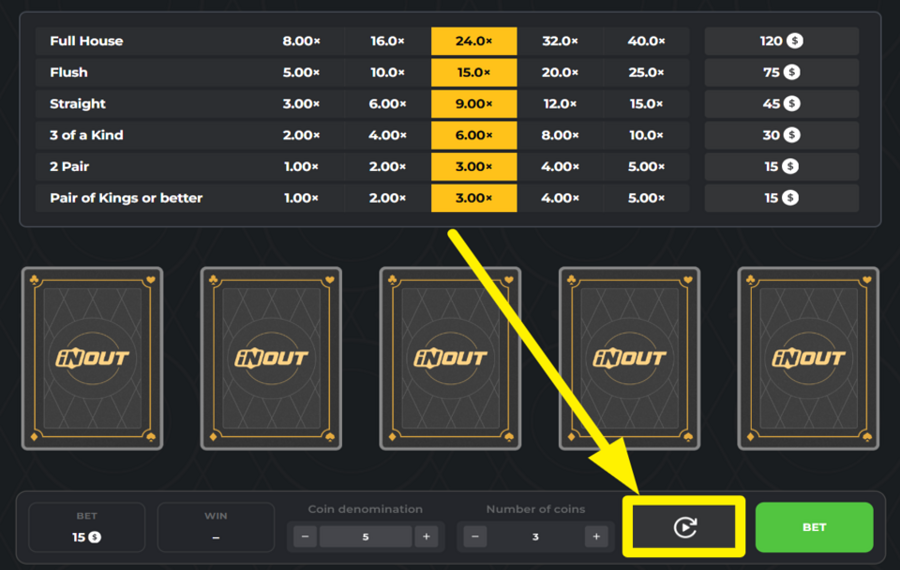
For hands to play out automatically, click the circular “Autoplay” button next to “Bet.” The game then runs several rounds in sequence, automatically holding cards and crediting any wins. Note that in “Autoplay,“ the “Double” option is disabled—you simply receive payouts for whatever winning hands appear, such as Flushes or Full Houses, without extra choices.
InOut Joker Poker Ratings & Reviews
Our community rated InOut Joker Poker as Very Good with a score of 4.2 out of 5 based on 17 votes.




Alex_cheLevel 8


uztrewertzu![account-cancel]() Suspended
Suspended
 Suspended
vxrxnx![account-cancel]() Suspended
Suspended
SuspendedJerodbowen225![account-cancel]() Suspended
Suspended
Suspended

GoenndyrLevel 8Germany




pingvinasLevel 39
1996KlestilLevel 1Czech Republic




JayNee0268![account-cancel]() Suspended
Suspended
Suspended

KPAULS960311Level 1
14.04Level 8
uztrewert![account-cancel]() Suspended
Suspended
SuspendedJeroMaatjeLevel 6


Nikole7979![account-cancel]() Suspended
Suspended
SuspendedZouharhall![account-cancel]() Suspended
Suspended
SuspendedTelevizorius![account-cancel]() Suspended
Suspended
SuspendedShow 2 more
Rate and Review InOut Joker Poker
When writing a Game Review, remember to share your personal experience in detail - whether it's positive or negative. For more tips on writing game reviews, check out our dedicated Help Page.
How to Write a Game ReviewInOut Joker Poker Q&As
Got questions about InOut Joker Poker?
Ask a QuestionCompare InOut Joker Poker to Other Games
+![Video Poker 3 in 1]()

Video Poker 3 in 1
RTP: Undisclosed
+![Double Double Bonus Power Poker]()

Double Double Bonus Power Poker
RTP: 98.98%
+![Multihand Titan Poker]()

Multihand Titan Poker
RTP: 97.97%
+![Lets Poker]()

Lets Poker
RTP: 94.36%
+![Joker Poker]()

Joker Poker
RTP: 96.07%
+![Fancy Poker 5]()

Fancy Poker 5
RTP: Undisclosed
+![BetConstruct Russian Poker]()

BetConstruct Russian Poker
RTP: Undisclosed
+![Sigma Flush Attack]()

Sigma Flush Attack
RTP: 96.05%
+![Stake Games Video Poker]()

Stake Games Video Poker
RTP: Undisclosed
+![DragonGaming Video Poker Jacks or Better]()

DragonGaming Video Poker Jacks or Better
RTP: 99.54%
RatingSoftwareYearRTP




Show more![arrow_down]()


Other Games by InOut Games
All 67 InOut Games Games









Mihai Enculescu
Senior Game Expert
- Over 2 years of experience in the iGaming industry.
- Uploaded & maintained data for 3,000+ casino games.
- Strong grasp of casino game mechanics, especially slots.
- Reviewed and fact-checked over 3,500+ casino games.

