


 Casinos
 Bonuses


Gold Goal Plinko


Gold Goal Plinko Details


Times Played
 No
No
3D animation
No
Technology
HTML5
Play Gold Goal Plinko Slot for Real Money





Load More Casinos (+10)
How to Play Gold Goal Plinko Slot: Mastering the Basics
1
ADJUST YOUR BET.
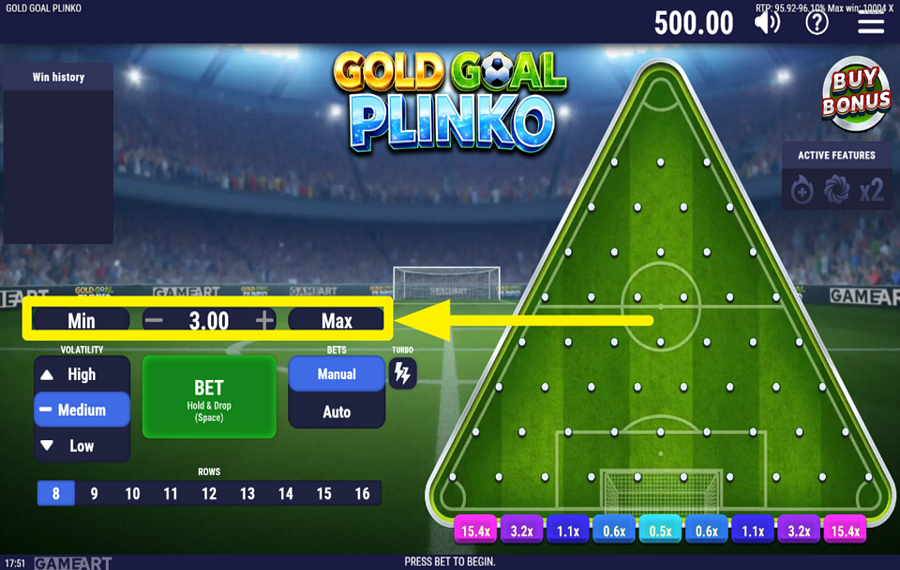
Click the "-" and "+" buttons flanking the displayed "bet" amount on the left side of the screen to decrease or increase your stake. If you want to jump straight to the lowest or highest available amount, press the "Min" or "Max" buttons on either side of the controls.
2
CHOOSE THE NUMBER OF ROWS.
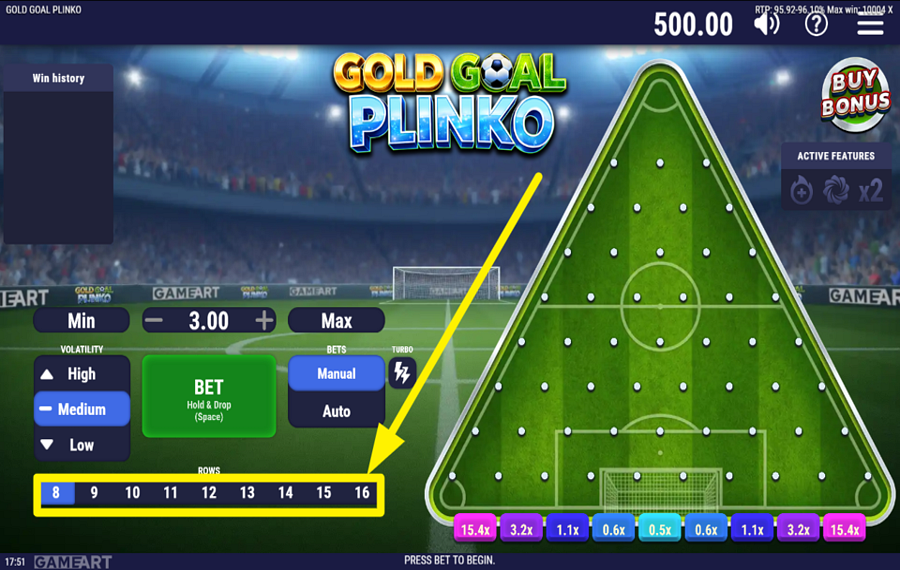
Select the number of rows using the numbered buttons running along the bottom of the screen. You can choose anywhere from 8 to 16 rows. Changing the number of rows alters the distance the ball travels through the pegs before reaching one of the multiplier pockets at the bottom, affecting both the possible rewards and the ball's movement across the board.
3
SET THE RISK LEVEL.
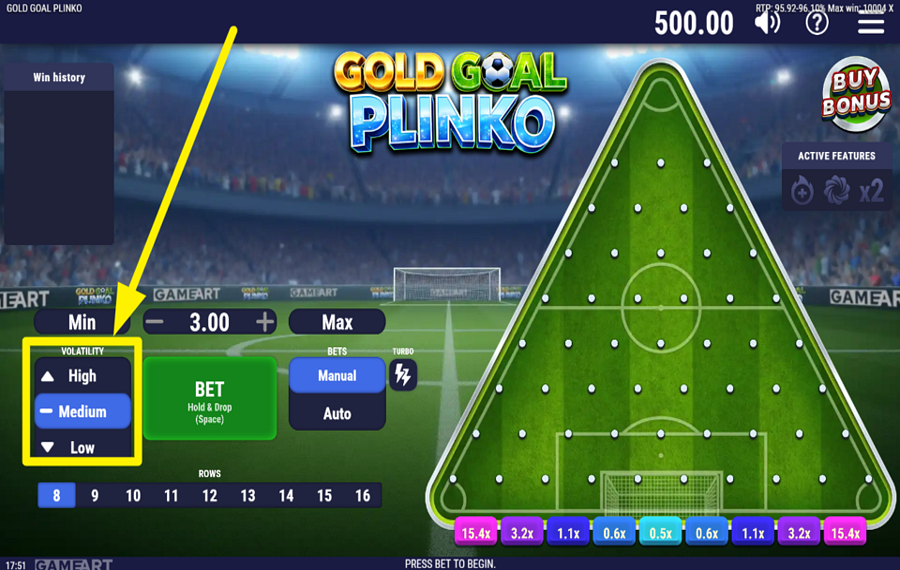
Choose a "Volatility" setting from the panel on the left side of the screen before you play. Pick "Low," "Medium," or "High" depending on the type of experience you want. Higher volatility generally offers access to larger multipliers but makes high-paying outcomes less frequent, while lower volatility produces steadier results with more modest rewards.
4
DROP THE BALL.
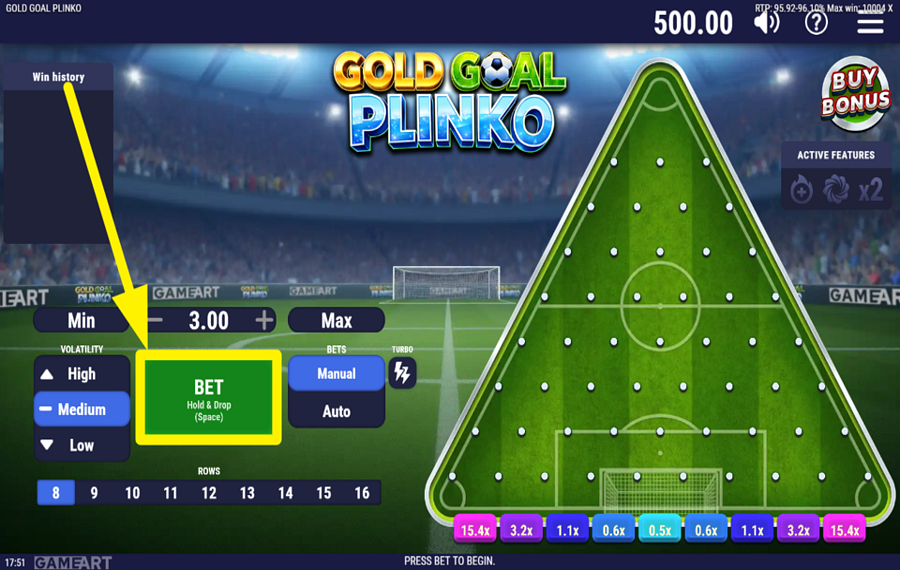
Press the large green "Bet" button in the lower-left area to release a football from the top of the board. As it bounces off the pegs, it changes direction randomly until it lands in one of the multiplier slots along the bottom edge. Your payout is determined by the multiplier at the ball's finish, multiplied by your selected "bet."
5
ENABLE AUTOPLAY.
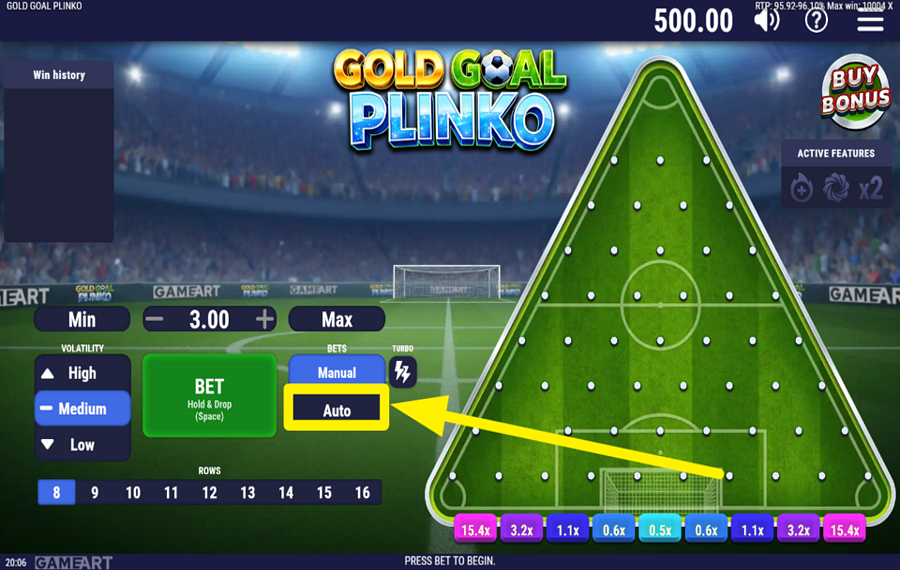
Switch from "Manual" to "Auto" using the buttons beside the play button. Once "Auto" is active, adjust the number of automatic rounds with the "-" and "+" controls that appear underneath. Press the green "Bet" button to begin, and the game will continue dropping balls automatically until the selected number of rounds has been completed or the sequence is interrupted.
6
ACTIVATE TURBO MODE.
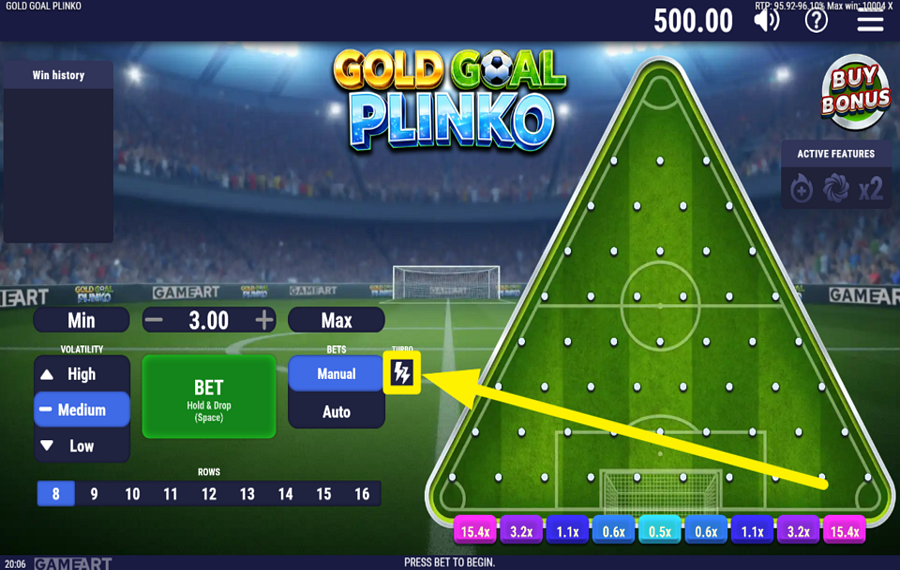
Tap the lightning bolt button labelled "Turbo," positioned to the right of the "Manual" and "Auto" controls, to increase the game speed. With this option enabled, balls are released, and rounds are completed more quickly.
7
PURCHASE A BONUS FEATURE.
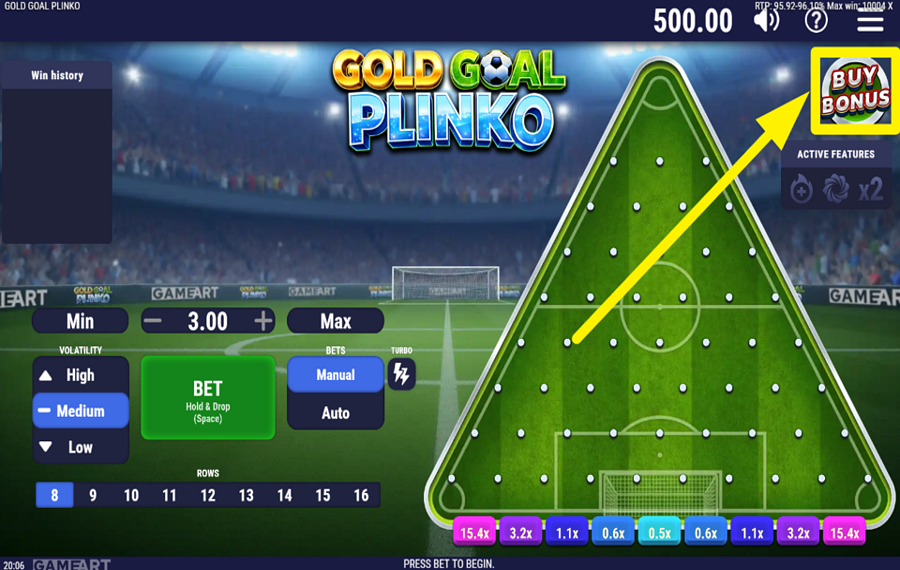
Press the "Buy Bonus" button in the upper-right corner of the screen to open the feature selection window before starting a round. Inside, you can enable "Champion Ball," "Multiplier Gates," and "Free Kick" individually or combine multiple features. "Champion Ball" releases a special ball that enters the board lower down, increasing its chances of reaching the higher-paying multiplier pockets. "Multiplier Gates" adds up to six x2 gates across the board, allowing the ball to collect cumulative multipliers before reaching the bottom. "Free Kick" awards an additional free ball whenever your original ball lands in a qualifying pocket. If you combine "Multiplier Gates" and "Free Kick," the free ball can also travel through the multiplier gates.
Gold Goal Plinko Ratings & Reviews
Our community rated Gold Goal Plinko as Poor with a score of 2.5 out of 5 based on 2 votes.




Jolanta89Level 14Poland





kredkaLevel 4Poland
Rate and Review Gold Goal Plinko
When writing a Game Review, remember to share your personal experience in detail - whether it's positive or negative. For more tips on writing game reviews, check out our dedicated Help Page.
How to Write a Game ReviewGold Goal Plinko Q&As
Got questions about Gold Goal Plinko?
Ask a QuestionCompare Gold Goal Plinko to Other Games
+![Golden Plinko]()

Golden Plinko
RTP: 96%
+![Chicken Plinko]()

Chicken Plinko
RTP: 96.14%
+![Plinko of Mine]()

Plinko of Mine
RTP: Undisclosed
+![Plinko Football]()

Plinko Football
RTP: 97.09%
+![Plinkgoal]()

Plinkgoal
RTP: 94.79%
+![Plinko Cup]()

Plinko Cup
RTP: 96%
+![Pearl o Plinko Mermaid Cove]()

Pearl o Plinko Mermaid Cove
RTP: 98.37%
+![Fu Long Plinko]()

Fu Long Plinko
RTP: 95%
+![Plinko Basket]()

Plinko Basket
RTP: 92%
+![Plinko Striker]()

Plinko Striker
RTP: 96%
RatingSoftwareYearRTP




Show more![arrow_down]()


Other Games by GameArt
All 173 GameArt Games









Mihai Enculescu
Senior Game Expert
- Over 2 years of experience in the iGaming industry.
- Uploaded & maintained data for 3,000+ casino games.
- Strong grasp of casino game mechanics, especially slots.
- Reviewed and fact-checked over 3,500+ casino games.

