


 Casinos
 Bonuses


Joker Jewels Magic Card


Joker Jewels Magic Card Details

Software
Game Time Tec
Release date
Mar 02, 2026
Game type
Scratch Cards

Times Played
 No
No
3D animation
No
Technology
HTML5
Play Joker Jewels Magic Card Slot for Real Money





Load More Casinos (+6)
How to Play Joker Jewels Magic Card Slot: Mastering the Basics
1
CHOOSE YOUR BET.
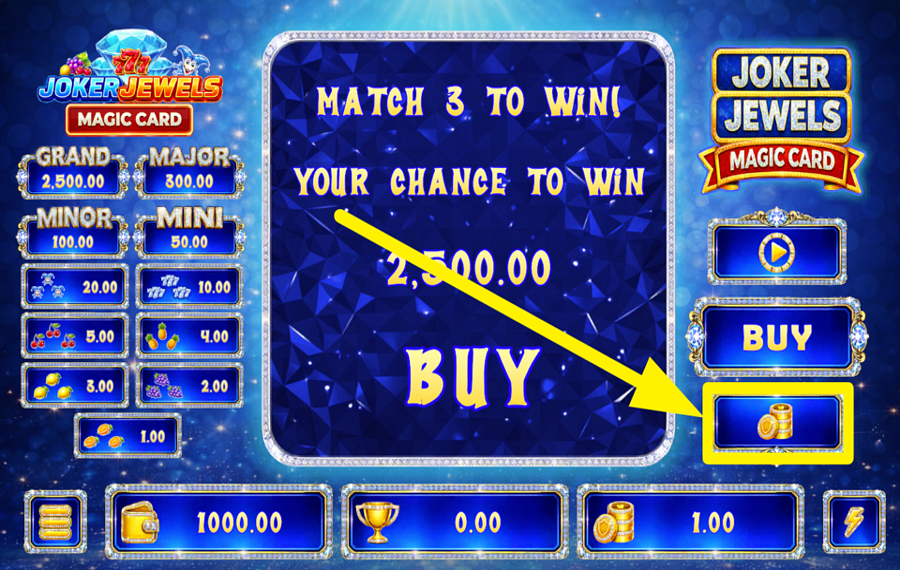
Click the coin stack button on the right side of the main screen to open the "Select Bet" window. You can increase or decrease your "bet" with the "+" and "-" buttons at the top, choose one of the preset values displayed below, or fine-tune the amount using the slider. When you are happy with your selection, press the green "Confirm" button to save it for the next card.
2
BUY A CARD.
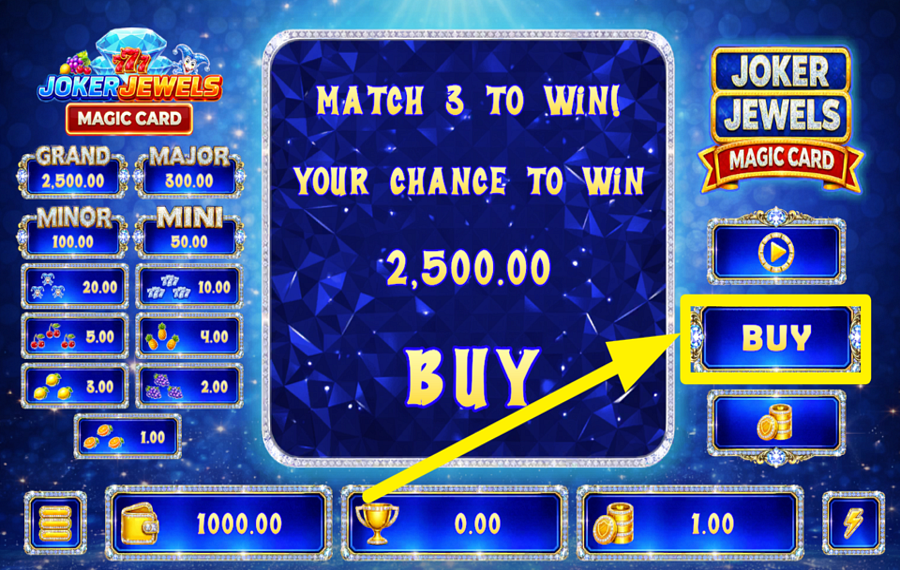
Press the large "Buy" button on the right-hand side of the interface to start a new round. The game immediately purchases a fresh scratch card using your selected "bet" and places a covered 3×3 grid in the middle of the screen. Every new card gives you a fresh chance to uncover matching symbols and win.
3
SCRATCH THE GRID.
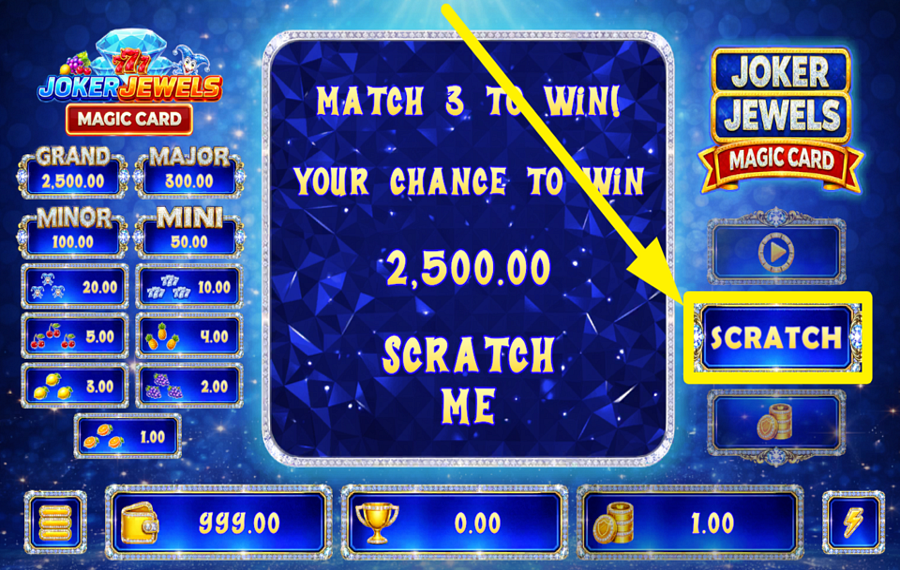
Click the "Scratch" button on the right side of the screen or scratch directly on the card to remove the protective layer. Keep revealing the concealed symbols until all nine positions on the 3×3 grid are visible. You win whenever three identical symbols appear anywhere on the grid, and once a winning combination is detected or the card is fully uncovered, the remaining scratch layer is removed automatically.
4
TURN ON AUTOMATIC SPINNING.
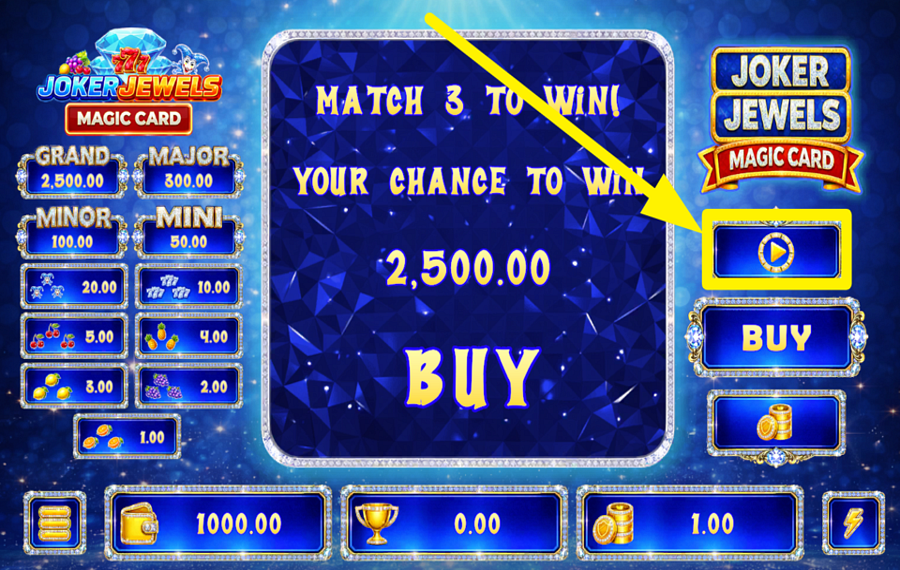
Press the circular "Autoplay" button above the "Buy" button to open the automatic play menu. Choose how many games you want the system to play, from 5 up to 100 consecutive rounds, then press "Submit." The game will continue purchasing new cards and revealing the results automatically until the selected number of games has been completed.
5
CHANGE THE SPEED.
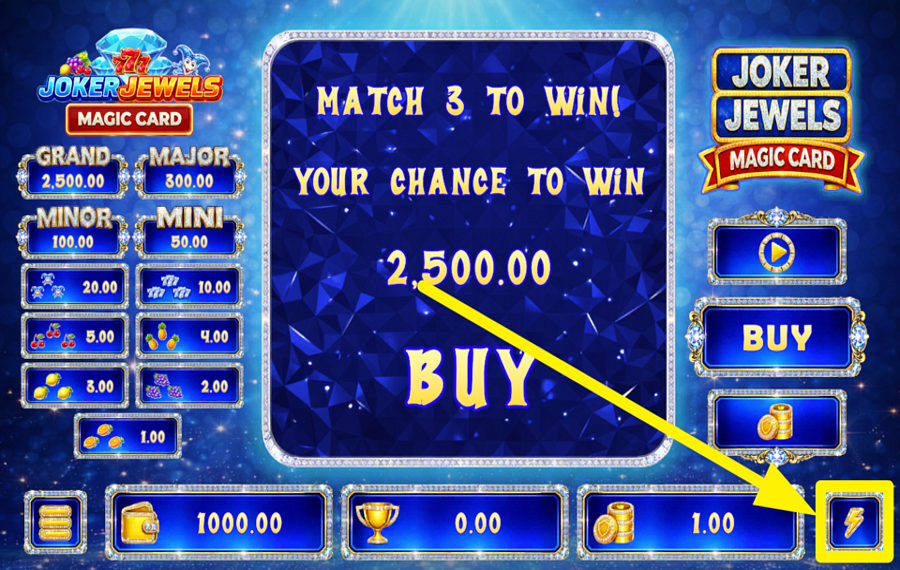
Tap the lightning bolt button in the bottom-right corner of the screen to switch on "Turbo" mode. This option speeds up the game's animations, allowing cards to be purchased and revealed more quickly. Press the same button again whenever you want to return to the standard game speed.
Joker Jewels Magic Card Ratings & Reviews
Our community rated Joker Jewels Magic Card as Very Good with a score of 4.7 out of 5 based on 3 votes.




pingvinasLevel 39





Jmoneycool1Level 8Canada



uztrewertzu![account-cancel]() Suspended
Suspended
 Suspended
Rate and Review Joker Jewels Magic Card
When writing a Game Review, remember to share your personal experience in detail - whether it's positive or negative. For more tips on writing game reviews, check out our dedicated Help Page.
How to Write a Game ReviewJoker Jewels Magic Card Q&As
Got questions about Joker Jewels Magic Card?
Ask a QuestionCompare Joker Jewels Magic Card to Other Games
+![Ruby 7s]()

Ruby 7s
RTP: 93%
+![Lucky Fruity]()
Lucky Fruity
RTP: Undisclosed
+![Jewel Pool]()

Jewel Pool
RTP: 66%
+![Gemstone 250K]()

Gemstone 250K
RTP: 92.5%
+![Cherry is the Name]()

Cherry is the Name
RTP: 94.73%
+![Triple Seven]()

Triple Seven
RTP: Undisclosed
+![Castle Slot]()
Castle Slot
RTP: 93.5%
+![Scratch Match Deluxe]()

Scratch Match Deluxe
RTP: 95.82%
+![Mega 777]()

Mega 777
RTP: 97%
+![Football Scratch]()

Football Scratch
RTP: 97.19%
RatingSoftwareYearRTP

Joker Jewels Magic Card
Game Time Tec
2026
96.23%



Show more![arrow_down]()


Other Games by Game Time Tec








Load More Game Time Tec Games

Rozi Vrinceanu
Casino Data Specialist
- Over 6 years of experience in the land-based casino industry;
- Deep understanding of player experience and casino operations;
- Updated and verified more than 300 online casino reviews;
- Known for precision, consistency, and a high standard of accuracy;
- Currently studying Economic Sciences at Titu Maiorescu University.

