


 Casinos
 Bonuses


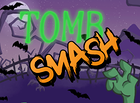
Tomb Smash


Tomb Smash Details

Software
Ethereal Gaming
Release date
Oct 09, 2024
Game type
Other

Times Played
 No
No
3D animation
No
Technology
HTML5
How to Play Tomb Smash Slot: Mastering the Basics
1
DETERMINE YOUR BET.
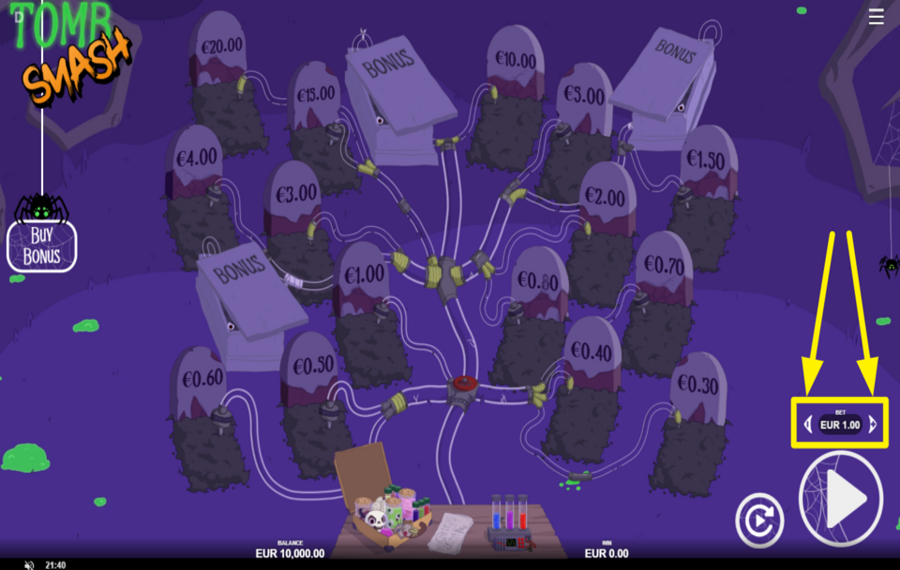
You can find the wager amount displayed on the lower-right edge of the screen. Hit the arrows on either side of it to move the stake up or down.
2
BEGIN THE SPOOKY ADVENTURE!
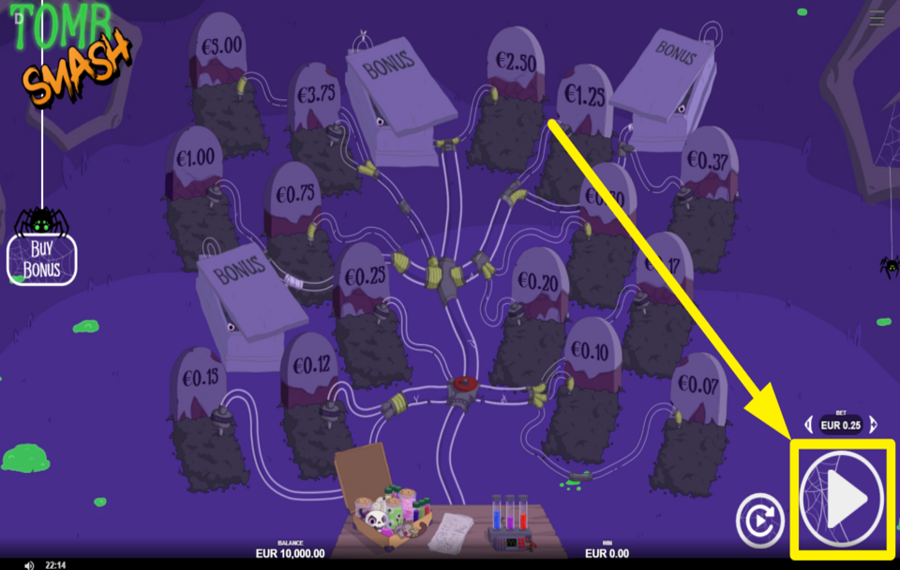
After selecting your stake, hit the large triangular “Play“ button positioned in the bottom-right corner. Tapping it begins a new round. The pipes will then start pushing the glowing liquid toward random tombstones. Whatever marker the liquid reaches, whether it’s a cash value or a special tomb, dictates the payout or feature you receive for that round.
3
ENABLE AUTOPLAY.
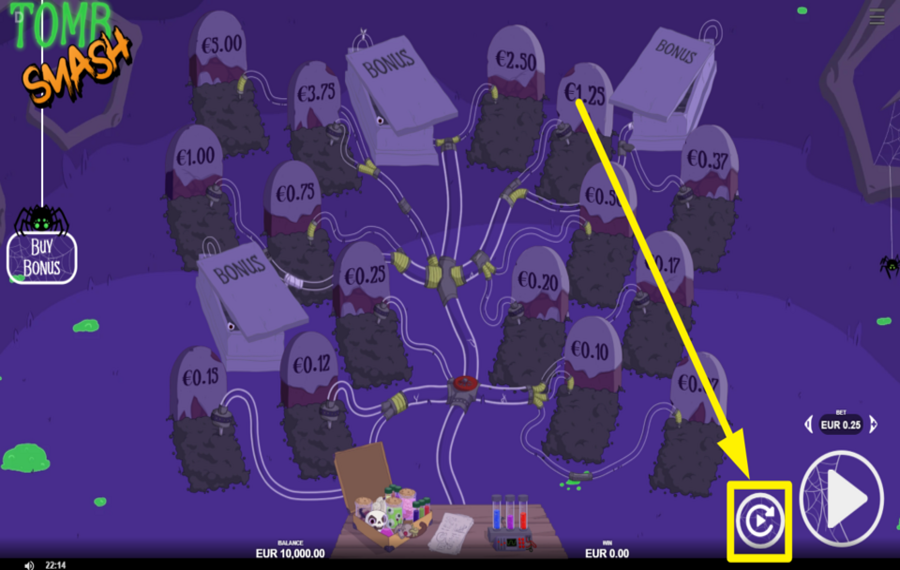
If you’d rather let the game progress on its own for a while, tap the circular “Autoplay“ icon located beside the Play button. This opens a menu where you can pick the number of automatic rounds, such as 5, 10, 20, 50, or 100. You can also impose limits, like stopping when a certain total win, total loss, or single-round win threshold is reached.
4
UNLOCK THE BONUS GAME.
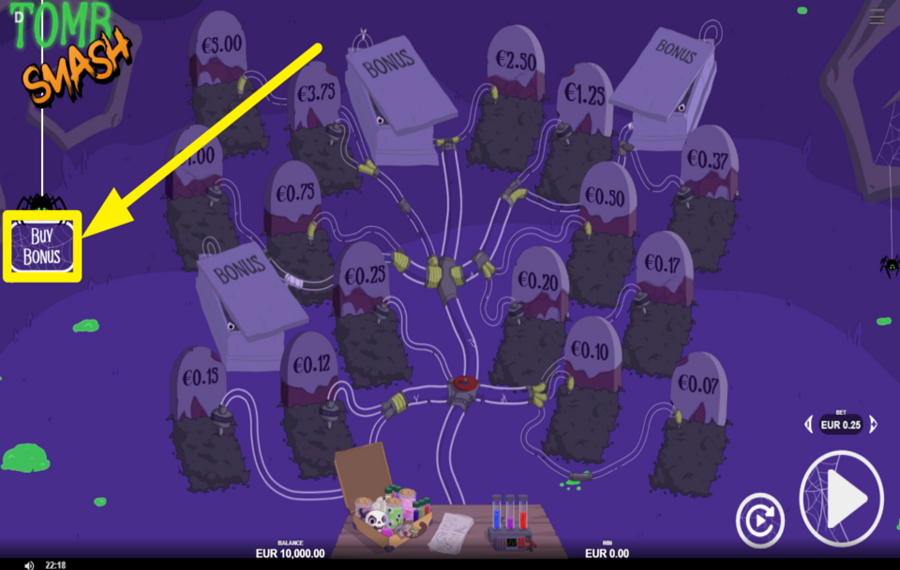
If you want to jump straight into the Bonus Lab, look to the left side of the screen where a hanging wooden sign labeled “Buy Bonus“ appears. Select it to display a panel showing the price of the feature. If you proceed by pressing “Buy,“ the game takes you directly into the sequence where you attempt to revive zombies for escalating rewards.
Tomb Smash Ratings & Reviews
Our community rated Tomb Smash as Very Good with a score of 4.3 out of 5 based on 3 votes.




GoenndyrLevel 8Germany




SuitedDutch![account-cancel]() Suspended
Suspended
 Suspended

14.04Level 8
Rate and Review Tomb Smash
When writing a Game Review, remember to share your personal experience in detail - whether it's positive or negative. For more tips on writing game reviews, check out our dedicated Help Page.
How to Write a Game ReviewTomb Smash Q&As
Got questions about Tomb Smash?
Ask a QuestionCompare Tomb Smash to Other Games
+![Vortex Halloween]()
Vortex Halloween
RTP: 97.16%
+![All Hail Cashooolu]()
All Hail Cashooolu
RTP: 96%
+![Calaveras Explosivas]()
Calaveras Explosivas
RTP: 96.7%
+![Tapinata]()
Tapinata
RTP: 96.4%
+![Troll Dice]()
Troll Dice
RTP: 93%
+![The Walking Dead Click A Win]()

The Walking Dead Click A Win
RTP: 94.45%
+![Three Zombies]()
Three Zombies
RTP: 95.05%
+![KO Island]()
KO Island
RTP: 96.14%
+![Chomplings]()
Chomplings
RTP: 96.52%
+![Trick or Tree]()
Trick or Tree
RTP: 96.5%
RatingSoftwareYearRTP
Tomb Smash
Ethereal Gaming
2024
92%

Show more![arrow_down]()


Other Games by Ethereal Gaming
Load More Ethereal Gaming Games

Mihai Enculescu
Senior Game Expert
- Over 2 years of experience in the iGaming industry.
- Uploaded & maintained data for 3,000+ casino games.
- Strong grasp of casino game mechanics, especially slots.
- Reviewed and fact-checked over 3,500+ casino games.

