


 Casinos
 Bonuses


Thunder Plinko 2


Thunder Plinko 2 Details

Software
Clawbuster
Release date
Jul 31, 2025
Game type
Plinko

Times Played
 No
No
3D animation
No
Technology
HTML5
Play Thunder Plinko 2 Slot for Real Money





Load More Casinos (+10)
How to Play Thunder Plinko 2 Slot: Mastering the Basics
1
PLACE YOUR BET.
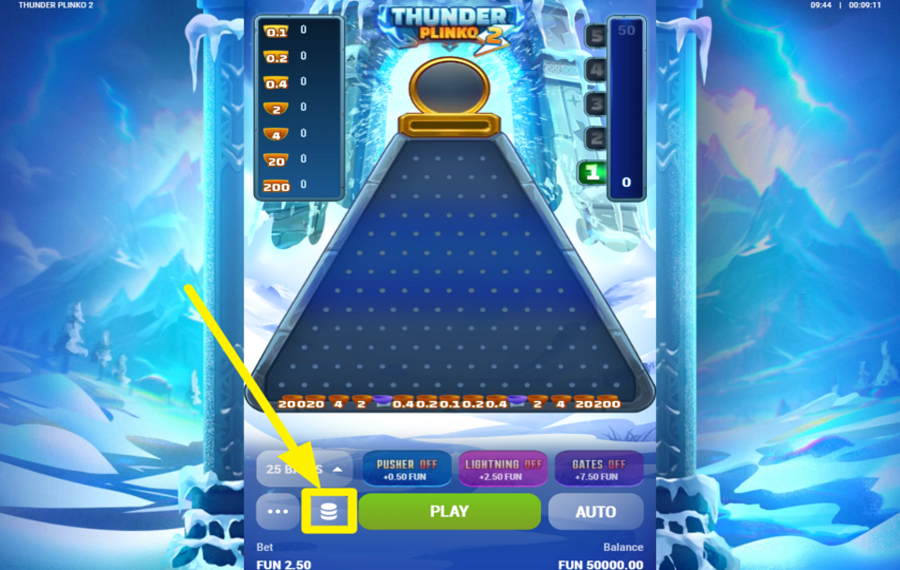
To set your "bet," click the coin stack icon at the bottom to open the selection window, where you can pick a preset wager value. Tap the amount you want to bet.
2
CHOOSE THE NUMBER OF BALLS.
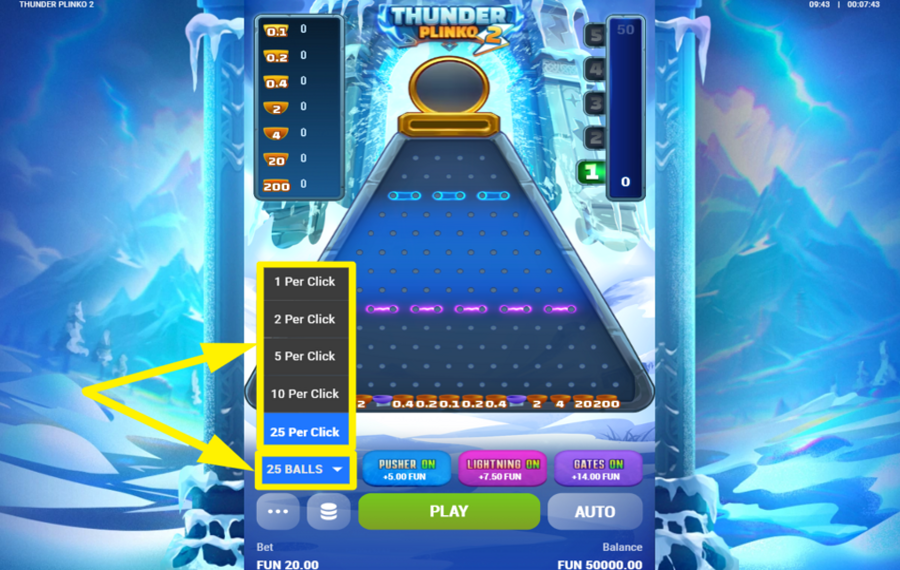
Next, select how many balls you want to drop at a time. On the lower-left side of the game panel, you’ll see the ball quantity selector showing your current choice. Press this selector to open the list, then choose how many balls should be released per click.
3
DROP THE BALLS.
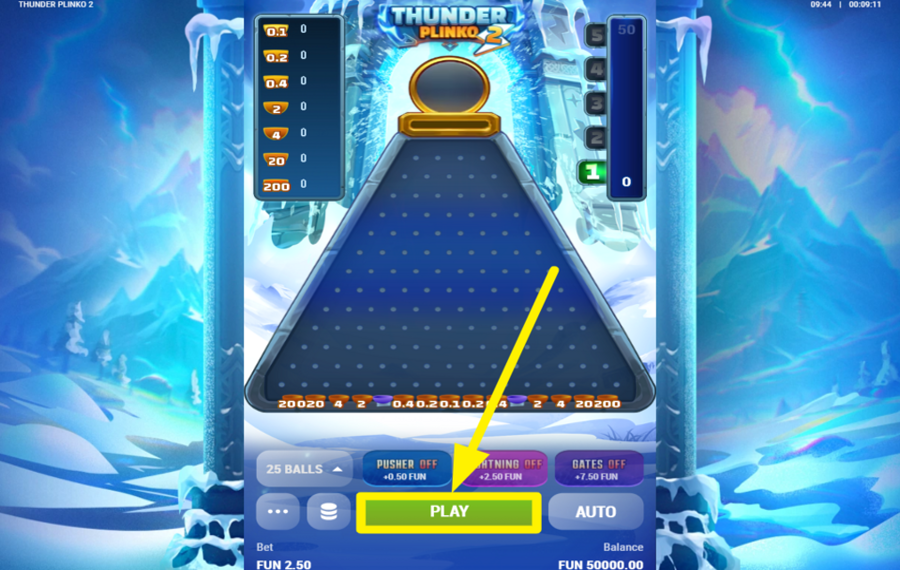
Once your settings are ready, press the large green "Play" button at the bottom center of the screen to launch the balls. Each ball falls from the top opening and bounces through the pegged board with 13 rows, forming a random path until it lands in a prize slot at the bottom. Your payout is calculated based on where the ball lands.
4
ENABLE AUTOPLAY.
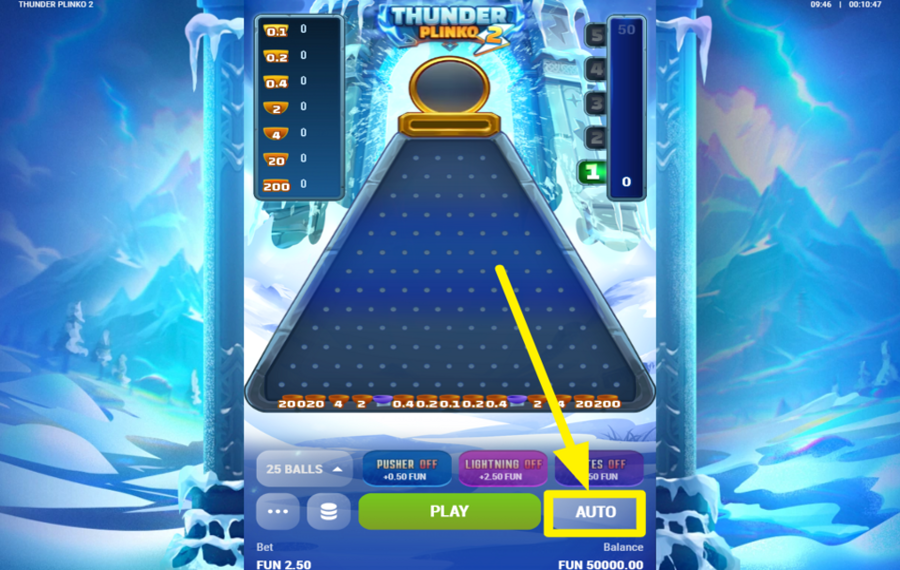
If you want the game to keep dropping balls without manual clicking, tap the "Auto" button on the bottom right, located directly to the right of the green "Play" button. Pressing it opens the "Autoplay" screen, where you can select the number of rounds the game should run automatically, such as 10, 20, 30, 40, 50, 100, or 200. After choosing the desired count, press "Start Autoplay" to begin. The game will continue dropping balls automatically until you switch back to manual mode.
5
APPLY THE BONUS BET.
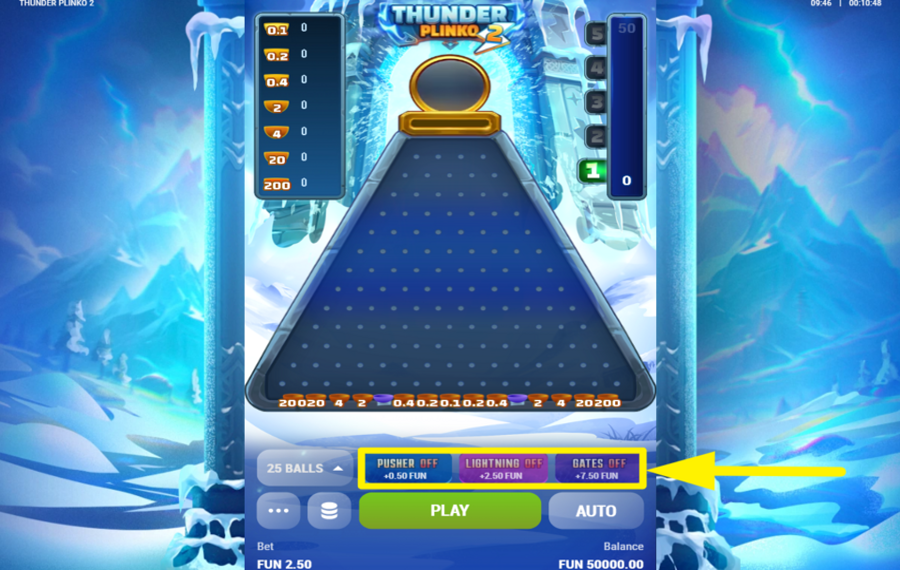
"Thunder Plinko 2" includes an optional "Bonus Bet." You can find these switches appear in a row directly above the "Play" button. Tap the "Pusher" switch, which is the left option, to increase the chance that the gate applies a special effect to the ball landing on it, which may duplicate the ball, apply a multiplier, or trigger both effects before the ball is pushed back toward the top for additional scoring potential. If you turn on the "Lightning" switch, it increases the likelihood of "Lightning Balls" delivering stronger payouts. The "Gates" option adds two sets of gates on the board, including a top gate that can double passing balls into two and a lower multiplier gate that can apply enhanced multiplier effects.
Explore the Thunder Plinko Collection by Clawbuster
GameYearRTPFeatures
 Thunder Plinko 2
 Thunder Plinko
Thunder Plinko 2 Ratings & Reviews
Rate and Review Thunder Plinko 2
When writing a Game Review, remember to share your personal experience in detail - whether it's positive or negative. For more tips on writing game reviews, check out our dedicated Help Page.
How to Write a Game ReviewThunder Plinko 2 Q&As
Got questions about Thunder Plinko 2?
Ask a QuestionCompare Thunder Plinko 2 to Other Games
+![Plinko of Mine]()
Plinko of Mine
RTP: Undisclosed
+![Olympus Plinko]()

Olympus Plinko
RTP: 98.32%
+![Xmas Plinko]()

Xmas Plinko
RTP: 94.19%
+![ELA Games Plinko]()

ELA Games Plinko
RTP: 98%
+![Plinko of the Sun God]()

Plinko of the Sun God
RTP: 99%
+![Pearl O Plinko Fire and Bones]()

Pearl O Plinko Fire and Bones
RTP: 98.85%
+![TrueLab Plinko]()

TrueLab Plinko
RTP: 99%
+![Pearl o Plinko Mermaid Cove]()

Pearl o Plinko Mermaid Cove
RTP: 98.37%
+![Dream Drop Clinko]()

Dream Drop Clinko
RTP: 97%
+![Flappy Bet Plinko]()

Flappy Bet Plinko
RTP: 97%
RatingSoftwareYearRTP

Thunder Plinko 2
Clawbuster
2025
96%



Show more![arrow_down]()


Other Games by Clawbuster








Load More Clawbuster Games

Mihai Enculescu
Senior Game Expert
- Over 2 years of experience in the iGaming industry.
- Uploaded & maintained data for 3,000+ casino games.
- Strong grasp of casino game mechanics, especially slots.
- Reviewed and fact-checked over 3,500+ casino games.

