 Level
Level 


 Casinos
 Bonuses


Robospin

 Refresh
 Full Screen
 Report
Robospin Details


Times Played
 No
No
3D animation
No
Technology
HTML5
Play Robospin Slot for Real Money




Load More Casinos (+10)
How to Play Robospin Slot: Mastering the Basics
1
PLACE YOUR BET.
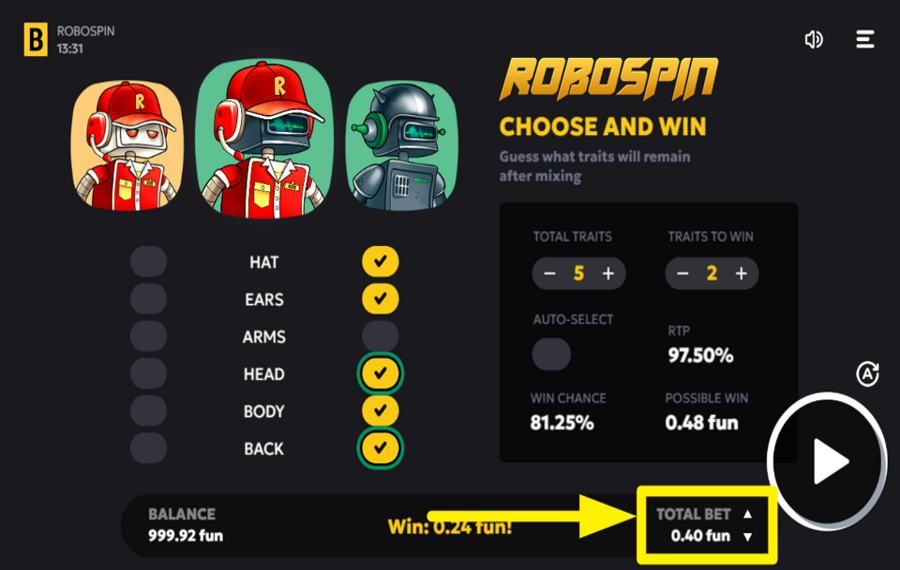
To set your "bet", locate the "Total Bet" amount displayed at the bottom-right of the screen. Use the up and down buttons next to it to increase or decrease your wager.
2
ADJUST THE TRAITS.
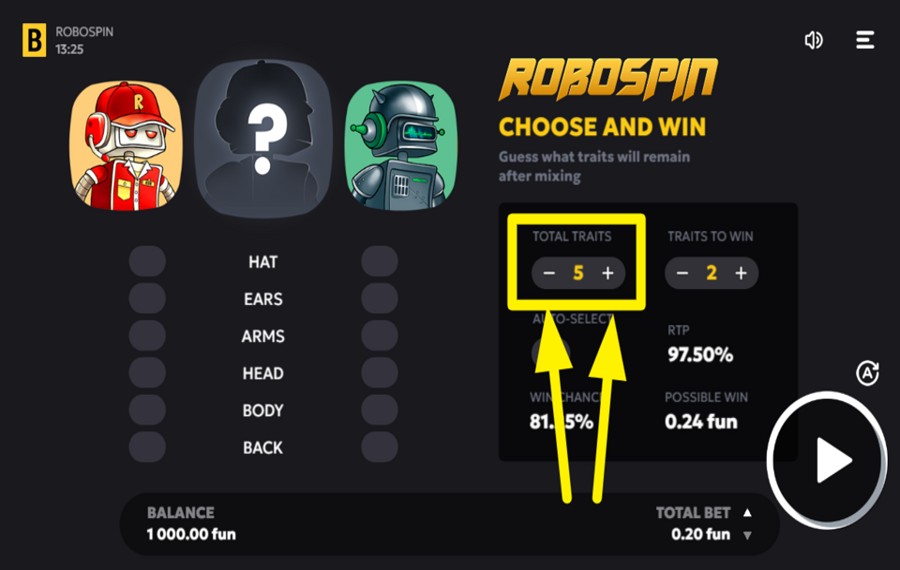
To adjust the number of "traits" to choose from, use the "Total Traits" selector located on the right side of the screen. Press the "+" or "-" buttons to increase or decrease the number of "traits", which can range from 1 to 6.
3
DECIDE ON TRAITS TO WIN.
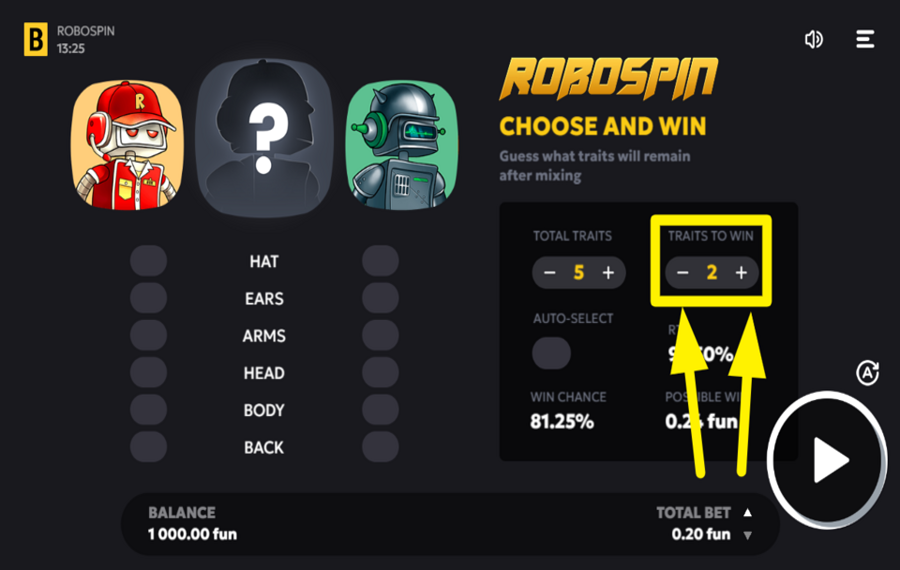
To set the minimum number of "traits" required to win, use the "Traits to Win" selector on the right side of the screen. Press the "+" or "-" buttons to adjust the number. The higher the number of traits to win, the greater the challenge, but this also increases your potential winnings.
4
PLAY THE GAME.
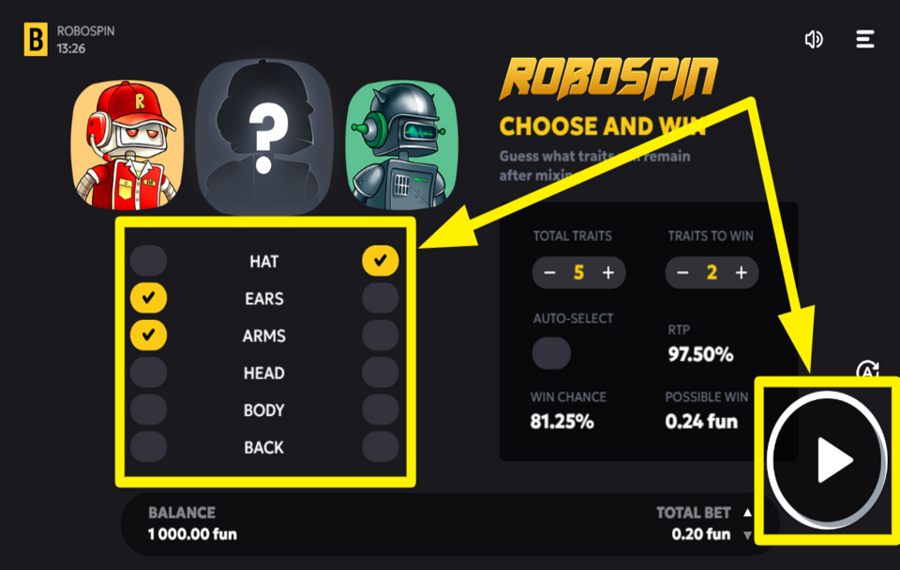
In the main game area, you will see six "trait" options: Hat, Ears, Arms, Head, Body, and Back. Select the traits you think will appear in the final revealed robot. Click on a trait to enable it, and it will be highlighted. You can choose 1 to 6 traits, depending on the number you chose. Once you’ve adjusted your "bet", selected "traits", and set "traits to win", press the "Play" button on the right side of the screen to start the game. The "traits" of the robot in the middle will be revealed after mixing the left and right robots. If the revealed robot matches your selected "traits" and meets the "traits to win" requirement, you will win the round.
5
AUTO SELECT THE TRAITS.
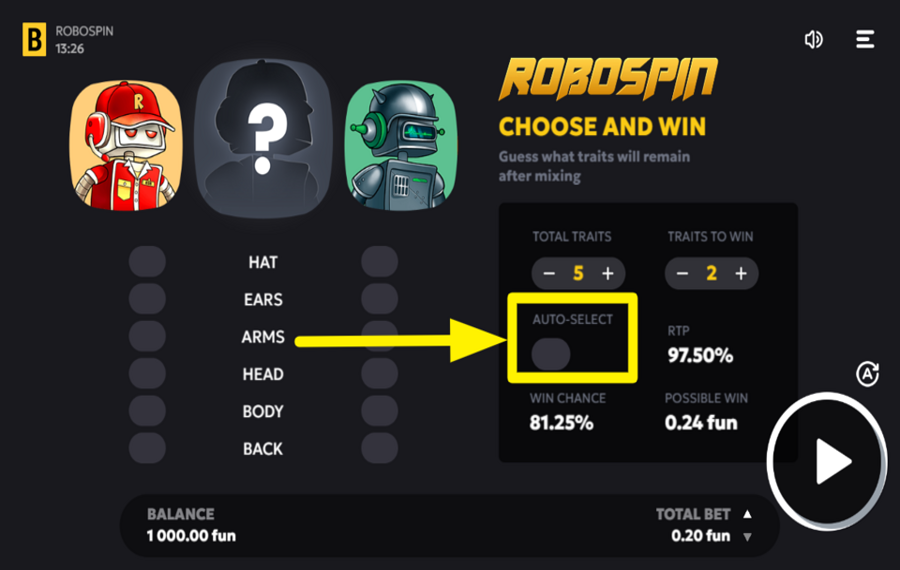
If you prefer not to manually select "traits", enable the "Auto-Select" feature by toggling the switch under the "traits" selection area. This will automatically choose a random set of traits for you, based on your chosen configuration.
6
UTILIZE AUTOPLAY.
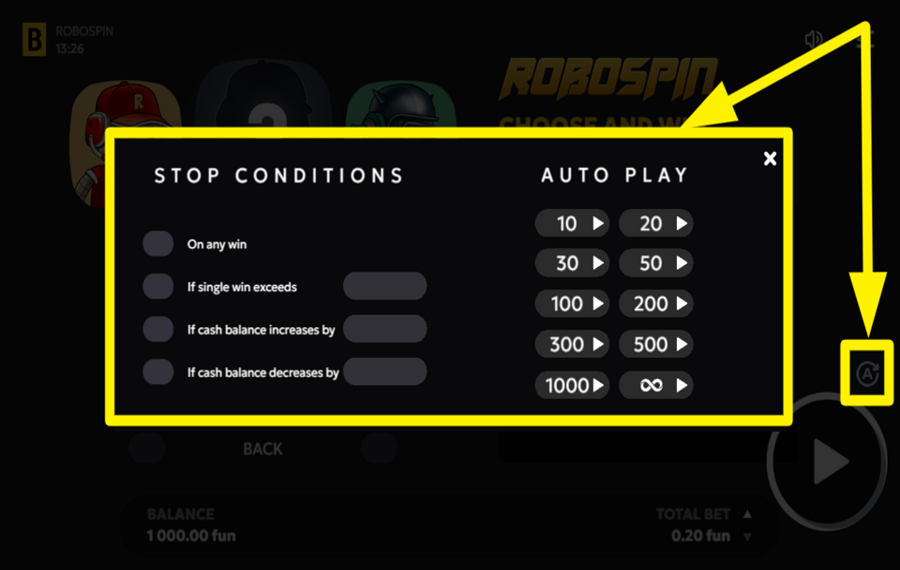
For continuous play, activate the "Autoplay" feature by pressing the letter "A" at the bottom-right of the screen. In the "Autoplay menu" that appears, set the number of rounds to play automatically, such as 10, 20, or more. You can also configure stop conditions, such as stopping after a win or if your balance increases or decreases by a specific amount.
7
SWITCH TO FASTER GAMEPLAY.
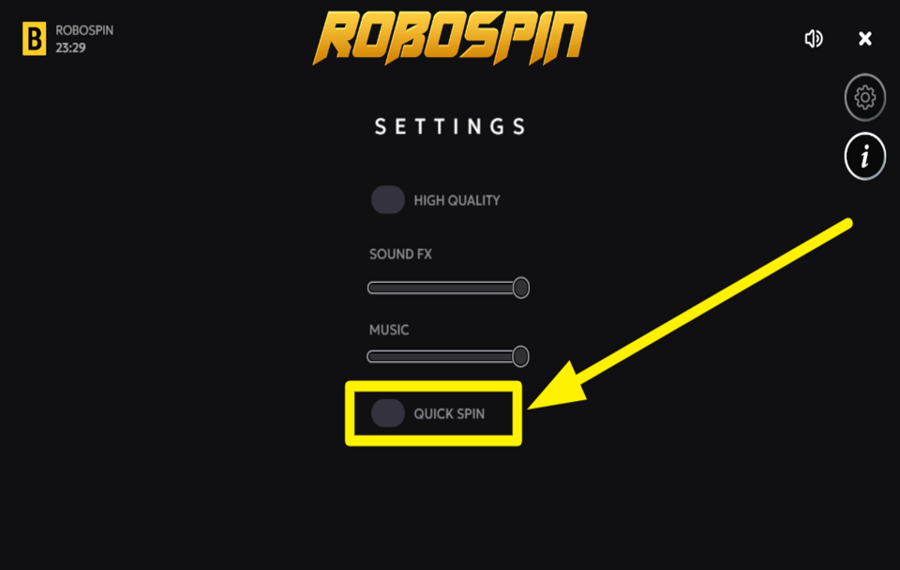
Tap the three horizontal bars at the top right corner of the screen to open the "settings" screen. Here, turn on the "Quick Spin" by using the toggle switch to accelerate the gameplay.
Robospin Ratings & Reviews
Our community rated Robospin as Average with a score of 3.9 out of 5 based on 8 votes.
Rate and Review Robospin
When writing a Game Review, remember to share your personal experience in detail - whether it's positive or negative. For more tips on writing game reviews, check out our dedicated Help Page.
How to Write a Game ReviewRobospin Q&As
Got questions about Robospin?
Ask a QuestionCompare Robospin to Other Games
+![Heads and Tails]()

Heads and Tails
RTP: 99%
+![Tonys Reel]()

Tonys Reel
RTP: 95.14%
+![Wheel of Time]()

Wheel of Time
RTP: 96.27%
+![Cubes]()

Cubes
RTP: 96.35%
+![Cyber She]()

Cyber She
RTP: 94.65%
+![Limbo Rider]()

Limbo Rider
RTP: 95%
+![Blue Invaders]()

Blue Invaders
RTP: 96.09%
+![Thunder Dice]()

Thunder Dice
RTP: 97%
+![Infinity Dice]()

Infinity Dice
RTP: 96.5%
+![Robo Dice]()

Robo Dice
RTP: 97%
RatingSoftwareYearRTP




Show more![show more arrow down]()


Other Games by BGaming
All 228 BGaming Games









Patrik Turlea
Game Expert
- Over 1 year of experience in the gambling industry;
- Published & reviewed 4.000+ casino games, ensuring accuracy;
- Strong grasp of casino games & mechanics;
- Holds a Bachelor’s Degree from UCECOM Spiru Haret.

