 Level
Level 


 Casinos
 Bonuses


Fox Job

 Refresh
 Full Screen
 Report
Fox Job Details

Software
Pixmove
Release date
Dec 02, 2024
Game type
Step-Based Risk Games

Times Played
 No
No
3D animation
No
Technology
HTML5
Play Fox Job Slot for Real Money

How to Play Fox Job Slot: Mastering the Basics
1
SELECT YOUR BET AMOUNT.
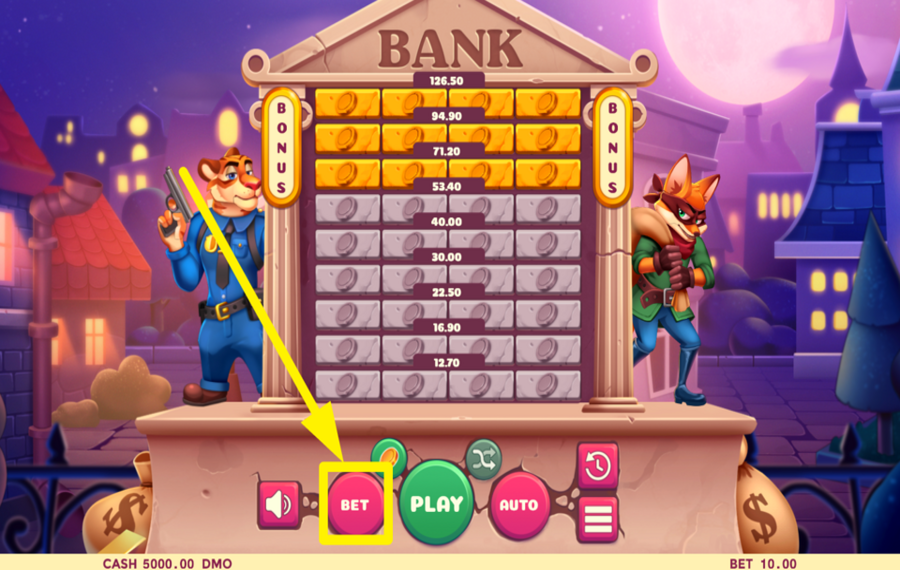
Press the "Bet" button at the bottom of the screen to open the settings interface. Select one of the predefined values or use the slider to set your preferred amount. Once chosen, press "Confirm" to return to the main game screen.
2
SET A DIFFICULTY LEVEL.
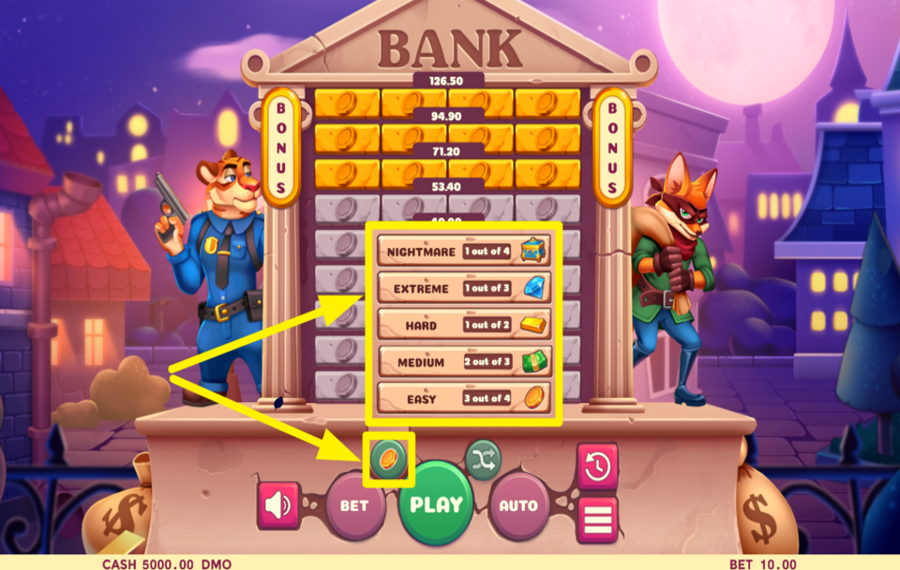
Hit the golden coin icon next to the green "Play" button to choose a "difficulty level." There are five levels available: Easy, Medium, Hard, Extreme, and Nightmare. Each level shows the odds of hitting winning cells. Pick a balance between risk and reward by clicking on a "difficulty level."
3
ROB THE VAULT!
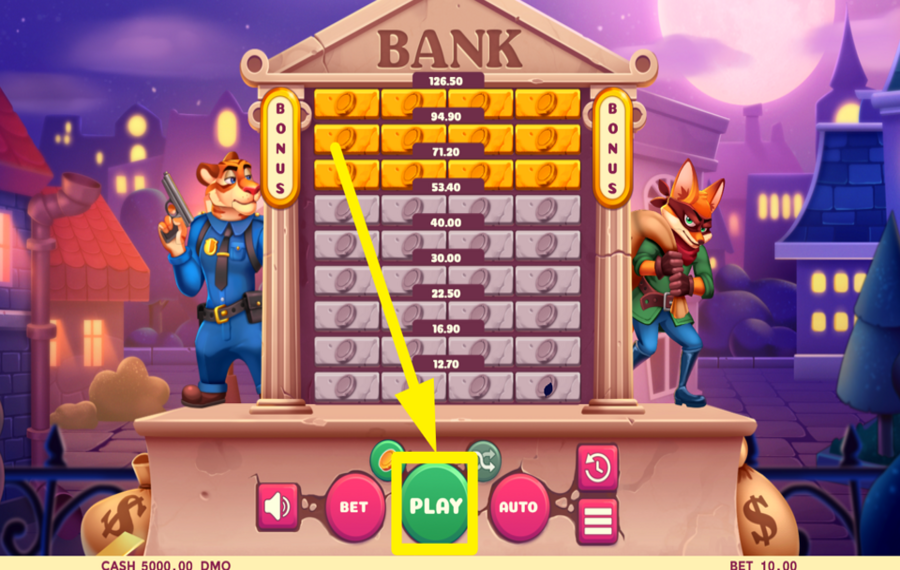
Once you’ve selected your "bet" and "difficulty level," press the large green "Play" button in the middle of the panel. Start cracking open cells from the bottom row of the vault above the buttons. Each opened cell may contain a coin, a golden tile, or a handcuff. With every coin collected, your total winnings increase and you ascend to the next row. The goal is to keep progressing higher up the vault without triggering handcuffs. Reaching golden rows not only boosts your payout but also activates the bonus game if at least one golden cell is revealed.
4
CRACK THE CELLS RANDOMLY.
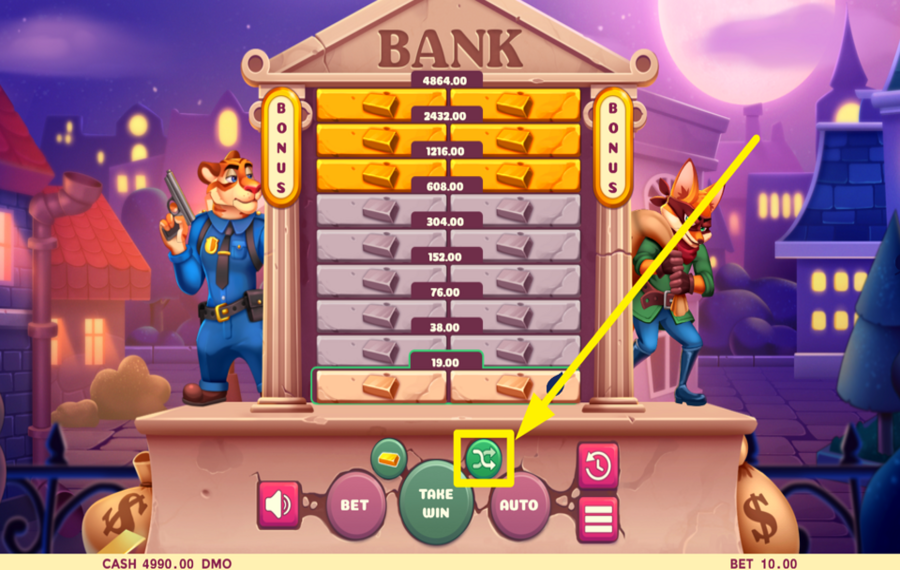
Click the green "Shuffle" icon next to the "Auto" button to let the game pick a random cell for you.
5
TAKE YOUR WINNINGS.
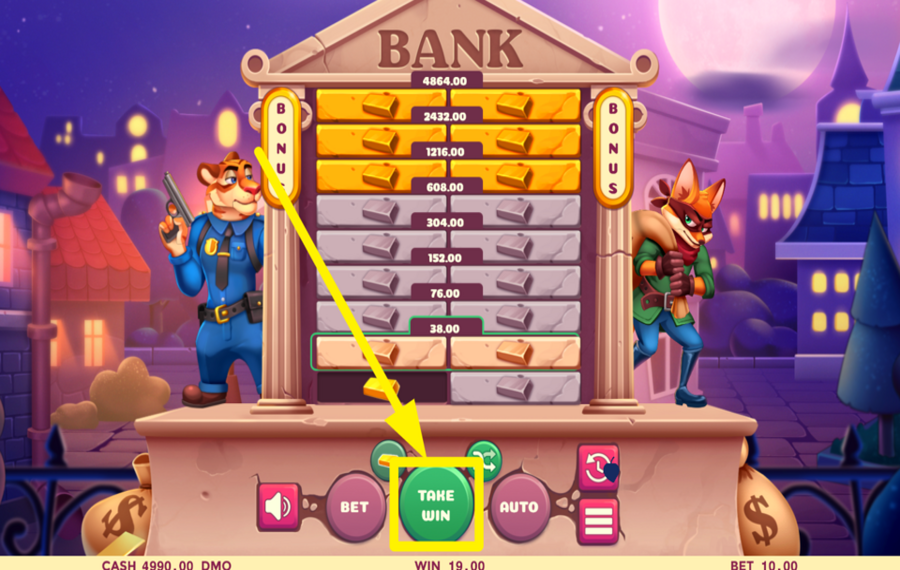
If you’ve opened enough safe cells and want to secure your payout, press the "Take Win" button, which replaces the green "Play" button once you win something. This way, you can collect your current winnings and avoid the risk of opening a cell with handcuffs.
6
UTILIZE AUTOPLAY.
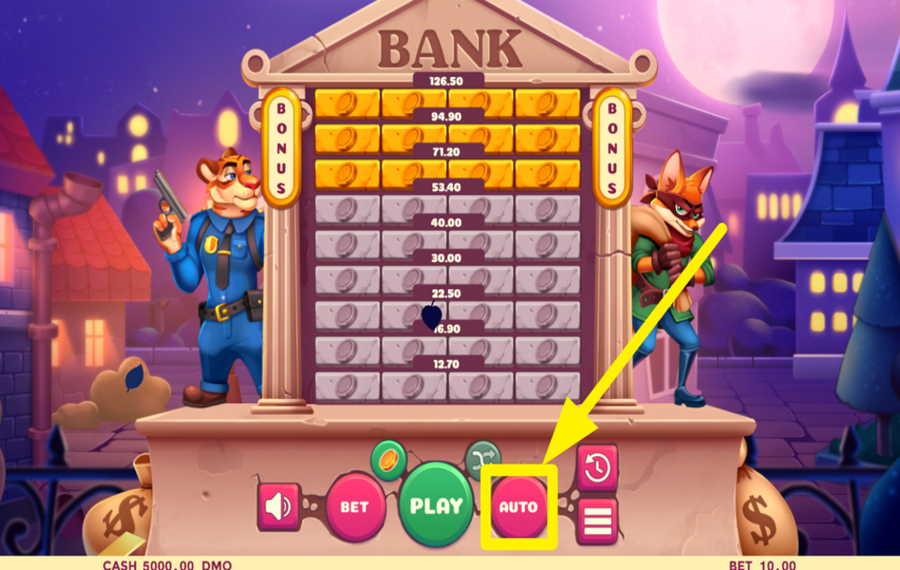
Press the "Auto" button to open the settings. Choose the number of rounds, adjust settings for when to stop the feature, and set win/loss conditions. Press "Start" to begin automatic gameplay.
7
JOIN THE BONUS GAME ADVENTURE.
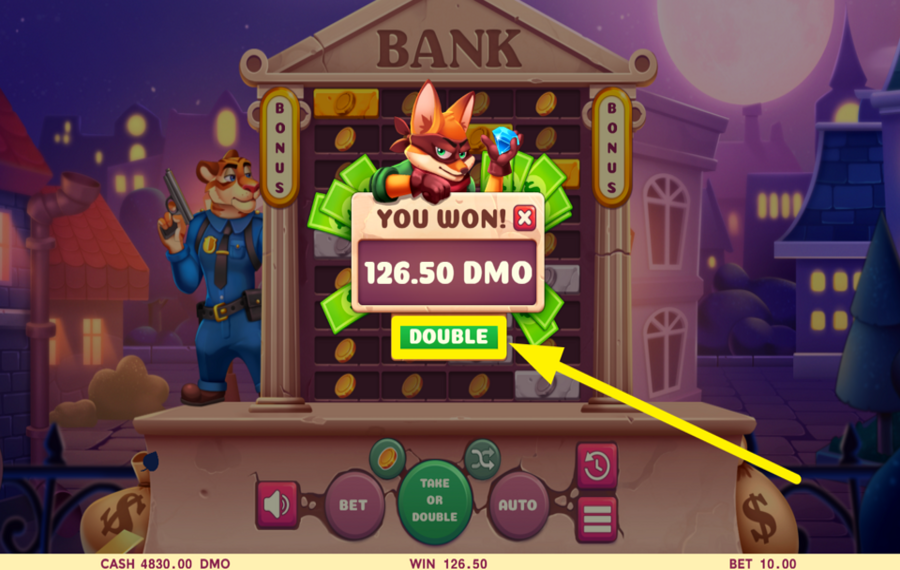
If you uncover at least one golden cell during your climb, you’ll activate the bonus feature. To enter the bonus game, press the "Double" button on the popup screen to enter a bonus game where you need to guess the safe code to open a vault. Guess right, and your win is doubled. Miss all three attempts, and you lose everything—so choose wisely!
Fox Job Ratings & Reviews
Our community rated Fox Job as Very Good with a score of 4 out of 5 based on 8 votes.




GoenndyrLevel 7Germany




Televizorius![account-cancel]() Suspended
Suspended
 Suspended


Bingo7408Level 9Bulgaria



RuudneLevel 6
KosobrinLevel 5


Yass007Level 8
nadrazni0000![account-cancel]() Suspended
Suspended
Suspended


pingvinasLevel 38
Rate and Review Fox Job
When writing a Game Review, remember to share your personal experience in detail - whether it's positive or negative. For more tips on writing game reviews, check out our dedicated Help Page.
How to Write a Game ReviewFox Job Q&As
Got questions about Fox Job?
Ask a QuestionCompare Fox Job to Other Games
+![Fortune Breakers Instant Win]()

Fortune Breakers Instant Win
RTP: 70%
+![Beerhalla]()

Beerhalla
RTP: 95%
+![Rings of Olympus]()

Rings of Olympus
RTP: 97.34%
+![Jogo da Zebra]()

Jogo da Zebra
RTP: 96.7%
+![Rooster Run]()

Rooster Run
RTP: 0%
+![Chicken Zap]()

Chicken Zap
RTP: 96.27%
+![Chick n Run]()

Chick n Run
RTP: 95%
+![Rabbit Road]()

Rabbit Road
RTP: 95.5%
+![Goblin Tower]()

Goblin Tower
RTP: 95%
+![Chicken Plus]()

Chicken Plus
RTP: 97.5%
RatingSoftwareYearRTP

Fox Job
Pixmove
2024
95%



Show more![arrow_down]()


Other Games by Pixmove









- Over 2 years of experience in the iGaming industry.
- Uploaded & maintained data for 3,000+ casino games.
- Strong grasp of casino game mechanics, especially slots.
- Reviewed and fact-checked over 3,500+ casino games.

