


 Casinos
 Bonuses


Quarterback Champion


Quarterback Champion Details

Software
Gaming Corps
Release date
Feb 11, 2026
Game type
Other

Times Played
 No

3D animation
No
Technology
HTML5
Play Quarterback Champion Slot for Real Money




Load More Casinos (+10)
How to Play Quarterback Champion Slot: Mastering the Basics
1
ADJUST YOUR BET.
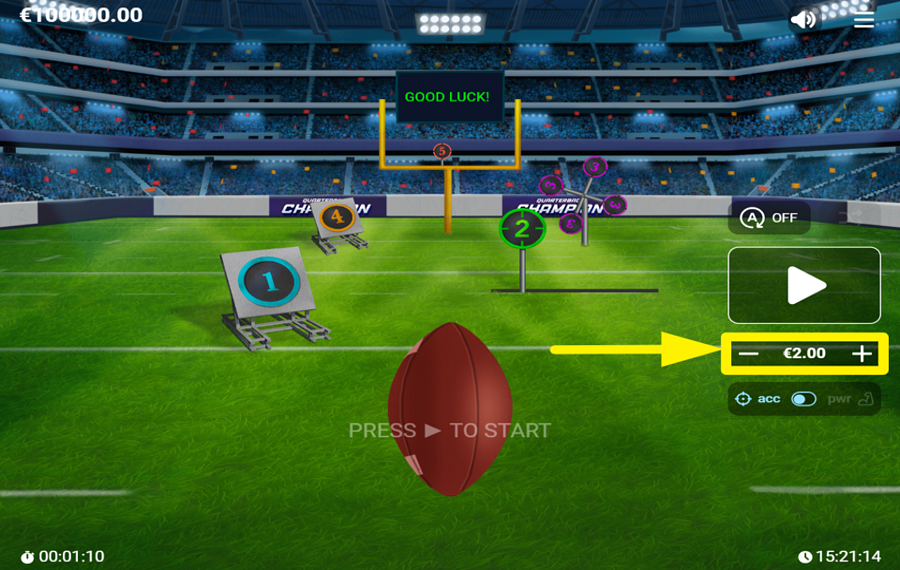
To choose your stake, click the "-" and "+" buttons located on the right side of the screen.
2
WANT MORE POWER OR MORE ACCURACY?
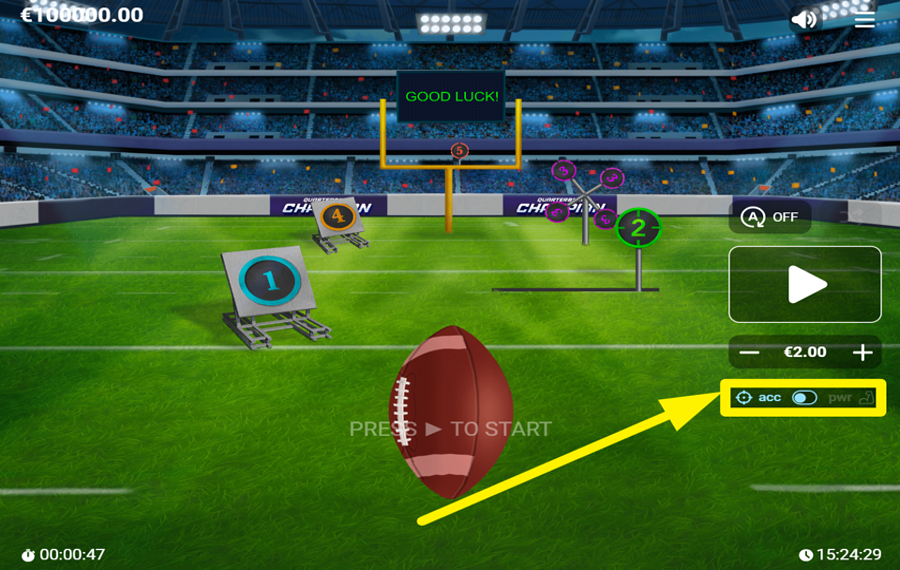
Look below the "bet" controls to find the throw-type selector. Here, you can switch between "acc" and "pwr." The "acc" or "Accurate" option offers a better chance of hitting a target, which makes it the safer choice. The "pwr" or "Power" gives you a greater chance of breaking a target and triggering bonus opportunities, but it also increases the likelihood of missing completely.
3
KICK IT OFF!
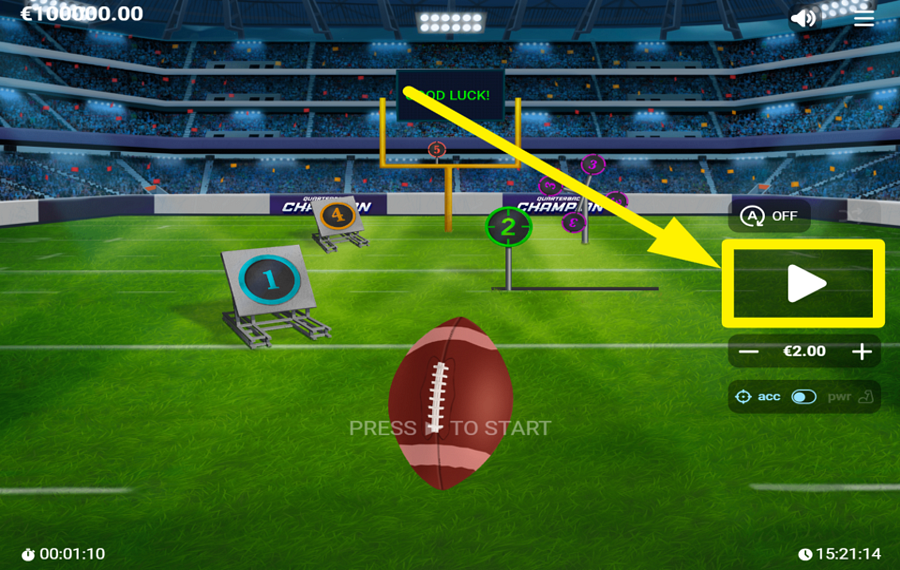
Press the large play button on the right side of the screen to begin. Once the round starts, numbered targets appear across the field. Your goal is to make successful throws by selecting targets and building your winnings. If a throw misses, the round ends immediately and your stake is lost.
4
PICK A RISK LEVEL.
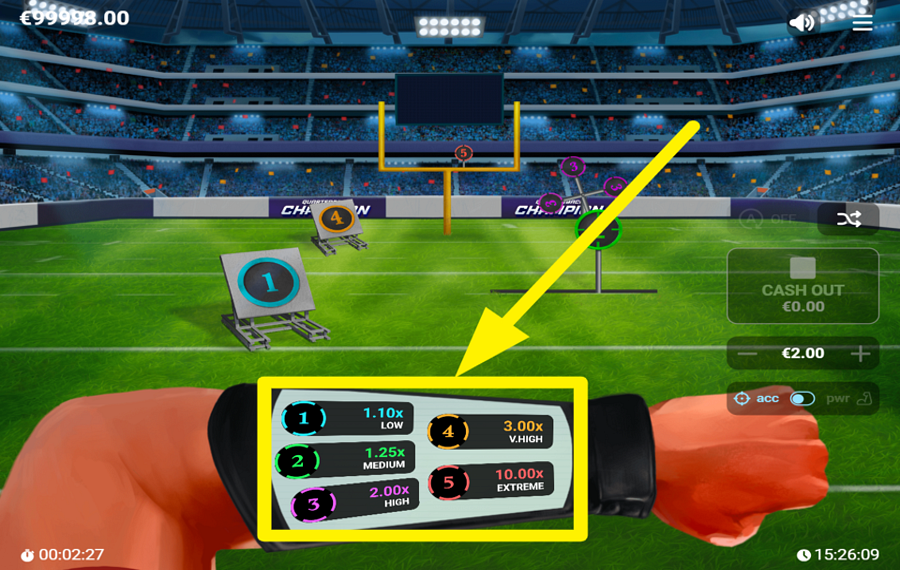
After the round begins, a wrist-mounted display appears at the bottom of the. You can see five available risk levels on this display. Select a numbered target from 1 to 5 to make a throw. Each number corresponds to a different risk and reward level. Target 1 is the safest option and offers the smallest multiplier, while Targets 4 and 5 offer much larger multipliers but carry a significantly higher risk of failure.
5
CASH OUT YOUR WINNINGS.
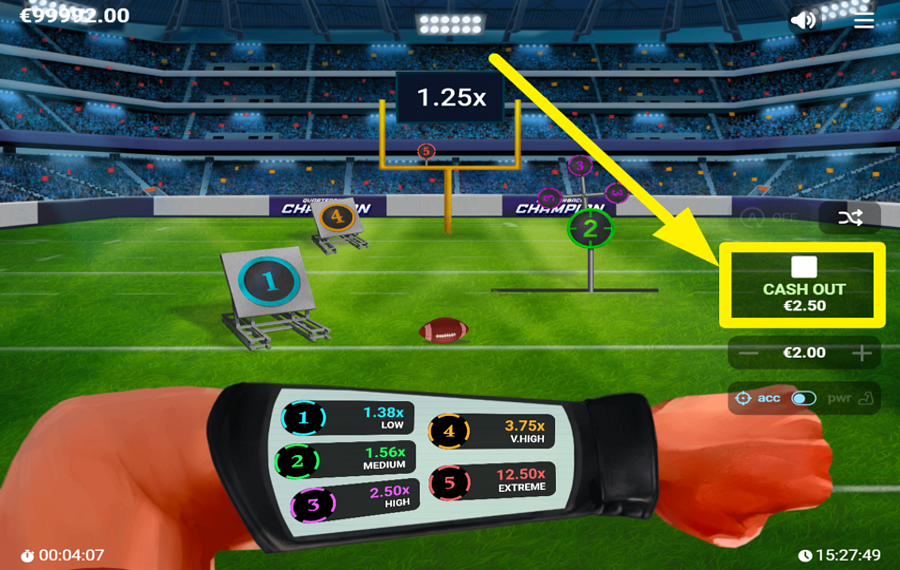
Following a successful throw, the play button transforms into a "Cash Out" button. The button displays the amount you would receive if you ended the round immediately. You may collect your winnings at this point or continue making throws.
6
OPT FOR RANDOM TARGET SELECTION.
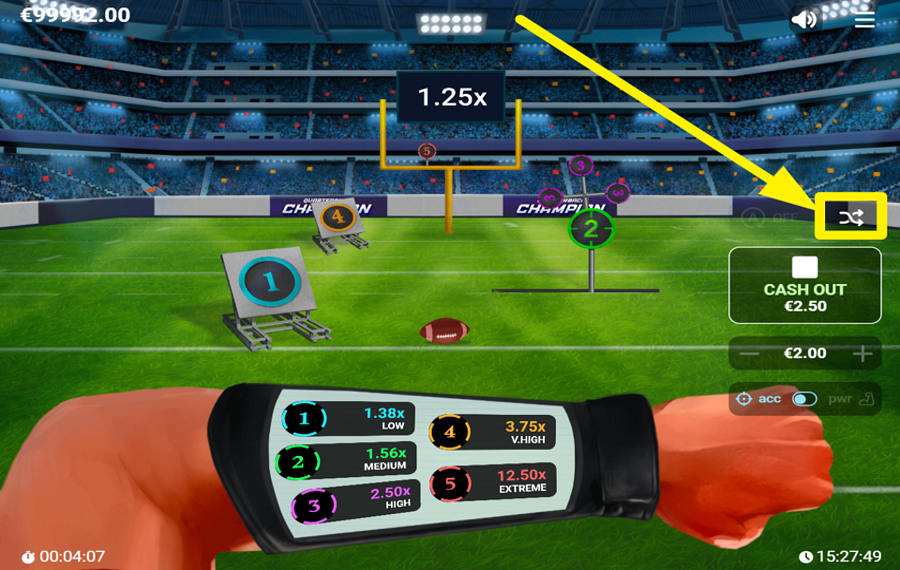
Above the play button, you will find a button marked with crossing arrows. This is the random selection feature. When activated, the game automatically chooses a target position for each throw instead of requiring you to select one manually.
7
ENABLE AUTOPLAY.
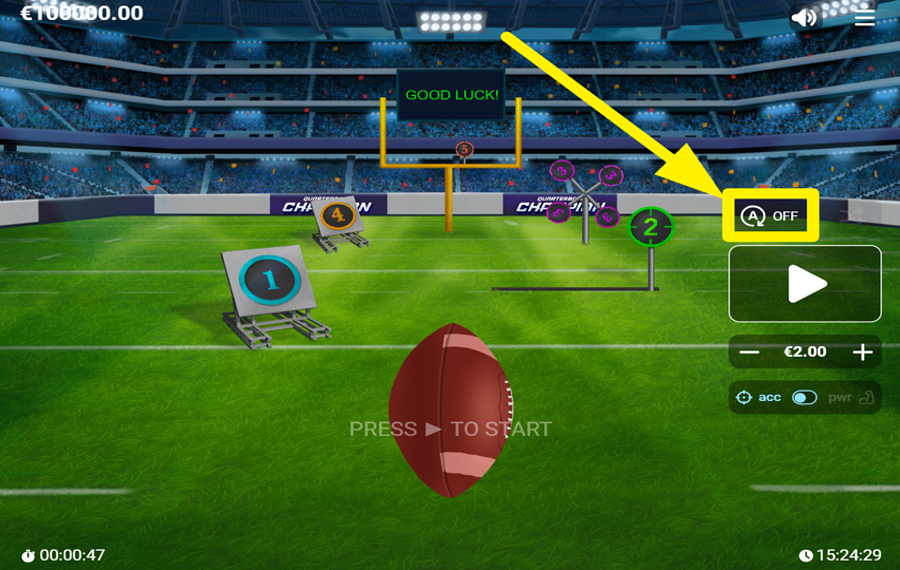
Open the "Autoplay" menu by clicking the "A" icon above the play button. Next, you can choose how many rounds to play, select the number of throw attempts per round, set your preferred "bet" amount, and choose a risk level. Additional options allow you to define stop conditions, such as ending the session after reaching a specified loss limit.
Quarterback Champion Ratings & Reviews
Our community rated Quarterback Champion as Very Good with a score of 4 out of 5 based on 1 vote.




pingvinasLevel 40


Rate and Review Quarterback Champion
When writing a Game Review, remember to share your personal experience in detail - whether it's positive or negative. For more tips on writing game reviews, check out our dedicated Help Page.
How to Write a Game ReviewQuarterback Champion Q&As
Got questions about Quarterback Champion?
Ask a QuestionCompare Quarterback Champion to Other Games
+![Arrow Slot]()

Arrow Slot
RTP: 97.33%
+![InOut Wheel]()

InOut Wheel
RTP: 95%
+![Virtual Football]()

Virtual Football
RTP: 94.5%
+![Virtual Champions]()

Virtual Champions
RTP: 95.04%
+![Fortune Spin]()

Fortune Spin
RTP: 98.05%
+![Outsourced Payday]()

Outsourced Payday
RTP: 96.04%
+![Cryptos]()

Cryptos
RTP: 95%
+![Mini Loot Box]()

Mini Loot Box
RTP: Undisclosed
+![Mini Dice]()

Mini Dice
RTP: Undisclosed
+![Power Play]()

Power Play
RTP: 96.03%
RatingSoftwareYearRTP

Quarterback Champion
Gaming Corps
2026
97%


Show more![arrow_down]()


Other Games by Gaming Corps








Load More Gaming Corps Games

Rozi Vrinceanu
Casino Data Specialist
- Over 6 years of experience in the land-based casino industry;
- Deep understanding of player experience and casino operations;
- Updated and verified more than 300 online casino reviews;
- Known for precision, consistency, and a high standard of accuracy;
- Currently studying Economic Sciences at Titu Maiorescu University.

