 Level
Level 


 Casinos
 Bonuses


Color Hunt

 Refresh
 Full Screen
 Report
Color Hunt Details

Software
PopOk Gaming
Release date
Aug 04, 2025
Game type
Other

Times Played
 No
No
3D animation
No
Technology
HTML5
Play Color Hunt Slot for Real Money




Load More Casinos (+1)
How to Play Color Hunt Slot: Mastering the Basics
1
PICK YOUR STAKE.
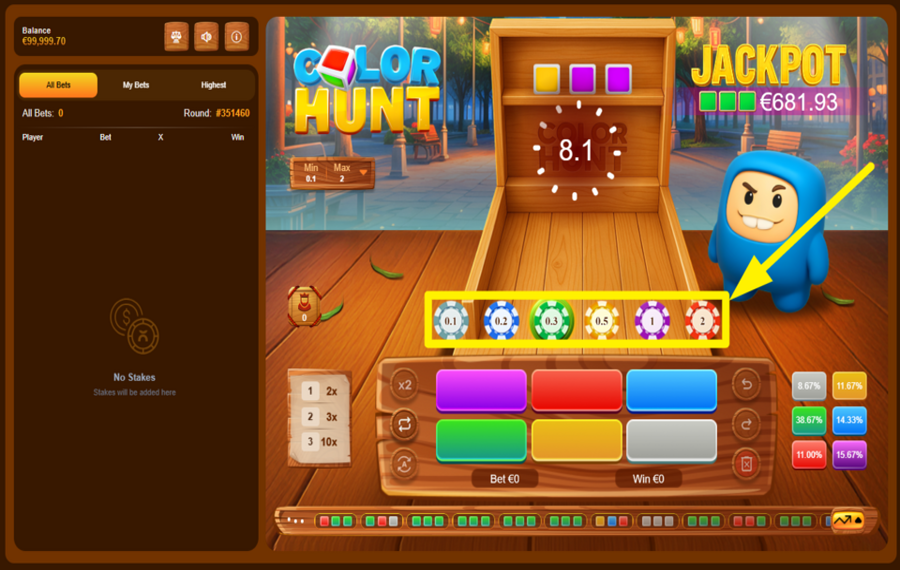
Choose your ”bet” amount by tapping one of the colored chips located just below the main play area. Options range from “0.1” to “2”, each representing a different coin value.
2
PLACE YOUR BET.
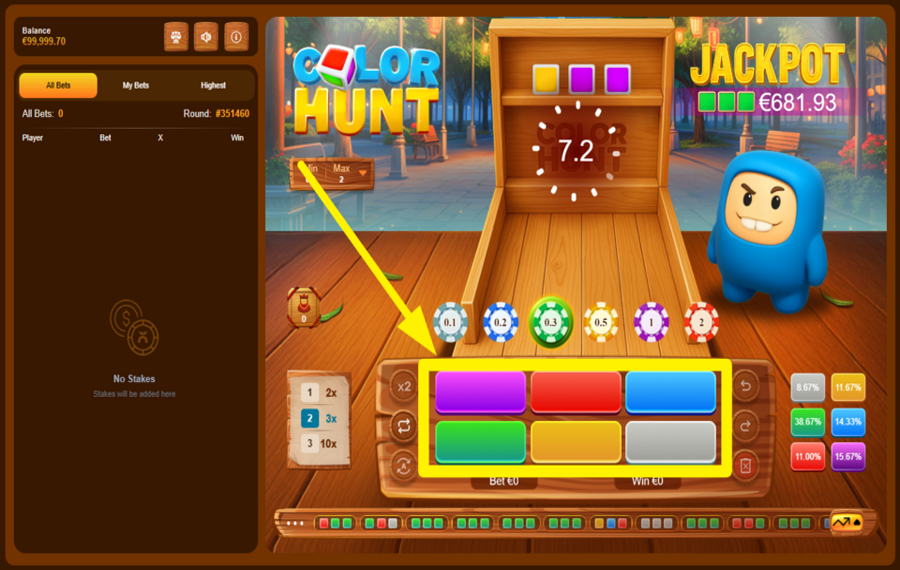
Click any of the six color buttons displayed in the central grid to place your ”bet” on them. You can select one or more colors depending on your strategy. Once selected, a coin icon appears on the color tile, indicating your active bet. But act fast, as a countdown timer at the top center shows how many seconds remain before the dice are rolled. If you don’t place your ”bets” before the timer hits zero, your last selection will remain valid.
3
CHOOSE A MULTIPLIER LEVEL.
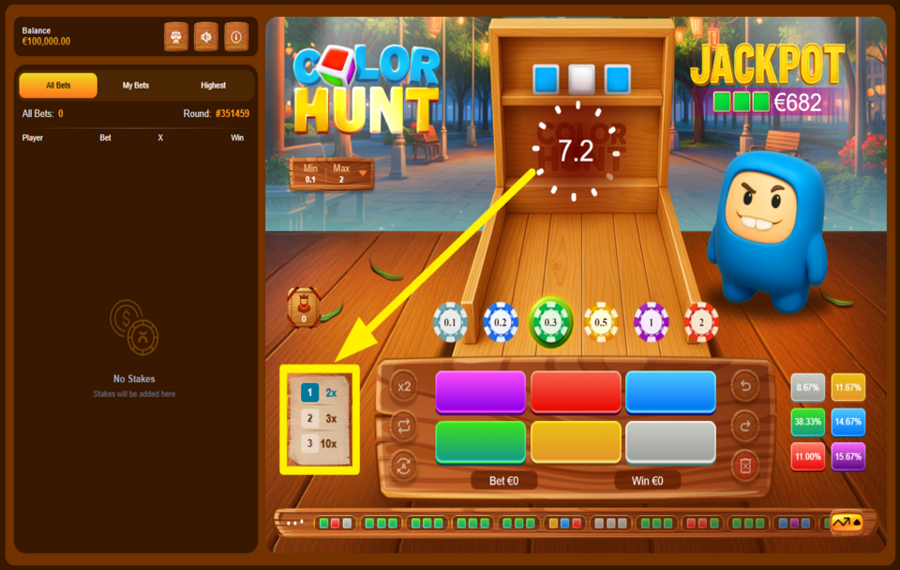
On the left side of the color grid, you’ll find three wooden tabs labeled “2x”, “3x”, and “10x”. Click one to lock in your multiplier level. Higher multipliers offer bigger payouts but reduce the odds of hitting your chosen color. The multiplier you select applies to all the bets you place for that round.
4
DOUBLE YOUR LAST CHOSEN BET.
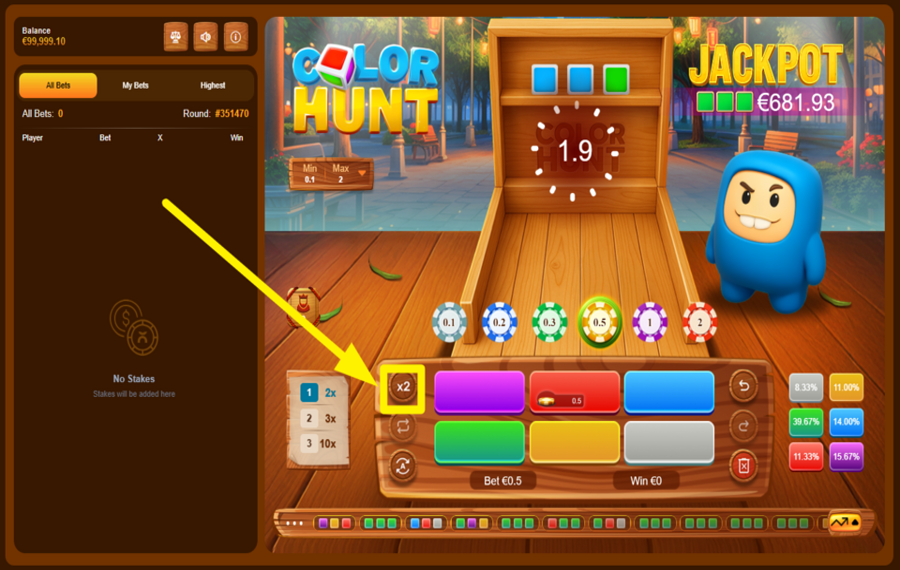
Tap the “x2” button on the left panel to instantly double your previously chosen wager.
5
ACTIVATE AUTOPLAY.
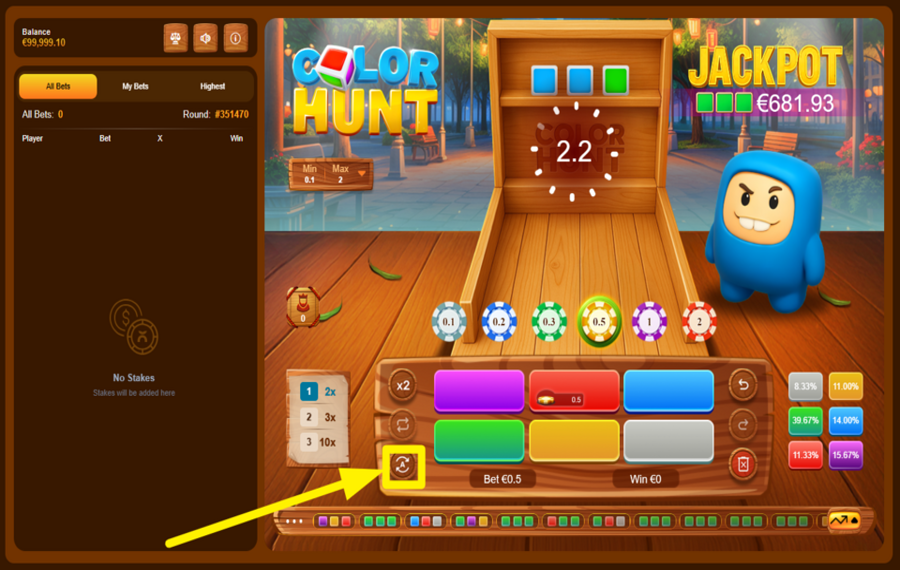
For back-to-back rounds without manual input, press the rotating arrow icon at the bottom left of the screen. A new window pops up, letting you choose how many rounds you want to play and which colors and chips to lock in. Once set, hit “Start” to sit back and let the system handle the rest.
6
REPEAT YOUR LAST BET.
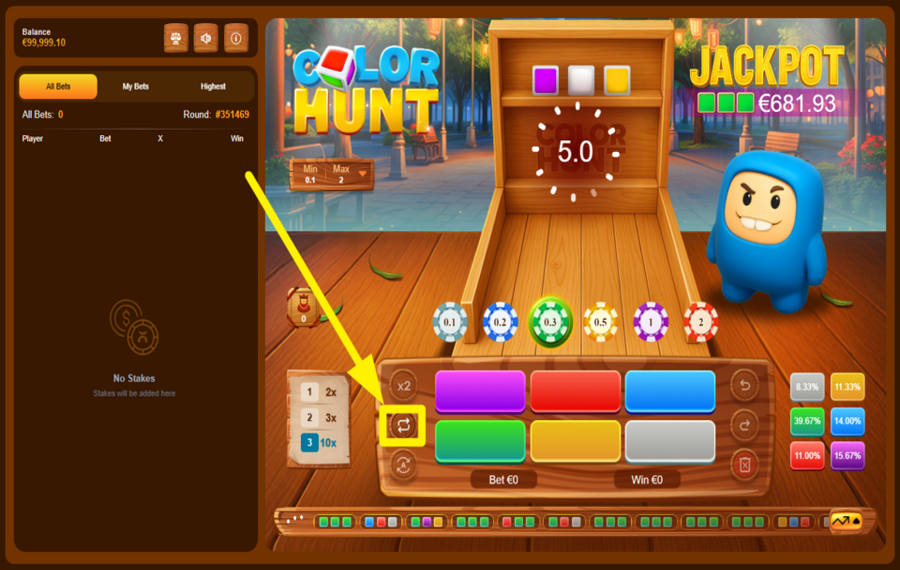
Click the dual arrow icon on the left side of the color grid to instantly repeat your last wager setup, including the chosen chips, colors, and multiplier. This saves time and keeps your strategy consistent across rounds.
7
UNDO A MOVE.
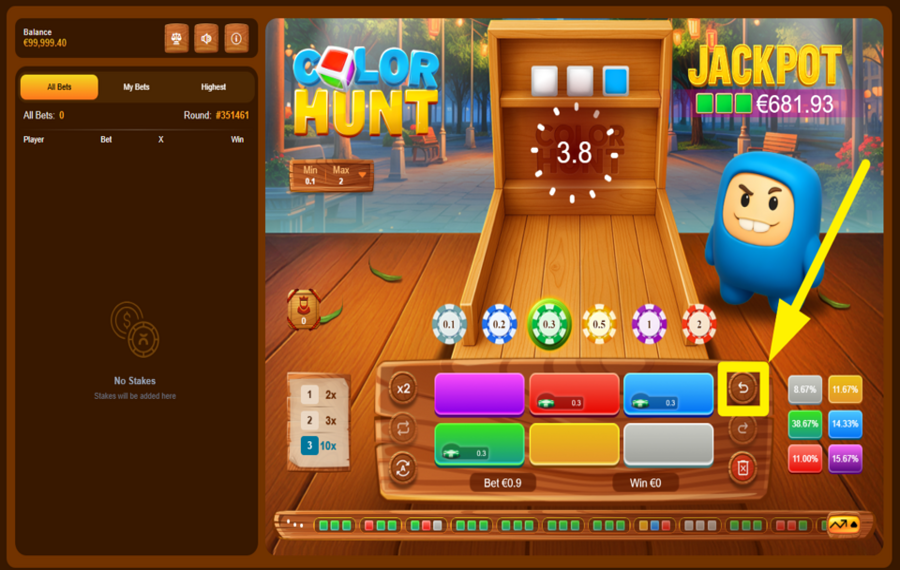
If you make a mistake or change your mind before the countdown ends, hit the reverse arrow button located on the right side of the grid. This clears your last color selection or chip placement. Just in case you didn't want to undo your last selection, press the closckwise arrow icon beneath it to restore it.
8
CLEAR ALL BETS.
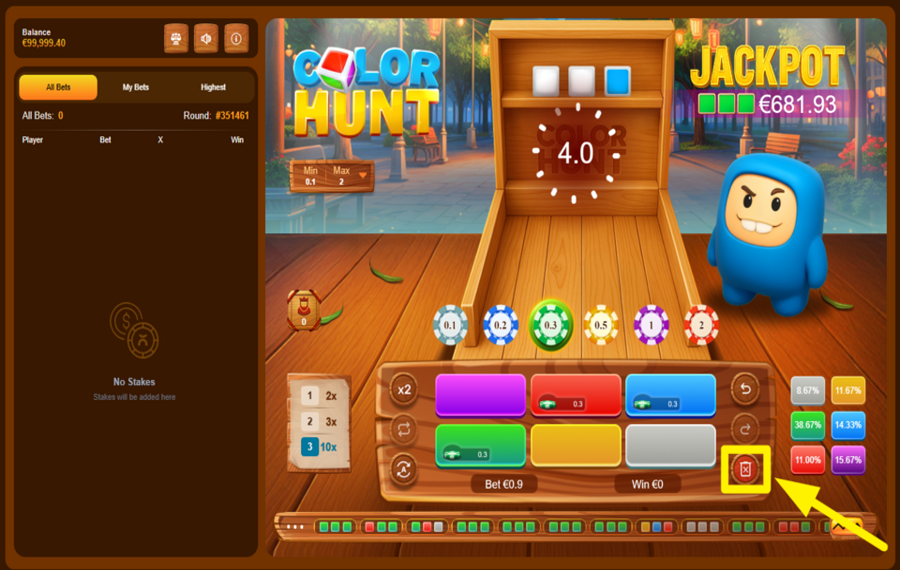
Want a fresh start? Click the red ”X” button at the bottom right corner to wipe the entire board of all active chips and color selections for that round. You can then place your new ”bet” from scratch.
Color Hunt Ratings & Reviews
Our community rated Color Hunt as Very Good with a score of 4 out of 5 based on 12 votes.




Wormtyler![account-cancel]() Suspended
Suspended
 Suspended





TacstarLevel 14

Televizorius![account-cancel]() Suspended
Suspended
Suspended

Bingo7408Level 9Bulgaria
Pecoka5Level 6Bulgaria




SuitedDutchLevel 9Netherlands
Anjelic14Level 11New Zealand



LuckyPol8Level 18Italy

pingvinasLevel 38
Mokette3![account-cancel]() Suspended
Suspended
SuspendedMichal1199Level 5
Jusare![account-cancel]() Suspended
Suspended
SuspendedRate and Review Color Hunt
When writing a Game Review, remember to share your personal experience in detail - whether it's positive or negative. For more tips on writing game reviews, check out our dedicated Help Page.
How to Write a Game ReviewColor Hunt Q&As
Got questions about Color Hunt?
Ask a QuestionCompare Color Hunt to Other Games
+![Speedy 7]()

Speedy 7
RTP: 95%
+![Fishing Club]()

Fishing Club
RTP: 97.16%
+![Zeus Dice]()

Zeus Dice
RTP: 97%
+![DragonGaming Dice]()

DragonGaming Dice
RTP: 98%
+![Mini Loot Box]()

Mini Loot Box
RTP: 0%
+![Cryptos]()

Cryptos
RTP: 95%
+![Double Online]()
Double Online
RTP: 95%
+![InOut Wheel]()

InOut Wheel
RTP: 95%
+![777 Spin n Win]()

777 Spin n Win
RTP: 96%
+![Golden Explorer]()

Golden Explorer
RTP: 96.99%
RatingSoftwareYearRTP

Color Hunt
PopOk Gaming
2025
97%



Show more![arrow_down]()


Other Games by PopOk Gaming








- Over 2 years of experience in the iGaming industry.
- Uploaded & maintained data for 3,000+ casino games.
- Strong grasp of casino game mechanics, especially slots.
- Reviewed and fact-checked over 3,500+ casino games.

