


 Casinos
 Bonuses


Stock Trade


Stock Trade Details

Software
Expanse Studio
Release date
Apr 20, 2026
Game type
Other

Times Played
 No

3D animation
No
Technology
HTML5
Play Stock Trade Slot for Real Money





Load More Casinos (+3)
How to Play Stock Trade Slot: Mastering the Basics
1
SET YOUR STAKE.
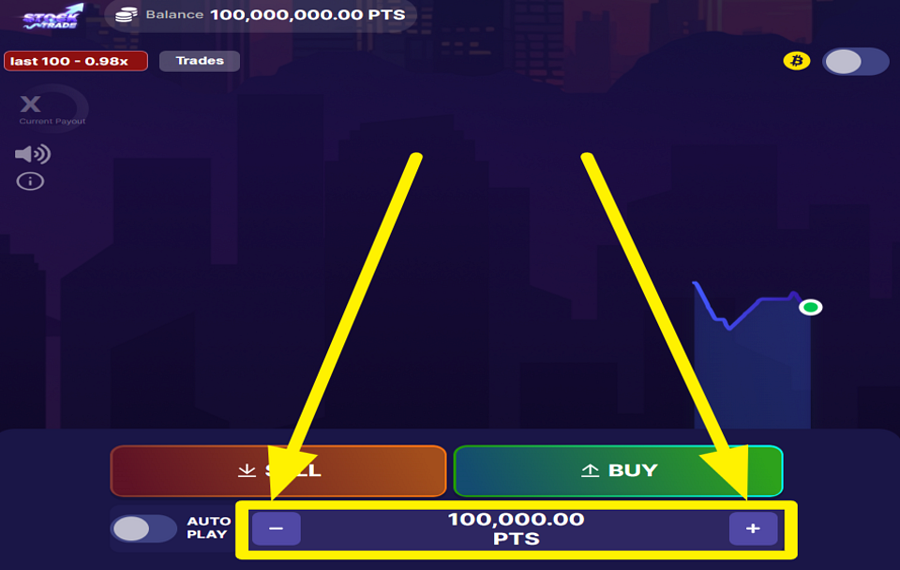
The game simulates real-time stock market trading, where your goal is to profit from changing market prices. Choose your wager by tapping the blue "-" and "+" buttons positioned on either side of the value displayed at the bottom of the screen.
2
PREDICT THE MARKET DIRECTION.
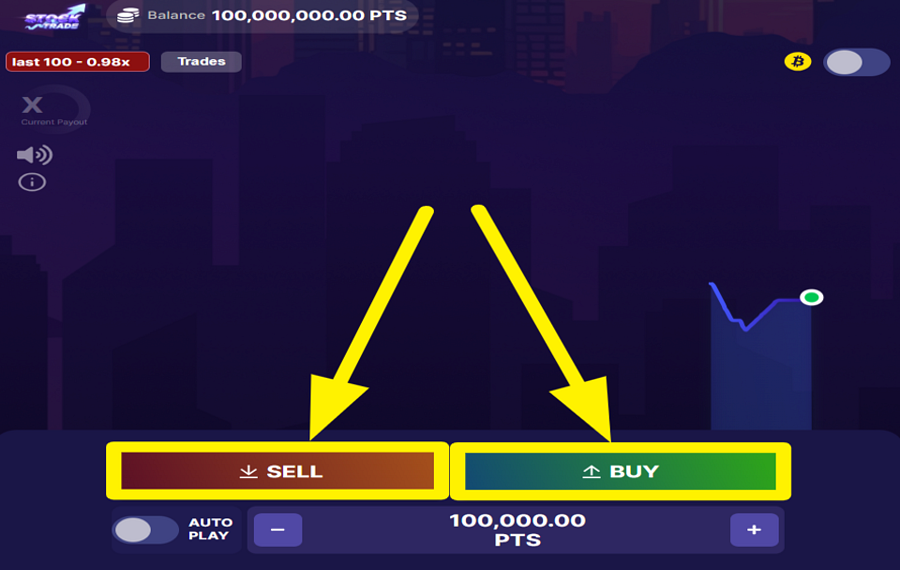
Watch the live price chart and decide whether you expect the market to rise or fall. Press the green "Buy" button if you believe the price will rise, or the red "Sell" button if you think it will fall. Your trade starts immediately after your selection, and your return depends on whether the market moves in the direction you predicted.
3
LOCK IN YOUR PROFITS.
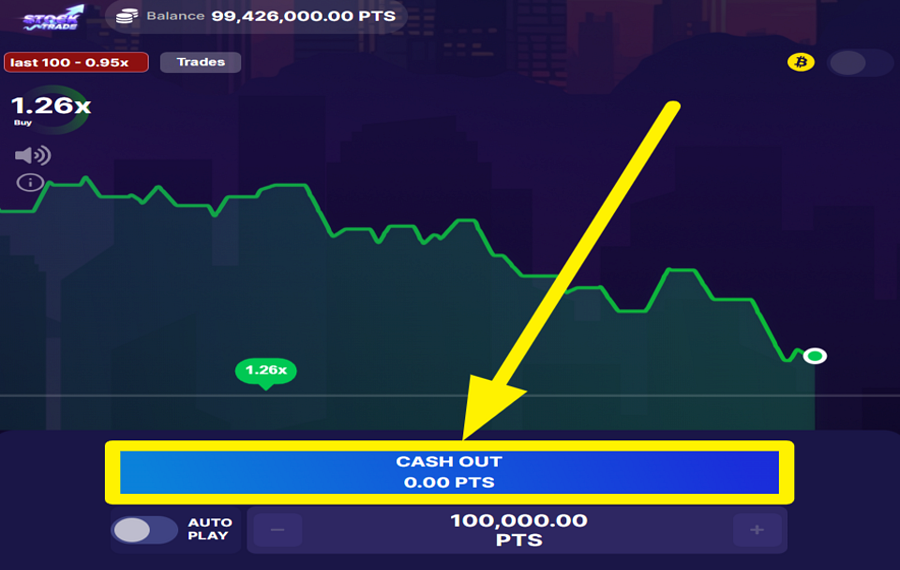
Keep an eye on the moving market line and the current multiplier while your trade is active. Whenever you are satisfied with the result, click the large blue "Cash Out" button that replaces the "Buy" and "Sell" buttons. You can exit at any time to secure your current profit or recover the remaining value of your stake before the virtual market moves further against your position.
4
AUTOMATE YOUR TRADING SESSIONS.
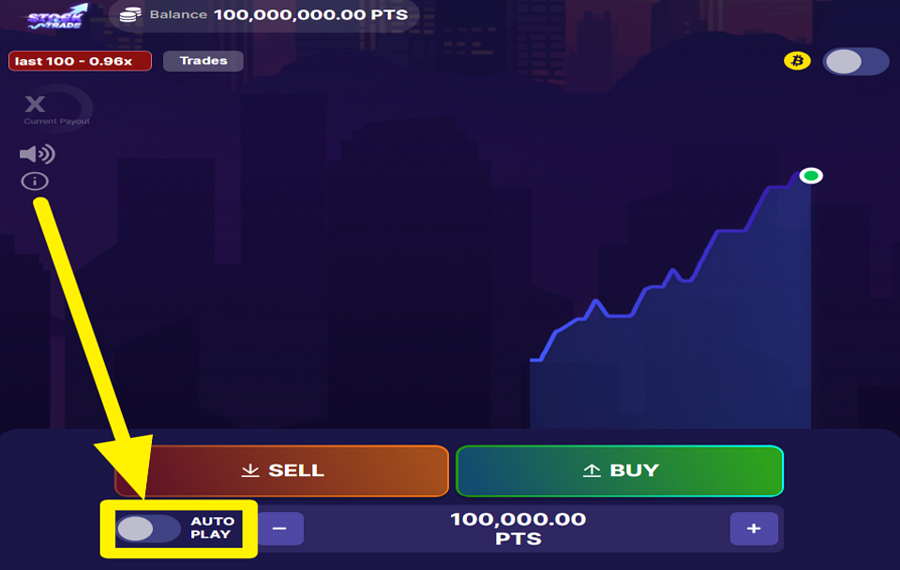
Switch on the "Autoplay" toggle in the lower-left corner of the interface to open the automation settings. From there, choose how many rounds you want to play automatically, decide whether each trade should use "Buy" or "Sell," and optionally set conditions to stop when your balance drops below a chosen amount or when a specified multiplier is reached. Save your settings to let the game execute trades automatically.
5
CHANGE THE SPEED.
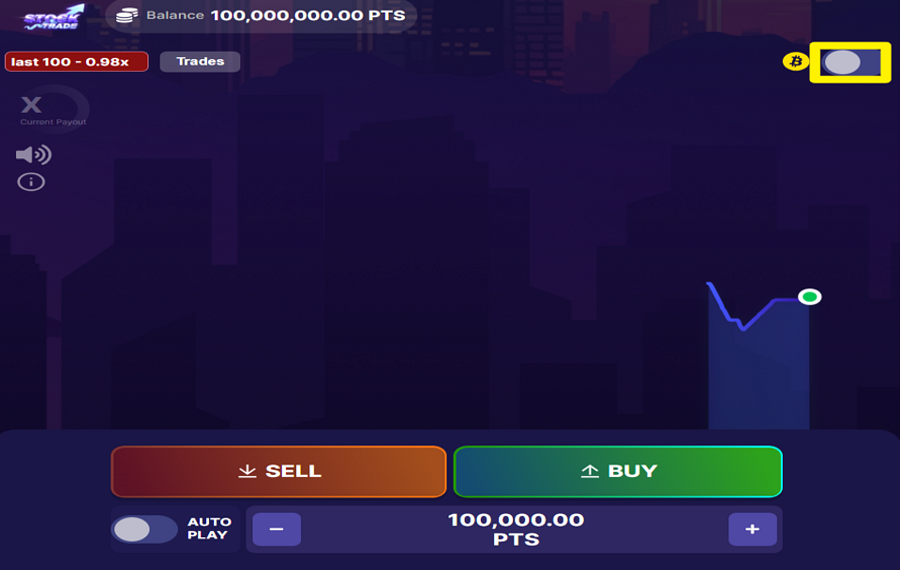
Use the toggle switch in the upper-right corner of the game screen to activate "Turbo" mode. When enabled, the game accelerates its animations and transitions.
Stock Trade Ratings & Reviews
Our community rated Stock Trade as Very Good with a score of 4 out of 5 based on 1 vote.




pingvinasLevel 40


Rate and Review Stock Trade
When writing a Game Review, remember to share your personal experience in detail - whether it's positive or negative. For more tips on writing game reviews, check out our dedicated Help Page.
How to Write a Game ReviewStock Trade Q&As
Got questions about Stock Trade?
Ask a QuestionCompare Stock Trade to Other Games
+![Fortune Spin]()
Fortune Spin
RTP: 98.05%
+![Arrow Slot]()

Arrow Slot
RTP: 97.33%
+![Outsourced Payday]()
Outsourced Payday
RTP: 96.04%
+![Cryptos]()

Cryptos
RTP: 95%
+![Mini Loot Box]()

Mini Loot Box
RTP: Undisclosed
+![Mini Dice]()

Mini Dice
RTP: Undisclosed
+![DragonGaming Dice]()

DragonGaming Dice
RTP: 98%
+![Texas Rush]()

Texas Rush
RTP: 96.1%
+![Number King]()

Number King
RTP: 97.88%
+![Jewels Dice Deluxe]()

Jewels Dice Deluxe
RTP: Undisclosed
RatingSoftwareYearRTP

Stock Trade
Expanse Studio
2026
97%


Show more![arrow_down]()


Other Games by Expanse Studio







Load More Expanse Studio Games

Rozi Vrinceanu
Casino Data Specialist
- Over 6 years of experience in the land-based casino industry;
- Deep understanding of player experience and casino operations;
- Updated and verified more than 300 online casino reviews;
- Known for precision, consistency, and a high standard of accuracy;
- Currently studying Economic Sciences at Titu Maiorescu University.

