


 Casinos
 Bonuses


Plinko 1000


Plinko 1000 Details


Times Played
 No

3D animation
No
Technology
HTML5
Play Plinko 1000 Slot for Real Money




Load More Casinos (+10)
How to Play Plinko 1000 Slot: Mastering the Basics
1
CHOOSE A BET AMOUNT.
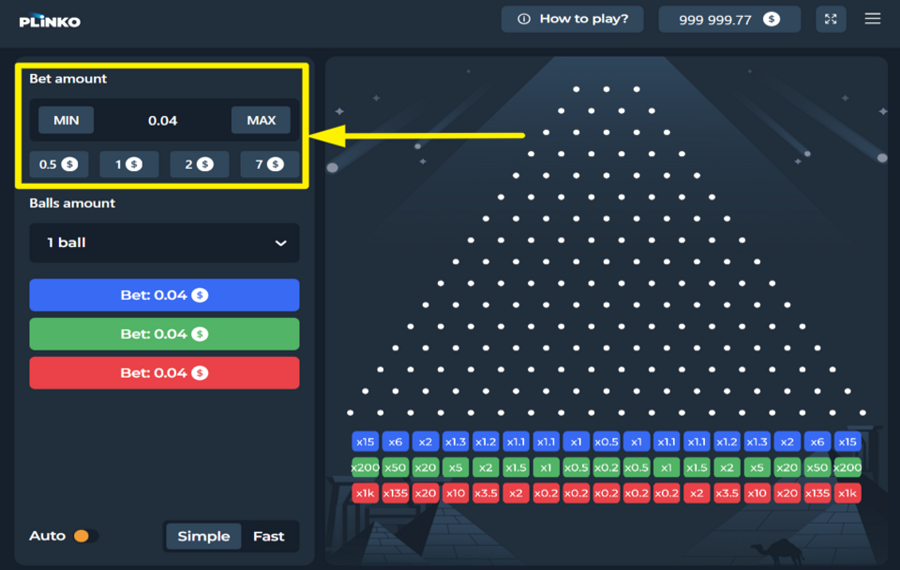
To set your ”bet” amount, look at the top-left section of the panel. You can select a preset amount, such as 0.5, 1, 2, or 7, or press the “Min” or “Max” buttons to set the lowest or highest available wager quickly. The selected “bet” value is applied to every ball you drop.
2
CHOOSE THE NUMBER OF BALLS.
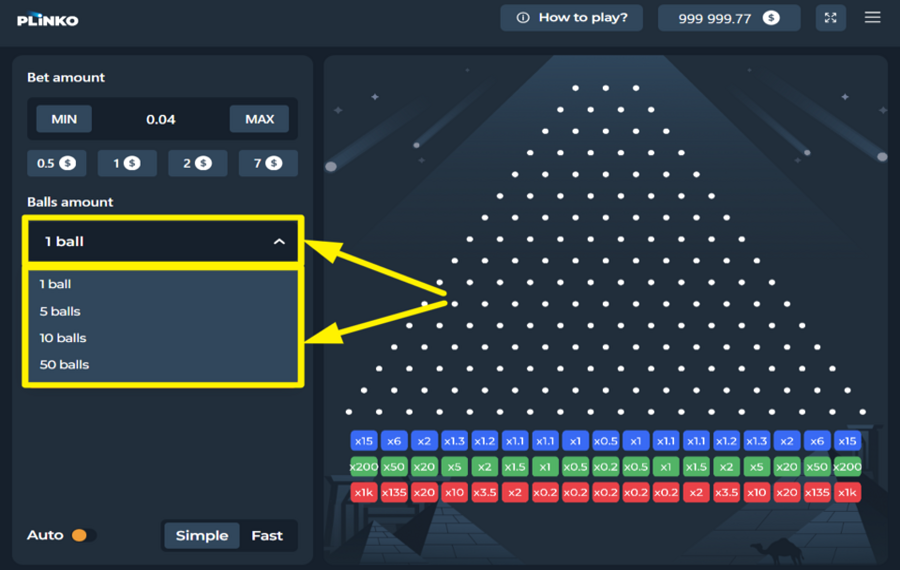
Click the dropdown menu labeled “Balls Amount” just below the ”bet” controls. From here, choose how many balls you want to release per round. The options range from 1 to 50 balls. The more balls you choose, the more dynamic and faster the gameplay becomes, giving you multiple outcomes in one go.
3
DROP THE BALLS!
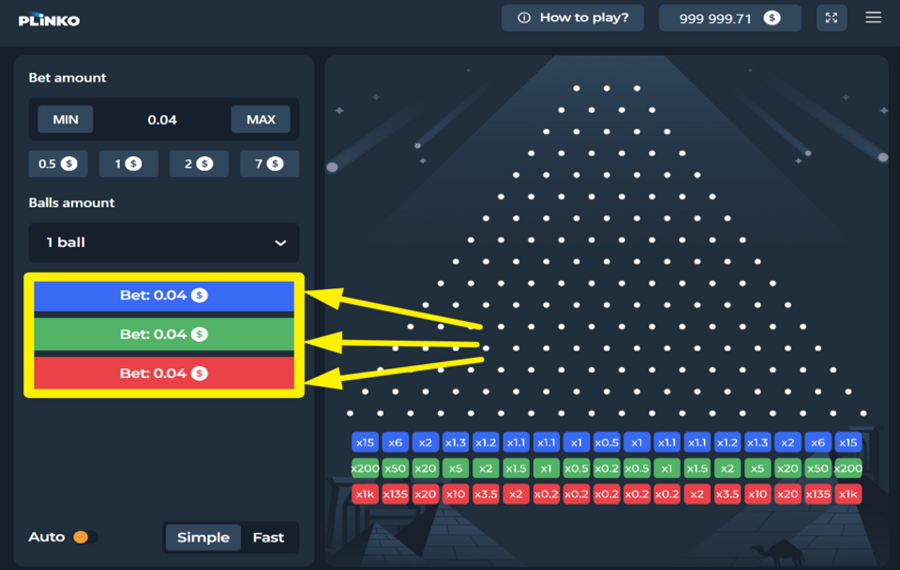
Click one of the colored “Bet” buttons, blue, green, or red, to send the ball(s) tumbling down the Plinko board. Each ball bounces through the pegs and lands in a slot with a multiplier shown at the bottom. Your winnings are calculated based on where the balls settle, multiplied by the value of your active “bet” amount.
4
UTILIZE AUTOPLAY.
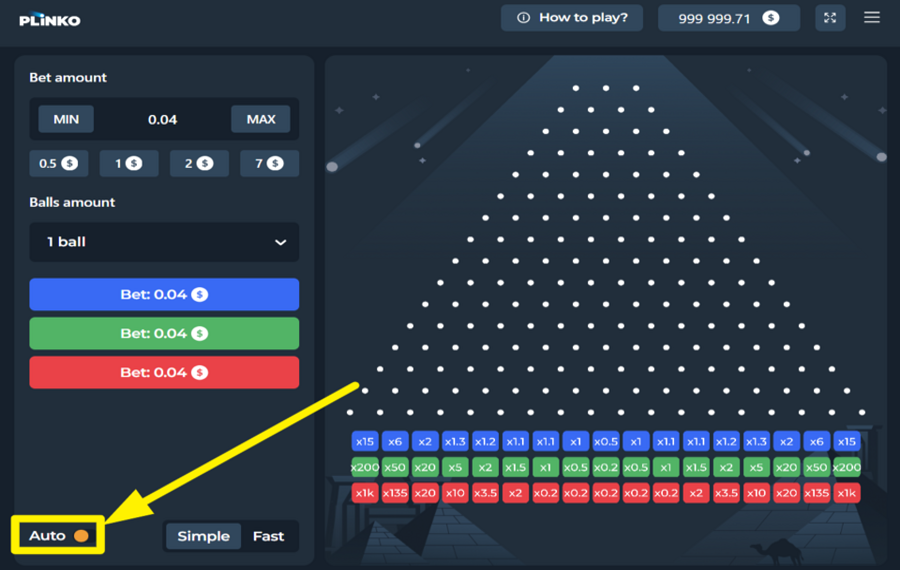
If you prefer hands-free play, toggle the “Auto” switch at the bottom left. The buttons will change to “Auto Bet” mode, and the game will automatically drop balls at your chosen stake until you turn the feature off.
5
CHANGE THE SPEED.
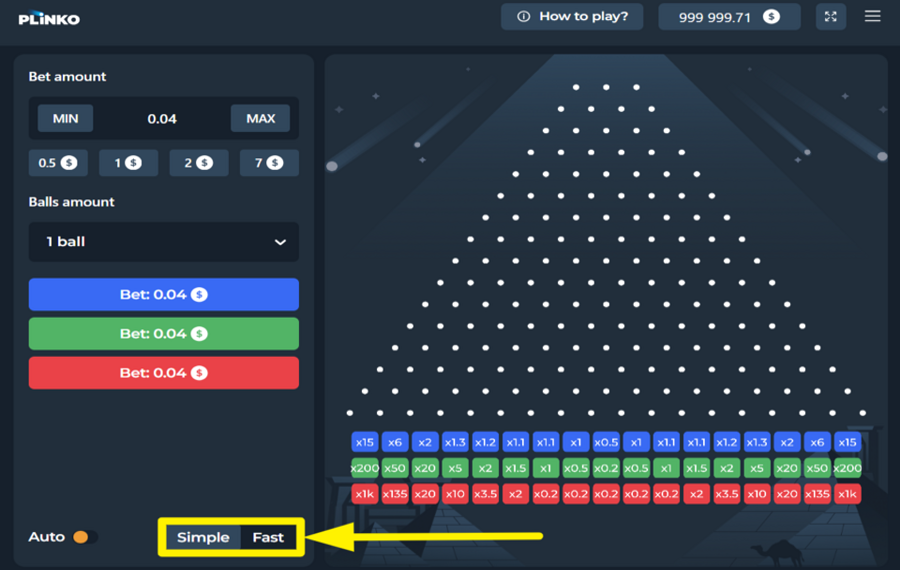
At the bottom of the panel, you’ll find two mode buttons labeled “Simple” and “Fast.” Selecting “Simple” keeps the classic pace, showing every bounce and drop. Switching to “Fast” accelerates the animation and results.
Plinko 1000 Ratings & Reviews
Our community rated Plinko 1000 as Very Good with a score of 4.5 out of 5 based on 4 votes.




daffysLevel 18




Jmoneycool1Level 8Canada
Televizorius![account-cancel]() Suspended
 Suspended


Zouharhall![account-cancel]() Suspended
SuspendedRate and Review Plinko 1000
When writing a Game Review, remember to share your personal experience in detail - whether it's positive or negative. For more tips on writing game reviews, check out our dedicated Help Page.
How to Write a Game ReviewPlinko 1000 Q&As
Got questions about Plinko 1000?
Ask a QuestionCompare Plinko 1000 to Other Games
Other Games by InOut Games
All 67 InOut Games Games









Mihai Enculescu
Senior Game Expert
- Over 2 years of experience in the iGaming industry.
- Uploaded & maintained data for 3,000+ casino games.
- Strong grasp of casino game mechanics, especially slots.
- Reviewed and fact-checked over 3,500+ casino games.

