


 Casinos
 Bonuses


Chicken vs Zombies


Chicken vs Zombies Details


Times Played
 No

3D animation
No
Technology
HTML5
Play Chicken vs Zombies Slot for Real Money




Load More Casinos (+10)
How to Play Chicken vs Zombies Slot: Mastering the Basics
1
SET YOUR BET.
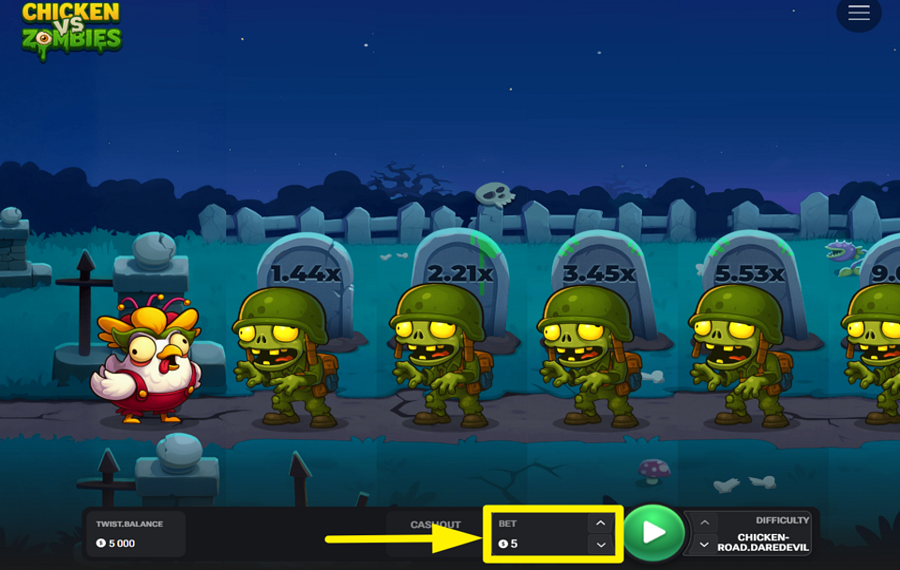
Use the “Bet” field near the bottom center of the screen to set your “bet”. Adjust the value using the small arrows on either side of the box.
2
SELECT A DIFFICULTY LEVEL.
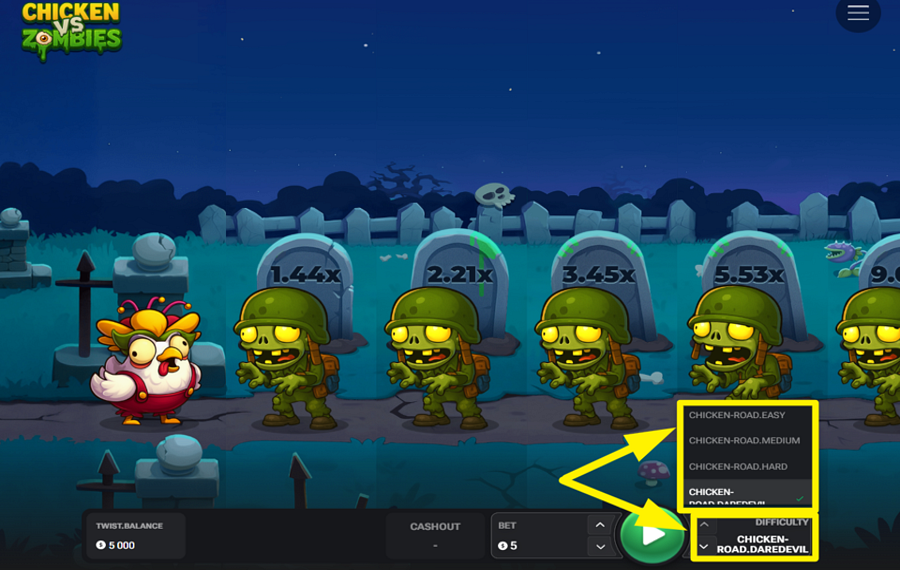
Open the “Difficulty” selector on the bottom right and choose between options like “Easy”, “Medium”, “Hard”, or “Daredevil”. Easier paths offer steadier progress, while tougher levels make each step far more dangerous.
3
MAKE YOUR MOVE.
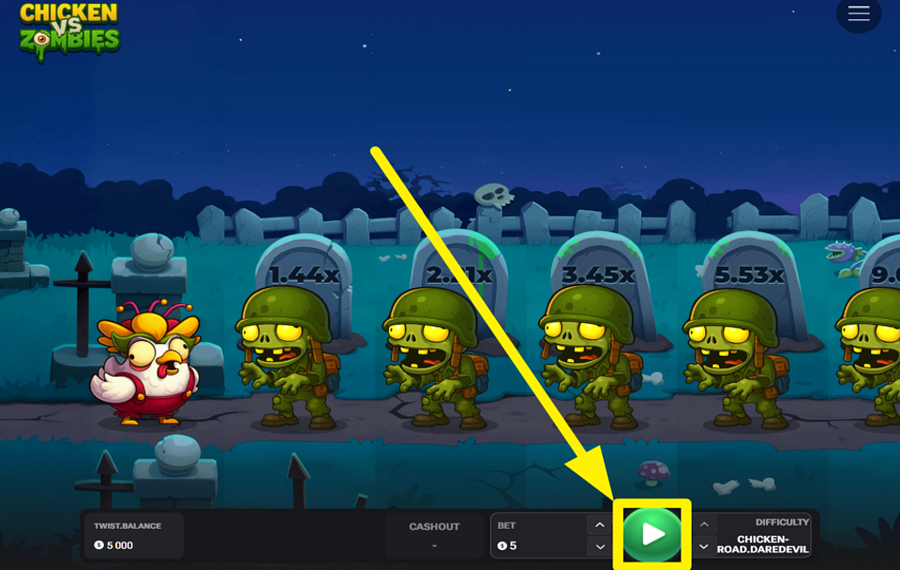
Hit the green “Play” button to send the chicken charging down the graveyard path. With each zombie it slips past, the multiplier ticks higher above the lane markers. You can keep pushing forward to stack bigger rewards, but one wrong step ends the run instantly.
4
CASH OUT BEFORE YOU’RE CAUGHT.
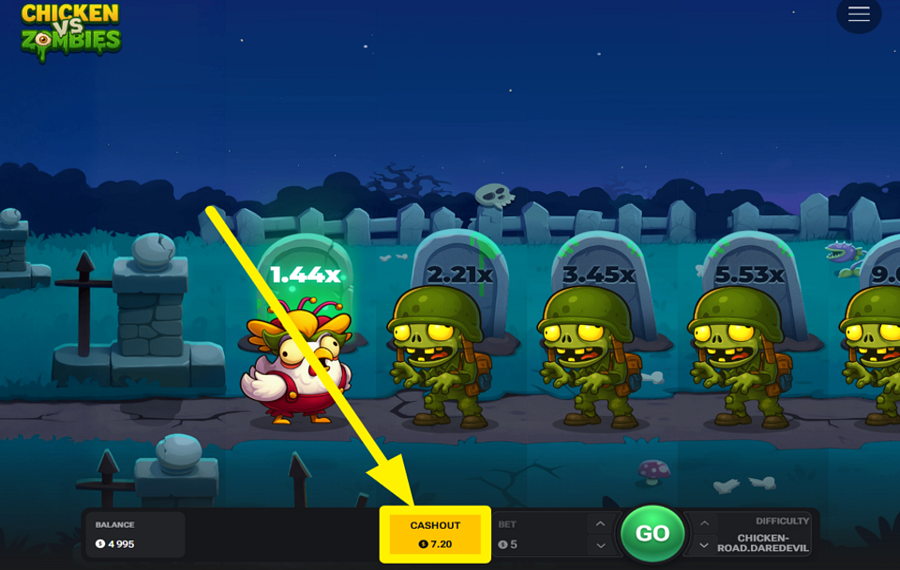
Tap the yellow “Cashout” button at any moment to secure your winnings at the current multiplier. The payout reflects your multiplier applied to your “bet”. If the chicken gets caught by a zombie before you cash out, you lose everything you won so far. You may continue playing by pressing the ”Go” button, but at your own risk.
Chicken vs Zombies Ratings & Reviews
Rate and Review Chicken vs Zombies
When writing a Game Review, remember to share your personal experience in detail - whether it's positive or negative. For more tips on writing game reviews, check out our dedicated Help Page.
How to Write a Game ReviewChicken vs Zombies Q&As
Got questions about Chicken vs Zombies?
Ask a QuestionCompare Chicken vs Zombies to Other Games
+![Chicken Run]()

Chicken Run
RTP: 95%
+![Uncrossable Rush]()

Uncrossable Rush
RTP: 96%
+![Frog It]()

Frog It
RTP: 96.3%
+![Chick n Run]()

Chick n Run
RTP: 95%
+![Chicken Plus]()

Chicken Plus
RTP: 97.5%
+![Chicken Road 2 Bonus]()

Chicken Road 2 Bonus
RTP: 96.5%
+![Orbital Rush]()

Orbital Rush
RTP: 96%
+![Chicken Dash]()

Chicken Dash
RTP: 96.85%
+![Uncrossable Rush Eggster]()

Uncrossable Rush Eggster
RTP: 96%
+![Ginja Run]()

Ginja Run
RTP: Undisclosed
RatingSoftwareYearRTP




Show more![arrow_down]()


Other Games by InOut Games
All 67 InOut Games Games









Mihai Enculescu
Senior Game Expert
- Over 2 years of experience in the iGaming industry.
- Uploaded & maintained data for 3,000+ casino games.
- Strong grasp of casino game mechanics, especially slots.
- Reviewed and fact-checked over 3,500+ casino games.

