


 Casinos
 Bonuses


Mines Supreme


Mines Supreme Details


Times Played
 No

3D animation
No
Technology
HTML5
Play Mines Supreme Slot for Real Money




Load More Casinos (+10)
How to Play Mines Supreme Slot: Mastering the Basics
1
CHOOSE YOUR BET.
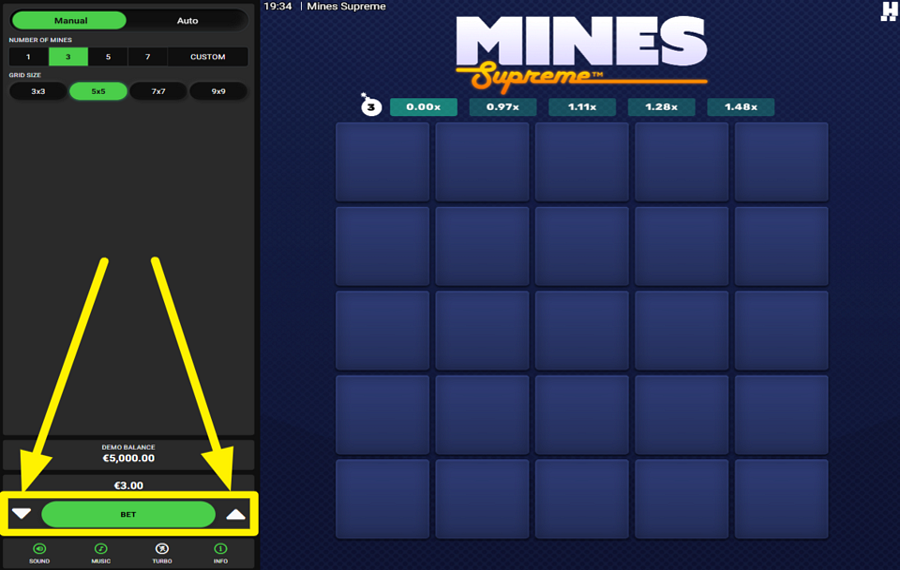
To set your wager, tap the white arrow buttons positioned on either side of the green "Bet" button near the bottom left of the screen.
2
ADJUST THE NUMBER OF MINES.
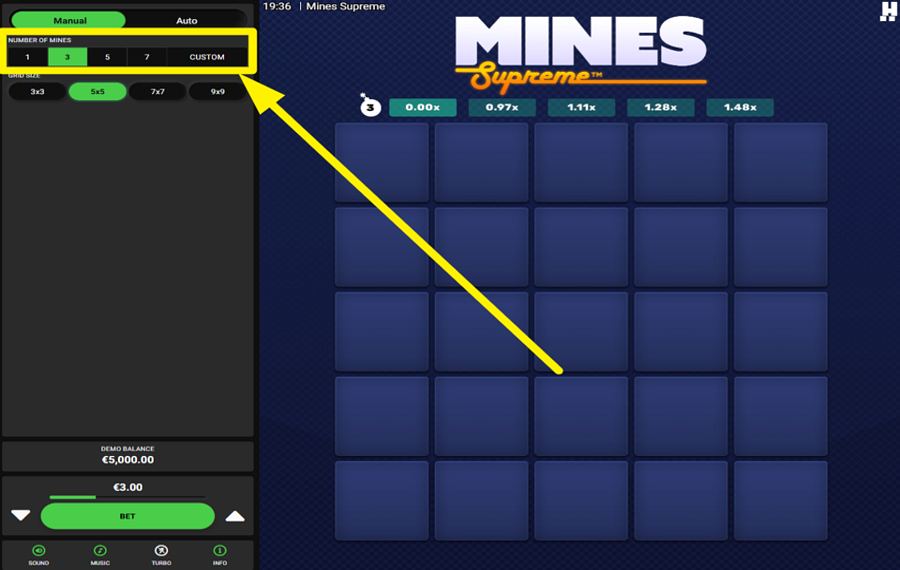
Look at the upper-left area of the screen and find the "Number of Mines" section. Here, you can choose preset values such as 1, 3, 5, or 7 Mines, or select "Custom" to enter your own amount. More Mines increase the danger of revealing a losing square, but they also improve the potential payouts available from successful picks.
3
SELECT A GRID SIZE.
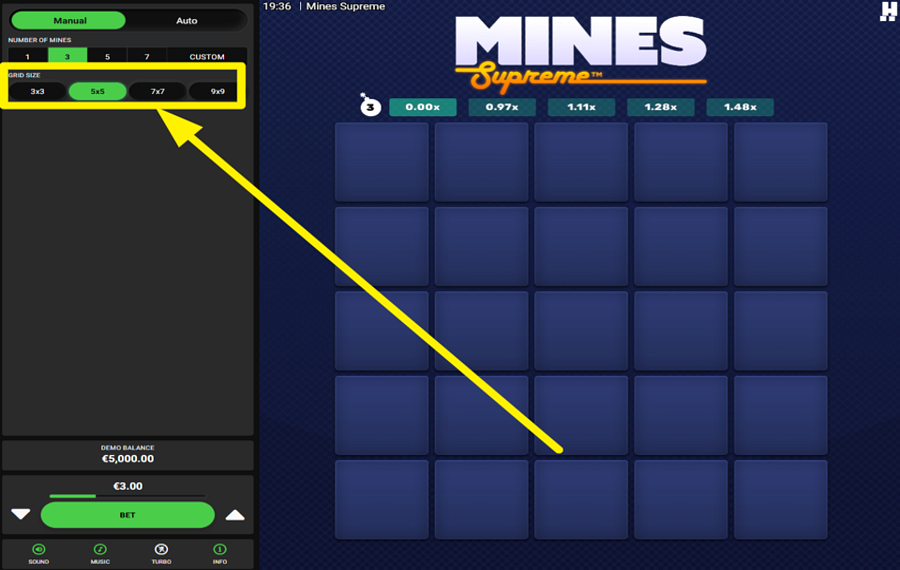
Just below the "Mine" settings, you can find the "Grid Size" options. Choose between 3x3, 5x5, 7x7, or 9x9 layouts. Larger grids contain more squares to explore and generally spread the "Mines" across a wider playing area.
4
LET THE FUN BEGIN!
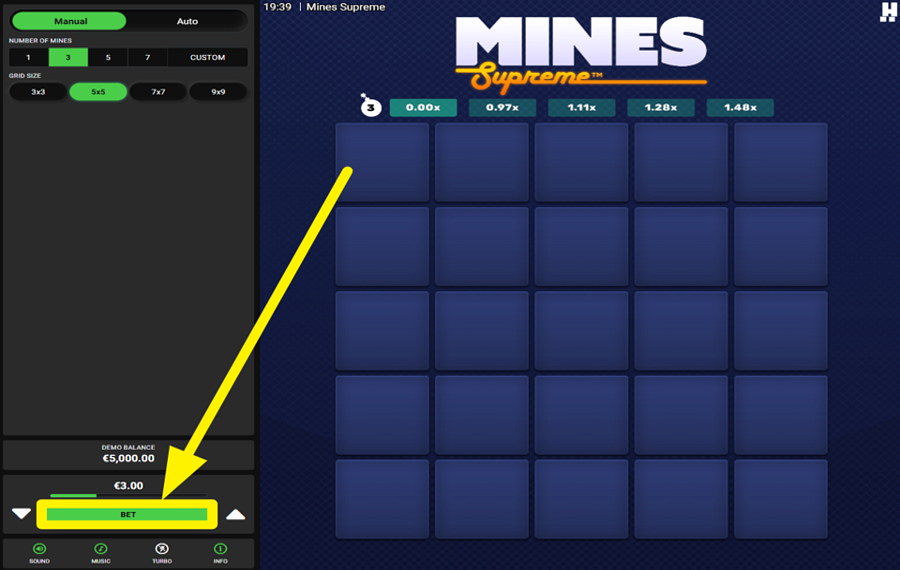
Press the green "Bet" button to begin a round. A hidden grid appears where every square can contain a "Diamond," a "Mine," a "Shield," a "Multiplier," or the rare "Max Win Diamond." Click unopened squares one at a time to reveal their contents. Each "Diamond" increases your collectable win. If you reveal a "Mine," the round normally ends immediately. However, finding a "Shield" protects you from the next "Mine" you uncover. "Multipliers" can boost your current collectable win, while the "Max Win Diamond" instantly awards the game's maximum prize and ends the round.
5
COLLECT YOUR WINNINGS.
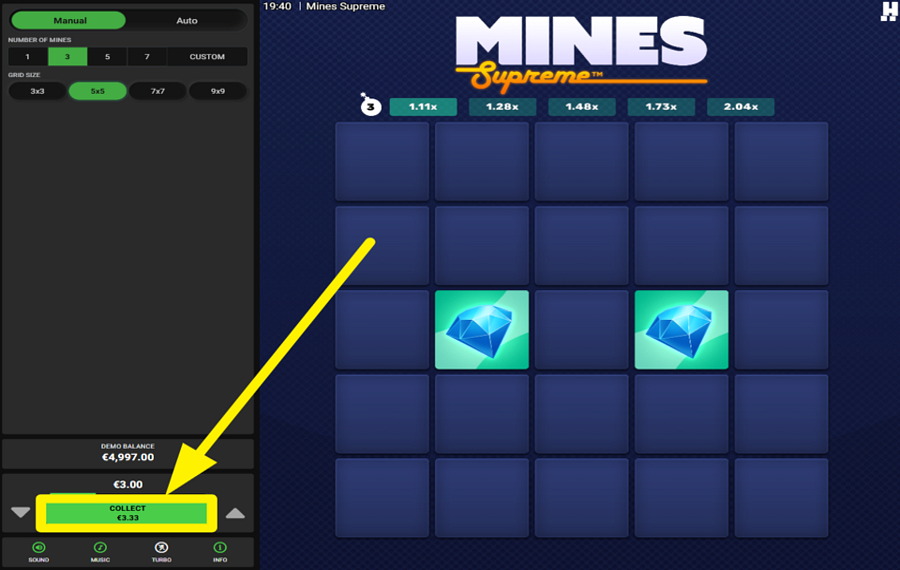
After revealing one or more favorable symbols, you may stop at any time by clicking the green "Collect" button that replaces the "Bet" button at the bottom of the panel. This action secures your winnings and ends the round.
6
USE THE AUTOPLAY FEATURE.
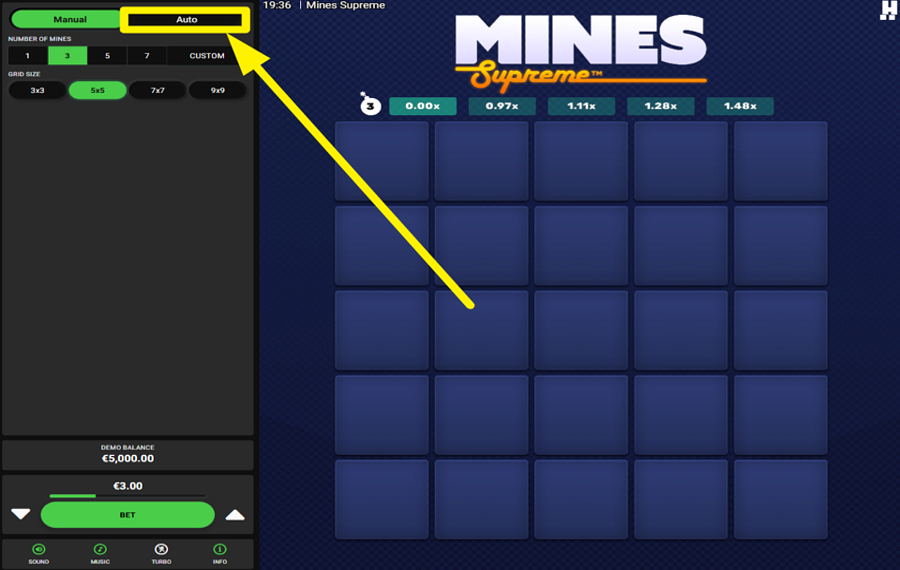
Click the "Auto" tab at the top of the left-hand panel to switch from "Manual" to "Autoplay" mode. You can configure the number of rounds, choose a "Random" or "Custom" picking pattern, set how many squares should be selected automatically, and define optional win and loss limits.
7
ACTIVATE TURBO MODE.
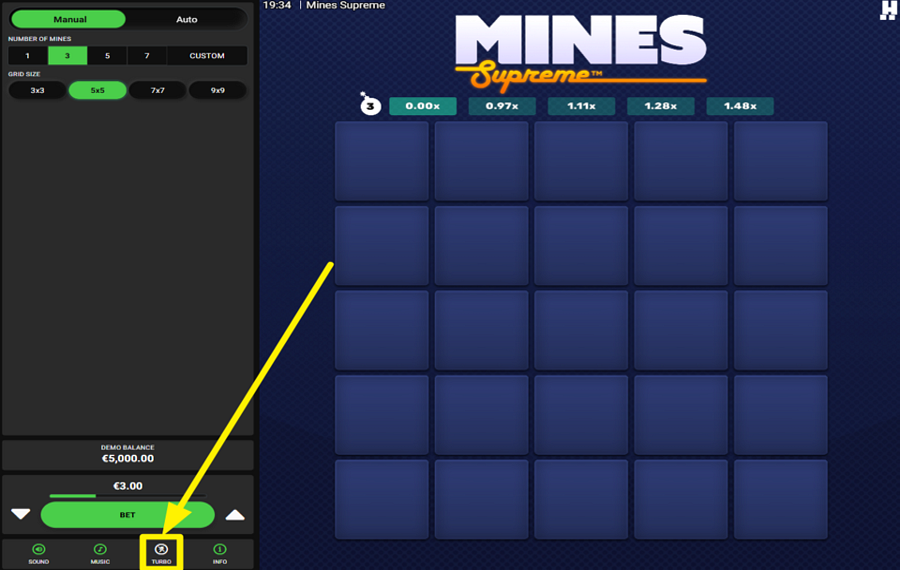
Find the "Turbo" button in the bottom toolbar, between the "Music" and "Info" buttons. Press it to speed up game animations and round transitions.
Mines Supreme Ratings & Reviews
Our community rated Mines Supreme as Average with a score of 3.5 out of 5 based on 2 votes.



biedronka![account-cancel]() Suspended
 Suspended


agikamanusLevel 5Netherlands
Rate and Review Mines Supreme
When writing a Game Review, remember to share your personal experience in detail - whether it's positive or negative. For more tips on writing game reviews, check out our dedicated Help Page.
How to Write a Game ReviewMines Supreme Q&As
Got questions about Mines Supreme?
Ask a QuestionCompare Mines Supreme to Other Games
+![Mr First Mines]()

Mr First Mines
RTP: 96.5%
+![Mine]()

Mine
RTP: 96%
+![PoggiPlay Mines]()

PoggiPlay Mines
RTP: 98%
RatingSoftwareYearRTP




Show more![arrow_down]()


Other Games by Hacksaw Gaming
All 292 Hacksaw Gaming Games





Rozi Vrinceanu
Casino Data Specialist
- Over 6 years of experience in the land-based casino industry;
- Deep understanding of player experience and casino operations;
- Updated and verified more than 300 online casino reviews;
- Known for precision, consistency, and a high standard of accuracy;
- Currently studying Economic Sciences at Titu Maiorescu University.

